HelloGrowthCRM software
Built for real small-business sales teams
HelloGrowthCRM helps reps qualify faster, follow up on time, and close more deals—with practical automation in one place.
- AI lead scoring and pipeline visibility
- Built-in dialer, WhatsApp, and email automation
- Sales forecasting and RevOps-ready reporting
A proposal email template is a ready-made format you can customize to send a professional sales proposal to your prospects. It helps you communicate your offer clearly and encourages your leads to take the next step. This article covers why small business owners need such templates, how to create one step-by-step, common pitfalls to avoid, and a detailed example with US-based figures.
Why this comes up / what goes wrong
Small business owners often struggle to follow up with leads quickly and professionally. They may write proposal emails on the fly, risking unclear pricing, missing key details, or forgetting to include a call to action. This leads to lost deals and wasted time. A well-crafted proposal email template saves time, ensures consistency, and improves your chances of closing deals. It also supports sales teams who use email, text, and spreadsheets but want a more organized approach.
Step-by-step
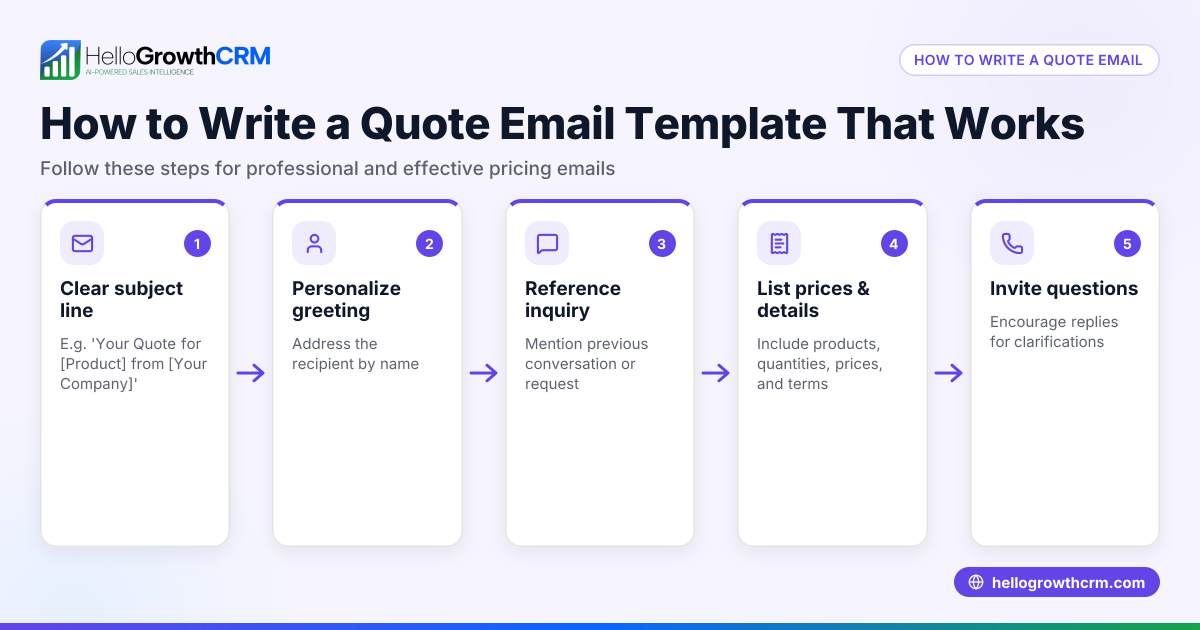
- Start with a clear subject line: Make it specific and relevant, for example, "Proposal for Garden Landscaping Services – GreenLeaf Landscaping". Check it is concise and professional.
- Greet the recipient by name: Personalization increases engagement. Double-check the spelling of their name and company.
- Introduce yourself and your company briefly: State your role and how you are connected to the lead.
- Reference the previous conversation or inquiry: Remind the recipient why you are sending the proposal.
- Summarize the proposal clearly: Describe the services or products you offer, focusing on benefits and outcomes.
- Include detailed pricing and terms: Break down costs clearly and mention payment terms or deadlines.
- Add a call to action: Tell the recipient what you want them to do next, such as replying to approve or scheduling a call.
- Close politely: Thank them for their time and express willingness to answer questions.
- Include your contact information and signature: Make it easy to reach you.
- Proofread before sending: Check for spelling, grammar, and accuracy.
For help with email sequences and follow-ups, see email automation and sequences. You can also find free templates to customize at sales templates.
Example (fictional figures)
GreenLeaf Landscaping in Charlotte, North Carolina, sends this proposal email on 07/15/2026 to a prospective client.
Subject: Proposal for Garden Landscaping Services – GreenLeaf Landscaping
Dear Ms. Johnson,
Thank you for considering GreenLeaf Landscaping for your garden renovation project. Following our recent discussion, I am pleased to provide the following proposal.
Scope of Work:
- Lawn aeration and seeding
- Installation of flower beds
- Mulching and edging
Pricing:
- Lawn aeration and seeding: $1,200
- Flower bed installation: $2,500
- Mulching and edging: $800
Total cost = $1,200 + $2,500 + $800 = $4,500
Payment terms: 50% deposit upon acceptance ($2,250), balance due upon completion.
Please reply to this email by 07/22/2026 if you wish to proceed or have any questions.
Thank you for your time,
Sarah Green GreenLeaf Landscaping Phone: (704) 555-1234 Email: sarah.green@greenleaf.com
Common mistakes
- Vague subject lines: Avoid generic subjects like "Proposal". Be specific to catch attention.
- Missing personalization: Always use the recipient’s name and company to show care.
- Unclear pricing or terms: Break down costs and payment terms clearly to prevent confusion.
- No call to action: Always state what you want the recipient to do next.
- Sending without proofreading: Typos and errors reduce professionalism.
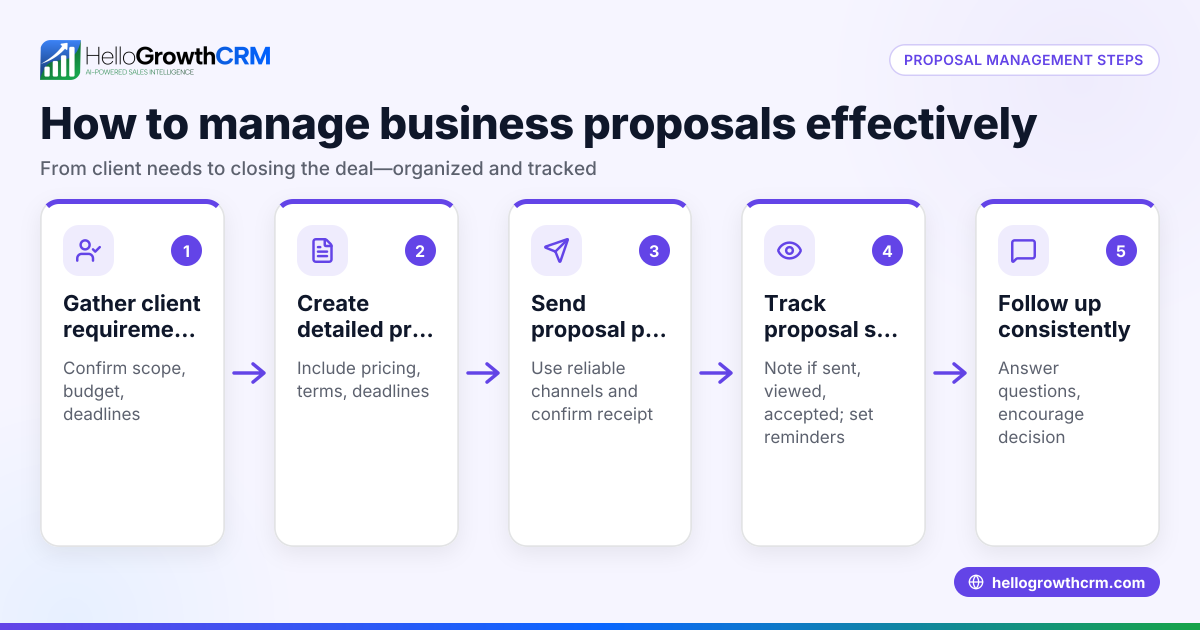
- Not tracking proposal status: Without tracking, you may miss when a proposal is viewed or accepted.
Avoid these by using templates and tools from sales templates and tracking communications with email automation and sequences.
Doing this in HelloGrowthCRM
HelloGrowthCRM offers a built-in quoting and proposal tool that lets you create, send, and track proposals directly from the deal screen. You can see the status of your sent proposals (sent, viewed, accepted) alongside your follow-up tasks, keeping all information in one place. Replies to your quotation emails appear in the HelloMail shared inbox, visible to your whole sales team, so no reply is missed. Additionally, you can download free sales tools, templates, and calculators without an account at free sales tools and calculators.
Frequently asked questions
What should I include in a proposal email template? Include a clear subject line, personalized greeting, brief introduction, summary of your offer, detailed pricing, payment terms, a clear call to action, and your contact information.
How can I make my proposal email stand out? Personalize it with the recipient’s name and company, be clear and concise, highlight benefits, and include a straightforward next step.
Can I automate sending proposal emails? Yes, using CRM tools with email automation and sequences helps you send proposals on time and follow up automatically. HelloGrowthCRM offers such features to manage this efficiently.
Is it important to track if a proposal email is viewed? Tracking helps you know when your prospect has seen the proposal so you can time your follow-ups effectively, improving your chances of closing the deal.
Are there free templates available for proposal emails? Yes, you can find free sales templates and email formats online or download them from sales tools platforms like HelloGrowthCRM offers at sales templates.
Key takeaways
- Use a clear and specific subject line that reflects the proposal’s purpose.
- Personalize your email with the recipient’s name and relevant details.
- Clearly outline your services, pricing, and payment terms.
- Always include a direct call to action to guide the next steps.
- Proofread your email carefully to avoid mistakes.
- Track proposal status and replies to manage follow-ups effectively.
Start using a proposal email template to save time and close more deals. For a practical tool, you can Start on the Free Forever plan (200 leads, no credit card) with HelloGrowthCRM.
Ready to put this into practice?
Set up your pipeline, WhatsApp follow-ups, and AI lead scoring in minutes — free, no credit card.
Try HelloGrowthCRM freeGet CRM tips in your inbox
Join thousands of sales professionals who get weekly insights on CRM strategy, AI automation, and pipeline optimization.

The HelloGrowthCRM team publishes guides on CRM strategy, AI sales tools, and revenue operations for small business sales teams.