HelloGrowthCRM software
Built for real small-business sales teams
HelloGrowthCRM helps reps qualify faster, follow up on time, and close more deals—with practical automation in one place.
- AI lead scoring and pipeline visibility
- Built-in dialer, WhatsApp, and email automation
- Sales forecasting and RevOps-ready reporting
A sales and marketing CRM combines customer relationship management features with marketing automation to help small and mid-sized businesses manage leads and customer interactions efficiently. It centralises contact details, tracks communications, automates follow-ups via email, SMS, or WhatsApp, and supports sales pipeline management. This helps reduce lost leads and slow follow-up, common issues for businesses relying on spreadsheets, text messages, or multiple apps.
Why this comes up / what goes wrong
Many Australian small business owners find their sales and marketing processes scattered across emails, spreadsheets, and messaging apps. This fragmentation causes slow lead follow-up, missed opportunities, and poor visibility of sales pipelines. Without a dedicated system, sales teams struggle to coordinate, track customer conversations, and measure performance. When evaluating a sales and marketing CRM, business owners want a solution that fits their team size, communication style, and sales process without overwhelming complexity.
Step-by-step
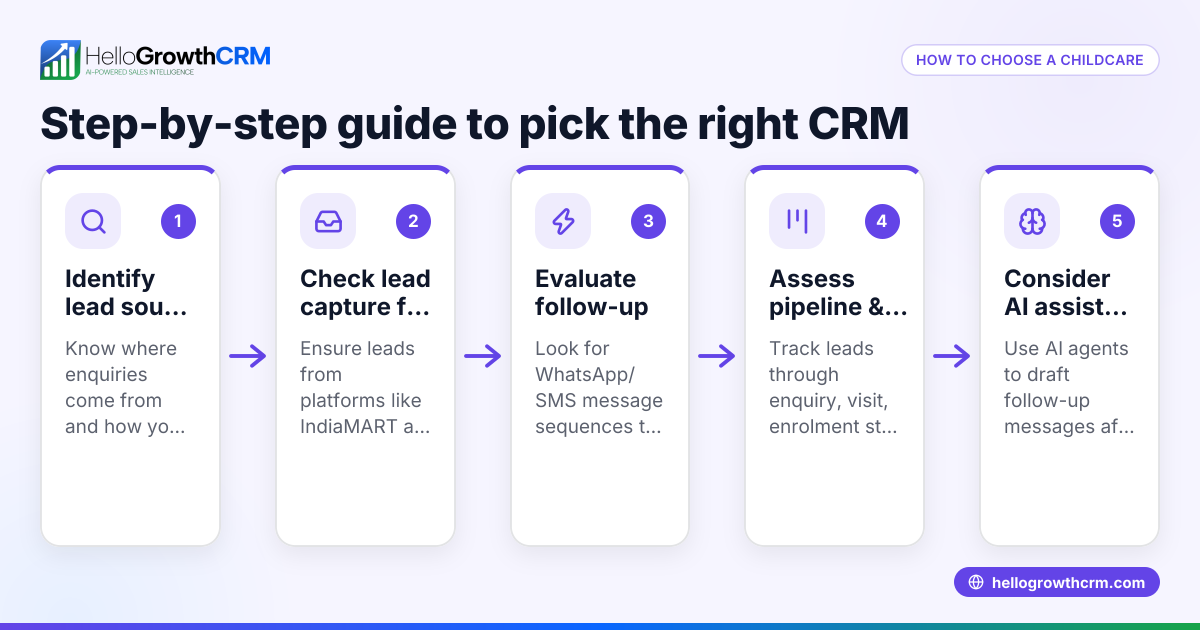
- Define your sales and marketing needs. Identify how your team captures leads (web forms, calls, walk-ins), how they communicate (email, WhatsApp, SMS), and what reporting or forecasting you require.
- Check channel support. Ensure the CRM supports the communication channels your customers prefer, such as WhatsApp and SMS, to maintain engagement on familiar platforms.
- Evaluate ease of use. The CRM must be intuitive for your sales and marketing teams to adopt quickly, avoiding complex setups or features you won’t use.
- Look for automation features. Automated follow-ups, lead scoring, and messaging sequences reduce manual work and speed up response times.
- Consider field operations and territory management if relevant. For businesses with field sales reps or distributors, tools to log visits and track commissions can improve accountability.
- Review integration options. Check if the CRM can capture leads from your website or other marketing tools seamlessly.
- Test reporting and forecasting. You need clear pipeline views and sales forecasts to plan and adjust strategies.
- Assess support and training. Ensure you have access to resources or templates to get started and troubleshoot.
Example (fictional figures)
A plumbing and gas business in Perth has 10 sales reps following up on leads captured from their website and phone inquiries. They want to automate WhatsApp and SMS follow-ups and track sales pipeline progress.
- Total leads per month: 200
- Average conversion rate: 20% (40 sales)
- Average sale value: A$3,000
- Monthly sales revenue = 40 × A$3,000 = A$120,000
They choose a CRM that logs WhatsApp conversations on lead records and sends follow-up messages automatically. This reduces lead response time by half, increasing conversions to 25%.
- New sales: 200 × 25% = 50
- New monthly revenue = 50 × A$3,000 = A$150,000
This A$30,000 increase shows how a sales and marketing CRM can impact revenue by improving lead engagement and tracking.
Common mistakes
- Choosing a CRM without WhatsApp or SMS support. Prevent this by verifying channel compatibility early, especially if your customers use mobile messaging heavily. See WhatsApp and SMS CRM.
- Overcomplicating with features you don’t need. Focus on core functions your team will use to avoid wasted time and cost.
- Ignoring field sales needs. If you have reps on the road, pick a CRM with territory and visit logging, like HelloGrowthCRM’s tools for field operations and commissions. See territories, field operations and commissions.
- Failing to train the team. Provide templates and guides to help adoption. HelloGrowthCRM offers free sales tools and templates at no signup. See free sales tools, templates and calculators.
- Not testing reporting capabilities. Ensure the CRM’s pipeline and forecasting views meet your business planning needs.
Doing this in HelloGrowthCRM
HelloGrowthCRM supports sales and marketing teams with WhatsApp and SMS workflows that log conversations on lead records and automate follow-ups. Field sales reps can log visits from their phones, and managers get visibility of daily activities and commissions. Additionally, you can download free sales tools, templates, and calculators without creating an account, helping you plan follow-up cadences and pipeline management efficiently. Learn more about these features at HelloGrowthCRM for Australia.
Frequently asked questions
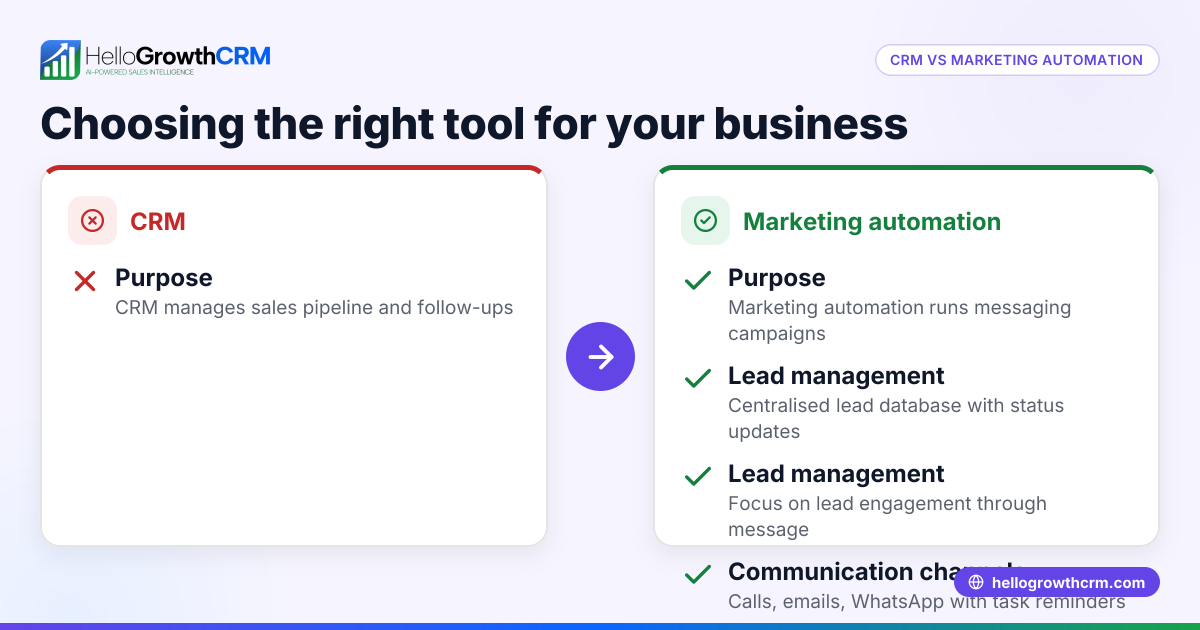
What is the difference between a sales CRM and a marketing CRM? A sales CRM focuses on managing leads, contacts, and sales pipelines, while a marketing CRM adds tools for automating campaigns and lead nurturing. Many systems combine both to streamline customer engagement.
Can I use WhatsApp in a sales and marketing CRM? Yes, some CRMs, including HelloGrowthCRM, integrate WhatsApp to log conversations and send follow-ups directly, improving response rates by using channels your customers already use.
How does territory management help sales teams? Territory management assigns leads and customers to specific reps or areas, helping organise visits, track field activities, and calculate commissions accurately.
Do I need a CRM if I use spreadsheets and email? While spreadsheets and email can work initially, a CRM centralises data, automates repetitive tasks, and provides better visibility and reporting, which is crucial as your business grows.
Are there free sales tools I can try before choosing a CRM? Yes, HelloGrowthCRM offers free sales tools, templates, and calculators that you can download without signing up, helping you understand and improve your sales process before committing.
How do I ensure my team will use the CRM? Choose a CRM that fits your team’s communication habits and sales process, provide training, and start with simple features like messaging and pipeline tracking to encourage adoption.
Key takeaways
- A sales and marketing CRM centralises lead management and automates follow-ups on channels like WhatsApp and SMS.
- Define your business needs carefully, focusing on communication channels, ease of use, and reporting.
- Avoid overcomplexity and ensure your CRM supports field sales if applicable.
- Use free sales tools and templates to plan your sales process before committing.
- Training and team buy-in are crucial for successful CRM adoption.
- HelloGrowthCRM offers WhatsApp-native CRM features, territory management, and free sales templates to support Australian businesses.
Start your CRM journey with confidence and see how better lead management can increase your sales. Start on the Free Forever plan (200 leads, no credit card).
Ready to put this into practice?
Set up your pipeline, WhatsApp follow-ups, and AI lead scoring in minutes — free, no credit card.
Try HelloGrowthCRM freeGet CRM tips in your inbox
Join thousands of sales professionals who get weekly insights on CRM strategy, AI automation, and pipeline optimization.

The HelloGrowthCRM team publishes guides on CRM strategy, AI sales tools, and revenue operations for small business sales teams.