HelloGrowthCRM software
Built for real small-business sales teams
HelloGrowthCRM helps reps qualify faster, follow up on time, and close more deals—with practical automation in one place.
- AI lead scoring and pipeline visibility
- Built-in dialer, WhatsApp, and email automation
- Sales forecasting and RevOps-ready reporting
Sales follow up automation is the process of using tools to automatically manage and send follow-up communications to your sales leads. Instead of manually calling or messaging each prospect multiple times, automation systems schedule and send these messages at the right intervals, improving lead engagement and reducing lost opportunities.
Why this comes up / what goes wrong
Many small-business owners and sales teams in India rely on manual follow-ups using WhatsApp, phone calls, and spreadsheets. This approach often leads to slow or missed follow-ups because:
- Sales reps forget to follow up or lose track of leads.
- Manual follow-ups take too much time, reducing the number of leads contacted.
- Lack of consistent messaging reduces the chance of converting leads.
- It is difficult to measure follow-up effectiveness or sales pipeline progress.
These challenges cause lost sales opportunities and inefficient use of sales team time. Automating follow-ups helps solve these problems by ensuring timely, consistent, and trackable communication with prospects.
Step-by-step
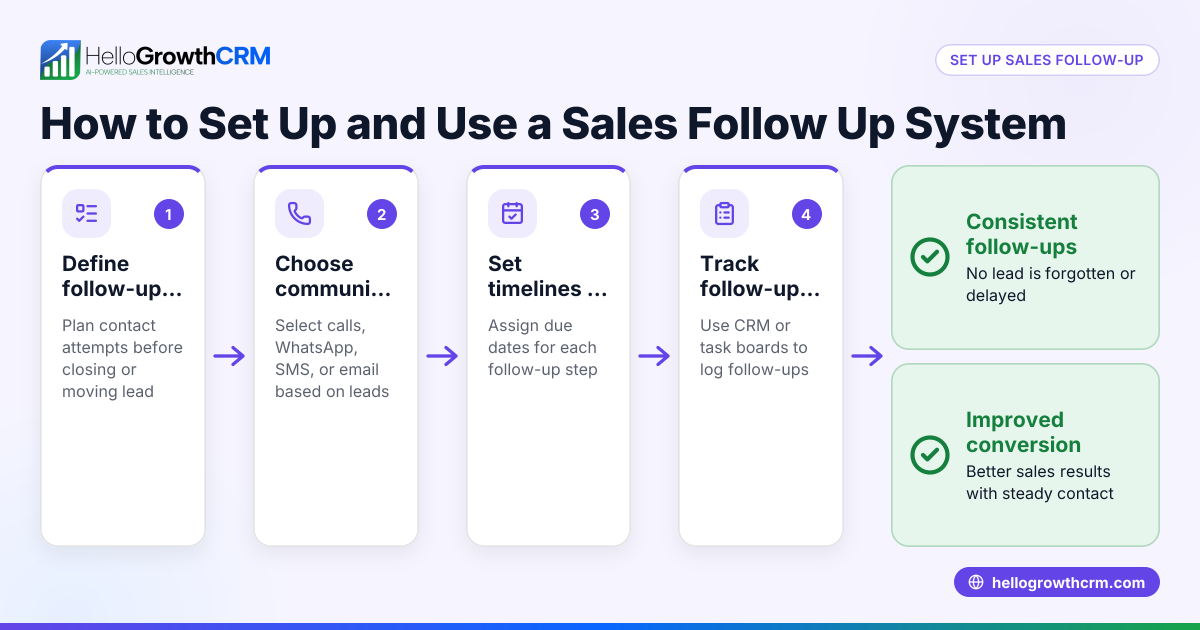
Here is how to implement sales follow up automation effectively:
- Collect and organize your leads
- Gather leads from all sources such as IndiaMART, JustDial, and web forms.
- Import them into a central CRM or spreadsheet for easy access.
- Check that each lead has valid contact details (phone, WhatsApp number, email).
- Define your follow-up schedule and messages
- Decide how many follow-ups you want (e.g., 5 messages over 2 weeks).
- Prepare clear, concise messages tailored to your product and audience.
- Include a call to action in each message (e.g., reply, call back).
- Choose automation tools
- Select a CRM or software that supports automated sequences and task management.
- Ensure it can send messages via WhatsApp, SMS, or email as needed.
- Set up automated sequences
- Create a multi-step workflow that sends each message at your chosen intervals.
- Configure the sequence to stop automatically once the prospect replies.
- Assign follow-up tasks to your sales team
- Each automated message should create a task with a due date for the rep to review or call.
- Use task boards to keep track of daily calls and follow-ups.
- Monitor and adjust
- Track response rates and task completion.
- Refine message content and timing based on results.
- Train your sales team
- Make sure reps understand how to use the automation tools.
- Encourage timely review and personalisation of AI-drafted messages.
Following these steps will help you automate follow-ups while keeping your sales process organized and responsive.
Example (fictional figures)
Rajesh runs a small electronics parts business in Pune. He gets 100 leads from IndiaMART each month and wants to follow up over 2 weeks with 5 messages per lead.
- Leads per month = 100
- Follow-up messages per lead = 5
- Total messages sent = 100 × 5 = 500
Rajesh uses an assumed cost of ₹2 per message for SMS/WhatsApp charges.
- Total messaging cost = 500 × ₹2 = ₹1,000
By automating these follow-ups, Rajesh saves about 20 minutes per lead compared to manual calls.
- Time saved = 100 leads × 20 minutes = 2,000 minutes = 33 hours
If Rajesh values sales rep time at ₹300/hour,
- Time cost saved = 33 × ₹300 = ₹9,900
So, the net benefit is ₹9,900 (time saved) minus ₹1,000 (messaging cost) = ₹8,900 saved monthly.
This example shows that follow-up automation can save significant time and money while improving lead engagement.
Common mistakes
- Not defining a clear follow-up schedule
- Prevent by planning the number and timing of messages before starting automation.
- Sending generic, impersonal messages
- Prevent by customizing messages and using AI agents to draft personalized follow-ups.
- Ignoring replies and continuing automated messages
- Prevent by setting automation to stop once the prospect responds.
- Overloading sales reps with too many manual tasks
- Prevent by using task boards to organize daily calls and follow-ups clearly.
- Failing to train the sales team on automation tools
- Prevent by providing proper training and making tools easy to use.
- Not tracking or measuring follow-up effectiveness
- Prevent by monitoring task completion and response rates regularly.
Doing this in HelloGrowthCRM
HelloGrowthCRM offers several features to automate sales follow ups effectively:
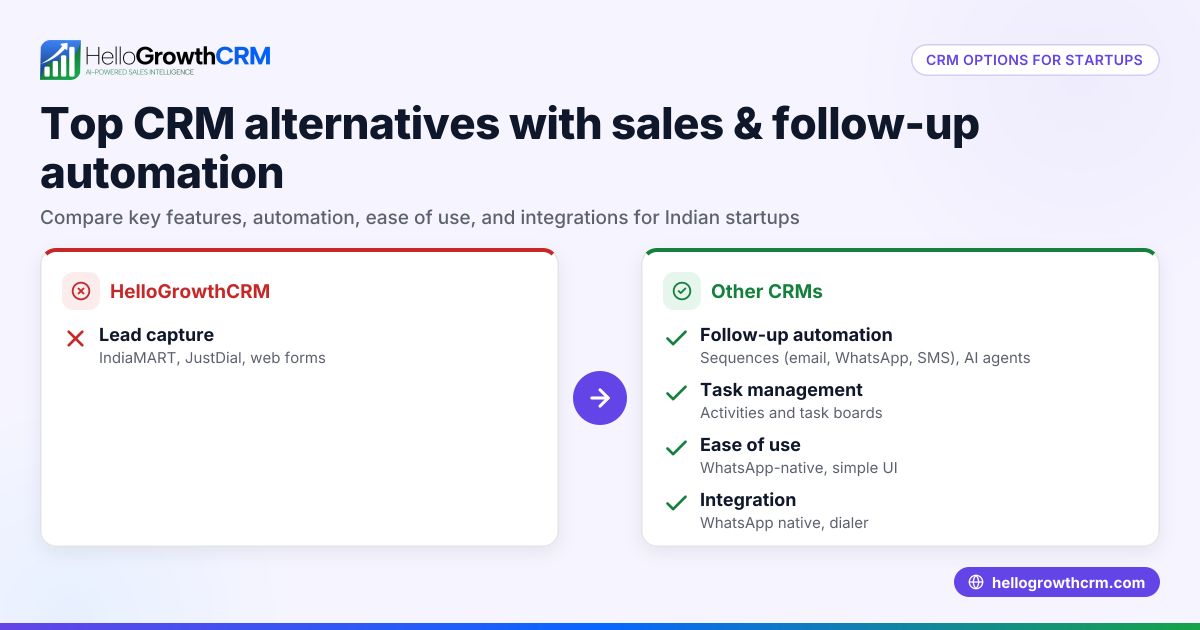
- Sequences and campaigns: You can set up a five-step follow-up over two weeks that runs automatically and stops the moment the prospect replies. This ensures timely and consistent outreach without manual effort. Learn more about email automation and sequences.
- AI agents: After a call, an AI agent drafts the follow-up message for the sales rep to review and send, saving time on message composition. This feature is in beta and helps personalize communication. See details on the AI CRM page.
- Activities and task boards: Every follow-up becomes a task with a due date, and the day’s calls appear as a clear list rather than relying on memory. This keeps your sales workflow organized and manageable. Explore sales task boards for more.
These tools help Indian SMBs and growing sales teams automate follow-ups while keeping control and visibility over their sales process.
Frequently asked questions
What is sales follow up automation? Sales follow up automation uses software to automatically send follow-up messages to leads at scheduled intervals. It reduces manual effort and ensures timely communication, improving lead engagement and conversion.
How can small businesses automate sales follow ups? Small businesses can automate follow ups by collecting leads in a CRM, setting up multi-step message sequences, assigning follow-up tasks, and monitoring responses. Using platforms like HelloGrowthCRM simplifies this process.
Does automation mean no personal contact? No. Automation handles routine follow-ups, but sales reps still review AI-drafted messages and personally engage when prospects reply. This balances efficiency with personal touch.
How many follow-ups should I automate? A common approach is 4-6 follow-ups over 1-2 weeks. The exact number depends on your sales cycle and customer behaviour. Automation tools let you adjust this easily.
Can I automate follow ups on WhatsApp? Yes. Some CRMs, including HelloGrowthCRM, support sending automated WhatsApp messages as part of sequences, making it convenient for Indian businesses that use WhatsApp for sales.
How does task management help in follow-up automation? Task management organizes follow-ups into due tasks for sales reps, ensuring no lead is forgotten. It also provides a clear daily call list, reducing reliance on memory and improving productivity.
Key takeaways
- Sales follow up automation sends scheduled messages automatically, saving time and improving lead response.
- Define your follow-up schedule, prepare messages, and use a CRM with sequences and task boards.
- Avoid common mistakes like ignoring replies or sending generic messages by using AI agents and stopping sequences when prospects respond.
- HelloGrowthCRM supports automated sequences, AI-drafted messages, and task boards tailored for Indian SMB sales teams.
- Effective automation requires training your sales team and monitoring results to refine your approach.
Start automating your sales follow ups today to reduce lost leads and boost sales efficiency. Start on the Free Forever plan (200 leads, no credit card) with HelloGrowthCRM.
Ready to put this into practice?
Set up your pipeline, WhatsApp follow-ups, and AI lead scoring in minutes — free, no credit card.
Try HelloGrowthCRM freeGet CRM tips in your inbox
Join thousands of sales professionals who get weekly insights on CRM strategy, AI automation, and pipeline optimization.

The HelloGrowthCRM team publishes guides on CRM strategy, AI sales tools, and revenue operations for small business sales teams.