HelloGrowthCRM software
Built for real small-business sales teams
HelloGrowthCRM helps reps qualify faster, follow up on time, and close more deals—with practical automation in one place.
- AI lead scoring and pipeline visibility
- Built-in dialer, WhatsApp, and email automation
- Sales forecasting and RevOps-ready reporting
Sales pipeline software pricing in Canada depends on your business size, required features, and support needs. Most vendors offer tiered pricing with a free or low-cost entry plan and higher tiers adding AI insights, territory management, and integrations. Understanding what you need and how pricing scales is essential to avoid overspending or missing critical features.
Why this comes up / what goes wrong
Canadian small-business owners often start with manual sales tracking using spreadsheets, emails, or text messages. This leads to lost leads, missed follow-ups, and unclear revenue forecasts. When looking for sales pipeline software, pricing becomes a key concern because budgets are tight and the value must justify the cost. Without clear guidance, businesses may choose software that is too expensive, too complex, or missing features important for their sales process.
Step-by-step
- Identify your core sales needs: Decide if you need simple deal tracking, AI forecasting, territory management, or mobile field sales tools. Check if the software charges per user or per team.
- Compare pricing tiers carefully: Look for what features each tier includes. For example, a free or starter plan might offer basic deal tracking but exclude AI insights or commissions.
- Check the billing frequency and contract terms: Monthly billing is common, but some vendors offer discounts for annual payments. Verify cancellation policies.
- Assess integration options: Confirm the software can connect with your existing tools like email, web forms, or communication apps.
- Consider scalability: Choose software that can grow with your team, allowing you to add users or advanced features as needed.
- Request demos or trials: Test the software to ensure usability and that it fits your workflow.
- Ask about support and training: Good onboarding and responsive support can save time and money.
- Calculate total cost of ownership: Include setup fees, add-ons, and potential costs for extra users or features.
Example (fictional figures)
A Surrey, British Columbia HVAC company with 10 sales reps wants to switch from spreadsheets to pipeline software. They estimate needing deal tracking, AI forecasting, and territory management.
- Starter tier costs C$20/user/month, no AI or territory features.
- Growth tier costs C$50/user/month, includes AI forecasting and territory tools.
Monthly cost at Starter tier: C$20 × 10 users = C$200
Monthly cost at Growth tier: C$50 × 10 users = C$500
Annual cost at Growth tier: C$500 × 12 months = C$6,000
The company decides the extra C$300/month is justified by AI insights and territory management improving sales efficiency and forecasting accuracy.
Common mistakes
- Choosing the cheapest option without required features: Avoid free or low-cost plans if they lack essential tools like pipeline forecasting. Prevent by listing must-have features first.
- Ignoring user limits and scalability: Some plans limit users or charge steep fees to add them. Prevent by checking user policies upfront.
- Overlooking integration capabilities: Software that doesn’t connect with your email or lead sources causes manual work. Prevent by testing integrations during trials.
- Not factoring in hidden costs: Setup fees, training, or add-ons can increase total cost. Prevent by requesting detailed pricing breakdowns.
- Neglecting support and training: Poor onboarding delays adoption and wastes time. Prevent by asking about support options.
Doing this in HelloGrowthCRM
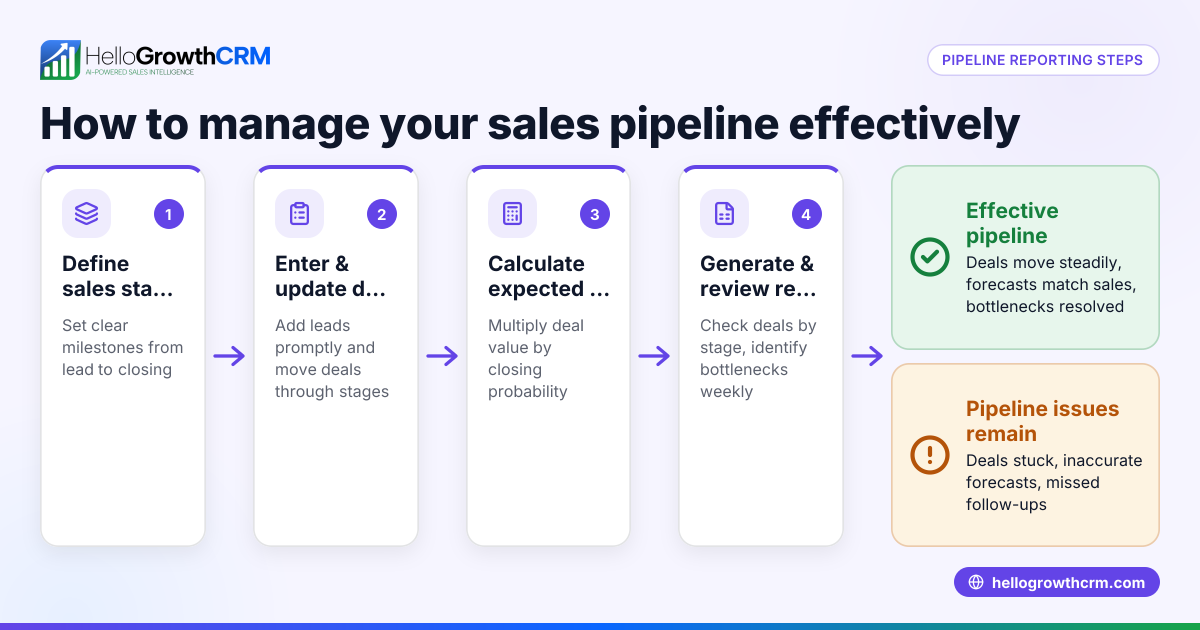
HelloGrowthCRM offers Deals (pipeline) to track open opportunities with stage movement and follow-up dates, ensuring quotations sent last week aren't forgotten. Its Pipeline forecast and AI insights feature helps owners identify stalled deals without spreadsheets, available in Growth and higher plans. For businesses with field sales, Territories, field operations and commissions tools let reps log visits from their phones while managers monitor daily activity. Learn more about HelloGrowthCRM's AI CRM and sales forecasting features.
Frequently asked questions
What is the typical pricing model for sales pipeline software in Canada? Most vendors use monthly subscription fees per user or per team, with tiered plans based on features. Some offer free or starter tiers with basic pipeline tools, while advanced plans include AI forecasting and territory management. Always check the specific pricing details for Canadian customers.
Are there good free options for sales pipeline software? Yes, some providers offer free tiers with basic deal tracking suitable for very small teams. However, these often lack advanced features like AI insights or mobile field sales tools, which may be necessary as your business grows.
How can I compare sales pipeline software effectively? List your must-have features, check pricing tiers for those features, test demos, and factor in integration and support. Use comparison resources like compare CRMs to see side-by-side differences.
What questions should I ask vendors about pricing? Ask about user limits, billing frequency, contract length, setup fees, support availability, and costs for adding features or users. Clarify if taxes or currency conversion fees apply.
Can sales pipeline software help with sales forecasting? Yes, many modern tools include AI-assisted forecasting to predict revenue based on your pipeline stages and historical data. This helps prioritize deals and manage cash flow.
Is mobile access important for sales pipeline software? If your team works in the field or outside the office, mobile access with features like visit logging and route planning improves productivity and data accuracy.
Key takeaways
- Sales pipeline software pricing in Canada varies by features, users, and support.
- Identify your core sales needs before comparing pricing tiers.
- Watch for hidden costs like setup fees and user limits.
- Test demos to ensure usability and integration with your tools.
- Advanced features like AI forecasting and territory management add value but increase cost.
- HelloGrowthCRM offers pipeline deals tracking, AI forecasting, and field sales tools to support growing teams.
Choosing the right sales pipeline software involves balancing cost with the features that will improve your sales process. For detailed Canadian pricing and plans, See Canadian pricing.
Ready to put this into practice?
Set up your pipeline, WhatsApp follow-ups, and AI lead scoring in minutes — free, no credit card.
Try HelloGrowthCRM freeGet CRM tips in your inbox
Join thousands of sales professionals who get weekly insights on CRM strategy, AI automation, and pipeline optimization.

The HelloGrowthCRM team publishes guides on CRM strategy, AI sales tools, and revenue operations for small business sales teams.