HelloGrowthCRM software
Built for real small-business sales teams
HelloGrowthCRM helps reps qualify faster, follow up on time, and close more deals—with practical automation in one place.
- AI lead scoring and pipeline visibility
- Built-in dialer, WhatsApp, and email automation
- Sales forecasting and RevOps-ready reporting
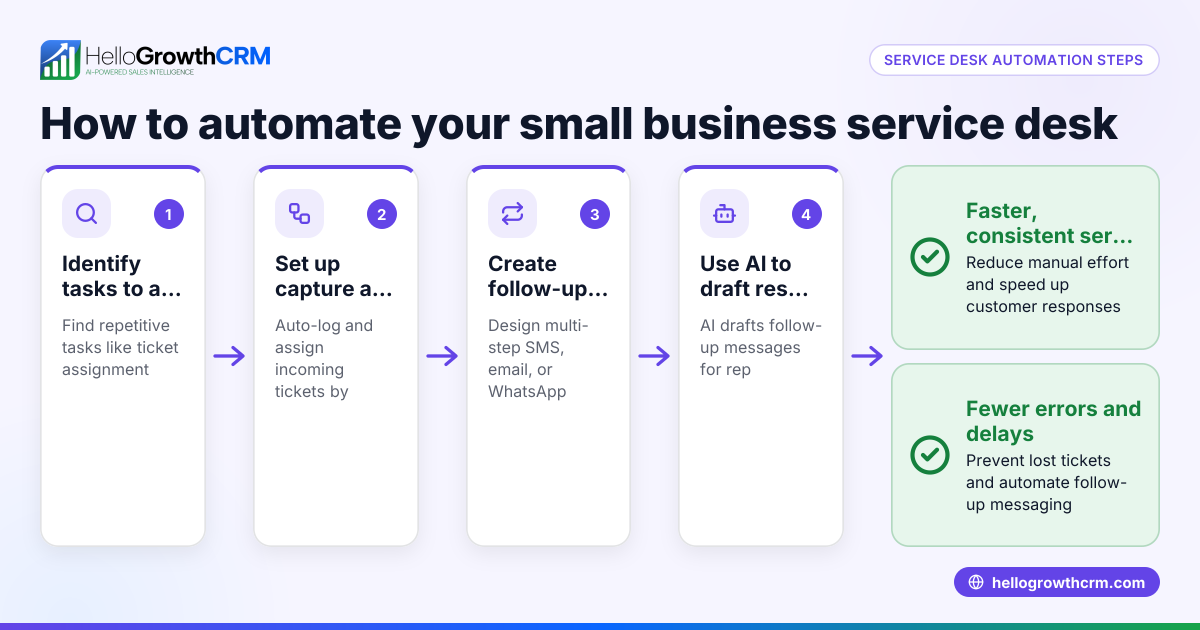
Service desk automation ideas help small businesses improve customer support by reducing manual tasks and speeding up response times. Key ideas include automating ticket routing to assign requests to the right agent automatically, using multi-step follow-up sequences that stop once the customer replies, employing AI agents to draft messages for quick review, and creating tasks automatically based on ticket status. These approaches increase efficiency and customer satisfaction.
Why this comes up / what goes wrong
Small business owners often face challenges managing customer support because their service desks rely heavily on manual work. Common issues include tickets going unassigned or overlooked, slow follow-ups, inconsistent communication, and poor task tracking. These problems lead to frustrated customers and lost business. Owners search for service desk automation ideas to streamline support without increasing headcount or complexity.
Step-by-step
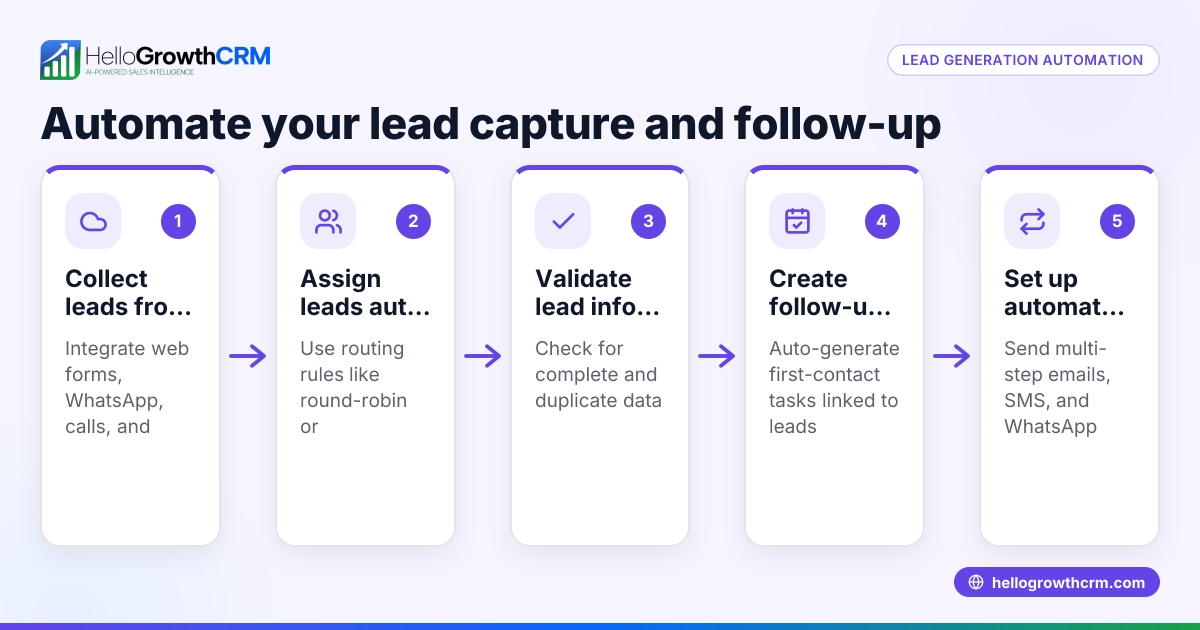
- Automate ticket routing and assignment: Create rules to assign incoming tickets automatically based on criteria like issue type, customer priority, or round-robin distribution. Check regularly that no tickets remain unassigned.
- Set up automated follow-ups: Use multi-step follow-up sequences that send reminders or request updates if the customer hasn’t responded after a set time. Ensure the sequence stops immediately once the customer replies to avoid over-contacting.
- Use AI to draft responses: Implement AI agents that draft follow-up messages or replies after calls or emails. Review these drafts before sending to save time while maintaining message quality.
- Automate task creation: Configure workflows to create support tasks automatically when tickets reach certain stages or require escalation. Confirm tasks are assigned to the right person with clear deadlines.
- Validate ticket data: Use validation rules to ensure required fields are filled correctly before tickets proceed. This prevents delays caused by incomplete or incorrect information.
- Monitor and adjust workflows regularly: Review automation performance monthly to identify bottlenecks or errors. Refine rules and sequences based on what you learn.
Example (fictional figures)
Phoenix Residential Realty, a residential real estate team in Phoenix, Arizona, wants to automate their service desk to handle tenant maintenance requests more efficiently.
On 03/01/2026, they receive 150 new maintenance tickets.
They set up these automations:
- Round-robin ticket assignment to 3 agents.
- A 5-step follow-up sequence over two weeks that stops when the tenant replies.
- An AI agent drafts follow-up messages after calls for agent review.
- Workflow automatically creates a "first inspection" task when a ticket is assigned.
Calculations:
Tickets per agent = 150 ÷ 3 = 50 tickets each
Assuming each follow-up saves 5 minutes per ticket:
Time saved per agent = 50 tickets × 5 minutes = 250 minutes = 4 hours 10 minutes
Total time saved = 4 hours 10 minutes × 3 agents = 12 hours 30 minutes
This automation frees over 12 hours of agent time weekly to focus on resolving issues instead of managing tasks.
Common mistakes
- Not stopping follow-up sequences when customers respond: This annoys customers and wastes resources. Prevent by setting rules that halt sequences immediately on reply.
- Assigning tickets without clear rules: Leads to uneven workloads and missed tickets. Use round-robin or skill-based routing to balance assignments.
- Ignoring incomplete ticket data: Causes delays and confusion. Use validation rules to require necessary information before processing tickets.
- Overcomplicating workflows: Complex rules are hard to maintain and prone to errors. Start simple and build automation gradually.
- Neglecting regular review: Automation needs ongoing tuning. Schedule monthly audits to update and improve workflows.
- Not using AI drafting tools: Missed opportunity to save time. Incorporate AI agents to draft messages for faster communication.
Doing this in HelloGrowthCRM
HelloGrowthCRM offers sequences and campaigns that automate multi-step follow-ups over two weeks and stop immediately when a prospect replies. Its AI agents draft follow-up messages after calls for quick review and sending. Workflows, lead routing, and validation rules automatically assign new inquiries round-robin and create first-call tasks, streamlining your service desk operations. Learn more about these features in the AI CRM and WhatsApp and SMS CRM sections.
Frequently asked questions
What is the easiest service desk task to automate? Automating ticket routing is usually the easiest and most impactful. Setting rules to assign tickets automatically ensures no request is overlooked and balances agent workloads.
How can AI improve service desk automation? AI can draft follow-up messages and responses based on customer interactions, saving agents time while maintaining a personal touch. AI agents reduce manual typing and speed up communication.
Should I automate all support tasks? Not all tasks should be automated. Focus on repetitive, rule-based tasks like ticket assignment, follow-ups, and data validation. Complex problem-solving still requires human attention.
How often should I review my automation settings? Review automation workflows monthly to check for errors, update rules, and ensure they align with your current support needs.
Can automation improve customer satisfaction? Yes. Faster responses, consistent follow-ups, and fewer missed tickets lead to happier customers and better retention.
Key takeaways
- Automate ticket routing and assignment to balance workloads and prevent missed tickets.
- Use multi-step follow-up sequences that stop automatically when customers reply.
- Implement AI agents to draft messages for faster, consistent communication.
- Create tasks automatically based on ticket status to keep workflows moving.
- Regularly review and refine automation rules to maintain efficiency.
Start automating your service desk today to save time and improve customer support. Start on the Free Forever plan (200 leads, no credit card) with HelloGrowthCRM to try these features yourself.
Ready to put this into practice?
Set up your pipeline, WhatsApp follow-ups, and AI lead scoring in minutes — free, no credit card.
Try HelloGrowthCRM freeGet CRM tips in your inbox
Join thousands of sales professionals who get weekly insights on CRM strategy, AI automation, and pipeline optimization.

The HelloGrowthCRM team publishes guides on CRM strategy, AI sales tools, and revenue operations for small business sales teams.