HelloGrowthCRM software
Built for real small-business sales teams
HelloGrowthCRM helps reps qualify faster, follow up on time, and close more deals—with practical automation in one place.
- AI lead scoring and pipeline visibility
- Built-in dialer, WhatsApp, and email automation
- Sales forecasting and RevOps-ready reporting
Service desk automation use cases include automating ticket routing, prioritizing requests, sending follow-up messages, and generating reports. These use cases help small businesses reduce manual effort, speed up response times, and improve customer satisfaction. This article covers why automation is needed, step-by-step implementation, a practical example, common mistakes, and how HelloGrowthCRM supports automation.
Why this comes up / what goes wrong
Small businesses often struggle with managing incoming support requests efficiently. Without automation, tickets can pile up, get assigned to the wrong person, or be forgotten. Manual tracking using spreadsheets, email, and text messages leads to slow follow-up and lost leads or unhappy customers. Sales and support teams waste time on repetitive tasks instead of focusing on solving problems. Business owners want to improve service speed and consistency but lack the tools or know-how to automate effectively.
Step-by-step
- Identify common service desk tasks to automate. Check what repetitive tasks take most time, such as ticket assignment, follow-ups, status updates, or reporting.
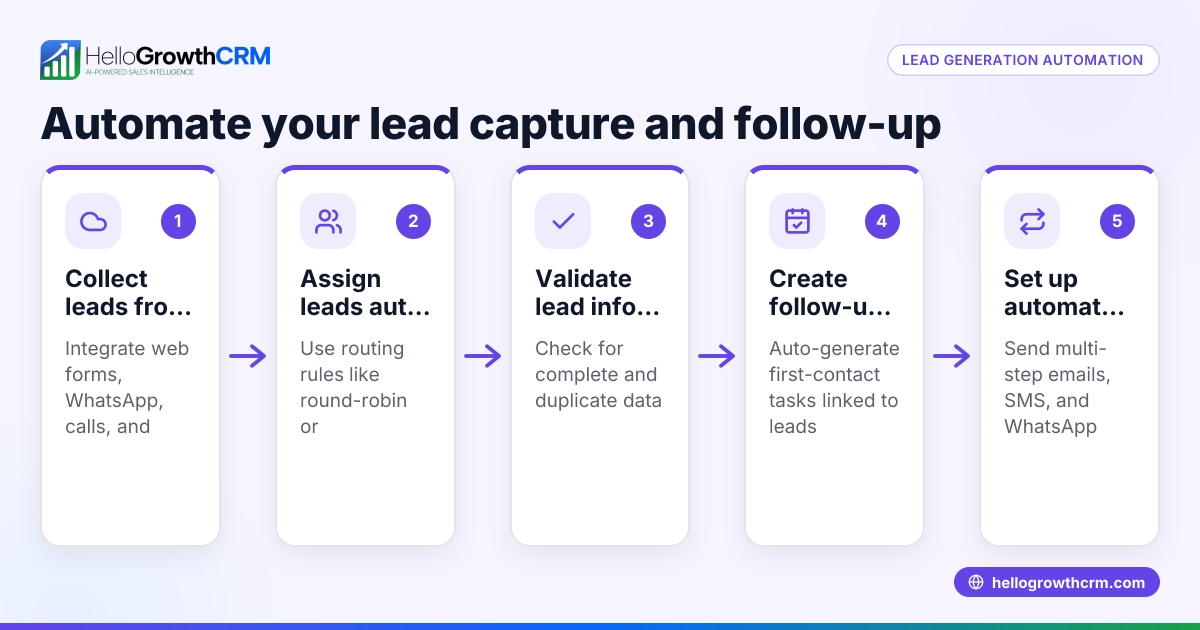
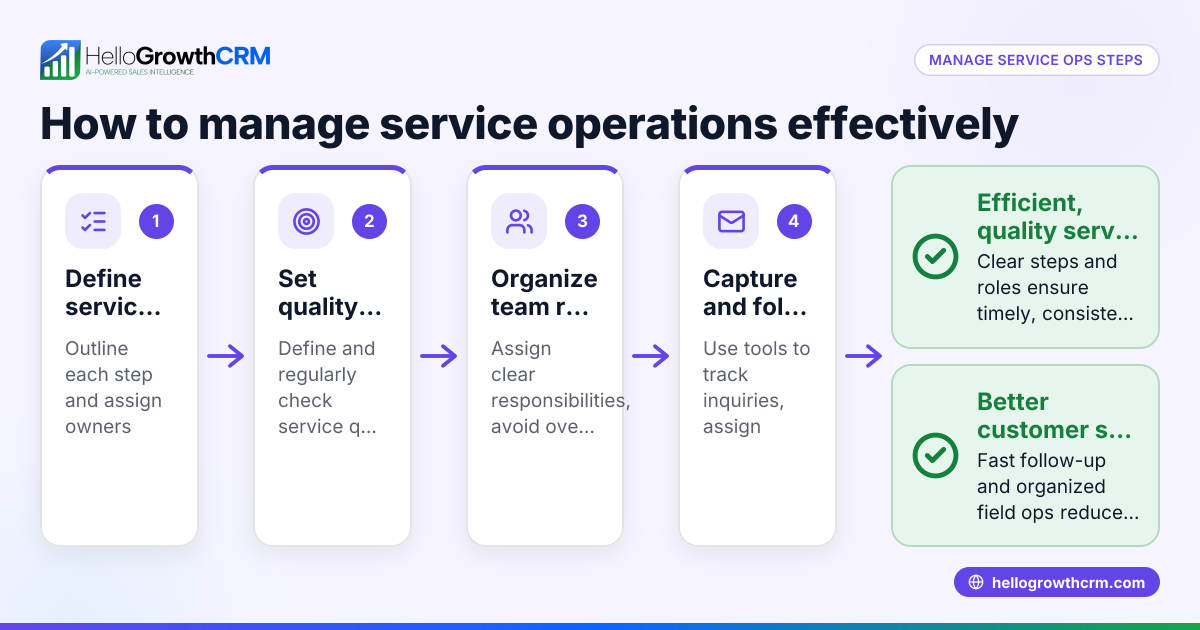
- Set up ticket capture and routing rules. Ensure all incoming requests from email, web forms, or chat are automatically logged and assigned by territory, product, or team member. Check that no tickets remain unassigned.
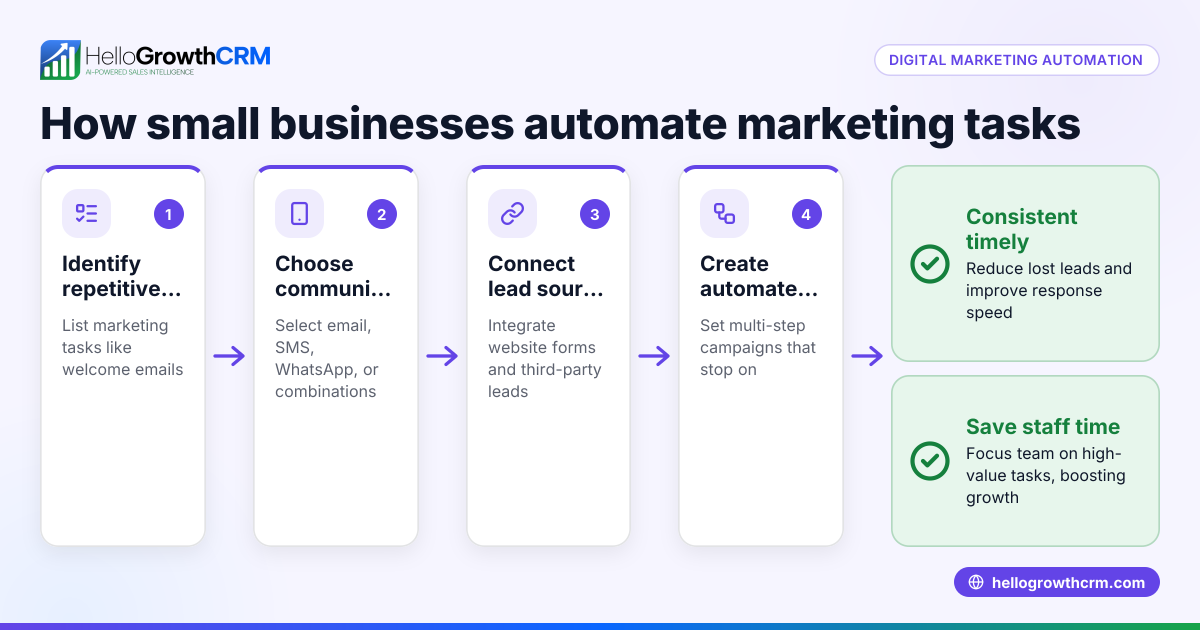
- Create automated follow-up sequences. Design multi-step message workflows that reach out to customers over email, SMS, or WhatsApp until a response is received. Check that sequences stop as soon as the customer replies.
- Use AI agents for drafting responses. Implement AI to draft follow-up messages after calls or tickets, so reps only review and send. Check drafts for accuracy before sending.
- Set validation rules and task automation. Use workflows to create follow-up tasks automatically when tickets reach certain stages or require escalation. Check that tasks are assigned and completed on time.
- Monitor and analyze service metrics. Generate reports on ticket volume, response times, and resolution rates to identify bottlenecks and improve processes.
- Train your team on the new system. Ensure everyone understands how automation works and how to intervene when manual action is needed.
Example (fictional figures)
A two-location dental practice in Columbus, Ohio, receives about 200 support requests monthly for appointment scheduling and billing inquiries. They implement service desk automation as follows:
- Automated ticket capture and round-robin routing to front desk staff.
- A five-step follow-up sequence over two weeks via SMS and email for unconfirmed appointments.
- AI agent drafts follow-up messages after phone calls for staff review.
- Workflow creates a task for billing inquiries that need manager approval.
Results:
Monthly support requests = 200
Average time saved per ticket by automation = 10 minutes
Total time saved = 200 × 10 minutes = 2,000 minutes = 33.3 hours
Staff hourly wage = $20
Monthly labor cost saved = 33.3 × $20 = $666
Improved follow-up reduces no-shows by 15%, increasing revenue by an estimated $1,500 monthly.
Common mistakes
- Automating too many steps at once. Start small and expand automation gradually to avoid confusion. Prevent by prioritizing high-impact tasks first.
- Ignoring team training. Without proper training, staff may bypass automation or make errors. Prevent by scheduling training sessions and providing clear documentation.
- Not monitoring automation results. Failing to track metrics means missed opportunities for improvement. Prevent by setting up regular reporting and reviews.
- Over-relying on AI without oversight. AI-generated messages may sometimes be inaccurate or off-tone. Prevent by requiring rep review before sending AI drafts.
- Lack of integration across channels. Using disconnected tools causes data silos and delays. Prevent by choosing a CRM with multi-channel automation like email, SMS, and WhatsApp WhatsApp and SMS CRM.
Doing this in HelloGrowthCRM
HelloGrowthCRM offers features that support service desk automation effectively. You can set up sequences and campaigns to run a five-step follow-up over two weeks that automatically stops when the prospect replies. Its AI agents draft follow-up messages after calls, so reps only need to review and send, saving time. Workflows, lead routing, and validation rules allow new inquiries to be assigned round-robin automatically, with first-call tasks created without manual effort. Learn more about these capabilities in the AI CRM section and how HelloGrowthCRM serves small businesses in the United States.
Frequently asked questions
What tasks can I automate in a service desk? You can automate ticket capture, assignment, follow-up messaging, task creation, and reporting. Automation helps reduce manual work and speeds up customer responses.
How does AI help in service desk automation? AI can draft follow-up messages and update records automatically, reducing the time reps spend on routine communication. However, human review is important to maintain message quality.
Can automation handle multiple communication channels? Yes, modern CRMs support email, SMS, and WhatsApp sequences, enabling consistent outreach across channels. This ensures customers get timely updates on their preferred platform.
What are common pitfalls when automating service desks? Common mistakes include over-automation without training, ignoring monitoring, and relying solely on AI without oversight. Prevent these by starting small, training your team, and reviewing automation results regularly.
How do I measure the success of service desk automation? Track metrics like average response time, ticket resolution time, customer satisfaction, and labor hours saved. Regular reporting helps identify areas for improvement.
Key takeaways
- Automate repetitive service desk tasks like ticket routing and follow-up messaging to save time.
- Use multi-step sequences that stop when the customer responds to avoid over-communication.
- Implement AI agents to draft messages but maintain human review for quality.
- Set workflows to create tasks automatically and assign tickets fairly.
- Train your team and monitor automation performance regularly.
- Choose a CRM that supports multi-channel automation including WhatsApp and SMS.
Start on the Free Forever plan (200 leads, no credit card) at HelloGrowthCRM to try service desk automation features firsthand.
Ready to put this into practice?
Set up your pipeline, WhatsApp follow-ups, and AI lead scoring in minutes — free, no credit card.
Try HelloGrowthCRM freeGet CRM tips in your inbox
Join thousands of sales professionals who get weekly insights on CRM strategy, AI automation, and pipeline optimization.

The HelloGrowthCRM team publishes guides on CRM strategy, AI sales tools, and revenue operations for small business sales teams.