HelloGrowthCRM software
Built for real small-business sales teams
HelloGrowthCRM helps reps qualify faster, follow up on time, and close more deals—with practical automation in one place.
- AI lead scoring and pipeline visibility
- Built-in dialer, WhatsApp, and email automation
- Sales forecasting and RevOps-ready reporting
Transactional email platforms are specialized software systems that automatically send individual emails triggered by specific actions customers take, such as completing a purchase, requesting a password reset, or receiving a shipping update. These emails are essential because they provide timely, relevant information customers expect after interacting with your business. Unlike marketing emails, which promote products or services broadly, transactional emails are one-to-one and action-driven.
This article covers why small businesses need transactional email platforms, step-by-step instructions to set one up, a practical example with figures, common mistakes to avoid, and how HelloGrowthCRM supports email communication workflows.
Why this comes up / what goes wrong
Small business owners often encounter the need for transactional email platforms when manual email handling causes delays, errors, or lost opportunities. For example, a team might send order confirmations by copying and pasting messages, which is time-consuming and prone to mistakes like missing customer details or sending emails late. This can frustrate customers and damage trust.
Additionally, small businesses running sales through text messages, email, and spreadsheets can struggle to keep track of customer communications effectively. Without automation, follow-up is slow or inconsistent, and important emails might never reach the customer. Mixing transactional emails with marketing blasts in the same system can also cause deliverability issues and compliance risks.
These challenges make it clear that a dedicated transactional email platform is necessary to automate timely responses, ensure accuracy, and maintain customer satisfaction.
Step-by-step
- Identify your transactional email needs: List the key customer actions that require automated emails, such as purchase confirmations, account sign-ups, password resets, shipping updates, or appointment reminders. Confirm that each email includes all essential information customers expect.
- Choose a transactional email platform: Look for platforms that integrate smoothly with your website, CRM, or order management system. Check for features like API access for triggering emails, customizable templates, reliable delivery, and analytics to monitor performance.
- Create clear email templates: Design concise, professional templates for each transactional email type. Include dynamic fields to personalize emails with customer names, order numbers, dates, or tracking links.
- Integrate the platform with your systems: Connect the transactional email platform to your website, CRM, or sales tools so emails send automatically when specific events occur. Test API connections or plugins to ensure triggers work correctly.
- Test emails thoroughly: Send test emails to yourself and team members to verify formatting, links, personalization, and timely delivery. Confirm that emails appear correctly on desktop and mobile devices.
- Monitor delivery and engagement: Use your platform’s analytics dashboard to track delivery rates, open rates, bounce rates, and any spam complaints. Address issues promptly to maintain high deliverability.
- Ensure compliance and data security: Confirm that your emails comply with applicable laws, such as including contact information and respecting privacy policies. Protect customer data by using encrypted connections and secure storage.
Example (fictional figures)
A residential real-estate team in Phoenix, Arizona, wants to automate their property inquiry responses.
- They receive 500 inquiries monthly.
- Each manual email takes 5 minutes to write and send.
- Staff hourly wage is $25.
Manual monthly time spent = 500 × 5 minutes = 2,500 minutes
Convert to hours: 2,500 ÷ 60 = 41.67 hours
Monthly manual email cost = 41.67 hours × $25 = $1,041.75
By using a transactional email platform, they automate replies instantly, saving over 40 hours monthly and reducing errors. This allows the team to focus on closing deals instead of repetitive email tasks.
Common mistakes
- Mixing transactional and marketing emails in one platform: Combining these can cause compliance issues and reduce deliverability. Use separate tools or platforms with clear segmentation. Learn more about email automation and sequences.
- Neglecting to test templates: Skipping thorough testing can result in broken links, missing personalization, or formatting errors. Always send test emails before going live.
- Ignoring delivery monitoring: Not tracking delivery and open rates can let problems go unnoticed. Regularly check analytics and resolve issues quickly.
- Failing to integrate properly: Incorrect or incomplete integration can prevent emails from triggering as expected. Double-check API connections and workflows.
- Using generic, impersonal emails: Transactional emails should be clear, concise, and personalized to maintain customer trust.
- Not securing customer data: Failing to protect data can lead to breaches and legal issues. Use secure platforms and encrypt sensitive information.
Doing this in HelloGrowthCRM
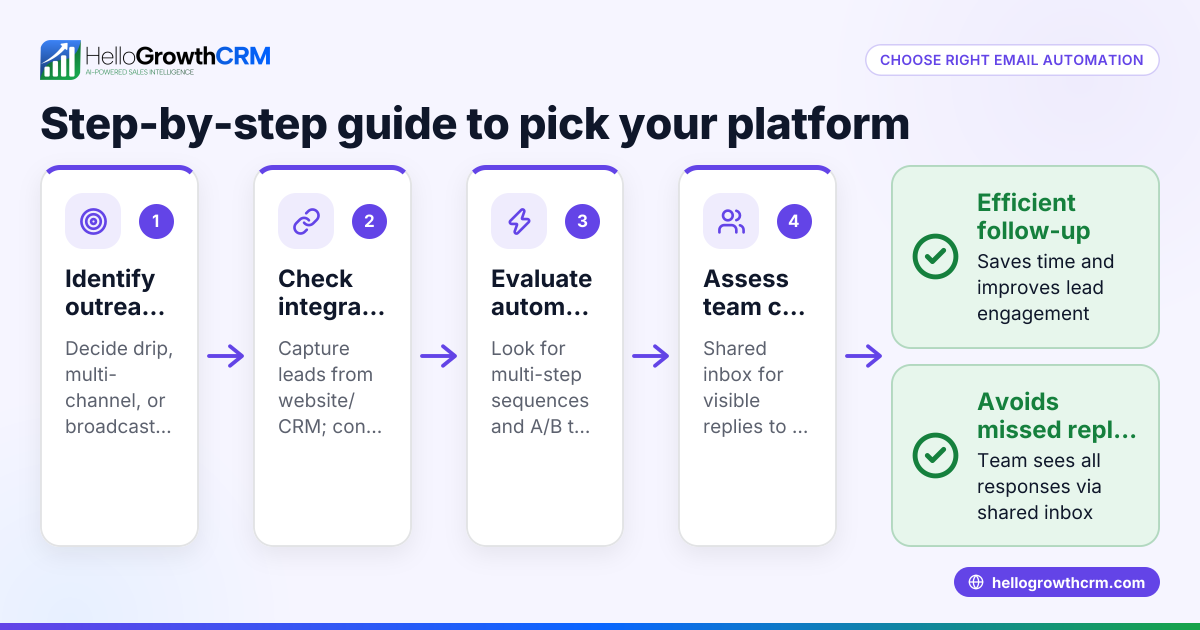
HelloGrowthCRM supports transactional email workflows with its HelloMail shared inbox, where replies to quotation emails are visible to the entire team on the deal, preventing missed responses. Its sequences and campaigns feature allows automated multi-step follow-ups over two weeks, stopping immediately when a prospect replies. This helps small businesses maintain timely, organized communication with leads and customers. Learn more about HelloGrowthCRM for the United States and its WhatsApp and SMS CRM capabilities.
Frequently asked questions
What is the difference between transactional and marketing emails? Transactional emails are triggered by specific user actions and provide necessary information like receipts or password resets. Marketing emails promote products or services and are sent broadly to prospects or customers.
Can I use the same platform for both transactional and marketing emails? Some platforms support both, but mixing them can impact deliverability and compliance. It’s usually better to separate transactional emails to ensure reliability and avoid spam filters.
How do I ensure my transactional emails reach customers’ inboxes? Use a reputable platform with strong deliverability, authenticate your sending domain, and monitor bounce and complaint rates regularly to maintain a good sender reputation.
Are transactional emails subject to spam laws? Yes, but they generally have more leniency because recipients expect them. Still, you must comply with legal requirements such as including your contact information and honoring unsubscribe requests where applicable.
How can HelloGrowthCRM help with my transactional emails? HelloGrowthCRM’s HelloMail shared inbox and sequences automate and organize email communication, ensuring timely follow-up and team visibility. See email automation and sequences for more details.
Key takeaways
- Transactional email platforms automate action-triggered emails like order confirmations, password resets, and shipping notices.
- Automation saves time, reduces errors, and improves customer experience.
- Proper setup involves identifying email needs, creating templates, integrating systems, testing, and monitoring.
- Avoid mixing transactional and marketing emails in one system to maintain deliverability and compliance.
- HelloGrowthCRM supports email workflows with its shared inbox and automated sequences.
Start automating your transactional emails today. Start on the Free Forever plan (200 leads, no credit card).
Ready to put this into practice?
Set up your pipeline, WhatsApp follow-ups, and AI lead scoring in minutes — free, no credit card.
Try HelloGrowthCRM freeGet CRM tips in your inbox
Join thousands of sales professionals who get weekly insights on CRM strategy, AI automation, and pipeline optimization.

The HelloGrowthCRM team publishes guides on CRM strategy, AI sales tools, and revenue operations for small business sales teams.