HelloGrowthCRM software
Built for real small-business sales teams
HelloGrowthCRM helps reps qualify faster, follow up on time, and close more deals—with practical automation in one place.
- AI lead scoring and pipeline visibility
- Built-in dialer, WhatsApp, and email automation
- Sales forecasting and RevOps-ready reporting
Triggered email campaigns automatically send emails when a prospect or customer takes a particular action or meets a condition. These campaigns are designed to engage leads promptly and keep communication relevant, improving the chances of conversion and retention. This article covers why triggered campaigns matter for small businesses, the step-by-step process to create them, a practical example, common pitfalls, and how HelloGrowthCRM helps automate triggered email sequences.
Why this comes up / what goes wrong
Many small-business owners lose leads because follow-up is slow or inconsistent. They might rely on manual emails, spreadsheets, or text messages, which can cause delays and missed opportunities. Triggered email campaigns solve this by automatically sending timely, relevant emails triggered by customer actions, such as signing up for a newsletter, requesting a quote, or clicking a link. Without automation, sales teams often forget to follow up or send generic emails that don’t engage prospects effectively.
Step-by-step
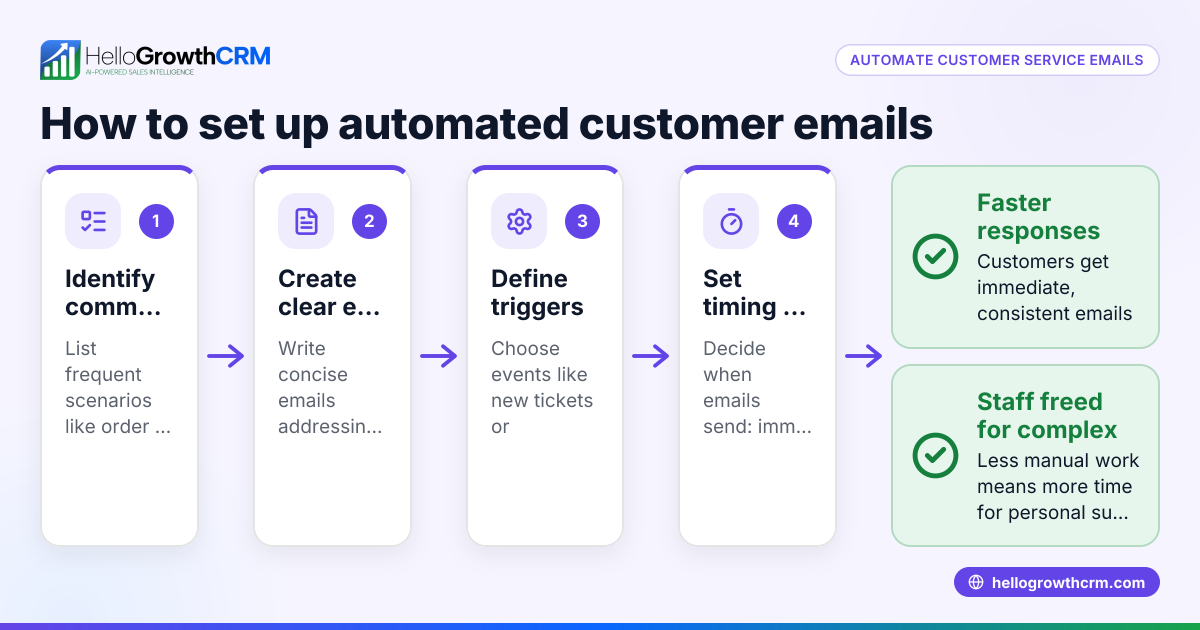
- Identify the trigger event: Decide what customer action will start the campaign, such as form submission, product inquiry, or purchase.
- Define your goal: Determine what you want to achieve with the campaign—lead nurturing, onboarding, re-engagement, or closing a sale.
- Create your email sequence: Write a series of emails that will be sent automatically after the trigger. Plan the timing and content for each step.
- Set timing intervals: Decide how long to wait between emails to avoid overwhelming the recipient but keep them engaged.
- Test the workflow: Run tests to ensure emails send correctly when the trigger occurs and that links and personalization work.
- Monitor responses: Track open rates, replies, and conversions to adjust the sequence for better results.
- Stop the sequence on reply: Make sure the campaign stops when the prospect replies to avoid redundant messages.
For more on automating follow-up, see email automation and sequences.
Example (fictional figures)
A B2B software reseller in Denver, Colorado, wants to nurture leads who request a product demo.
- On 05/01/2026, a prospect submits a demo request form.
- Trigger: form submission starts the email sequence.
Email 1 (sent immediately): Introduction and demo scheduling link. Email 2 (sent after 3 days): Reminder to schedule the demo. Email 3 (sent after 7 days): Case study relevant to the prospect’s industry. Email 4 (sent after 10 days): Special offer on the software license. Email 5 (sent after 14 days): Final follow-up asking if they need help.
The sales team tracks that out of 100 leads entering the sequence, 25 convert to sales at an average deal size of $12,000.
Calculation:
25 sales × $12,000 = $300,000 in new revenue
This triggered campaign helps the reseller focus on warm leads and close deals faster.
Common mistakes
- Sending too many emails too quickly: This can annoy prospects. Prevent by spacing emails and monitoring engagement.
- Not stopping the sequence after a reply: Leads get frustrated receiving repeated messages. Use automation that halts on reply.
- Using generic content: Irrelevant emails reduce interest. Tailor emails to the trigger and recipient’s stage.
- Neglecting testing: Broken links or errors reduce effectiveness. Always test sequences before launching.
- Ignoring analytics: Without tracking, you can’t improve. Regularly review open and response rates.
For tips on managing replies efficiently, see WhatsApp and SMS CRM.
Doing this in HelloGrowthCRM
HelloGrowthCRM offers Sequences and campaigns that automate multi-step outreach workflows, sending timed messages across email, SMS, and other channels until a prospect responds. A five-step follow-up over two weeks runs on its own and stops the moment the prospect replies. Additionally, HelloMail shared inbox allows your team to see replies to quotation emails in one place without switching apps, improving team collaboration on deals. Learn more about these features at email automation and sequences.
Frequently asked questions
What triggers can start an email campaign? Triggers include actions like submitting a web form, clicking a link, making a purchase, or reaching a milestone. Choose triggers relevant to your sales process to engage prospects at the right moment.
How many emails should a triggered campaign include? Typically, 3 to 5 emails spaced over one to two weeks work well. This keeps prospects engaged without overwhelming them. Adjust based on response rates.
Can triggered email campaigns integrate with SMS or WhatsApp? Yes, multi-channel campaigns can include SMS and WhatsApp messages alongside email to increase reach and engagement. HelloGrowthCRM supports this integration.
How do I know if my triggered emails are effective? Track open rates, click-through rates, replies, and conversions. Use this data to refine your messages and timing.
Is it necessary to stop the sequence when a prospect replies? Yes, stopping prevents sending redundant messages that can annoy the prospect and damage your relationship.
For more on managing multi-channel outreach, see HelloGrowthCRM for the United States.
Key takeaways
- Triggered email campaigns send automated messages based on specific customer actions.
- Setting clear triggers and goals helps create effective sequences.
- Test and monitor campaigns to avoid common mistakes like spamming or ignoring replies.
- Use multi-step sequences spaced over days or weeks for best engagement.
- HelloGrowthCRM automates these sequences and stops them when prospects reply.
- Shared inbox features improve team visibility on customer replies.
Triggered email campaigns help small businesses follow up faster and more consistently, turning leads into customers. Start automating your follow-up today with HelloGrowthCRM. Start on the Free Forever plan (200 leads, no credit card).
Ready to put this into practice?
Set up your pipeline, WhatsApp follow-ups, and AI lead scoring in minutes — free, no credit card.
Try HelloGrowthCRM freeGet CRM tips in your inbox
Join thousands of sales professionals who get weekly insights on CRM strategy, AI automation, and pipeline optimization.

The HelloGrowthCRM team publishes guides on CRM strategy, AI sales tools, and revenue operations for small business sales teams.