HelloGrowthCRM software
Built for real small-business sales teams
HelloGrowthCRM helps reps qualify faster, follow up on time, and close more deals—with practical automation in one place.
- AI lead scoring and pipeline visibility
- Built-in dialer, WhatsApp, and email automation
- Sales forecasting and RevOps-ready reporting
Webhooks Campaign Monitor integration allows your system to receive instant notifications about email events like opens, clicks, and unsubscribes, enabling automated and timely follow-ups. This article explains why Indian small businesses use this integration, how to set it up step-by-step, common mistakes to avoid, a practical example, and how HelloGrowthCRM supports related automation.
Why this comes up / what goes wrong
Indian small business owners often use Campaign Monitor to send newsletters and promotional emails. Without webhook integration, they must manually check or wait for delayed reports to know when a customer opens an email, clicks a link, or unsubscribes. This delay leads to slow follow-up, missed sales chances, and poor customer engagement.
Many businesses run sales processes on WhatsApp or spreadsheets, making it hard to track campaign responses or lead generation from emails. They want to automate lead capture and follow-up sequences triggered by Campaign Monitor events but lack clear guidance or technical help to set up webhooks.
Step-by-step
- Create a Campaign Monitor account and prepare your email list. Confirm your campaigns and subscriber lists are ready.
- Decide which webhook events to track. Typical events include email opens, clicks, bounces, and unsubscribes. Choose the events that should trigger actions in your CRM.
- Go to Campaign Monitor’s webhook settings. In your dashboard, open the list or campaign settings and locate the webhooks section.
- Enter your webhook URL. This is where Campaign Monitor will send event data. Ensure the URL is HTTPS and accessible publicly.
- Test the webhook URL. Use Campaign Monitor’s test feature or send a test event to confirm your server or CRM receives and processes data correctly.
- Configure your CRM or application to handle webhook data. Set it to parse the JSON payload, update lead status, and trigger follow-ups or segmentation.
- Regularly monitor webhook activity. Check logs for any delivery failures or errors and fix them promptly to avoid missed events.
- Combine webhook events with CRM sequences or campaigns. Automate multi-step outreach workflows that respond instantly when a prospect interacts with your emails.
For more on automation and lead capture, see integrations (WhatsApp, Tally, IndiaMART).
Example (fictional figures)
An Indian electronics retailer sends a promotional email campaign on 15/08/2024 to 1,200 subscribers. The average order value is ₹3,000.
- Campaign Monitor sends webhook events for 700 email opens.
- The webhook triggers a follow-up SMS via CRM sequences to those 700 leads.
- 50 customers respond and place orders.
- Total revenue from the campaign = 50 × ₹3,000 = ₹1,50,000
This real-time follow-up, enabled by webhooks, helps the retailer engage leads faster and track campaign effectiveness.
Common mistakes
- Using non-HTTPS webhook URLs. This can block event delivery. Always use secure URLs.
- Ignoring webhook failure logs. Regularly check and fix errors to ensure no events are missed.
- Overloading webhook endpoints. Make sure your server or CRM can handle incoming data without delays.
- Incorrectly parsing webhook data. Validate JSON payloads and map fields carefully.
- Not linking webhook events to CRM workflows. Use sequences or campaigns to automate actions based on events.
- Relying on manual data export/import instead of automation. Webhooks reduce errors and speed up data flow.
Avoid these mistakes by following the setup steps and monitoring your integration regularly. For detailed automation, see WhatsApp and SMS CRM.
Doing this in HelloGrowthCRM
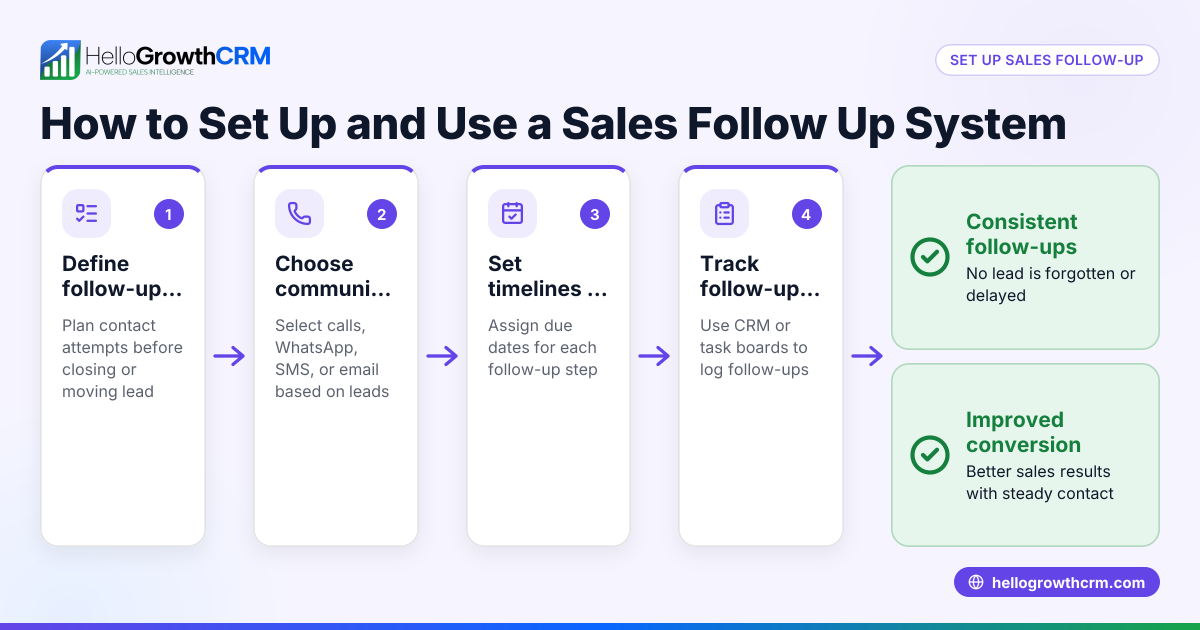
HelloGrowthCRM supports API and integrations that bring IndiaMART and JustDial enquiries directly into your CRM as leads, ready for follow-up. Using Sequences and campaigns, you can set up a five-step follow-up over two weeks that runs automatically and stops the moment the prospect replies. This lets you combine Campaign Monitor webhook events with multi-channel outreach, including email, SMS, and WhatsApp, to boost engagement and conversions. Learn more about these features at HelloGrowthCRM for India.
Frequently asked questions
What is a webhook in Campaign Monitor? A webhook is a tool that sends real-time notifications from Campaign Monitor to your server or CRM about email events like opens, clicks, or unsubscribes. This helps automate actions based on customer behaviour.
How do I set up a webhook URL? You need a secure (HTTPS) URL on your server or CRM to receive POST requests from Campaign Monitor. The URL must parse JSON data and respond with a 200 status code to confirm receipt.
Can webhooks trigger automated follow-ups? Yes, webhook data received by your CRM can trigger sequences or campaigns that send timely messages via email, SMS, or WhatsApp, improving your chances of converting leads.
Do I need coding skills to use webhooks? Basic knowledge of APIs and JSON is helpful. Some CRM platforms offer built-in webhook integrations that simplify setup without coding.
How does HelloGrowthCRM help with webhooks and campaigns? HelloGrowthCRM integrates leads from IndiaMART and JustDial and supports automated sequences that run follow-ups over two weeks, stopping immediately when prospects reply. This works well combined with webhook-triggered data for timely outreach.
For more on integration options, visit integrations (WhatsApp, Tally, IndiaMART).
Key takeaways
- Webhooks send real-time Campaign Monitor event data to your CRM or app for instant action.
- Setup requires a secure HTTPS URL that can receive and process JSON payloads.
- Regular monitoring of webhook logs prevents missed or failed event deliveries.
- Linking webhooks with CRM sequences automates follow-ups and improves lead conversion.
- HelloGrowthCRM supports API integrations and automated sequences for multi-channel outreach.
Start integrating webhooks with Campaign Monitor to automate your email marketing and follow-up workflows. To try automated sequences and lead capture, Start on the Free Forever plan (200 leads, no credit card).
Ready to put this into practice?
Set up your pipeline, WhatsApp follow-ups, and AI lead scoring in minutes — free, no credit card.
Try HelloGrowthCRM freeGet CRM tips in your inbox
Join thousands of sales professionals who get weekly insights on CRM strategy, AI automation, and pipeline optimization.

The HelloGrowthCRM team publishes guides on CRM strategy, AI sales tools, and revenue operations for small business sales teams.