HelloGrowthCRM software
Built for real small-business sales teams
HelloGrowthCRM helps reps qualify faster, follow up on time, and close more deals—with practical automation in one place.
- AI lead scoring and pipeline visibility
- Built-in dialer, WhatsApp, and email automation
- Sales forecasting and RevOps-ready reporting
A wedding CRM in Australia is designed to help wedding planners and small wedding-related businesses capture leads, track client interactions, and manage their sales pipeline efficiently. It centralises communications and automates follow-ups to prevent losing potential clients. This article covers why wedding businesses look for CRMs, how to evaluate them step-by-step, a worked example, common mistakes to avoid, and how HelloGrowthCRM supports wedding businesses.
Why this comes up / what goes wrong
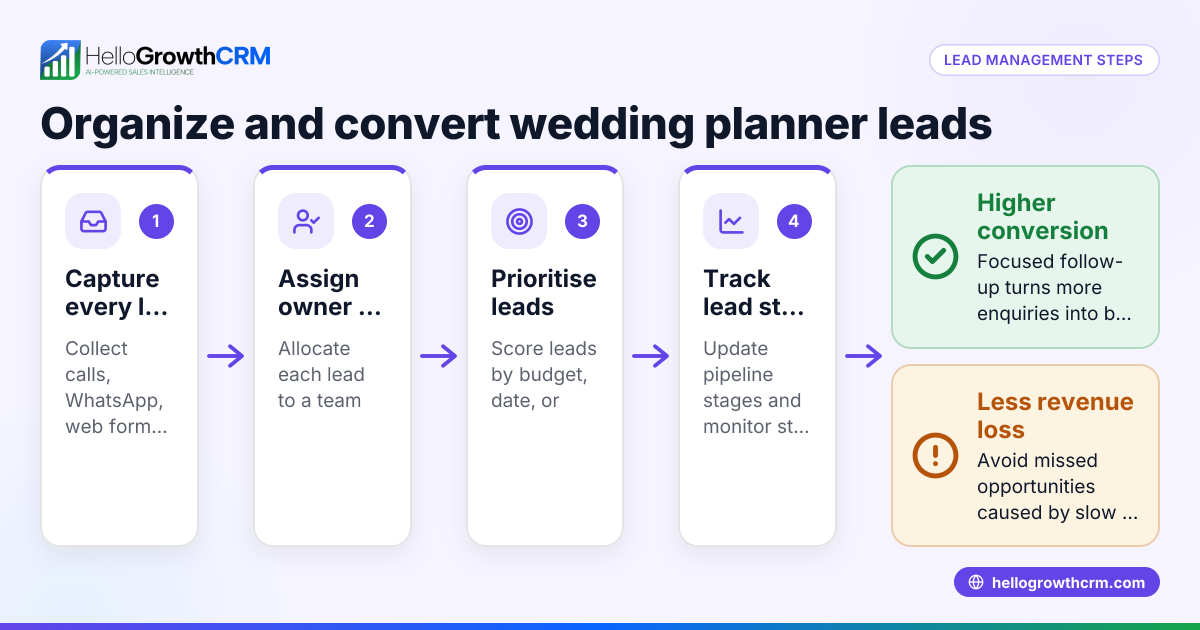
Wedding businesses often juggle many leads from enquiries, referrals, and events. Without a dedicated CRM, they rely on spreadsheets, text messages, emails, or manual notes. This leads to slow follow-up, lost leads, and missed bookings. Wedding clients expect quick, personalised responses, and delays can mean losing them to competitors. As the business grows, managing multiple client conversations across channels becomes overwhelming.
Many wedding businesses search for a "wedding CRM Australia" to find software tailored or suitable for their local market and communication preferences. They want a system that integrates well with tools like WhatsApp or SMS, which are popular for quick client chats. They also look for features that help automate follow-ups and pipeline tracking without adding complexity.
Step-by-step
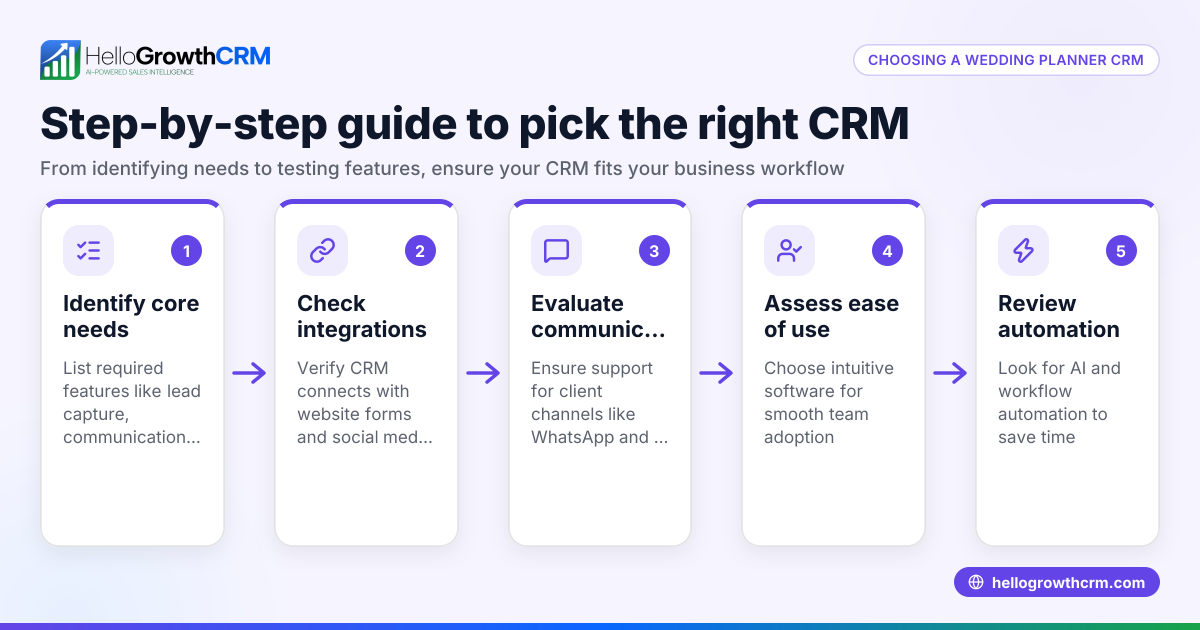
- Identify your key needs: List what your wedding business requires from a CRM. Common needs include lead capture, client communication (especially WhatsApp or SMS), pipeline management, task reminders, and reporting.
- Check communication channels supported: Confirm the CRM supports WhatsApp and SMS messaging, as these are popular for quick client engagement in Australia. See if conversations log automatically on client records for easy tracking.
- Evaluate automation features: Look for AI or automated follow-up tools that draft messages or remind you to contact leads. Automation reduces manual work and speeds up responses.
- Consider ease of use for your team: The CRM should be simple enough for you and any assistants to adopt quickly without extensive training.
- Assess pricing and plans: Some CRMs offer free plans for small teams or trial periods. Check if the free plan meets your basic needs before committing.
- Test integration capabilities: If you use web forms or other software, see if the CRM can capture leads automatically from these sources.
- Request demos or trials: Use demos to see the interface and features in action, focusing on how it handles wedding-specific workflows.
- Check support and community: Good customer support and user communities can help solve issues quickly.
Example (fictional figures)
A wedding planning business in Newcastle, New South Wales, called "Blossom Weddings" receives 50 new enquiries monthly. They want to improve lead follow-up and reduce lost bookings.
- Current lead follow-up rate: 60% within 48 hours
- Average booking value: A$4,000
- Monthly bookings: 15 (30% conversion)
They aim to increase follow-up rate to 90% and conversion to 40% by using a CRM.
Calculations:
Current monthly revenue = 15 bookings × A$4,000 = A$60,000
If conversion increases to 40%:
Expected bookings = 50 enquiries × 40% = 20 bookings
Expected monthly revenue = 20 bookings × A$4,000 = A$80,000
Revenue increase = A$80,000 - A$60,000 = A$20,000
By improving follow-up with a CRM, Blossom Weddings could increase monthly revenue by A$20,000.
Common mistakes
- Choosing a CRM without WhatsApp or SMS support: Prevent by verifying communication channels before purchase. WhatsApp and SMS are vital for wedding client engagement. See WhatsApp and SMS CRM.
- Ignoring automation features: Manual follow-ups waste time. Use CRMs with AI agents or automated message drafting to speed responses.
- Overcomplicating the system: A complex CRM can discourage use. Choose one with a simple interface tailored for small teams.
- Not testing before buying: Avoid surprises by using free trials or demos.
- Neglecting team adoption: Train your team and involve them in the selection to ensure consistent use.
- Overlooking lead capture integration: Without automatic lead capture from your website or forms, you risk missing enquiries.
Doing this in HelloGrowthCRM
HelloGrowthCRM offers WhatsApp and SMS support where conversations with leads are logged on their records, making follow-ups easy to track. Its AI agents (currently in Beta on Growth plans) draft follow-up messages after calls, so sales reps only review and send them, saving time. For small teams, the Free Forever plan lets two people manage their pipeline at no cost until they need calling or WhatsApp automation. Learn more about HelloGrowthCRM features at HelloGrowthCRM for Australia.
Frequently asked questions
What is a wedding CRM and why do I need one? A wedding CRM is software designed to help wedding businesses manage leads, client communications, and sales pipelines. It centralises information and automates follow-ups to prevent lost bookings.
Can I use WhatsApp in a wedding CRM? Yes, many CRMs including HelloGrowthCRM support WhatsApp messaging, logging conversations on lead records and allowing follow-up messages to be sent directly.
Is there a free wedding CRM I can start with? HelloGrowthCRM offers a Free Forever plan for two users with 200 leads and pipeline management, ideal to start without cost. However, WhatsApp and SMS automation require paid plans.
How do AI agents help in a wedding CRM? AI agents can draft follow-up messages automatically after calls, reducing manual work and speeding up client engagement. This feature is in Beta on HelloGrowthCRM's Growth plan.
What should I look for when choosing a wedding CRM in Australia? Focus on communication channels like WhatsApp and SMS, ease of use, automation features, lead capture integration, and pricing. Testing with demos or free plans helps.
Can I integrate my website enquiry forms with a wedding CRM? Many CRMs support lead capture from web forms or other integrations. Confirm this capability to automatically add enquiries to your pipeline.
Key takeaways
- A wedding CRM helps organise leads and client communications to avoid lost bookings.
- Support for WhatsApp and SMS is essential for quick, local client engagement.
- Automation like AI agents can draft follow-ups, saving time and improving response rates.
- Start with free plans or demos to test suitability before committing.
- Ease of use and team adoption are critical for CRM success.
- Integration with web forms ensures no lead is missed.
Choosing the right wedding CRM can transform how your business manages leads and client communication. To start managing your pipeline effectively with WhatsApp and SMS capabilities, try HelloGrowthCRM’s Free Forever plan for small teams with no credit card required at Start on the Free Forever plan (200 leads, no credit card).
Ready to put this into practice?
Set up your pipeline, WhatsApp follow-ups, and AI lead scoring in minutes — free, no credit card.
Try HelloGrowthCRM freeGet CRM tips in your inbox
Join thousands of sales professionals who get weekly insights on CRM strategy, AI automation, and pipeline optimization.

The HelloGrowthCRM team publishes guides on CRM strategy, AI sales tools, and revenue operations for small business sales teams.