HelloGrowthCRM software
Built for real small-business sales teams
HelloGrowthCRM helps reps qualify faster, follow up on time, and close more deals—with practical automation in one place.
- AI lead scoring and pipeline visibility
- Built-in dialer, WhatsApp, and email automation
- Sales forecasting and RevOps-ready reporting
Automating client follow-up for a small business means setting up a system that sends timely, consistent messages to prospects and customers without manual effort. This saves time, reduces missed leads, and improves conversion rates. This article explains why follow-up automation matters, provides step-by-step instructions, highlights common mistakes, and shows how HelloGrowthCRM can help your team manage follow-ups efficiently.
Why this comes up / what goes wrong
Small business owners often juggle many roles including sales, customer support, and operations. Following up with clients manually—whether by WhatsApp, phone calls, or emails—can get delayed or forgotten due to workload or lack of reminders. This leads to lost leads and slow sales cycles. Sales teams using spreadsheets or WhatsApp messages without a structured system struggle to track who to contact next and when. Without automation, follow-ups are inconsistent, and prospects may feel ignored or lose interest.
Step-by-step
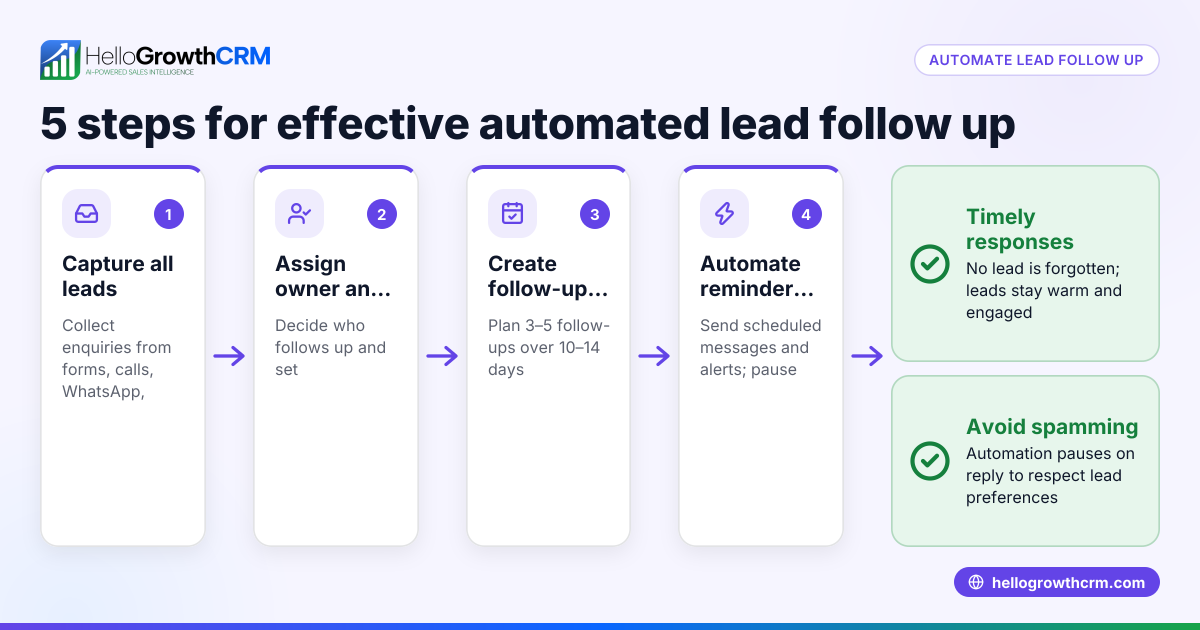
- List your client follow-up points: Identify when you need to follow up—for example, after an inquiry, a product demo, or a quote sent. Write down these key moments.
- Choose communication channels: Decide if follow-ups will be via WhatsApp, SMS, email, or calls. Ensure you have consent for messaging where required.
- Create follow-up message templates: Draft clear, polite messages tailored to each follow-up point. Keep them short and focused.
- Set timing rules for follow-ups: Define when each message should be sent (e.g., 2 days after inquiry, then 5 days later if no response).
- Use a tool to automate sending: Implement software that can schedule and send these messages automatically, stopping if the client replies.
- Assign follow-up tasks to team members: For calls or meetings, create tasks with due dates so no follow-up is missed.
- Track responses and update status: Record when clients reply or convert so the system stops follow-ups and updates the sales pipeline.
- Review and adjust your follow-up sequences regularly: Check which messages get responses and refine timing or content accordingly.
- Train your team on the system: Ensure everyone understands how to use the automation and follow-up tasks.
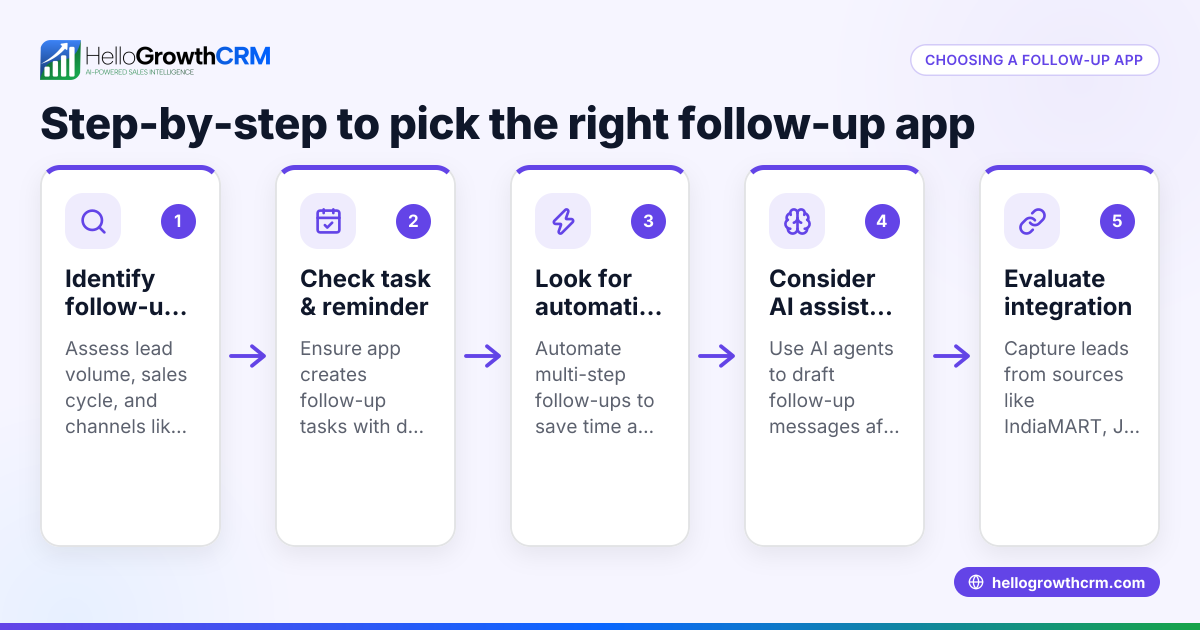
Check that your tool supports multi-channel sequences and task boards so nothing slips through. For example, HelloGrowthCRM offers sales task boards and email automation and sequences to help manage this.
Example (fictional figures)
A small electronics wholesaler in Mumbai receives 20 inquiries weekly. They decide to automate follow-ups with a five-step WhatsApp and SMS sequence over two weeks.
- Step 1: Immediate thank-you message after inquiry.
- Step 2: Product info sent after 2 days if no reply.
- Step 3: Price quote sent after 5 days.
- Step 4: Call task assigned on day 7.
- Step 5: Final reminder message on day 14.
Costs saved by automation:
Manual follow-up calls take 5 minutes each. For 20 inquiries:
20 calls × 5 min = 100 min = 1 hour 40 min per week.
Assuming ₹200/hour wage, weekly cost:
₹200 × 1.67 = ₹334
Monthly cost:
₹334 × 4 = ₹1,336
By automating messages and scheduling calls only when needed, the rep spends 30 minutes weekly instead:
30 min × ₹200/hour = ₹100
Monthly automated follow-up cost:
₹100 × 4 = ₹400
Monthly savings:
₹1,336 - ₹400 = ₹936
This frees time to focus on closing deals rather than chasing leads.
Common mistakes
- Not setting clear follow-up schedules: Without defined timing, messages may be too frequent or too sparse. Prevent by planning and documenting all follow-up points.
- Ignoring client responses: Continuing automation after a reply annoys clients. Use automation tools that stop sequences once a response is detected.
- Relying on memory or manual tracking: Leads get forgotten. Prevent this with task boards or reminders like those in sales task boards.
- Using generic messages: Impersonal follow-ups reduce engagement. Tailor messages to client needs and previous interactions.
- Not training the team: Without training, reps may bypass or misuse automation. Conduct regular training and update processes.
- Overloading clients with messages: Too many follow-ups can irritate prospects. Limit the number and frequency of messages.
Doing this in HelloGrowthCRM
HelloGrowthCRM helps small businesses automate client follow-up efficiently. Each follow-up becomes a task with a due date on the activities and task boards, so your team sees the day’s calls as a list rather than relying on memory. Automated sequences and campaigns run a five-step follow-up over two weeks, stopping immediately when a prospect replies. Additionally, AI agents (in Beta) draft follow-up messages after calls for your reps to review and send, reducing manual effort. This makes follow-up consistent, timely, and easy to manage.
Frequently asked questions
How soon should I follow up after a client inquiry? Follow up within 24-48 hours to keep the lead warm. Immediate acknowledgment followed by a detailed message after 2 days works well.
Can I automate follow-up on WhatsApp for my small business? Yes, many CRMs support WhatsApp-based follow-up sequences. Ensure you comply with WhatsApp’s messaging policies and get client consent. HelloGrowthCRM supports WhatsApp messaging as part of automated sequences.
What if a client replies during an automated sequence? Automation should stop when a client responds to avoid spamming. Use a CRM that detects replies and pauses sequences automatically.
Is it necessary to assign follow-up tasks to team members? Yes, especially for calls or meetings. Tasks with due dates help prevent missed follow-ups and keep the sales process organized.
How can I track the effectiveness of follow-up automation? Monitor response rates, conversion rates, and sales cycle times. Adjust your follow-up timing and messages based on what works best.
Can I combine email, SMS, and calls in one follow-up system? Yes, multi-channel sequences improve reach. HelloGrowthCRM supports multi-channel sequences including email, SMS, and WhatsApp.
Key takeaways
- Automate follow-up by scheduling timed, multi-channel messages and tasks.
- Use task boards to track daily follow-up activities and avoid missed leads.
- Stop automation immediately when a prospect replies to avoid spamming.
- Personalize follow-up messages for better client engagement.
- Regularly review and refine follow-up sequences based on results.
- Train your team to use automation tools effectively.
Start automating your client follow-up today to save time and increase sales. Explore HelloGrowthCRM’s free plan with 200 leads and no credit card required at Start on the Free Forever plan (200 leads, no credit card).
Ready to put this into practice?
Set up your pipeline, WhatsApp follow-ups, and AI lead scoring in minutes — free, no credit card.
Try HelloGrowthCRM freeGet CRM tips in your inbox
Join thousands of sales professionals who get weekly insights on CRM strategy, AI automation, and pipeline optimization.

The HelloGrowthCRM team publishes guides on CRM strategy, AI sales tools, and revenue operations for small business sales teams.