HelloGrowthCRM software
Built for real small-business sales teams
HelloGrowthCRM helps reps qualify faster, follow up on time, and close more deals—with practical automation in one place.
- AI lead scoring and pipeline visibility
- Built-in dialer, WhatsApp, and email automation
- Sales forecasting and RevOps-ready reporting
To automate your client follow-up system, start by setting up a structured process that captures leads, schedules follow-ups as tasks with due dates, and uses reminders to ensure no client is missed. This article covers why automation matters, a clear step-by-step guide, common mistakes to avoid, an example with Indian business figures, and how HelloGrowthCRM’s task boards support your follow-up workflow.
Why this comes up / what goes wrong
Many small and mid-sized Indian businesses struggle with client follow-up because they rely on manual methods like WhatsApp messages, Excel sheets, or memory. This leads to delays or missed follow-ups, resulting in lost leads and revenue. Sales teams often get overwhelmed juggling calls, messages, and tasks without a clear system. Without automation, tracking where each lead stands and when to follow up becomes chaotic, especially as the business grows beyond a few clients.
Step-by-step
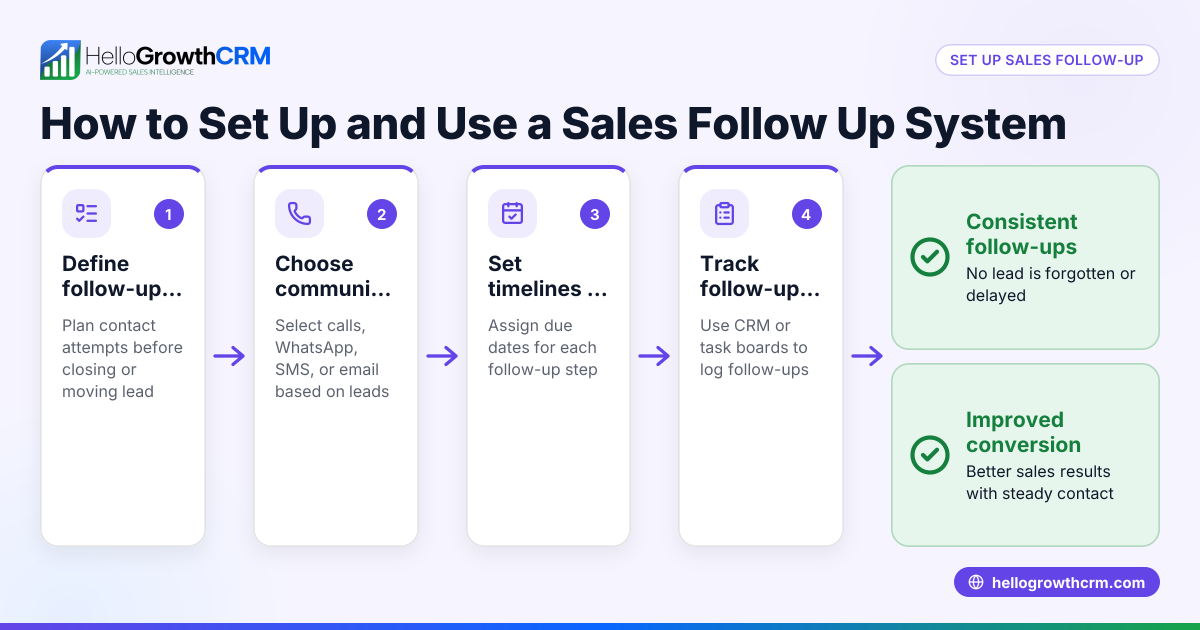
- Capture leads centrally: Collect all incoming client inquiries in one place, whether from IndiaMART, JustDial, web forms, or WhatsApp. Check that your system supports multiple sources to avoid losing leads.
- Create follow-up tasks immediately: For every new lead, create a follow-up task with a clear due date. This ensures you don’t rely on memory. Check that tasks can be assigned to specific team members.
- Set reminders and priorities: Use reminders for upcoming follow-ups and prioritise leads based on interest or value. Confirm your system can send notifications or alerts.
- Maintain interaction history: Log every call, message, and meeting with the client to track progress. Verify that your CRM keeps all activities tied to each lead.
- Use task boards for daily work: Organise follow-ups on visual boards by stages such as new, contacted, interested, and closed. Check that your tool supports drag-and-drop task management.
- Automate sequences where possible: Automate sending WhatsApp, SMS, or email sequences to nurture leads without manual effort. If automation is limited, plan manual follow-ups carefully. See email automation and sequences for ideas.
- Review and adjust regularly: Weekly or monthly, review follow-up statuses and adjust tasks or sequences to improve conversion.
Example (fictional figures)
Rajesh runs a small electronics parts business in Pune. He receives 50 leads a month from IndiaMART and JustDial.
- Each lead requires 3 follow-ups on average.
- Each follow-up call takes 10 minutes.
- Rajesh wants to automate reminders to avoid missing calls.
Calculations:
Number of follow-ups per month = 50 leads × 3 follow-ups = 150 follow-ups
Total follow-up time = 150 × 10 minutes = 1,500 minutes = 25 hours
If Rajesh misses 10% of follow-ups due to manual tracking, that’s 15 missed calls.
Assuming each successful follow-up leads to ₹5,000 in sales:
Lost revenue = 15 × ₹5,000 = ₹75,000
By automating follow-ups with task reminders and daily task boards, Rajesh reduces missed calls to near zero, potentially recovering ₹75,000 monthly.
Common mistakes
- Not centralising lead capture: Leads scattered across WhatsApp, calls, and spreadsheets cause lost follow-ups. Prevent this by using a CRM that captures leads from multiple sources.
- Relying on memory for follow-ups: Without tasks or reminders, follow-ups get missed. Use task boards with due dates to avoid this.
- Ignoring interaction history: Not logging calls and messages leads to repeated or irrelevant follow-ups. Always record every client interaction.
- Overcomplicating automation: Trying to automate everything without a clear process can confuse teams. Start simple with task reminders and add sequences gradually. See email automation and sequences for ideas.
- Not reviewing follow-up effectiveness: Without regular reviews, poor follow-up strategies persist. Schedule weekly checks of task boards and lead status.
Doing this in HelloGrowthCRM
HelloGrowthCRM helps automate client follow-ups by turning each follow-up into a task with a due date on activity and task boards. The day’s calls and tasks appear as a clear list, so your team doesn’t have to remember everything. This reduces missed follow-ups and keeps interaction history tied to every lead. Learn more about managing follow-ups with HelloGrowthCRM’s WhatsApp and SMS CRM and task boards.
Frequently asked questions
How can I automate follow-ups without losing the personal touch? Automate reminders and sequences for routine follow-ups but personalise messages based on client data and interaction history. Use CRM notes to tailor conversations.
What’s the difference between task boards and simple to-do lists? Task boards visually organise follow-ups by stages and priorities, making it easier to track progress than linear to-do lists. They also allow team collaboration and handoffs.
Can I automate follow-ups on WhatsApp? You can automate WhatsApp follow-ups using tools that support sequences and task reminders, helping keep conversations organised and timely. See WhatsApp and SMS CRM for more.
How often should I review my follow-up system? Weekly reviews help catch missed tasks early and adjust follow-up strategies. Monthly reviews give insights into overall lead conversion and process improvements.
Is it possible to automate follow-ups without technical skills? Yes, many CRMs offer user-friendly interfaces with drag-and-drop task boards and pre-built automation sequences, requiring minimal technical knowledge.
Key takeaways
- Automate client follow-ups by creating tasks with due dates and reminders.
- Centralise lead capture from all sources to avoid losing leads.
- Use task boards to organise daily follow-ups visually.
- Log every interaction to personalise follow-ups and track progress.
- Review your follow-up process regularly to improve results.
- Start simple and add automation like WhatsApp or email sequences gradually.
Start automating your client follow-up system today with HelloGrowthCRM. You can start on the Free Forever plan (200 leads, no credit card) and see how task boards help your team stay on top of calls and tasks without stress.
Ready to put this into practice?
Set up your pipeline, WhatsApp follow-ups, and AI lead scoring in minutes — free, no credit card.
Try HelloGrowthCRM freeGet CRM tips in your inbox
Join thousands of sales professionals who get weekly insights on CRM strategy, AI automation, and pipeline optimization.

The HelloGrowthCRM team publishes guides on CRM strategy, AI sales tools, and revenue operations for small business sales teams.