HelloGrowthCRM software
Built for real small-business sales teams
HelloGrowthCRM helps reps qualify faster, follow up on time, and close more deals—with practical automation in one place.
- AI lead scoring and pipeline visibility
- Built-in dialer, WhatsApp, and email automation
- Sales forecasting and RevOps-ready reporting
Client follow up automation means using software to send timely, automatic reminders and messages to your prospects and clients so you never miss a chance to engage them. This article explains why small businesses need it, how to set it up step-by-step, common pitfalls to avoid, and how HelloGrowthCRM’s features can help you automate follow-ups effectively.
Why this comes up / what goes wrong
Many small business owners in India rely on manual follow-ups using WhatsApp, phone calls, or spreadsheets. This approach often leads to missed or delayed follow-ups because it depends on memory or inconsistent tracking. When leads are not contacted promptly or frequently enough, businesses lose potential sales. Teams may also find it hard to coordinate who follows up and when, leading to duplicated efforts or gaps. Slow follow-up frustrates prospects who expect quick responses. Automating follow-ups solves these problems by scheduling and sending messages automatically, freeing your team to focus on selling.
Step-by-step
- List your follow-up goals and timing: Decide how many follow-ups you want per lead and the interval between them. For example, a five-step follow-up over two weeks.
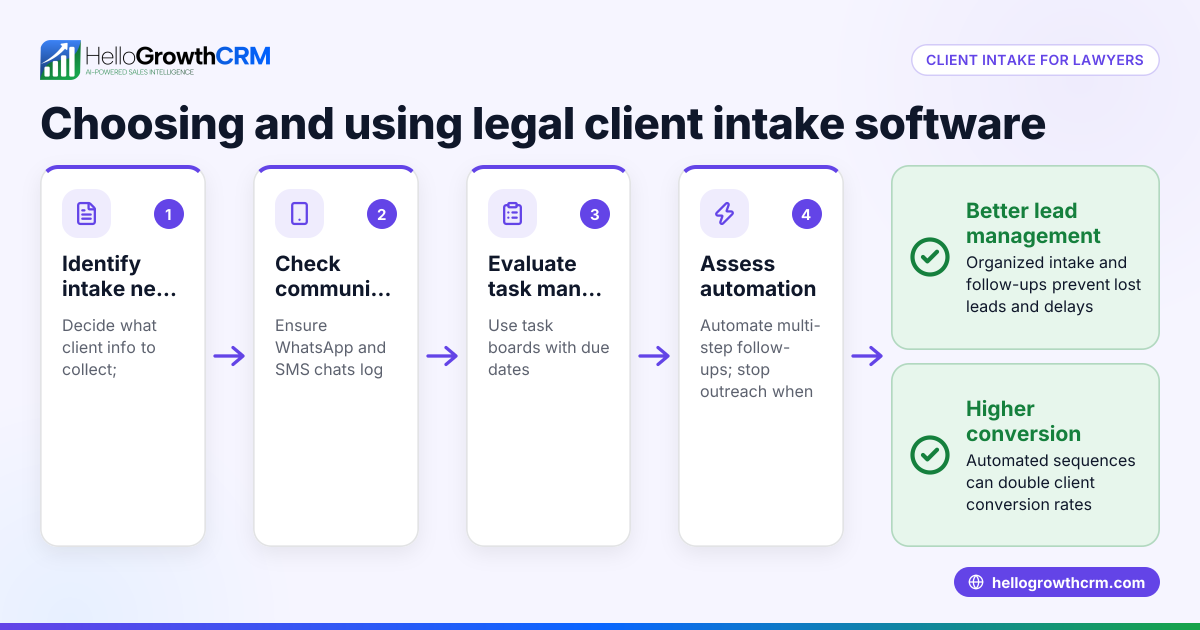
- Choose your communication channels: Decide if you will use WhatsApp, SMS, email, or calls for follow-ups.
- Create message templates for each step: Write clear, polite, and relevant messages for each follow-up attempt.
- Set up automation rules in your CRM: Configure the system to send follow-ups automatically at your chosen intervals and stop when the prospect replies.
- Assign follow-up tasks to your sales team: Ensure each follow-up creates a task with a due date so no step is missed.
- Monitor and adjust based on results: Track which messages get responses and tweak timing or content as needed.
- Integrate with your lead sources: Automatically capture leads from IndiaMART, JustDial, or web forms to start follow-ups without delay.
Check that your CRM supports multi-channel messaging and task management to keep your team organised and efficient.
Example (fictional figures)
A Delhi-based electronics wholesaler receives 50 new leads every month. They decide on a five-step follow-up over 14 days using WhatsApp and SMS.
- Average order value per client: ₹1,20,000
- Conversion rate without automation: 10%
- Conversion rate with automation: 15% (assumed for illustration)
Calculations:
Leads per month = 50
Without automation: 50 × 10% = 5 sales
Sales value = 5 × ₹1,20,000 = ₹6,00,000
With automation: 50 × 15% = 7.5 sales
Sales value = 7.5 × ₹1,20,000 = ₹9,00,000
Additional revenue from automation = ₹9,00,000 - ₹6,00,000 = ₹3,00,000
This example shows how automating follow-ups can increase sales by ensuring timely contact and multiple touchpoints.
Common mistakes
- Not stopping follow-ups after a reply: This annoys prospects. Prevent by setting automation to stop once a response is received.
- Using generic, repetitive messages: Leads lose interest. Prevent by personalising messages and varying content.
- Relying on memory or spreadsheets: Leads get lost or forgotten. Prevent by using task boards that assign follow-ups with due dates.
- Ignoring multi-channel communication: Some prospects prefer WhatsApp, others email or SMS. Prevent by automating follow-ups across channels.
- Not reviewing automated messages: Errors or outdated info can harm your brand. Prevent by regularly updating templates and reviewing AI drafts.
- Overloading prospects with too many messages: This causes opt-outs. Prevent by spacing messages reasonably and capping the number.
Using sales task boards helps you keep track of follow-ups without relying on memory.
Doing this in HelloGrowthCRM
HelloGrowthCRM offers several features to automate client follow-ups effectively:
- Sequences and campaigns: Run automated five-step follow-ups over two weeks that send messages across WhatsApp, SMS, and email. The sequence stops automatically when the prospect replies, preventing over-messaging. Learn more about email automation and sequences.
- AI agents: After a call, an AI agent drafts the follow-up message for the sales rep to review and send, saving time and ensuring prompt communication. This is available in Beta on Growth plans. See details on the AI CRM page.
- Activities and task boards: Each follow-up becomes a task with a due date, so sales reps have a clear daily call and follow-up list. This removes the need to remember tasks manually. More info at sales task boards.
These features help Indian SMBs capture leads from IndiaMART, JustDial, and web forms and automate follow-ups without losing the personal touch.
Frequently asked questions
What is client follow up automation? Client follow up automation uses software to schedule and send follow-up messages automatically to prospects or clients. It saves time, ensures timely contact, and improves sales conversions by maintaining consistent communication.
Which channels are best for automated follow-ups? WhatsApp, SMS, and email are commonly used channels in India. Using multiple channels increases the chance your message is seen. Choose channels your customers prefer and automate across them.
How many follow-ups should I automate? Typically, 3 to 5 follow-ups over 1 to 2 weeks work well. Too few may miss opportunities; too many can annoy prospects. Stop follow-ups immediately when the prospect responds.
Can automation replace personal calls? No, automation complements calls by handling routine reminders and messages. Personal calls are still important for relationship building and closing deals.
How do I avoid spamming prospects with automation? Use personalised messages, space out follow-ups reasonably, and stop sequences when a response is received. Always comply with communication regulations.
How does HelloGrowthCRM help with follow-up automation? It offers sequences that run multi-step follow-ups automatically, AI agents that draft messages after calls, and task boards that organise daily follow-ups. These tools keep your sales team efficient and responsive.
Key takeaways
- Client follow up automation ensures timely, consistent contact with prospects without manual effort.
- Set up a clear sequence of messages with defined intervals and stop conditions.
- Use multi-channel messaging (WhatsApp, SMS, email) for better reach.
- Avoid common mistakes like over-messaging, generic content, and manual tracking.
- HelloGrowthCRM features like sequences, AI agents, and task boards simplify and improve follow-up automation.
Start automating your client follow-ups today with HelloGrowthCRM. Start on the Free Forever plan (200 leads, no credit card).
Ready to put this into practice?
Set up your pipeline, WhatsApp follow-ups, and AI lead scoring in minutes — free, no credit card.
Try HelloGrowthCRM freeGet CRM tips in your inbox
Join thousands of sales professionals who get weekly insights on CRM strategy, AI automation, and pipeline optimization.

The HelloGrowthCRM team publishes guides on CRM strategy, AI sales tools, and revenue operations for small business sales teams.