HelloGrowthCRM software
Built for real small-business sales teams
HelloGrowthCRM helps reps qualify faster, follow up on time, and close more deals—with practical automation in one place.
- AI lead scoring and pipeline visibility
- Built-in dialer, WhatsApp, and email automation
- Sales forecasting and RevOps-ready reporting
An automated email service is a tool that sends pre-written emails automatically to leads or customers based on specific triggers or schedules. This saves small businesses time by managing follow-ups, promotions, or notifications without manual sending. This article covers why small businesses need automated email services, how to set one up step-by-step, common mistakes to avoid, a worked example with realistic figures, and how HelloGrowthCRM supports email automation.
Why this comes up / what goes wrong
Small business owners often rely on manual emailing to follow up with leads and customers. This approach can be slow, inconsistent, and prone to errors. For example, a sales team might miss replying quickly to a lead, or forget to send a follow-up email after a quote. Managing communications with just text messages, spreadsheets, or separate email accounts can cause confusion, lost information, and lost sales. Automated email services help by sending timely, pre-set emails without manual effort, making sure no lead or customer is overlooked.
Step-by-step
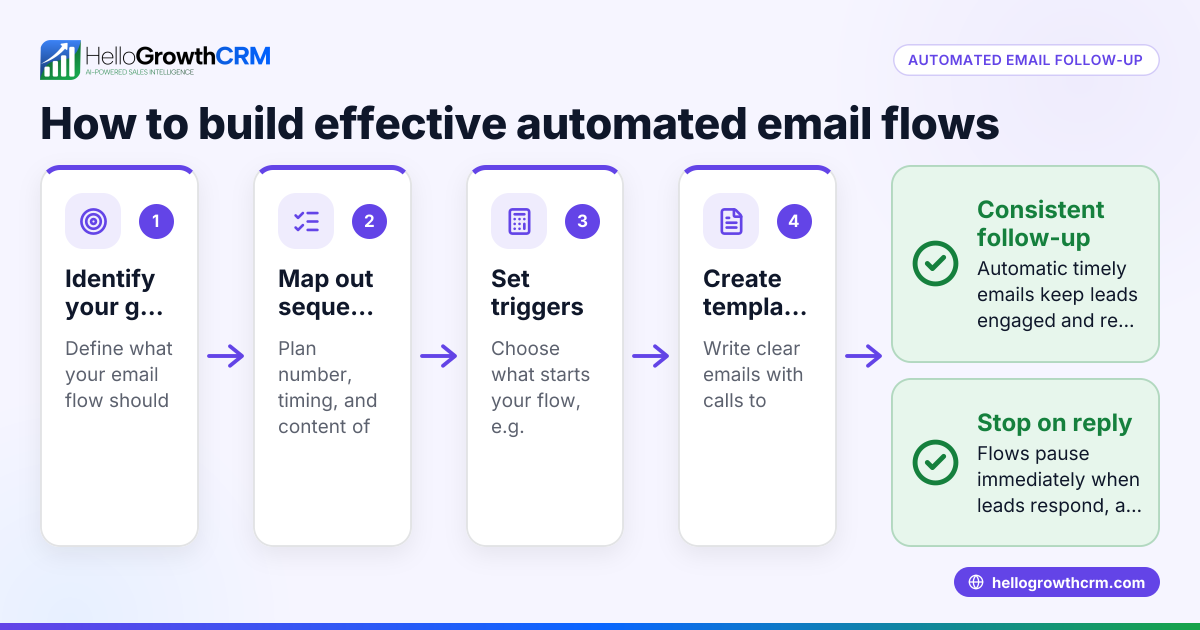
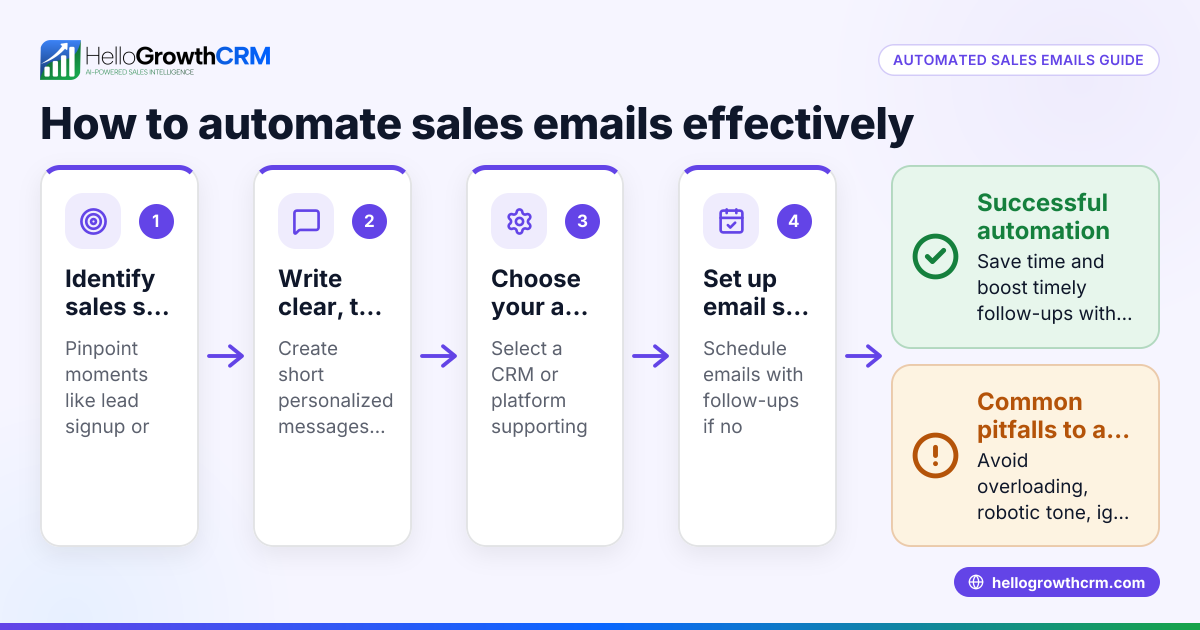
- Choose an automated email service: Select a platform that fits your business size and needs. Look for features like multi-step sequences and shared inboxes to keep your team coordinated.
- Import or capture contacts: Upload your existing leads or customers or connect your website forms so new contacts enter automatically.
- Create email templates: Write clear and relevant emails for different stages such as initial outreach, follow-ups, and responses.
- Set up email sequences or campaigns: Define the order and timing of your emails. For example, a five-step follow-up sequence spread over two weeks.
- Test your sequences: Send test emails to yourself or your team to check formatting, links, and delivery timing.
- Activate automation: Turn on your sequences or campaigns and monitor how they perform.
- Track replies and engagement: Use a shared inbox to see replies instantly and assign follow-up tasks to team members.
- Adjust based on results: Review open rates, replies, and conversions. Refine your templates and timing to improve results.
For more on these features, see email automation and sequences.
Example (fictional figures)
A landscaping contractor in Charlotte, North Carolina, wants to automate follow-ups for website leads.
- They capture 100 leads monthly.
- They create a five-step email sequence over 14 days.
- Each email encourages scheduling a consultation.
Calculation of emails sent and responses:
100 leads × 5 emails each = 500 emails sent automatically.
Assuming a 10% response rate:
100 leads × 10% = 10 leads responding.
If each consultation booked is worth $1,500:
10 consultations × $1,500 = $15,000 potential revenue.
This automation saves about 2 hours daily previously spent manually sending emails, freeing time for other tasks.
Common mistakes
- Sending too many emails too quickly: Space emails over days or weeks to avoid annoying recipients.
- Using generic, impersonal messages: Personalize emails with names and relevant details using merge tags.
- Ignoring replies during automation: Use a shared inbox so the whole team sees replies and can respond promptly.
- Not testing sequences before launch: Always send test emails to check formatting, links, and timing.
- Failing to update email content regularly: Review and refresh templates to keep them relevant and engaging.
- Neglecting compliance with email laws: Include unsubscribe options and follow regulations like CAN-SPAM.
Learn how to avoid these mistakes with multi-channel approaches including WhatsApp and SMS CRM that complement email automation.
Doing this in HelloGrowthCRM
HelloGrowthCRM offers a HelloMail shared inbox where replies to quotation emails are visible to the entire sales team on the deal, preventing missed responses. It supports sequences and campaigns that allow you to set up a five-step follow-up over two weeks that runs automatically and stops immediately when the prospect replies. These features help small and mid-sized businesses manage lead communication efficiently without switching between tools. More details are available at email automation and sequences.
Frequently asked questions
What is the difference between an automated email service and regular email? An automated email service sends emails on a schedule or triggered by actions without manual effort, while regular email requires composing and sending each message manually.
Can small businesses benefit from automated email services? Yes, automation saves time, ensures timely follow-ups, and reduces the chance of losing leads due to slow responses.
How can I personalize automated emails? Use merge tags to insert names, company info, or other personal details into email templates so each recipient gets a customized message.
What happens if a prospect replies during an automated sequence? Automated sequences should stop immediately when a reply is received, allowing your team to respond personally. HelloGrowthCRM’s shared inbox helps the team see replies right away.
Are automated emails compliant with spam laws? You must include unsubscribe options and comply with laws like CAN-SPAM. (consumer.ftc.gov) Check legal requirements for your business.
How does HelloGrowthCRM support multi-channel outreach? Besides email, it supports SMS and WhatsApp sequences, letting you reach prospects on their preferred channels. See more at WhatsApp and SMS CRM.
Key takeaways
- Automated email services send scheduled emails automatically without manual effort.
- They help small businesses follow up consistently and save time.
- Setting up involves choosing a platform, creating templates, and scheduling sequences.
- Avoid mistakes like over-emailing, ignoring replies, and skipping tests.
- HelloGrowthCRM’s HelloMail shared inbox and sequences simplify managing automated email communications.
Start automating your email outreach with HelloGrowthCRM. Start on the Free Forever plan (200 leads, no credit card) and see how sequences and shared inboxes help your team close more deals.
Ready to put this into practice?
Set up your pipeline, WhatsApp follow-ups, and AI lead scoring in minutes — free, no credit card.
Try HelloGrowthCRM freeGet CRM tips in your inbox
Join thousands of sales professionals who get weekly insights on CRM strategy, AI automation, and pipeline optimization.

The HelloGrowthCRM team publishes guides on CRM strategy, AI sales tools, and revenue operations for small business sales teams.