HelloGrowthCRM software
Built for real small-business sales teams
HelloGrowthCRM helps reps qualify faster, follow up on time, and close more deals—with practical automation in one place.
- AI lead scoring and pipeline visibility
- Built-in dialer, WhatsApp, and email automation
- Sales forecasting and RevOps-ready reporting
Choosing the best clinic CRM software in Canada requires matching the software’s capabilities to your clinic’s specific needs, including patient communication, appointment management, and lead follow-up. This article helps clinic owners and administrators understand why CRM choice matters, how to evaluate options step-by-step, common mistakes to avoid, and a practical example with Canadian figures.
Why this comes up / what goes wrong
Clinic owners and accountants in Canada face unique challenges when selecting CRM software. Clinics need to manage patient leads, appointment scheduling, and follow-ups efficiently to avoid losing patients due to slow response times. Many clinics still rely on spreadsheets, email, or text messaging for patient communication, which can cause disorganisation and missed opportunities. Additionally, Canadian clinics must consider local regulations and communication preferences, such as using WhatsApp or SMS, which are popular channels for patient engagement. Without a CRM tailored to these needs, clinics struggle with scattered data, poor team collaboration, and ineffective follow-up.
Step-by-step
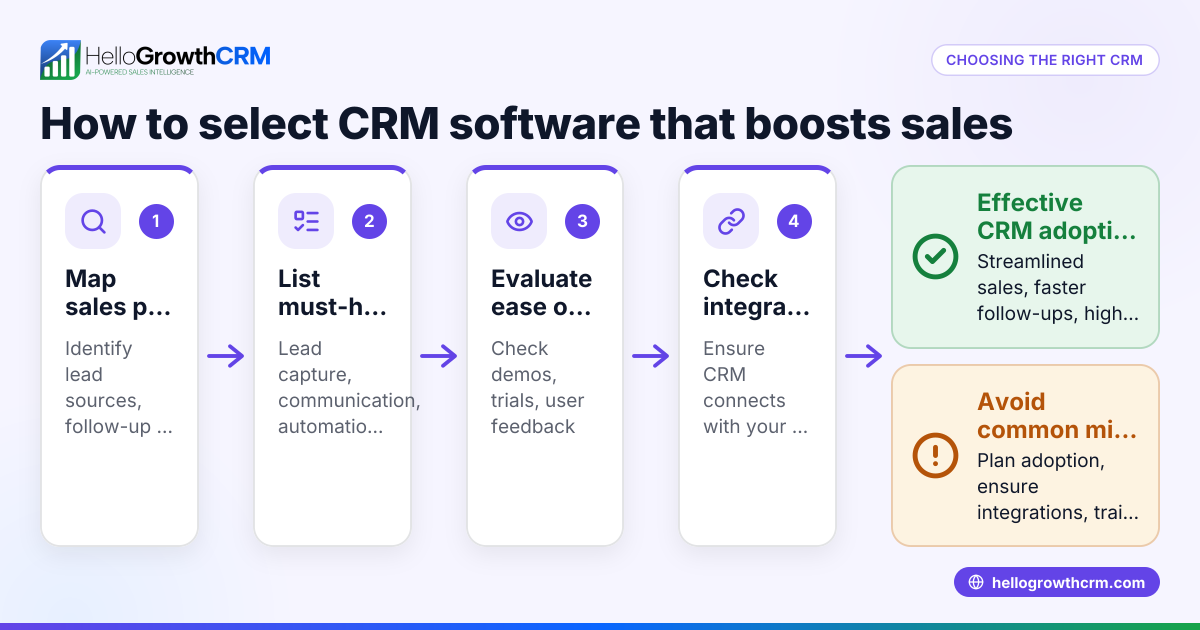
- Identify your clinic’s communication channels and volume: Determine if you primarily communicate with patients via phone calls, email, SMS, or WhatsApp. Check if the CRM supports these channels and can log conversations automatically.
- Check for patient data management and privacy features: Ensure the CRM securely stores patient information and complies with Canadian privacy standards. Verify access controls and data encryption.
- Evaluate lead capture and follow-up automation: Look for features like web form capture, AI-assisted follow-ups, and pipeline management that reduce manual work and speed up patient engagement.
- Assess ease of use and team adoption: The CRM should be intuitive for clinic staff and encourage consistent use. Features like task boards and AI agents that draft follow-ups can improve adoption.
- Compare pricing and scalability: Understand the pricing structure and whether the CRM can scale with your clinic’s growth. Some CRMs offer free plans for small teams.
- Request demos and trial periods: Test shortlisted CRMs with real clinic workflows and patient data to evaluate fit.
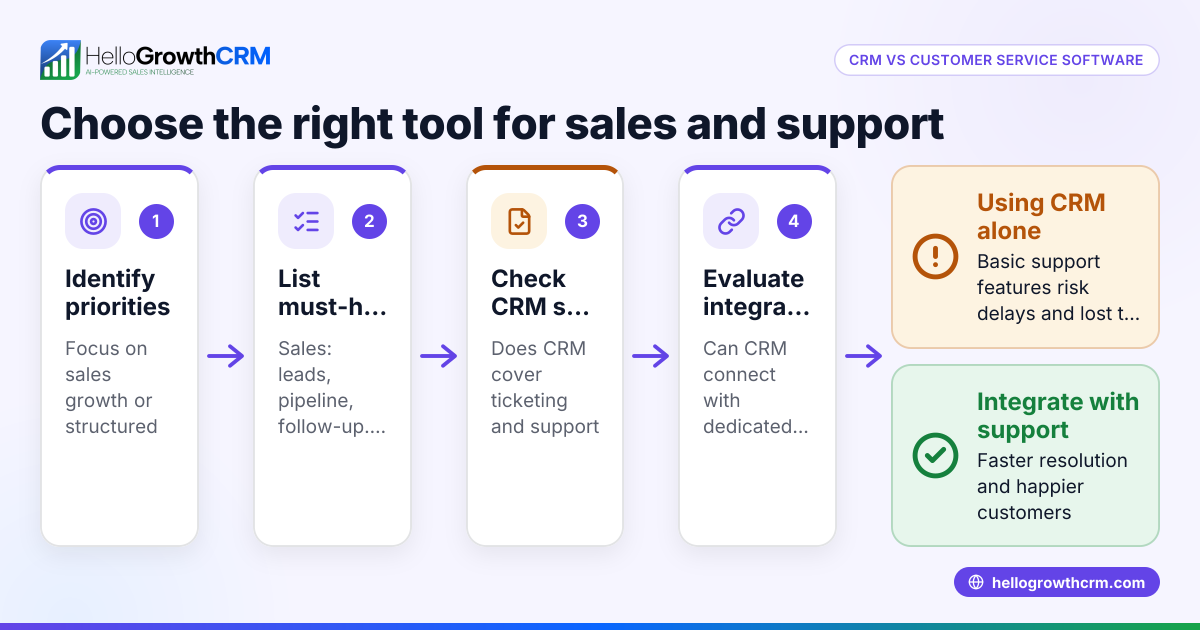
- Review integration options: Check if the CRM integrates with your existing tools, such as appointment scheduling software or billing systems, to streamline operations.
For more details on CRM features, see CRM features. To compare options, visit compare CRMs.
Example (fictional figures)
A mid-sized physiotherapy clinic in Halifax, Nova Scotia, wants to choose a CRM to manage 1,000 patient leads annually. They want to automate follow-ups via WhatsApp and SMS and reduce manual data entry.
- Annual leads: 1,000
- Average revenue per patient: C$500
- Conversion rate before CRM: 20% (200 patients)
- Conversion rate goal after CRM: 30% (300 patients)
Potential revenue increase:
300 patients − 200 patients = 100 additional patients 100 additional patients × C$500 = C$50,000 increased revenue
CRM costs (assumed):
Monthly subscription: C$150 Annual cost = C$150 × 12 = C$1,800
Return on investment:
C$50,000 − C$1,800 = C$48,200 net gain
This example shows how selecting a CRM with WhatsApp and SMS follow-up capabilities can boost patient conversion and revenue significantly.
Common mistakes
- Choosing a CRM without native support for WhatsApp or SMS: Prevent by verifying communication channel support before purchase.
- Ignoring team adoption challenges: Prevent by involving staff in demos and choosing user-friendly CRMs.
- Overlooking integration with existing clinic software: Prevent by listing essential integrations and confirming compatibility.
- Selecting a CRM without automation features: Prevent by prioritizing AI or workflow automation to reduce manual follow-up.
- Not considering pricing scalability: Prevent by reviewing pricing tiers and future needs.
For more on avoiding pitfalls, see Clinics, labs and healthcare.
Doing this in HelloGrowthCRM
HelloGrowthCRM supports clinics with WhatsApp and SMS by logging all WhatsApp conversations with leads on their records and enabling follow-ups as messages. Its AI agents (currently in Beta on the Growth plan) draft follow-up messages after calls, so reps only need to review and send them, reducing manual work. For small clinics, the Free Forever plan allows a two-person team to run a full Kanban pipeline at no cost until they require calling or WhatsApp automation. Learn more about these features at HelloGrowthCRM for Canada.
Frequently asked questions
What is the typical pricing for clinic CRM software in Canada? Pricing varies widely depending on features and team size. Some CRMs offer free plans for small teams, while others charge monthly fees starting around C$50 to C$200. Always check pricing details and scalability to avoid surprises. For detailed Canadian pricing, see CRM pricing in Canada.
Are there alternatives to clinic-specific CRM software? Yes, some clinics use general CRM software with customizations. However, clinic-specific CRMs often include patient communication channels and workflows tailored to healthcare. Compare options carefully to ensure they meet your clinic’s needs. See compare CRMs for side-by-side comparisons.
What features should clinic administrators prioritize in a CRM? Clinic administrators should focus on patient communication tools (WhatsApp, SMS), secure patient data management, appointment and task tracking, and automation features like AI-assisted follow-ups. Ease of use and integration with existing software are also critical.
Can small clinics use CRM software effectively? Yes, many CRMs offer free or low-cost plans suitable for small clinics. Features like task boards and pipeline management help small teams stay organised and improve patient follow-up without large investments.
Key takeaways
- Choose CRM software that supports your clinic’s communication channels, especially WhatsApp and SMS.
- Prioritize ease of use and automation features to improve team adoption and follow-up speed.
- Verify pricing scalability and integration with existing clinic tools.
- Avoid common mistakes by testing CRMs with real workflows before committing.
- Small clinics can start with free plans and scale as needed.
Selecting the right CRM can improve patient engagement and clinic revenue. For Canadian clinics, HelloGrowthCRM offers WhatsApp-native messaging, AI-assisted follow-ups, and a free plan for small teams.
See Canadian pricing at See Canadian pricing.
Ready to put this into practice?
Set up your pipeline, WhatsApp follow-ups, and AI lead scoring in minutes — free, no credit card.
Try HelloGrowthCRM freeGet CRM tips in your inbox
Join thousands of sales professionals who get weekly insights on CRM strategy, AI automation, and pipeline optimization.

The HelloGrowthCRM team publishes guides on CRM strategy, AI sales tools, and revenue operations for small business sales teams.