HelloGrowthCRM software
Built for real small-business sales teams
HelloGrowthCRM helps reps qualify faster, follow up on time, and close more deals—with practical automation in one place.
- AI lead scoring and pipeline visibility
- Built-in dialer, WhatsApp, and email automation
- Sales forecasting and RevOps-ready reporting
The best workflow diagram software helps small businesses visualize processes clearly and automate repetitive tasks. It should be user-friendly, integrate well with your current tools, and support automation to save time. This article explains why workflow software matters, how to choose it, a practical example with numbers, common pitfalls, and how HelloGrowthCRM can assist.
Why this comes up / what goes wrong
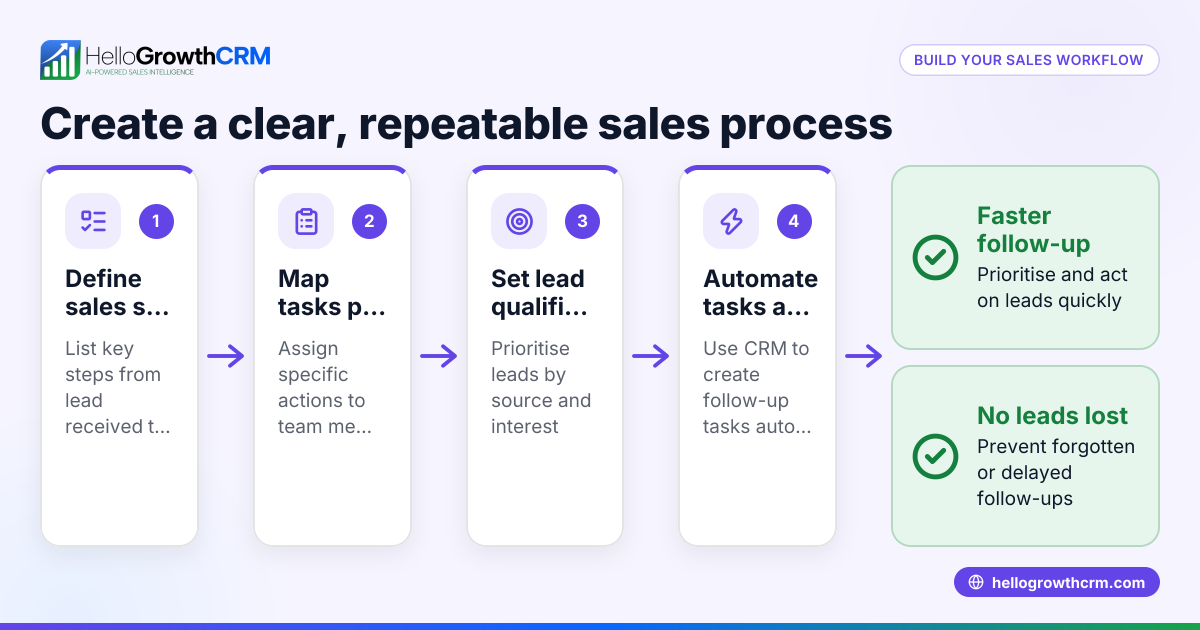
Small-business owners often start managing workflows with spreadsheets, emails, or manual diagrams. This leads to inconsistent processes, delays, and lost leads or tasks. As teams grow or sales increase, these manual methods cause errors and slowdowns. Owners search for the best workflow diagram software to streamline operations, improve team collaboration, and automate routine steps like task assignment and notifications.
Step-by-step
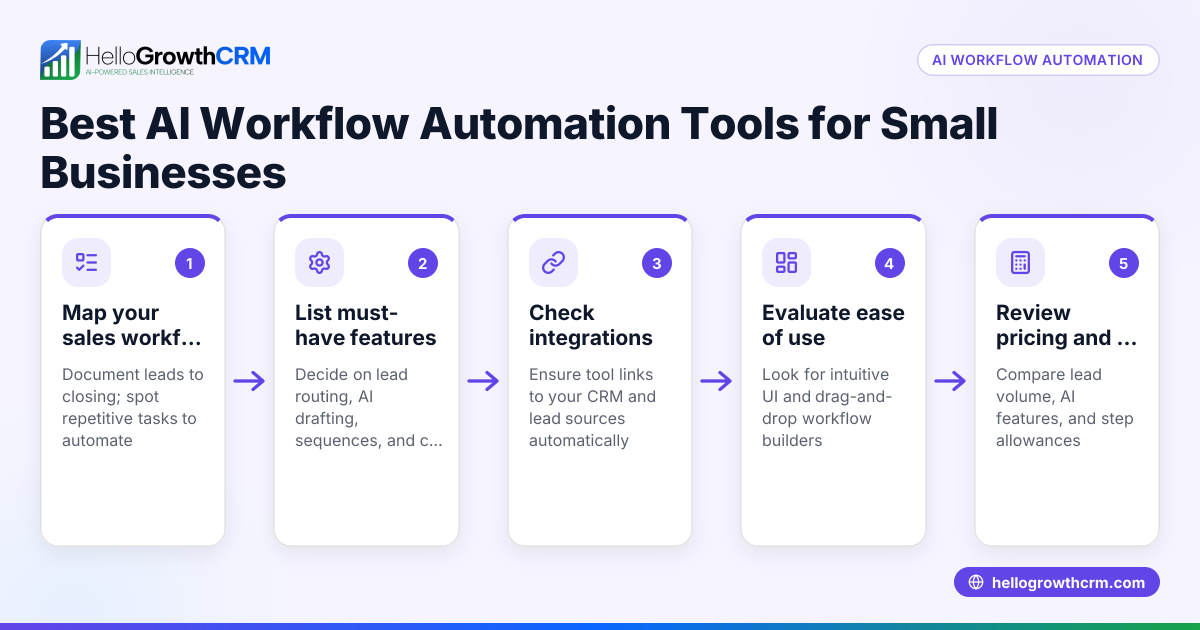
- Identify your workflow needs: Write down the key processes to diagram or automate—such as sales lead follow-up, customer onboarding, or support ticket management. Determine if you need multi-user collaboration or automation triggers.
- Check ease of use: Test free trials or demos to evaluate if the software’s interface is intuitive. Look for drag-and-drop editors, customizable templates, and clear visual layouts that your team can adopt quickly.
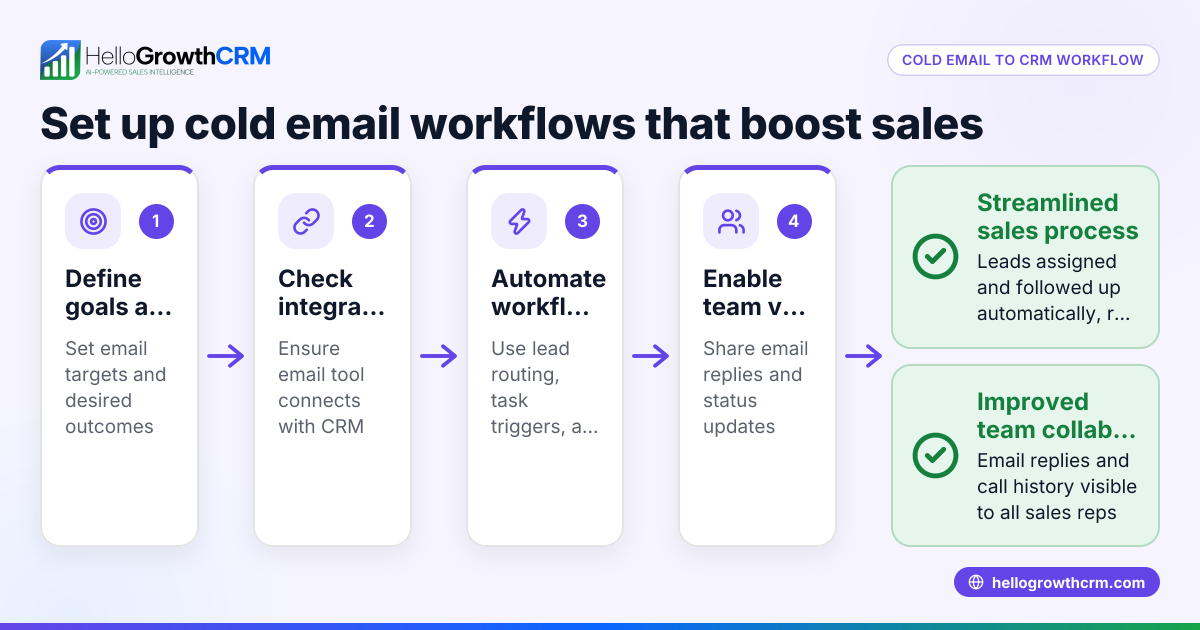
- Evaluate integration options: Confirm the software connects with your existing tools like CRM, email, WhatsApp, or SMS platforms. Integration reduces duplicate data entry and keeps your workflows synchronized.
- Consider automation capabilities: Look for features like automated task creation, lead routing, notifications, and validation rules triggered by events. Automation speeds up follow-up and reduces manual errors.
- Compare pricing and plans: Match software features with your budget. Some tools charge per user; others have flat fees. Watch for hidden costs like add-ons or API access.
- Review support and community: Good customer support and active user communities help you solve problems faster and learn best practices.
Example (fictional figures)
A B2B software reseller in Denver, Colorado, receives 1,000 leads monthly and wants to cut lead response time from 48 hours to under 4 hours by automating lead assignment and follow-up tasks.
- Current leads per month = 1,000
- Current average lead response time = 48 hours
- Target lead response time = 4 hours
They choose workflow diagram software with automation to assign leads round-robin and create follow-up tasks instantly.
Today a coordinator spends about 6 minutes per lead reading it, picking an owner and creating a task:
- Manual triage time = 1,000 leads × 6 minutes = 6,000 minutes = 100 hours a month
With automated routing, that drops to about 1 minute per lead for exceptions:
- Remaining triage time = 1,000 × 1 minute = 1,000 minutes ≈ 17 hours a month
- Time saved = 100 − 17 = 83 hours a month
At $25 an hour:
- Monthly labor cost saved = 83 hours × $25 = $2,075
The bigger gain is speed: leads now get a call within hours instead of two days, while the coordinator's freed time goes to follow-up calls.
Common mistakes
- Choosing software without a trial: Prevent this by testing the tool with your actual workflows before buying to ensure it fits your needs.
- Ignoring integration needs: Prevent this by listing all essential tools upfront and confirming the software supports them to avoid workflow breaks.
- Overcomplicating diagrams: Prevent this by keeping workflows focused on key steps and avoiding unnecessary details that confuse users.
- Neglecting team training: Prevent this by scheduling onboarding sessions and providing clear documentation to ensure consistent use.
- Underestimating automation potential: Prevent this by exploring features like lead routing and task creation that can save time and reduce errors.
- Overpaying for unused features: Prevent this by selecting plans that match your actual needs and avoiding costly extras you won’t use.
Doing this in HelloGrowthCRM
HelloGrowthCRM offers workflows, lead routing, and validation rules that automate task creation and lead assignment. For example, a new web-form enquiry is assigned round-robin and a first-call task is created automatically. This helps small and mid-sized businesses reduce manual follow-up and speed up sales processes. Learn more about HelloGrowthCRM’s automated workflows and lead routing at WhatsApp and SMS CRM and its built-in CRM dialer.
Frequently asked questions
What features should I prioritize in workflow diagram software? Prioritize ease of use, integration with your existing tools, and automation capabilities such as task triggers and lead routing. Collaboration features and reporting may also be important depending on your team size.
Can workflow software integrate with my CRM? Yes, many workflow diagram tools offer integrations or APIs to connect with CRMs, email platforms, and messaging apps. This ensures workflows update automatically without manual data entry. HelloGrowthCRM includes automated lead routing and task creation that can be part of your workflow.
Is automation necessary in workflow software? Automation reduces manual errors and speeds up processes like lead assignment and follow-up. It’s especially valuable for growing sales teams that need to respond quickly to inquiries.
How much does workflow diagram software typically cost? Costs vary widely from free plans with basic features to enterprise subscriptions. Pricing often depends on user count and features. Always compare what you get for your budget and avoid paying for unused features.
Can I use workflow diagram software without technical skills? Many modern tools are designed for non-technical users, offering drag-and-drop editors and templates. Testing the software with your team before committing helps ensure it fits your skill level.
Key takeaways
- Choose workflow software that matches your process complexity and team skill.
- Test integration with your existing CRM and communication tools.
- Prioritize automation features like lead routing and task creation to save time.
- Avoid overpaying for features you won’t use.
- Train your team to ensure adoption and consistent use.
Start improving your sales and operations by choosing the right workflow diagram software. To see workflows and automated lead routing in action, explore HelloGrowthCRM’s features designed for small and mid-sized US businesses at HelloGrowthCRM for the United States.
Ready to get started? Start on the Free Forever plan (200 leads, no credit card) today.
Ready to put this into practice?
Set up your pipeline, WhatsApp follow-ups, and AI lead scoring in minutes — free, no credit card.
Try HelloGrowthCRM freeGet CRM tips in your inbox
Join thousands of sales professionals who get weekly insights on CRM strategy, AI automation, and pipeline optimization.

The HelloGrowthCRM team publishes guides on CRM strategy, AI sales tools, and revenue operations for small business sales teams.