HelloGrowthCRM software
Built for real small-business sales teams
HelloGrowthCRM helps reps qualify faster, follow up on time, and close more deals—with practical automation in one place.
- AI lead scoring and pipeline visibility
- Built-in dialer, WhatsApp, and email automation
- Sales forecasting and RevOps-ready reporting
A bounce back email is a notification sent by an email server to inform you that your sent email was not delivered to the intended recipient. This could happen because the email address is incorrect, the recipient's inbox is full, or the recipient's server rejected the message. Understanding bounce backs helps you correct email errors and improve communication with your leads and customers.
Why this comes up / what goes wrong
Small-business owners often send important emails such as quotations, proposals, or follow-ups to prospects and customers. When these emails bounce back, it means the message didn’t reach the recipient. This can cause delays in sales, missed opportunities, or confusion in communication. Bounce backs usually happen because:
- The recipient’s email address was mistyped or outdated.
- The recipient’s mailbox is full and cannot accept new messages.
- The recipient’s email server blocks your message due to spam filters or security settings.
- Temporary server issues on either side.
For a small business running sales on email, text, and spreadsheets, bounce backs can slow down follow-up and lose leads if not addressed promptly.
Step-by-step
- Check the bounce back message details
- Open the bounce back email and read the error code or reason given (e.g., "user not found", "mailbox full", "blocked").
- Verify the recipient’s email address
- Confirm the email you sent matches the correct address on file.
- Correct any typos or outdated addresses and try resending.
- Contact the recipient by alternative means if possible
- Use phone or WhatsApp to confirm their correct email or alert them of the issue.
- Wait and retry if the error is temporary
- Some bounce backs indicate temporary problems like server downtime; wait a few hours and resend.
- Check your own email domain and reputation
- Ensure your email domain is not blacklisted or flagged as spam.
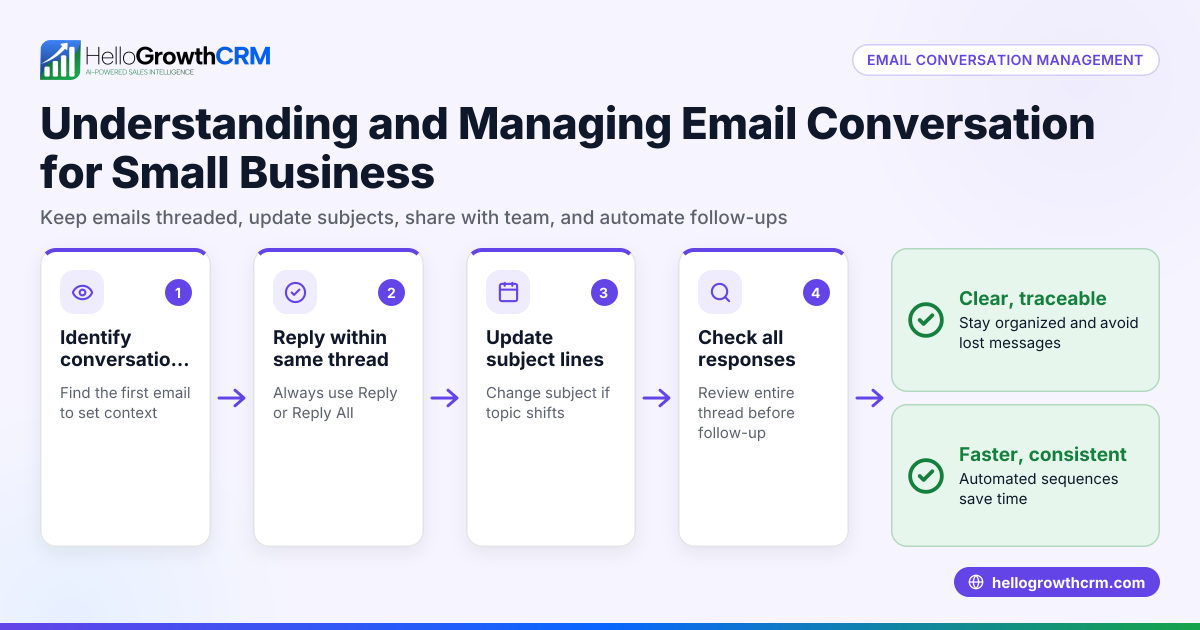
- Use email sequences to automate follow-ups
- Set up automated follow-up emails that keep trying over a set period, stopping when the prospect replies. This keeps engagement consistent without manual effort.
- Monitor bounce backs regularly
- Track bounce backs to identify recurring issues or invalid contacts and clean your email list.
For more on automating your email follow-ups and sequences, see email automation and sequences.
Example (fictional figures)
Consider a plumbing company in Austin, Texas, called "Austin Pro Plumbing". On 03/15/2026, the sales rep sends a quotation email to a potential commercial client.
- Email sent to: client@example.com
- Bounce back received with message: "550 5.1.1 User unknown"
Steps taken:
- Step 1: Read bounce back message "User unknown" means the address is invalid.
- Step 2: Call the client and confirm the correct email is client.contact@example.com.
- Step 3: Resend the quotation email to the corrected address.
- Step 4: Use an email sequence to follow up every 3 days for two weeks until the client replies.
This approach saved the lead and kept communication on track.
Common mistakes
- Ignoring bounce back emails
- Prevent by regularly checking your inbox for bounce notifications and addressing them quickly.
- Continuing to send emails to invalid addresses
- Prevent by verifying addresses before sending and removing invalid contacts from your list.
- Not using automated follow-ups
- Prevent by setting up sequences that send follow-ups and stop when a reply is received, reducing manual work.
- Failing to confirm email addresses with prospects
- Prevent by verifying addresses via phone or messaging before sending important emails.
- Not sharing bounce back info with your team
- Prevent by using a shared inbox so everyone on the sales team can see replies and bounce backs.
For tips on managing team email visibility, check out WhatsApp and SMS CRM.
Doing this in HelloGrowthCRM
HelloGrowthCRM helps you manage bounce backs and follow-ups with these features:
- HelloMail shared inbox: Replies and bounce back notifications to quotation emails are visible to the whole sales team on the deal, so no one misses important updates.
- Sequences and campaigns: Automate a five-step follow-up over two weeks that runs on its own and stops immediately when the prospect replies, ensuring timely engagement without manual tracking.
Learn more about these features at email automation and sequences.
Frequently asked questions
What causes a bounce back email? A bounce back email occurs when your sent email cannot be delivered. Common causes include incorrect email addresses, full mailboxes, or server blocks.
How do I fix a bounce back email? Check the bounce message for the reason, verify and correct the recipient’s email, try resending, or contact the recipient by phone or messaging if needed.
Can bounce backs affect my email reputation? Yes, repeatedly sending to invalid addresses can harm your sender reputation, causing more emails to be blocked or sent to spam.
How can I prevent bounce backs in the future? Maintain an updated email list, verify addresses before sending, and use automated sequences to manage follow-ups efficiently.
Does HelloGrowthCRM help with bounce back management? Yes, HelloMail shared inbox shows replies and bounce backs to the whole team, and automated sequences handle follow-ups until a reply stops them.
Key takeaways
- Bounce back emails signal delivery failure due to invalid addresses, full inboxes, or server issues.
- Always check the bounce message details and verify the recipient’s email.
- Use multiple contact methods to confirm email addresses and fix errors.
- Automate follow-ups with sequences that stop upon reply to maintain steady engagement.
- Share email replies and bounce backs with your team using a shared inbox.
- Regularly clean your email list to protect your sender reputation.
Start managing your leads and bounce backs effectively with HelloGrowthCRM. Start on the Free Forever plan (200 leads, no credit card).
Ready to put this into practice?
Set up your pipeline, WhatsApp follow-ups, and AI lead scoring in minutes — free, no credit card.
Try HelloGrowthCRM freeGet CRM tips in your inbox
Join thousands of sales professionals who get weekly insights on CRM strategy, AI automation, and pipeline optimization.

The HelloGrowthCRM team publishes guides on CRM strategy, AI sales tools, and revenue operations for small business sales teams.