HelloGrowthCRM software
Built for real small-business sales teams
HelloGrowthCRM helps reps qualify faster, follow up on time, and close more deals—with practical automation in one place.
- AI lead scoring and pipeline visibility
- Built-in dialer, WhatsApp, and email automation
- Sales forecasting and RevOps-ready reporting
Setting up a call center for your small business means organizing your customer calls and sales outreach efficiently. You must plan your goals, technology, staffing, and processes carefully to avoid lost leads and slow follow-up. This guide provides clear steps, a practical example with numbers, common pitfalls, and how HelloGrowthCRM can support your call center operations.
Why this comes up / what goes wrong
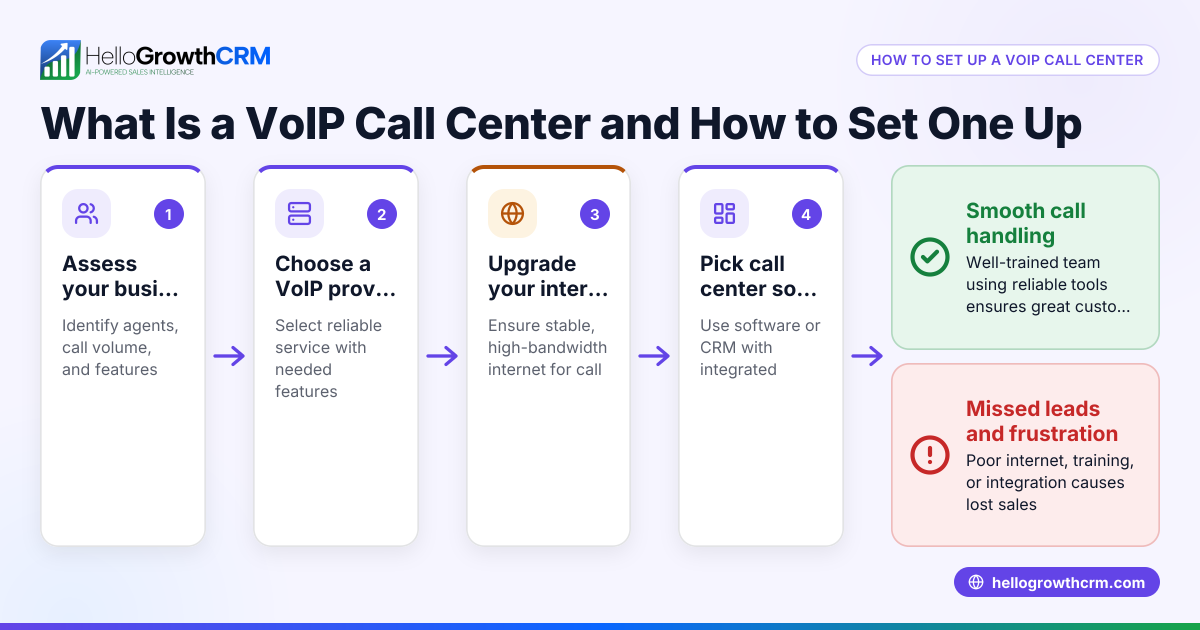
Small business owners often decide to set up a call center when they want to improve customer service or increase outbound sales. Without a proper setup, they may rely on personal phones, emails, texts, or spreadsheets for calls, which leads to missed leads, slow responses, and poor tracking. This causes lost sales and frustrated customers. Setting up a call center helps organize calls, log outcomes, and schedule follow-ups so your team works efficiently and no lead slips through.
Step-by-step
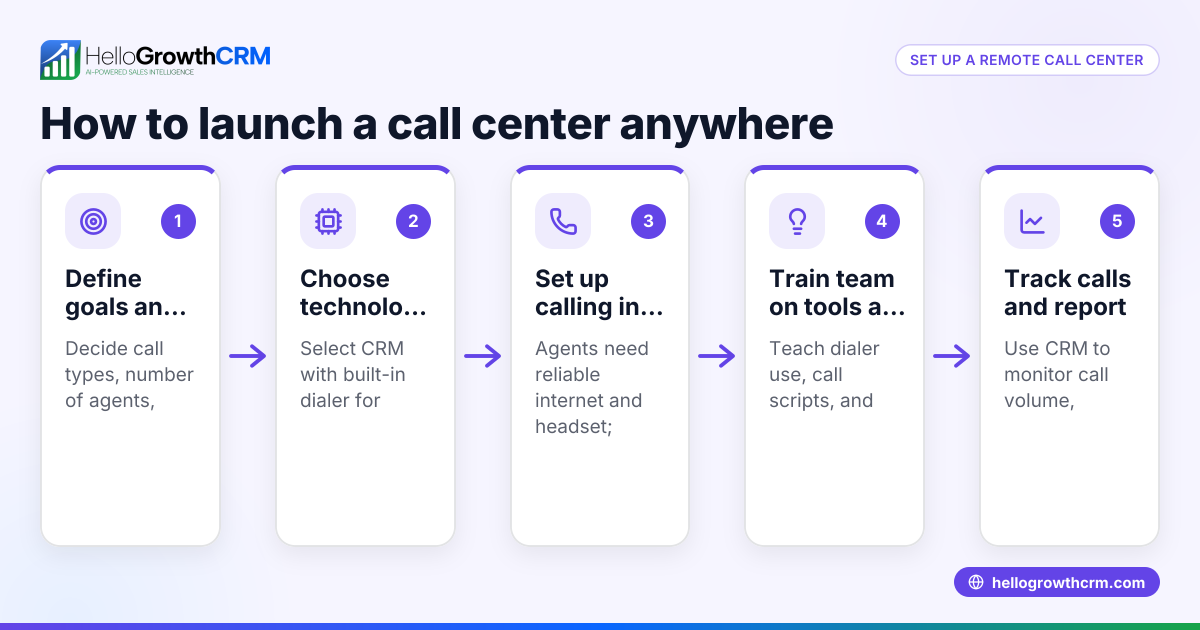
- Define your call center goals and expected call volume
- Decide if your call center will handle inbound calls, outbound calls, or both.
- Estimate how many calls you expect per day to determine staffing and technology needs.
- Choose your call center type and location
- Decide between an in-house center, remote agents working from home, or a hybrid model.
- If in-house, secure a workspace with reliable internet, power, and enough room for agents.
- Select call center technology
- Choose a CRM or call management system that lets you make calls directly, log call outcomes, and schedule follow-ups.
- Ensure the system supports tracking calls and managing leads efficiently.
- Hire and train your agents
- Recruit agents with good communication skills and customer service experience.
- Train them on your products, call scripts, and how to use your CRM and dialer.
- Set up call management processes
- Create call scripts and FAQs to guide conversations.
- Define procedures for call handling, escalation, and follow-ups.
- Implement performance tracking
- Monitor call volumes, outcomes, and agent productivity regularly.
- Use task boards or daily call lists so agents know exactly who to call and when.
- Test and refine your setup
- Run pilot calls to find and fix issues in scripts, technology, or staffing.
- Adjust your processes, call volume, or team size based on results.
For managing calls and tasks smoothly, consider tools like the built-in CRM dialer and activities and task boards in HelloGrowthCRM.
Example (fictional figures)
A plumbing company in Austin, Texas, plans to set up a small outbound call center to follow up on online leads.
- Expected calls per day: 100
- Agents hired: 3
- Calls per agent per day: about 35
- Equipment cost: 3 computers × $800 = $2,400
- CRM subscription with dialer: $150 per month
- Training cost: $500 total
- Monthly salaries: 3 agents × $3,000 = $9,000
Initial setup cost: $2,400 (equipment) + $500 (training) = $2,900
Monthly operating cost: $9,000 (salaries) + $150 (CRM) = $9,150
This budget helps the company plan expenses and forecast return on investment.
Common mistakes
- Skipping clear goal setting: Prevent this by defining whether your call center is inbound, outbound, or both, and estimate your call volume before starting.
- Choosing poor technology: Avoid this by selecting a CRM or dialer that logs calls and schedules follow-ups; see the built-in CRM dialer.
- Inadequate training: Prevent by preparing detailed call scripts and providing hands-on training on your CRM and call handling.
- Ignoring performance tracking: Use task boards and call logs to monitor daily activity and follow-ups; see activities and task boards.
- Overloading agents: Balance the number of calls per agent to maintain quality and avoid burnout.
- No follow-up process: Implement automated sequences to nurture leads and ensure timely follow-up; see sequences and campaigns.
Doing this in HelloGrowthCRM
HelloGrowthCRM offers features that support call center setup effectively. Its built-in dialer lets reps work from inside the CRM, logging the outcome of each call directly on the lead. Activities and task boards turn every follow-up into a task with a due date, so agents have a clear daily call list instead of relying on memory. Automated sequences run multi-step follow-ups over two weeks and stop immediately when a prospect replies. These tools help small businesses manage calls and leads efficiently without juggling multiple systems.
Frequently asked questions
What equipment do I need to start a call center? You need computers or phones that can run your call software, a reliable internet connection, headsets for agents, and a CRM or dialer system to manage calls and track outcomes.
How many agents should I hire initially? Estimate your daily call volume and divide by how many calls an agent can handle per day. For example, if you expect a certain number of calls and have an estimate of how many each agent can handle, start with a proportional number of agents.
Can I run a call center remotely? Yes, remote call centers are common. Make sure your CRM supports remote access and that agents have the necessary equipment and internet connection.
How do I ensure agents follow up on leads effectively? Use task boards and automated sequences to schedule and track follow-ups so no leads are missed. HelloGrowthCRM provides these tools to keep follow-ups organized.
Is it expensive to set up a call center? Costs vary depending on size and technology. Budget for equipment, software subscriptions, salaries, and training. The example above shows a modest setup costing about $2,900 initially and $9,150 monthly.
For more detailed help, visit the help center.
Key takeaways
- Define clear goals and expected call volume before starting.
- Choose technology that integrates calling with CRM features.
- Hire and train agents with scripts and CRM usage.
- Use task boards and call logs to track daily calls and follow-ups.
- Automate follow-ups with sequences to nurture leads.
- Monitor performance and adjust your processes regularly.
Setting up a call center can improve your customer interactions and boost sales. Start today on the Free Forever plan (200 leads, no credit card) to test HelloGrowthCRM’s call center features and organize your sales outreach efficiently.
Ready to put this into practice?
Set up your pipeline, WhatsApp follow-ups, and AI lead scoring in minutes — free, no credit card.
Try HelloGrowthCRM freeGet CRM tips in your inbox
Join thousands of sales professionals who get weekly insights on CRM strategy, AI automation, and pipeline optimization.

The HelloGrowthCRM team publishes guides on CRM strategy, AI sales tools, and revenue operations for small business sales teams.