HelloGrowthCRM software
Built for real small-business sales teams
HelloGrowthCRM helps reps qualify faster, follow up on time, and close more deals—with practical automation in one place.
- AI lead scoring and pipeline visibility
- Built-in dialer, WhatsApp, and email automation
- Sales forecasting and RevOps-ready reporting
A call centre is a dedicated team or facility that handles inbound and outbound telephone communications with customers or leads. For UK small businesses, it means organising calls efficiently to improve sales, support, or customer service. This article explains what a call centre involves, why small businesses consider one, how to set it up step-by-step, common pitfalls, and how HelloGrowthCRM’s built-in dialer can help manage calls from within your CRM.
Why this comes up / what goes wrong
Many small UK businesses struggle with managing customer and sales calls effectively. Often, calls are scattered across mobile phones, personal devices, or apps like WhatsApp and email, making it hard to track follow-ups or outcomes. This leads to lost leads, slow response times, and inconsistent customer experience. A call centre centralises call handling, making it easier to organise calling teams, track progress, and improve conversions. However, setting up a call centre can be daunting without clear steps or the right tools.
Step-by-step
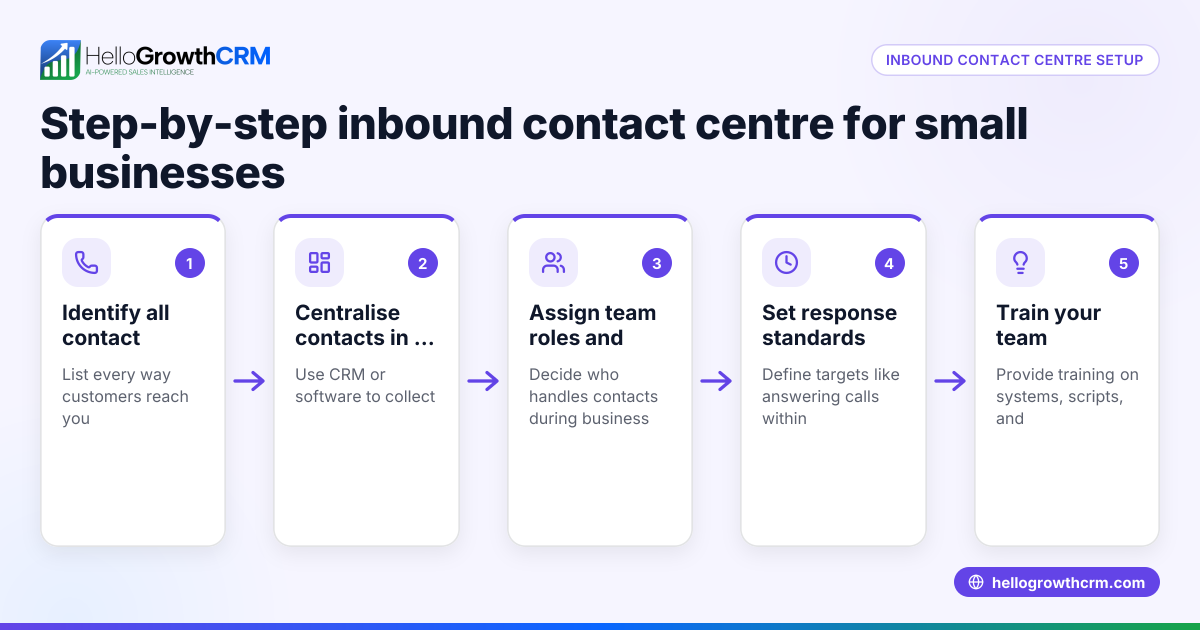
- Define the call centre’s purpose and scope Decide if your call centre will handle inbound support, outbound sales calls, or both. Check the volume of calls you expect and the number of staff needed.
- Choose your communication channels Decide if calls will be made via traditional phone lines, VoIP, or integrated with messaging apps like WhatsApp. Check compatibility with your existing systems.
- Set up the physical or virtual workspace For a physical call centre, arrange desks, phones, and headsets. For remote teams, ensure everyone has reliable internet and software access.
- Select call management software or CRM integration Choose software that lets you assign calls, log outcomes, and track leads. Check if it supports features like a built-in dialer to streamline calling.
- Hire and train your calling team Recruit staff with good communication skills and train them on scripts, compliance, and using your call management tools.
- Implement call tracking and reporting Set up systems to monitor call volumes, durations, outcomes, and follow-ups. Check reports regularly to identify bottlenecks.
- Continuously optimise performance Use feedback and data to improve scripts, call lists, and workflows. Regularly retrain your team to maintain quality.
Example (fictional figures)
A letting agency in Manchester decides to set up a call centre to improve tenant enquiries and property viewings.
- Expected monthly calls: 1,200
- Reps hired: 3
- Monthly salary per rep: £2,000
- Software subscription: £150 per month
- Equipment (phones, headsets): £600 one-time
Monthly cost calculation: £2,000 × 3 = £6,000 (salaries) £150 (software) Total monthly cost = £6,000 + £150 = £6,150
Initial setup cost: £600 (equipment)
The agency tracks calls and outcomes using their CRM, improving follow-up rates by assigning calls and logging results.
Common mistakes
- Not defining clear objectives: Prevent by setting specific goals for call volume and outcomes before starting.
- Using multiple unconnected communication tools: Prevent by consolidating calls into one system or CRM to avoid lost leads.
- Ignoring staff training: Prevent by providing regular training on scripts and software.
- Failing to track call outcomes: Prevent by logging every call’s result and reviewing reports frequently.
- Overloading reps with unqualified leads: Prevent by using lead scoring or filters to prioritise calls.
Doing this in HelloGrowthCRM
HelloGrowthCRM offers a built-in dialer that lets your reps work through call lists directly inside the CRM. Each call’s outcome is logged automatically on the lead, keeping a full call history tied to contact and deal records. This helps small and mid-sized UK businesses organise their call centre operations without juggling multiple apps. Learn more about the built-in CRM dialer and how it integrates with WhatsApp and SMS CRM to streamline your communications.
Frequently asked questions
What is the difference between a call centre and a contact centre? A call centre primarily handles telephone calls, while a contact centre manages multiple communication channels including email, chat, and social media. Small businesses often start with a call centre for phone calls before expanding.
Can a small business run a virtual call centre? Yes, a virtual call centre uses remote reps working from different locations with internet-based phone systems. This reduces physical space costs and can be managed with CRM software like HelloGrowthCRM.
How do I measure call centre performance? Key metrics include call volume, average call duration, call outcomes (e.g., sale made, follow-up needed), and customer satisfaction. Regular reporting helps identify areas for improvement.
Is it expensive to set up a call centre? Costs vary based on staff, equipment, and software. Small businesses can start with minimal investment using built-in dialers in CRMs and remote reps to keep costs manageable.
How does HelloGrowthCRM help with call centres? HelloGrowthCRM’s built-in dialer allows your team to make calls from within the CRM, log outcomes automatically, and keep a full call history linked to each lead. This centralises communication and saves time.
Key takeaways
- A call centre centralises customer and sales calls to improve efficiency.
- Define your call centre’s purpose and set clear goals before starting.
- Use integrated software or CRM tools to manage calls and log outcomes.
- Train your calling team and track performance regularly.
- Avoid common mistakes like using unconnected tools or neglecting call tracking.
- HelloGrowthCRM’s built-in dialer supports call centre activities by logging calls inside the CRM.
Setting up a call centre can help your UK business respond faster, follow up better, and close more leads. To start organising your calls efficiently, try HelloGrowthCRM’s built-in dialer and see how it fits your team’s workflow. Start on the Free Forever plan (200 leads, no credit card).
Ready to put this into practice?
Set up your pipeline, WhatsApp follow-ups, and AI lead scoring in minutes — free, no credit card.
Try HelloGrowthCRM freeGet CRM tips in your inbox
Join thousands of sales professionals who get weekly insights on CRM strategy, AI automation, and pipeline optimization.

The HelloGrowthCRM team publishes guides on CRM strategy, AI sales tools, and revenue operations for small business sales teams.