HelloGrowthCRM software
Built for real small-business sales teams
HelloGrowthCRM helps reps qualify faster, follow up on time, and close more deals—with practical automation in one place.
- AI lead scoring and pipeline visibility
- Built-in dialer, WhatsApp, and email automation
- Sales forecasting and RevOps-ready reporting
A CRM for small business in Canada should help you manage leads, automate follow-ups, and keep your sales organised without complexity. This article explains what Canadian small businesses face when choosing a CRM, outlines the steps to evaluate options, highlights common mistakes, and shows how HelloGrowthCRM supports sales teams with WhatsApp-native messaging and AI follow-ups.
Why this comes up / what goes wrong
Small business owners in Canada often lose leads or waste time because they try to manage sales on text messages, emails, and spreadsheets. Without a dedicated system, tracking conversations and follow-ups becomes chaotic, especially as the team grows beyond a few people. Sales reps may delay contacting prospects, or important details get lost, causing lost sales opportunities.
Many small businesses search for a "CRM for small business Canada" because they want a tool that fits their size and workflow. They need something easy to use, affordable, and adapted to how Canadians communicate, including mobile messaging apps like WhatsApp and SMS. They also want to automate repetitive tasks like follow-up messages but without complicated setups.
Step-by-step
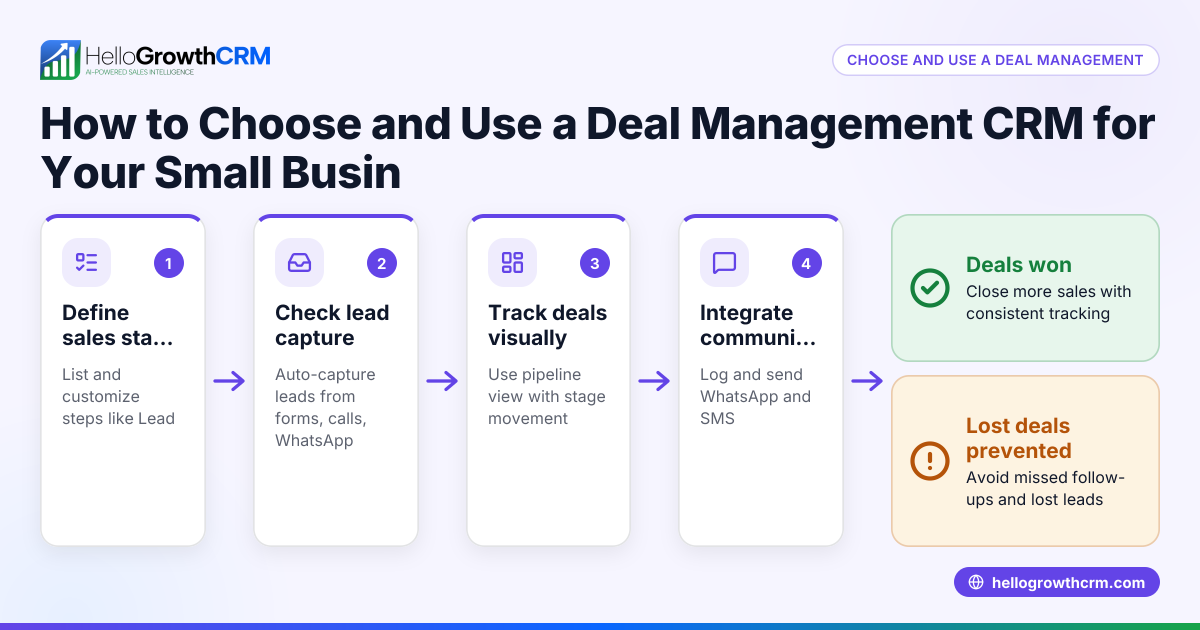
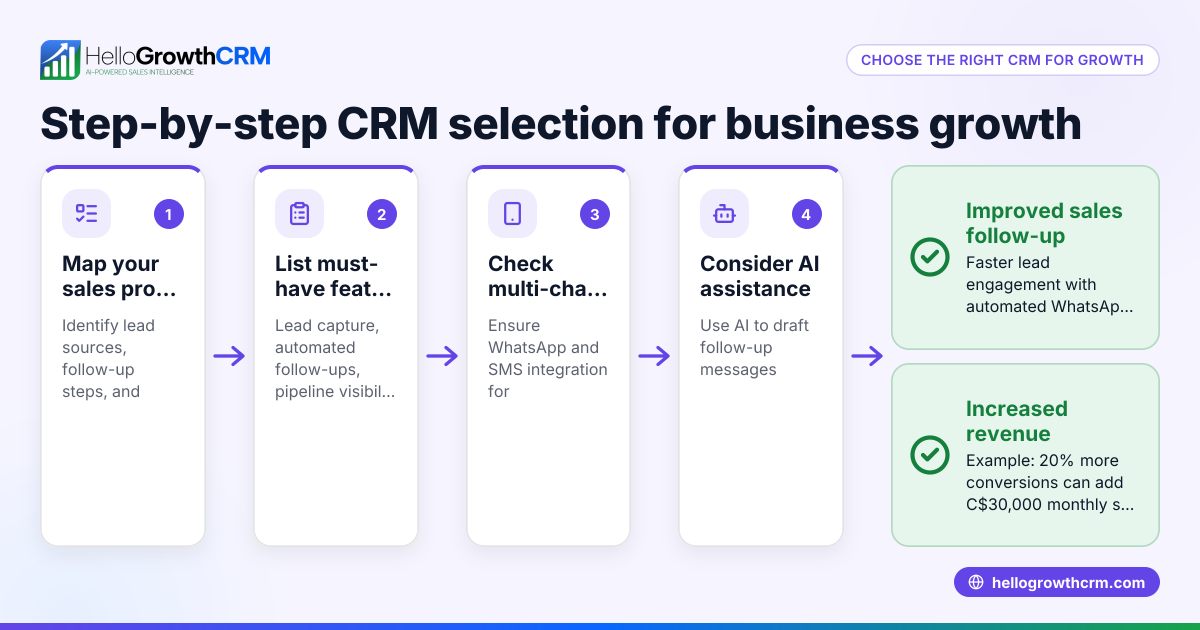
- Identify Your Sales Process Needs
- List how your team currently finds, contacts, and follows up with leads.
- Note which communication channels you use (email, phone, WhatsApp, SMS).
- Check if you need features like lead capture from web forms or sales forecasting.
- Check for Local Support and Compliance
- Ensure the CRM supports Canadian business practices and data privacy requirements. NEEDS EXPERT REVIEW
- Look for Canadian pricing and customer support availability.
- Evaluate Ease of Use and Adoption
- Choose a CRM that your team can learn quickly and will actually use daily.
- Avoid overly complex systems that require dedicated administrators.
- Look for Mobile Messaging Integration
- If your team uses WhatsApp or SMS to communicate, find a CRM that logs these conversations automatically.
- This helps keep all lead interactions in one place without manual copying.
- Consider Automation Features
- See if the CRM offers AI agents or automated workflows to draft follow-ups and update records.
- Automation reduces manual work and speeds up response times.
- Test Lead Management and Reporting
- Check how the CRM tracks leads through your sales pipeline.
- Review available reports and forecasting tools to monitor sales performance.
- Compare Pricing and Plans
- Make sure the CRM fits your budget and scales with your business.
- Look for transparent pricing without hidden fees.
- Try Before You Buy
- Use free trials or demo versions to see how the CRM works in your daily operations.
- Inquire about free CRM options for small business to get started without upfront costs free CRM for small business.
Example (fictional figures)
A staffing agency in Halifax, Nova Scotia, has 12 employees and manages about 150 leads monthly. They want a CRM to improve follow-up speed and track WhatsApp conversations.
- Monthly revenue target: C$60,000
- Average deal size: C$3,000
- Close rate: 20%
They calculate the number of deals needed:
C$60,000 ÷ C$3,000 = 20 deals needed per month
Given a 20% close rate, leads required:
20 deals ÷ 20% = 100 leads needed per month
With 150 leads, they have a buffer but risk losing deals if follow-up is slow.
They choose a CRM with WhatsApp and SMS integration to log conversations automatically and use AI agents to draft follow-ups, reducing lost leads.
Common mistakes
- Choosing a CRM without messaging integration
- Prevent by selecting a CRM that logs WhatsApp and SMS conversations automatically, avoiding manual tracking errors.
- Ignoring team adoption challenges
- Prevent by involving your sales reps in the selection process and choosing a user-friendly system.
- Overlooking automation capabilities
- Prevent by evaluating AI features that draft follow-ups, saving reps time and improving response rates.
- Not verifying local pricing and support
- Prevent by checking Canadian pricing and availability of customer support.
- Skipping the trial phase
- Prevent by testing the CRM with your actual sales process before committing.
For more on free options, see free CRM for small business.
Doing this in HelloGrowthCRM
HelloGrowthCRM supports Canadian small businesses with WhatsApp and SMS messaging workflows, logging conversations on lead records and enabling follow-ups directly as messages. Its AI agents (in Beta on Growth plans) draft follow-up messages after calls, so sales reps only need to review and send them. For founders without a sales manager, HelloGrowthCRM offers Managed RevOps, where a revenue specialist works the follow-up queue weekly to keep sales moving. Learn more about these features at WhatsApp and SMS CRM and HelloGrowthCRM for Canada.
Frequently asked questions
What is the best CRM for small business in Canada? The best CRM depends on your specific needs like communication channels, automation, and budget. Look for a CRM that supports WhatsApp and SMS if your team uses those, offers easy adoption, and provides Canadian pricing and support. HelloGrowthCRM is one option designed for Canadian small businesses with these features.
Can I use WhatsApp as part of my CRM for small business? Yes, some CRMs integrate WhatsApp conversations directly into lead records, allowing you to manage messages and follow-ups without switching apps. This helps keep all communication in one place and improves response times.
Are there free CRM options for small business in Canada? Yes, some CRMs offer free plans with limited features suitable for startups or very small teams. It's a good way to test CRM benefits before upgrading. See options at free CRM for small business.
How do AI features help in a small business CRM? AI can automate repetitive tasks like drafting follow-up messages or updating lead information, saving time and reducing errors. HelloGrowthCRM offers AI agents that draft follow-ups for sales reps to review, speeding up communication.
Is it difficult to switch to a CRM that includes WhatsApp and SMS? Switching can be smooth if the CRM supports easy lead import and your team receives training. Choosing a CRM designed for mobile messaging, like HelloGrowthCRM, helps reduce friction.
Key takeaways
- Choose a CRM that matches your sales process and communication channels.
- Ensure the CRM supports WhatsApp and SMS for seamless messaging.
- Use AI automation to save time on follow-ups.
- Test the CRM with your team before buying.
- Check for Canadian pricing and local support.
- Consider Managed RevOps if you lack a dedicated sales manager.
Selecting the right CRM can improve your sales follow-up and reduce lost leads. To explore pricing and plans tailored for Canadian businesses, visit See Canadian pricing.
Ready to put this into practice?
Set up your pipeline, WhatsApp follow-ups, and AI lead scoring in minutes — free, no credit card.
Try HelloGrowthCRM freeGet CRM tips in your inbox
Join thousands of sales professionals who get weekly insights on CRM strategy, AI automation, and pipeline optimization.

The HelloGrowthCRM team publishes guides on CRM strategy, AI sales tools, and revenue operations for small business sales teams.