HelloGrowthCRM software
Built for real small-business sales teams
HelloGrowthCRM helps reps qualify faster, follow up on time, and close more deals—with practical automation in one place.
- AI lead scoring and pipeline visibility
- Built-in dialer, WhatsApp, and email automation
- Sales forecasting and RevOps-ready reporting
A CRM with built-in call transcription converts phone calls into text automatically, linking transcripts to each lead for faster, accurate follow-up. This article explains why Indian SMBs need this, how to evaluate such CRMs, common mistakes to avoid, and how HelloGrowthCRM supports call management with its built-in dialer and AI features.
Why this comes up / what goes wrong
Small and mid-sized businesses in India often depend on phone calls for sales and customer support. Without transcription, teams rely on manual note-taking or memory, which leads to missed details and delayed follow-ups. Many SMBs use WhatsApp and spreadsheets to track sales, causing scattered information and lost leads. A CRM with built-in call transcription helps automate note-taking, centralise communication, and speed up sales cycles, addressing these common problems.
Step-by-step
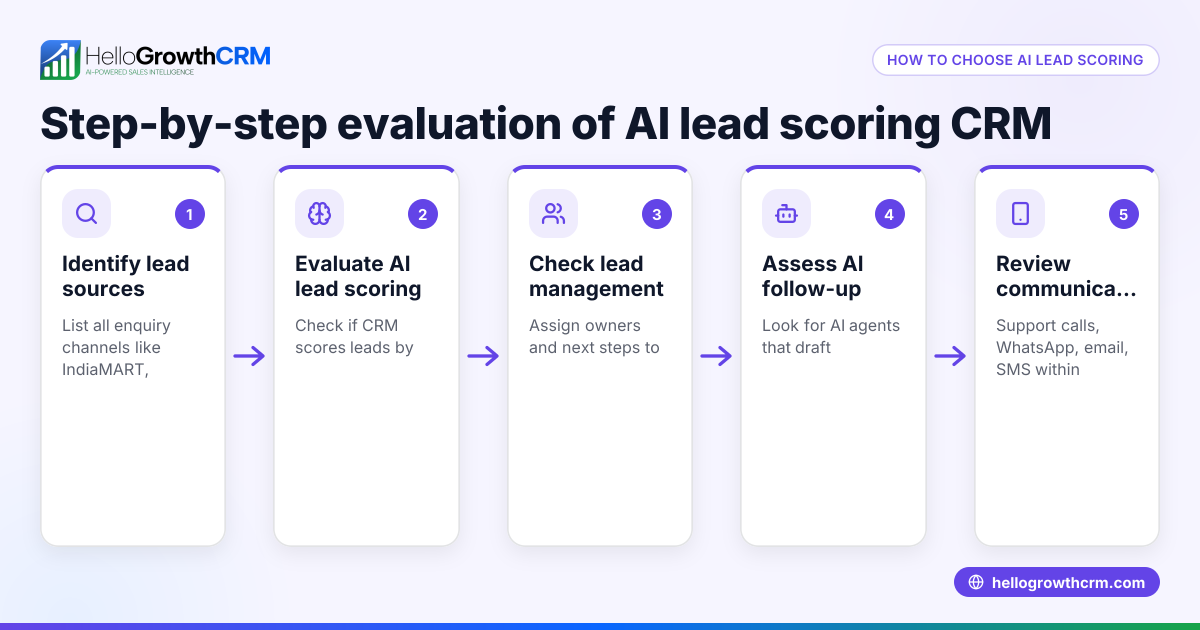
- Assess your call volume and purpose: Count how many calls your team handles daily and whether transcription is needed for training, compliance, or faster follow-up.
- Verify transcription accuracy and language support: Since Indian calls often mix English with regional languages, check if the CRM supports your required languages and accents.
- Choose a CRM with a built-in dialer: Select one that lets your team call directly from the CRM and automatically logs call outcomes to avoid manual errors. See the built-in CRM dialer.
- Ensure multi-channel communication logging: Confirm the CRM logs WhatsApp and SMS conversations on lead records and supports follow-ups via these channels. This keeps communication unified. Check features like WhatsApp and SMS messaging.
- Consider AI assistance for follow-ups: Some CRMs offer AI agents that draft follow-up messages after calls, which your team can review and send. This reduces manual effort. See AI agents.
- Test usability and adoption: Your sales and telecalling teams should find the dialer and transcription easy to use without switching apps or losing context.
- Check data security and compliance: Ensure the CRM securely handles call data and complies with Indian data privacy and telecommunication laws.
- Review pricing and plans: Confirm transcription and dialer features fit your budget and are included in your chosen plan.
- Request demos or trials: Test transcription quality, call logging, and follow-up workflows before deciding.
- Confirm ongoing support and updates: Ensure the CRM provider offers support and improvements for transcription and related features.
Example (fictional figures)
A Bangalore-based business has a telecalling team making 50 calls daily to leads from IndiaMART. Each call lasts 5 minutes, and manual note-taking takes 4 minutes per call. The team wants to reduce follow-up delays and improve lead conversion.
- Calls per day = 50
- Time per call = 5 minutes
- Note-taking time per call = 4 minutes
- Total time spent daily = 50 × (5 + 4) = 50 × 9 = 450 minutes = 7 hours 30 minutes
Using a CRM with built-in call transcription, note-taking time reduces to 1.5 minutes per call (reviewing and correcting transcripts). New time per call = 5 + 1.5 = 6.5 minutes
- Total time spent daily = 50 × 6.5 = 325 minutes = 5 hours 25 minutes
Time saved daily = 450 - 325 = 125 minutes = 2 hours 5 minutes
This saved time allows more calls or closing deals, increasing productivity and revenue.
Common mistakes
- Ignoring transcription accuracy: Using a CRM without testing if transcription handles Indian accents or mixed languages leads to errors. Prevent this by requesting transcription samples.
- Choosing a CRM without integrated calling: Calling outside the CRM and manually logging wastes time and causes mistakes. Use a CRM with a built-in dialer to log calls automatically, like the built-in CRM dialer.
- Overlooking multi-channel communication: Relying only on calls misses leads who prefer WhatsApp or SMS. Choose a CRM that logs WhatsApp conversations and supports messaging follow-ups, such as with WhatsApp and SMS features.
- Neglecting AI assistance: Without AI drafting follow-ups, reps spend extra time writing messages. Select a CRM with AI agents to draft follow-ups for faster response, like the AI agents.
- Not involving users in testing: Complex interfaces reduce adoption and cause lost data. Involve your team early to pick a CRM that fits their workflow.
- Skipping security checks: Call data is sensitive. Verify the CRM’s data protection and compliance with Indian laws.
Doing this in HelloGrowthCRM
HelloGrowthCRM provides a built-in dialer enabling telecallers to call directly from the CRM and automatically log call outcomes on lead records (/product/crm-dialer). WhatsApp conversations with leads are logged on the lead record, and follow-ups can be sent as WhatsApp or SMS messages (/product/whatsapp-sms-crm). Additionally, AI agents draft follow-up messages after calls, which sales reps review and send, saving time and improving response rates (/product/ai-crm). This combination helps Indian SMB sales teams manage leads efficiently from IndiaMART, JustDial, and web forms.
Frequently asked questions
Can I integrate call transcription with my existing CRM? Many CRMs allow integration with third-party transcription services, but this can add complexity and cost. A CRM with built-in call transcription simplifies workflow by keeping calls, transcriptions, and follow-ups in one place. Check if your CRM supports this natively or via reliable integrations. HelloGrowthCRM integrates well with popular lead sources like IndiaMART and JustDial (/integrations).
Does call transcription work well with Indian accents and languages? Accuracy varies by provider. Some transcription engines are trained on Indian English and understand common regional accents better. If you use mixed languages or local dialects, test transcription samples before committing.
How does call transcription improve sales follow-up? Transcripts provide detailed, searchable call records that help reps recall customer needs and objections. This reduces errors in follow-ups and lets managers review calls for coaching. Combined with sales templates, follow-ups become faster and more consistent.
Is call transcription secure and compliant with Indian regulations? Security depends on the CRM provider’s data policies. Ensure the CRM encrypts call data and complies with applicable Indian laws on data privacy and telecommunication.
Can I use WhatsApp and SMS follow-ups alongside call transcription? Yes, WhatsApp and SMS conversations can be logged on the lead record and used for follow-ups, keeping all communication in one place (/product/whatsapp-sms-crm).
Do AI agents replace sales reps in follow-up? AI agents draft follow-up messages after calls to reduce manual effort. The sales rep reviews and sends these drafts, maintaining control and personalisation (/product/ai-crm).
Key takeaways
- A CRM with built-in call transcription saves time and improves follow-up accuracy by converting calls to text.
- Verify transcription accuracy for Indian accents and language support before choosing.
- Integrated dialers and multi-channel messaging (WhatsApp, SMS) keep all communication linked to leads.
- AI agents can draft follow-ups after calls, speeding up sales cycles.
- User adoption and data security are critical factors.
- HelloGrowthCRM offers a built-in dialer, WhatsApp and SMS logging, and AI drafting to support your sales team.
Start managing calls and follow-ups efficiently by trying HelloGrowthCRM. Start on the Free Forever plan (200 leads, no credit card).
Ready to put this into practice?
Set up your pipeline, WhatsApp follow-ups, and AI lead scoring in minutes — free, no credit card.
Try HelloGrowthCRM freeGet CRM tips in your inbox
Join thousands of sales professionals who get weekly insights on CRM strategy, AI automation, and pipeline optimization.

The HelloGrowthCRM team publishes guides on CRM strategy, AI sales tools, and revenue operations for small business sales teams.