HelloGrowthCRM software
Built for real small-business sales teams
HelloGrowthCRM helps reps qualify faster, follow up on time, and close more deals—with practical automation in one place.
- AI lead scoring and pipeline visibility
- Built-in dialer, WhatsApp, and email automation
- Sales forecasting and RevOps-ready reporting
Transcription to CRM is the process of taking spoken or written sales conversations and turning them into clear, actionable records inside your CRM system. This helps sales teams keep track of important lead details, schedule timely follow-ups, and manage their sales pipeline without losing information in WhatsApp chats or spreadsheets.
Why this comes up / what goes wrong
Many Indian small-business owners rely on phone calls and WhatsApp messages for sales conversations. These conversations often remain unrecorded or scattered across devices and apps, causing important lead information to be missed or forgotten. Manual transcription—typing out call notes or voice recordings into a CRM—is time-consuming and prone to errors. Without a clear process, sales reps might forget key details or delay follow-ups, resulting in lost leads and reduced sales.
Step-by-step
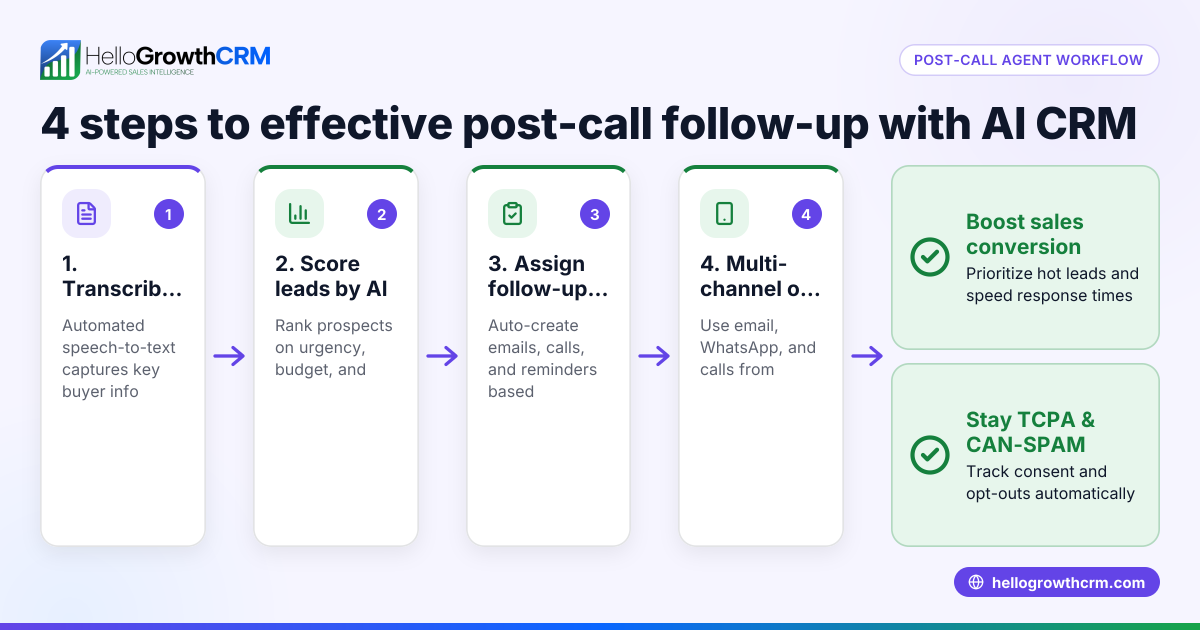
- Record or obtain the transcription: Use a voice recorder or transcription software to convert your calls or meetings into text. Check the transcription carefully for accuracy and completeness.
- Locate the lead record in your CRM: Find the lead or prospect in your CRM system that the conversation relates to.
- Enter the transcription: Paste the full transcription or a concise summary of key points into the notes or comments section of the lead record.
- Highlight next steps: Extract any follow-up actions, deadlines, or questions mentioned during the call and note them separately.
- Create follow-up tasks or reminders: Use your CRM’s task or reminder features to schedule these next steps so they aren’t missed.
- Link communication channels: If the conversation happened on WhatsApp or SMS, log or link the chat to the lead record for easy reference.
- Review and update regularly: Make sure your team regularly checks and updates these notes as new information comes in or the sales situation changes.
At each step, verify that the information is clear, complete, and actionable to avoid missing important details.
Example (fictional figures)
An Indian electronics parts distributor received a call on 05/06/2024 from a lead interested in bulk capacitors.
- Transcription summary: Lead wants 500 units, delivery in 15 days, budget ₹1,50,000.
- Step 1: Transcription done and reviewed.
- Step 2: Lead record opened in CRM.
- Step 3: Transcription pasted in notes: "Lead requested 500 capacitors, delivery by 20/06/2024, budget ₹1,50,000."
- Step 4: Follow-up action noted: "Send quotation by 07/06/2024."
- Step 5: Task created: "Prepare and send quote."
This ensures the sales rep remembers the budget and deadline.
Common mistakes
- Incomplete transcription: Missing parts of the conversation cause lost details. Prevent this by reviewing the transcription carefully before entering it.
- Not linking communication channels: If WhatsApp or SMS chats aren’t logged in the CRM, context is lost. Use CRM features that automatically log these chats.
- No follow-up task creation: Without clear next steps and reminders, leads can stall. Always create tasks or reminders for follow-ups.
- Overloading notes with irrelevant details: Keep notes concise and focused on key points to aid quick understanding.
- Failing to update notes: Sales situations evolve; regularly update transcription notes to reflect new information.
Avoid these mistakes by following a disciplined process and using CRM tools designed for transcription and communication logging, such as sales templates to structure your follow-ups.
Doing this in HelloGrowthCRM
HelloGrowthCRM supports Indian SMBs in managing transcription to CRM efficiently. WhatsApp and SMS conversations with leads are automatically logged on the lead record, so your team never loses context. After calls, AI agents draft follow-up messages for sales reps to review and send, reducing manual note-taking. For small teams, the Free Forever plan allows managing up to 200 leads with a full Kanban pipeline at no cost until calling or WhatsApp automation is needed. Learn more on the WhatsApp and SMS CRM page.
Frequently asked questions
Can I automate transcription directly into my CRM? Currently, transcription usually requires separate software or manual entry. However, HelloGrowthCRM’s AI agents help draft follow-ups after calls, reducing manual work. You can also link WhatsApp chats directly to lead records for context.
How do I ensure transcription accuracy? Use a reliable transcription tool and always review the text before adding it to your CRM. Clear audio recordings improve accuracy. Keep notes concise and highlight key follow-up points.
Is it better to store full call transcripts or summaries in CRM? Summaries with key points and next steps are usually more useful for quick reference. Full transcripts can be stored as attachments if needed.
How can I track follow-ups from transcriptions? Create tasks or reminders in your CRM based on the transcription’s next steps. HelloGrowthCRM supports task boards and AI agents that help manage follow-ups.
Can HelloGrowthCRM handle WhatsApp conversations alongside transcriptions? Yes, WhatsApp conversations are logged on lead records, allowing your team to see all communication in one place. This avoids losing details in scattered chats.
For structured follow-ups, check our sales templates.
Key takeaways
- Transcription to CRM converts call notes into actionable lead records for better follow-up.
- Follow a clear process: record, review, paste, note next steps, assign tasks, and update regularly.
- Avoid common mistakes like incomplete notes, missing follow-ups, and unlinked communication.
- HelloGrowthCRM logs WhatsApp and SMS chats and uses AI agents to draft follow-ups, saving time.
- Small teams can start free with HelloGrowthCRM’s Free Forever plan.
Capture every conversation clearly and manage your leads better. Start on the Free Forever plan (200 leads, no credit card).
Ready to put this into practice?
Set up your pipeline, WhatsApp follow-ups, and AI lead scoring in minutes — free, no credit card.
Try HelloGrowthCRM freeGet CRM tips in your inbox
Join thousands of sales professionals who get weekly insights on CRM strategy, AI automation, and pipeline optimization.

The HelloGrowthCRM team publishes guides on CRM strategy, AI sales tools, and revenue operations for small business sales teams.