HelloGrowthCRM software
Built for real small-business sales teams
HelloGrowthCRM helps reps qualify faster, follow up on time, and close more deals—with practical automation in one place.
- AI lead scoring and pipeline visibility
- Built-in dialer, WhatsApp, and email automation
- Sales forecasting and RevOps-ready reporting
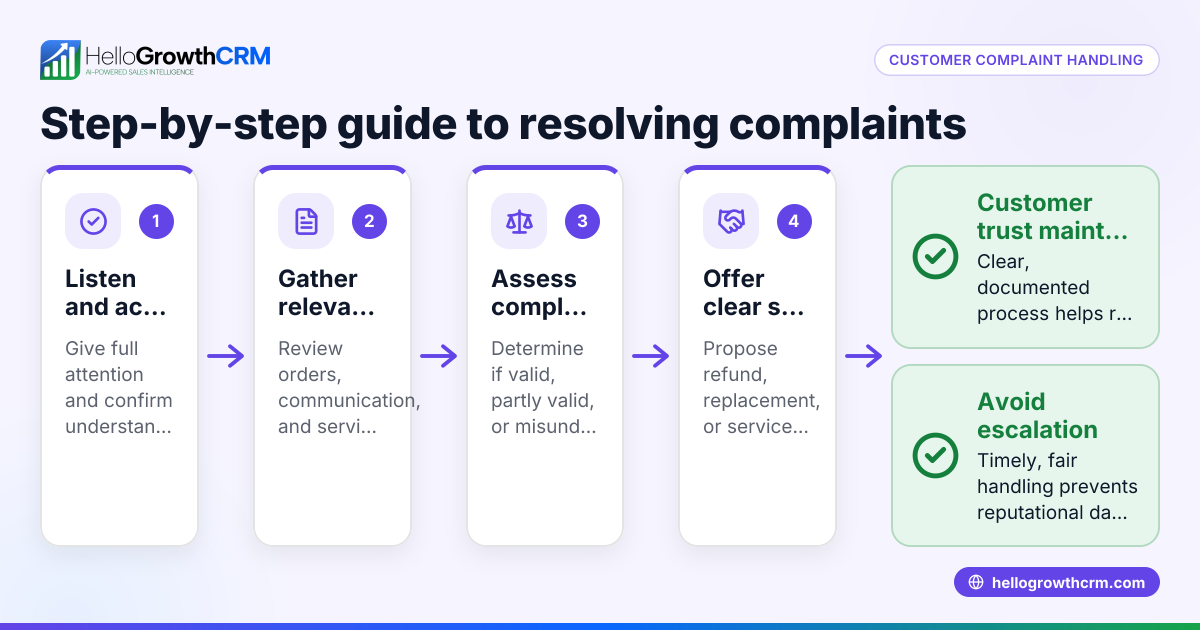
A customer complaint log template for UAE businesses is a simple yet essential tool to organise and track customer complaints effectively. It helps business owners and teams ensure every complaint is recorded, assigned, and resolved promptly, improving customer satisfaction and business reputation.
Why this comes up / what goes wrong
Small and mid-sized UAE businesses often manage customer complaints informally using WhatsApp messages, phone calls, or scattered notes. This informal approach can result in complaints being overlooked, delayed responses, or lost information. Without a proper complaint log, it is difficult to track which complaints remain open, who is responsible for resolving them, and when they were addressed. Business owners search for a ready-to-use customer complaint log template to simplify complaint handling and avoid losing customers due to poor follow-up.
Step-by-step
- Set up your complaint log format: Use a spreadsheet or document with these essential columns:
- Complaint ID
- Complaint Date
- Customer Name
- Contact Details
- Complaint Description
- Product or Service
- Assigned Staff Member
- Status (e.g., Received, In Progress, Resolved, Escalated)
- Resolution Date
- Notes
- Assign unique complaint IDs: Start with 001 and increment for each new complaint to avoid confusion.
- Record complaints immediately: Enter the complaint details as soon as you receive them, including full customer contact information for follow-up.
- Describe the complaint clearly: Write a concise but specific description of the issue to avoid misunderstandings.
- Assign responsibility: Allocate the complaint to a team member who will handle it and follow up.
- Track the status regularly: Update the status column as the complaint moves through stages.
- Record how and when it was resolved: When the issue is fixed, note the resolution date and the solution provided.
- Review the log weekly: Check for overdue or unresolved complaints to ensure no case is forgotten.
- Protect customer data: Store the log securely and limit access to authorised staff only.
Make sure your template is easy to use and does not overwhelm your team with too many columns. Consider digital tools for easier updates and sharing. You can explore our sales templates and free sales tools and calculators for useful formats.
Example (fictional figures)
An interior fit-out contractor in Sharjah receives a customer complaint on 15/04/2024 about a delayed office fit-out project. The complaint involves costs related to a delay penalty and additional labour charges.
| Field | Entry |
|---|---|
| Complaint ID | 001 |
| Complaint Date | 15/04/2024 |
| Customer Name | Al Noor Real Estate |
| Contact Details | +971 50 123 4567 |
| Complaint Description | Delay in finishing office fit-out |
| Product/Service | Office interior fit-out |
| Assigned Staff | Ahmed |
| Status | In Progress |
| Resolution Date | (empty initially) |
| Notes | Promised update by 20/04/2024 |
Costs involved:
- Original contract value: AED 1,000,000
- Delay penalty: 5% of contract value
- Additional labour charges: AED 48,000
Calculations: AED 1,000,000 × 5% = AED 50,000 AED 50,000 + AED 48,000 = AED 98,000 (total additional cost due to delay)
This entry helps track the complaint from receipt to resolution, including financial impact.
Common mistakes
- Not logging complaints immediately: Leads to lost information and forgotten complaints. Prevent by entering details as soon as the complaint arrives.
- Missing customer contact details: Makes follow-up impossible. Always double-check and confirm contact info.
- Vague or unclear complaint descriptions: Causes confusion and delays. Use simple, specific language.
- No assigned owner for the complaint: Complaints get ignored or delayed. Assign responsibility clearly.
- Failing to update status regularly: Causes confusion about progress. Update the log promptly.
- Ignoring data privacy: Risks legal issues. Limit access and keep logs secure.
For more templates to organise your sales and customer service processes, check our sales templates and free sales tools and calculators.
Doing this in HelloGrowthCRM
HelloGrowthCRM offers free sales tools, templates and calculators, including pipeline and follow-up cadence templates available for download without an account at /tools. After the sale, service requests and complaint tickets remain linked to the same customer record as the deal, making it easier to track and resolve issues. This centralised customer portal and ticket management system helps your team respond faster and keep clear records.
Frequently asked questions
What information should a customer complaint log contain? A customer complaint log should include a unique complaint ID, the complaint date, customer name and contact details, a clear description of the issue, the product or service involved, the assigned staff member, the current status, resolution date, and any notes. This ensures thorough tracking from start to finish.
How can a complaint log improve customer service? By systematically recording and reviewing complaints, businesses can identify recurring problems, track how quickly issues are resolved, and ensure no complaint is ignored. This leads to faster resolutions, better customer satisfaction, and improved business reputation.
Is there a digital alternative to manual complaint logs? Yes. Digital CRM systems like HelloGrowthCRM allow you to manage complaints, sales, and customer communication all in one platform. This reduces errors, improves team coordination, and speeds up follow-up.
Can complaint logs be shared with my team? Sharing complaint logs or using cloud-based systems enables your entire team to access and update complaint records in real time, improving coordination and accountability.
How do I protect customer data in complaint logs? Limit access to authorised personnel only, store logs securely, and avoid sharing sensitive details unnecessarily. Comply with UAE data protection guidelines. NEEDS EXPERT REVIEW
For more on tracking customer issues and health, see our customer health score.
Key takeaways
- Use a clear, structured complaint log template with essential columns.
- Record complaints immediately with full customer contact details.
- Assign responsibility and update status regularly to ensure timely resolution.
- Avoid common mistakes such as missing data or unclear descriptions.
- HelloGrowthCRM provides free templates and a customer portal to keep complaint tickets linked to deals for easier management.
Start managing your customer complaints efficiently today. Start on the Free Forever plan (200 leads, no credit card).
Ready to put this into practice?
Set up your pipeline, WhatsApp follow-ups, and AI lead scoring in minutes — free, no credit card.
Try HelloGrowthCRM freeGet CRM tips in your inbox
Join thousands of sales professionals who get weekly insights on CRM strategy, AI automation, and pipeline optimization.

The HelloGrowthCRM team publishes guides on CRM strategy, AI sales tools, and revenue operations for small business sales teams.