HelloGrowthCRM software
Built for real small-business sales teams
HelloGrowthCRM helps reps qualify faster, follow up on time, and close more deals—with practical automation in one place.
- AI lead scoring and pipeline visibility
- Built-in dialer, WhatsApp, and email automation
- Sales forecasting and RevOps-ready reporting
Customer data cleaning means reviewing and correcting your customer records to ensure accuracy, completeness, and consistency. For US service businesses, this involves removing duplicates, updating contact details, and verifying data sources. This article covers why cleaning customer data is important for cleaning businesses, a step-by-step process, a worked example, common mistakes, and how HelloGrowthCRM supports secure and organized customer data management.
Why this comes up / what goes wrong
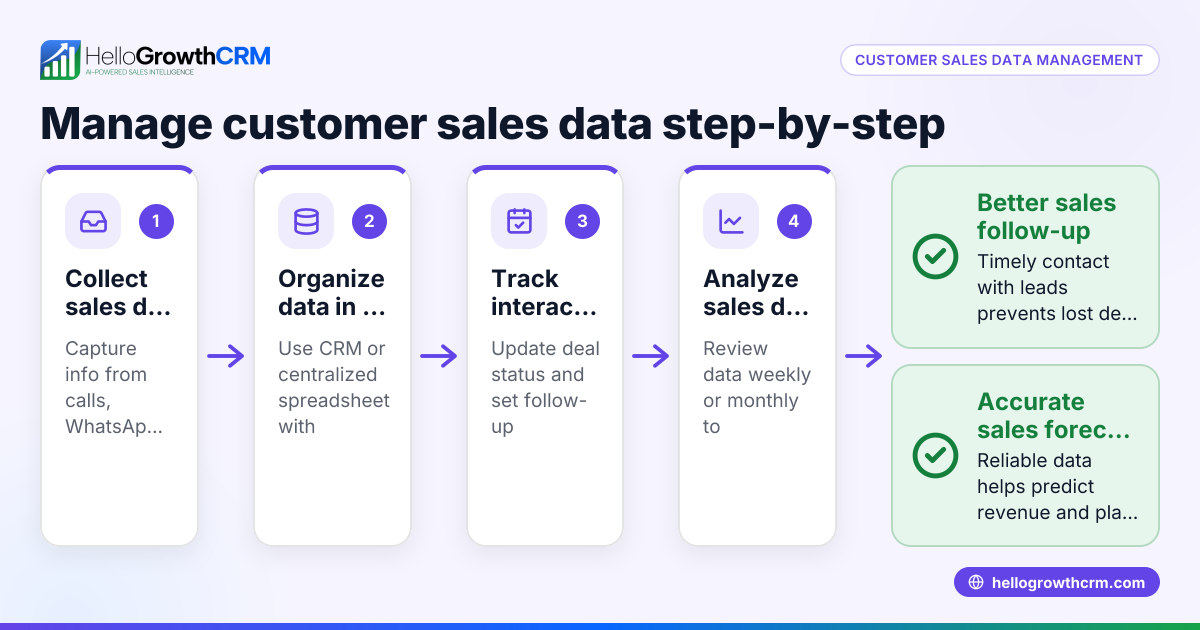
Cleaning business owners and accountants often face customer data problems because their customer lists grow from multiple sources: phone calls, text messages, emails, spreadsheets, and web forms. This leads to duplicate entries, outdated phone numbers, misspelled names, or incomplete addresses. Poor data quality causes slow follow-up, lost leads, and inefficiencies in scheduling and billing. Without a clear, single customer record, teams waste time and risk damaging customer relationships.
For local service businesses, the challenge is compounded by manual data collection methods and fragmented communication channels. This makes it difficult to maintain accurate contact details and track service requests efficiently.
Step-by-step
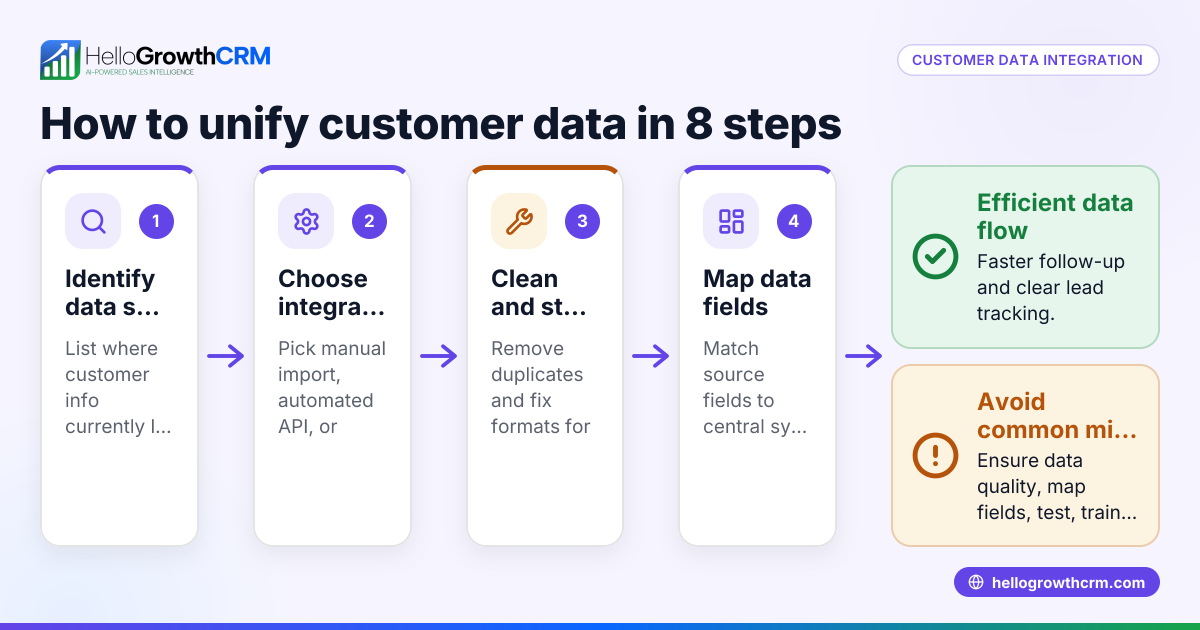
- Export your current customer data from all sources such as spreadsheets, text message logs, email lists, and any existing CRM exports.
- Identify and remove duplicate records. Look for customers with the same name, phone number, or email appearing multiple times and consolidate them into a single entry.
- Standardize data formats. Ensure phone numbers follow a consistent format (e.g., (123) 456-7890), addresses include city, state, and ZIP code, and names use consistent capitalization.
- Verify contact details. Cross-check phone numbers and email addresses against recent invoices, emails, or call logs to update outdated or incorrect information.
- Fill in missing information. Add any missing fields that are useful for sales and service teams, such as preferred contact method, service location, or notes on customer preferences.
- Segment your customers. Group customers by service type, geographic location, or frequency of service to enable targeted marketing and optimized scheduling.
- Schedule regular data cleaning sessions. Plan to review and update your customer data quarterly or following major marketing campaigns or data imports.
For more on tracking customer engagement and health, see customer health score.
Example (fictional figures)
A Denver, Colorado cleaning company named SparkleClean has collected 4,000 customer records over three years. They identify the following issues:
- 400 duplicate customer entries
- 300 outdated phone numbers
- 150 missing email addresses
Steps taken:
- Remove duplicates: 4,000 - 400 = 3,600 unique customers
- Update phone numbers: 3,600 - 300 = 3,300 customers with verified phones
- Add missing emails by contacting 150 customers or leaving those fields blank if unreachable.
SparkleClean estimates the cleaning process takes 40 hours at a labor cost of $25/hour:
40 hours × $25/hour = $1,000 labor cost
They project that improving data quality reduces lost leads by 10%, increasing monthly revenue from $50,000 to:
$50,000 + ($50,000 × 10%) = $55,000
Improved follow-up saves 5 hours weekly, valued at:
5 hours × 4 weeks × $25/hour = $500 monthly savings
Common mistakes
- Ignoring duplicate records: Leads to confusion and double contacting customers. Prevent by running duplicate checks regularly.
- Not verifying outdated contact details: Causes failed outreach attempts. Prevent by confirming details from recent communications or invoices.
- Skipping data standardization: Makes searching and sorting difficult. Use consistent formats for phone numbers, addresses, and names.
- Failing to update missing fields: Limits customer insights and targeting. Prevent by collecting key data during every customer interaction.
- Cleaning data only once: Data quality degrades over time. Schedule regular reviews to maintain accuracy.
For insights specific to local service businesses, see Local service businesses.
Doing this in HelloGrowthCRM
HelloGrowthCRM helps keep customer data secure and organized. HelloGrowthCRM has completed a SOC 2 Type II examination and supports CCPA data-subject rights. After the sale, service requests, referrals, and support tickets remain linked to the same customer record as the deal. This reduces data fragmentation and improves service continuity. Learn more about these features at HelloGrowthCRM for the United States.
Frequently asked questions
What is customer data cleaning? Customer data cleaning is the process of reviewing and correcting customer records to remove errors, duplicates, and outdated information. It improves accuracy for sales, marketing, and service teams.
How often should I clean my customer data? Cleaning should happen regularly, ideally quarterly or after major marketing campaigns or data imports. Frequent cleaning prevents data decay and keeps your sales efforts effective.
Can I automate customer data cleaning? Some CRM tools offer automation features like duplicate detection and data validation. However, manual review remains important for accuracy, especially in service businesses with varied data sources.
What are the risks of poor customer data quality? Poor data leads to lost leads, slow follow-up, customer frustration, and wasted resources. It can also cause billing errors and damage your brand reputation.
How does HelloGrowthCRM support customer data management? HelloGrowthCRM keeps customer data secure with compliance and data residency options. It links service requests and tickets to customer records, helping teams manage relationships efficiently.
Key takeaways
- Clean your customer data by removing duplicates, standardizing formats, and verifying contacts.
- Regular cleaning improves lead follow-up and customer satisfaction.
- Avoid common mistakes like ignoring outdated contacts or skipping data standardization.
- Schedule data cleaning quarterly or after major campaigns.
- HelloGrowthCRM supports secure data storage and keeps service requests linked to customer records.
Start cleaning your customer data today to improve sales and service efficiency. To get started with managing leads and customer data, start on the Free Forever plan (200 leads, no credit card).
Ready to put this into practice?
Set up your pipeline, WhatsApp follow-ups, and AI lead scoring in minutes — free, no credit card.
Try HelloGrowthCRM freeGet CRM tips in your inbox
Join thousands of sales professionals who get weekly insights on CRM strategy, AI automation, and pipeline optimization.

The HelloGrowthCRM team publishes guides on CRM strategy, AI sales tools, and revenue operations for small business sales teams.