HelloGrowthCRM software
Built for real small-business sales teams
HelloGrowthCRM helps reps qualify faster, follow up on time, and close more deals—with practical automation in one place.
- AI lead scoring and pipeline visibility
- Built-in dialer, WhatsApp, and email automation
- Sales forecasting and RevOps-ready reporting
Customer facing roles are positions in a company where employees engage directly with customers to provide service, support, or sales assistance. These roles are crucial because they shape the customer's perception of the business and impact sales and retention. This article covers why understanding these roles matters, how to manage them step-by-step, a practical example, common mistakes to avoid, and how HelloGrowthCRM helps manage customer interactions.
Why this comes up / what goes wrong
Small-business owners often search for "customer facing roles" when they want to improve how their teams interact with customers. In many small or mid-sized businesses, sales, support, and service duties overlap or run inefficiently because roles are unclear or poorly managed. This can lead to slow responses, lost leads, or unhappy customers. Understanding which roles are customer facing helps assign responsibilities clearly, improve follow-up speed, and enhance customer satisfaction.
Step-by-step
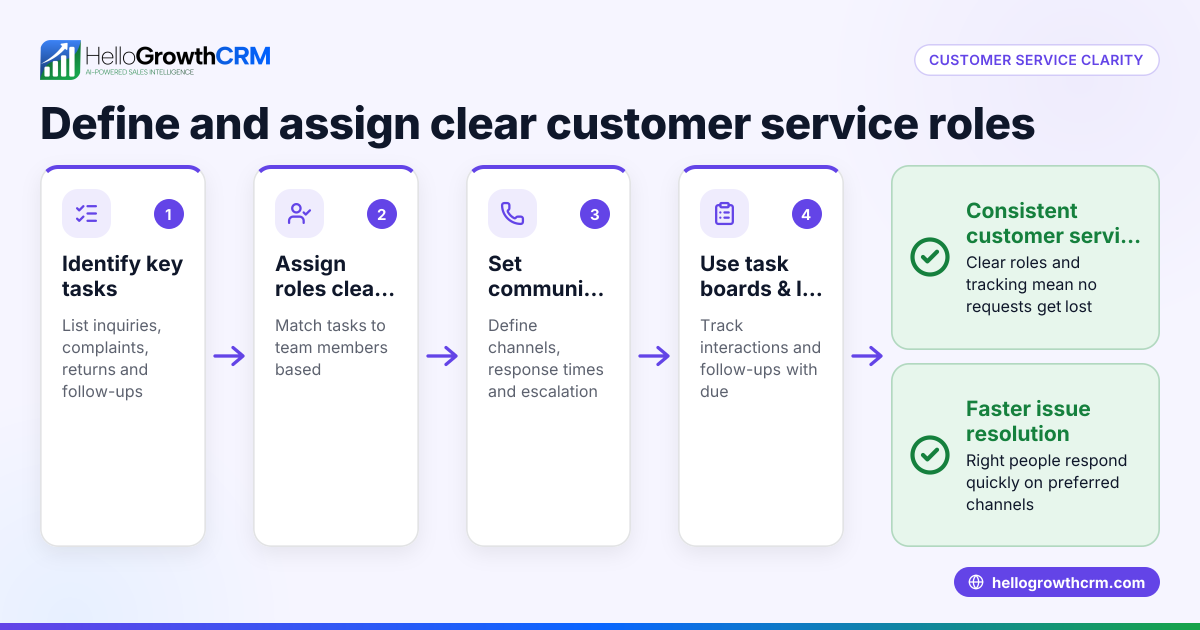
- Identify Customer Facing Roles: List all positions that interact directly with customers, such as sales reps, customer service agents, and account managers. Check job descriptions and daily tasks.
- Define Responsibilities Clearly: For each role, specify what customer interactions they handle—lead follow-up, support tickets, product demos, or billing questions.
- Set Communication Channels: Decide which tools these roles use to communicate with customers (e.g., WhatsApp, email, phone). Verify that communication methods are efficient and tracked.
- Train for Customer Interaction: Provide training on product knowledge, communication skills, and problem resolution. Check that employees understand how to represent your brand.
- Monitor and Measure Performance: Use metrics like response time, resolution rates, and customer feedback to evaluate how well each role serves customers.
- Use CRM to Track Interactions: Ensure all customer communications and service requests stay linked to the same customer record to maintain continuity.
- Review and Adjust Roles Regularly: Check if roles still cover the needed interactions effectively and adjust if responsibilities overlap or gaps appear.
Example (fictional figures)
A residential real-estate team in Phoenix, Arizona, has 5 customer facing employees: 3 sales agents and 2 support reps. They want to improve lead follow-up and customer satisfaction.
- Total leads in Q1: 300
- Current lead response time: 48 hours
- Target lead response time: 12 hours
Steps taken:
- Identified roles: Sales agents handle lead follow-up; support reps handle post-sale questions.
- Defined responsibilities accordingly.
- Set WhatsApp and email as primary communication channels.
- Train your team on quick lead response and effective customer communication.
- Measured response time monthly.
Calculations:
- Current leads handled per sales agent per month = 300 leads / 3 agents / 3 months = 33 leads
- If each agent reduces response time from 48 to 12 hours, customer satisfaction is expected to improve.
This clear role definition and communication setup helped the team reduce response times and improve customer experience.
Common mistakes
- Mixing Roles Without Clarity: When sales and support duties overlap without clear boundaries, leads and issues can get lost. Prevent this by defining roles clearly.
- Ignoring Communication Tracking: Using multiple untracked channels (text, email, spreadsheets) causes missed follow-ups. Use a CRM to keep all interactions in one place.
- Undertraining Customer Facing Staff: Employees without proper training may provide inconsistent or incorrect information. Regular training and resources prevent this.
- Not Reviewing Roles Periodically: Business needs change, but roles stay fixed. Regularly review to adjust responsibilities and tools.
- Neglecting Post-Sale Interaction: Failing to manage service requests after the sale leads to unhappy customers. Keep service requests linked to the customer record.
For more on tracking customer engagement, see customer health score.
Doing this in HelloGrowthCRM
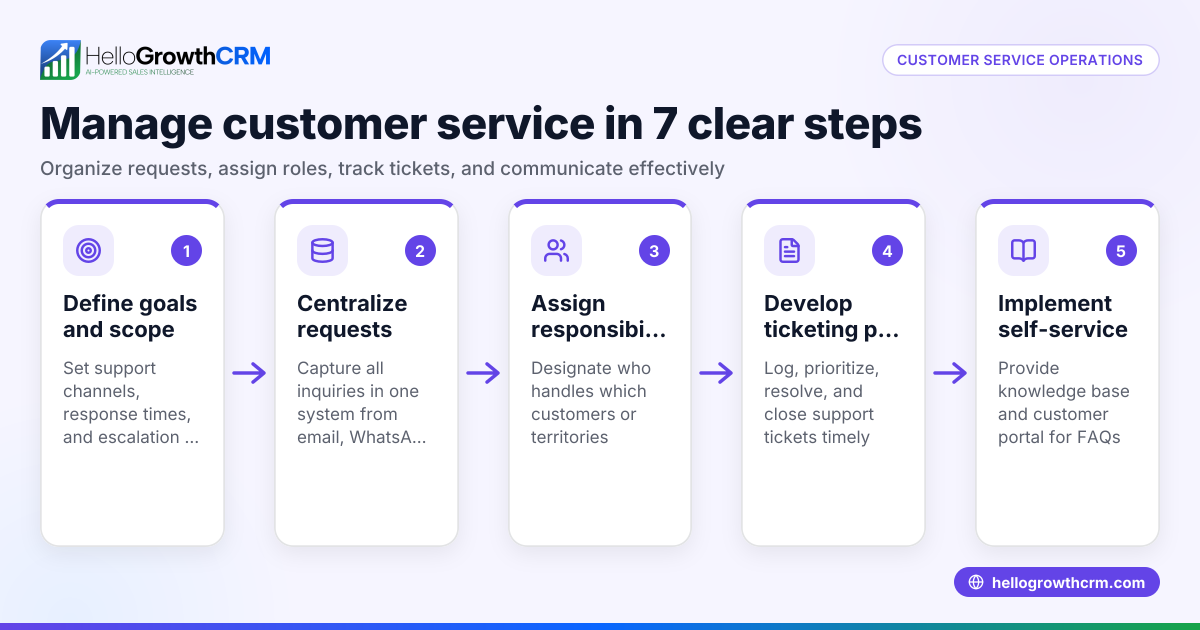
HelloGrowthCRM helps manage customer facing roles by keeping all service requests and support tickets linked to the same customer record as the deal. Its branded self-service customer portal allows customers to submit tickets and access a knowledge base, reducing support workload. Referral program tracking helps grow your customer base, and business listings management keeps your presence consistent. This centralized approach ensures your team stays aligned on customer interactions after the sale.
Learn more about HelloGrowthCRM features for US businesses at HelloGrowthCRM for the United States.
Frequently asked questions
What types of jobs are considered customer facing roles? Customer facing roles include any position where employees interact directly with customers. Common examples are sales representatives, customer service agents, account managers, and support technicians.
Why is it important to define customer facing roles clearly? Clear role definitions ensure responsibilities don’t overlap or fall through the cracks. This leads to faster responses, better customer experience, and higher sales conversion rates.
How can small businesses track customer interactions effectively? Using a CRM with mobile messaging workflows like WhatsApp and SMS helps teams engage leads and customers on channels they already use. HelloGrowthCRM offers these features to streamline follow-up and service.
What are common challenges in managing customer facing roles? Challenges include unclear responsibilities, untracked communications, insufficient training, and neglecting post-sale service. Avoiding these improves customer satisfaction.
How does HelloGrowthCRM support customer facing teams? It provides a customer portal, support tickets, and knowledge base linked to each customer record, so service requests stay organized and accessible to the team.
For more on WhatsApp and SMS integration, see WhatsApp and SMS CRM.
Key takeaways
- Customer facing roles involve direct interaction with customers and impact business success.
- Clearly define and communicate responsibilities for each role.
- Use a CRM to track all customer communications and service requests.
- Train employees regularly on customer interaction and product knowledge.
- Review and adjust roles as your business evolves.
- HelloGrowthCRM supports managing post-sale service with a unified customer record and support tools.
Start organizing your customer facing roles effectively today. Start on the Free Forever plan (200 leads, no credit card).
Ready to put this into practice?
Set up your pipeline, WhatsApp follow-ups, and AI lead scoring in minutes — free, no credit card.
Try HelloGrowthCRM freeGet CRM tips in your inbox
Join thousands of sales professionals who get weekly insights on CRM strategy, AI automation, and pipeline optimization.

The HelloGrowthCRM team publishes guides on CRM strategy, AI sales tools, and revenue operations for small business sales teams.