HelloGrowthCRM software
Built for real small-business sales teams
HelloGrowthCRM helps reps qualify faster, follow up on time, and close more deals—with practical automation in one place.
- AI lead scoring and pipeline visibility
- Built-in dialer, WhatsApp, and email automation
- Sales forecasting and RevOps-ready reporting
Customer feedback management is the process of collecting, organizing, analyzing, and acting on customer opinions to improve your products, services, and customer experience. This article explains why managing feedback matters for small businesses, provides step-by-step guidance on how to do it effectively, highlights common mistakes to avoid, and shows how HelloGrowthCRM can help you manage feedback alongside leads and support.
Why this comes up / what goes wrong
Small business owners often hear from customers through scattered channels like texts, emails, social media comments, or phone calls. Without a system, feedback can get lost, ignored, or forgotten. This leads to missed opportunities to fix problems, improve offerings, or delight customers. Without organized feedback management, businesses struggle to track patterns, prioritize changes, or measure customer satisfaction over time. This can result in lost sales, negative reviews, and lower customer retention.
Step-by-step
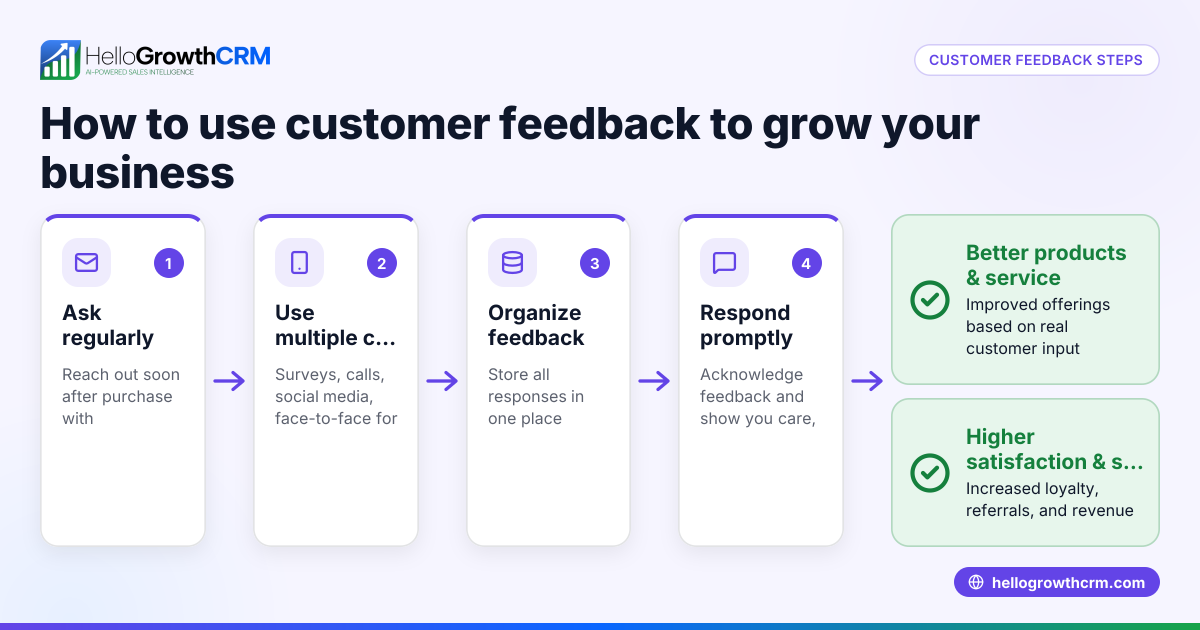
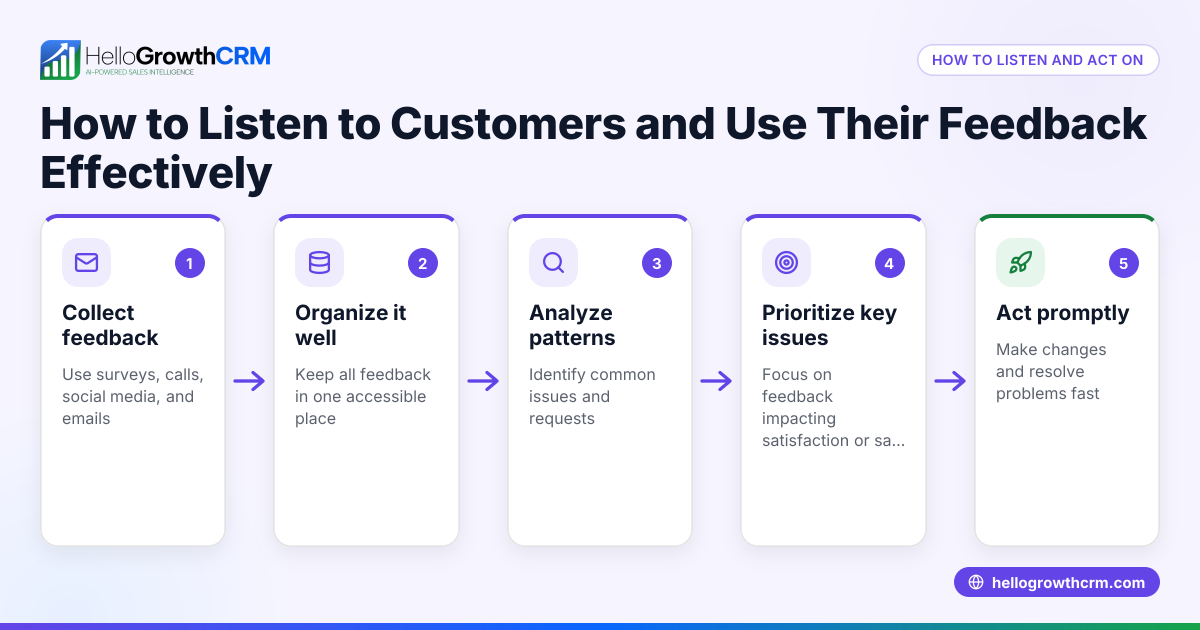
- Choose your feedback channels: Decide where you will collect feedback—email surveys, WhatsApp messages, web forms, phone calls, or social media. Check that these channels suit your customers’ preferences and your team’s capacity.
- Collect feedback consistently: Use simple, clear questions and encourage customers to share honest opinions. Check that feedback is gathered regularly, not just sporadically.
- Organize feedback centrally: Store all feedback in one place, linked to each customer if possible. Check that feedback is easy to access and search.
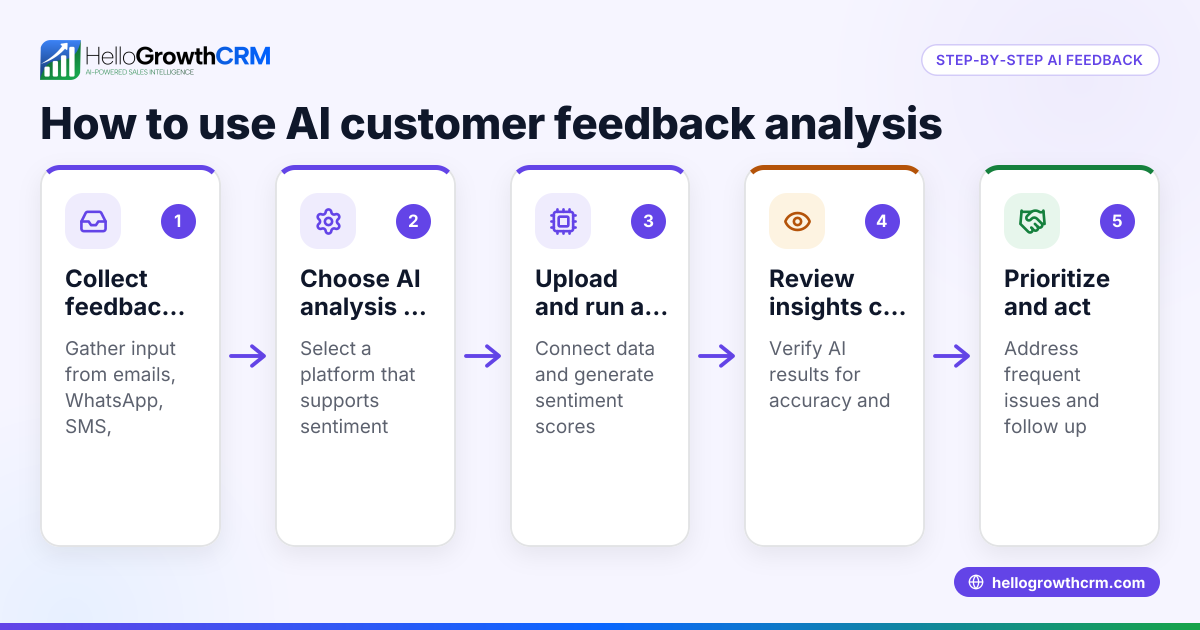
- Analyze feedback for patterns: Group feedback by topic, sentiment, or urgency. Check for recurring issues or praise to identify what needs attention.
- Assign responsibility and next steps: Decide who on your team owns each feedback item and what action to take. Check that owners update progress and outcomes.
- Respond to customers: Acknowledge feedback and communicate any changes or solutions. Check that customers feel heard and valued.
- Measure impact over time: Track how feedback trends evolve and how your changes affect customer satisfaction. Check that you use this data to improve continuously.
- Integrate feedback with sales and support: Link feedback to customer records and leads to get a full picture of customer health and opportunities. Check that this integration helps your team act faster and smarter.
Example (fictional figures)
Imagine a B2B software reseller in Denver, Colorado, called TechSolutions. On 04/15/2026, they collected customer feedback via a web form after a product demo.
- Total demos in April: 50
- Feedback received: 30 responses
They categorized feedback into three groups:
- Pricing concerns: 10 responses
- Product features requests: 12 responses
- Support experience: 8 responses
TechSolutions assigned team members to each category:
- Pricing team follows up with 10 customers
- Product team reviews 12 feature requests
- Support team addresses 8 experience issues
They track progress:
- Pricing follow-ups scheduled: 10
- Feature requests evaluated: 12
- Support tickets opened: 8
This organized approach helps TechSolutions improve pricing communication, plan product updates, and fix support gaps, leading to better customer satisfaction and more sales.
Common mistakes
- Collecting feedback but not organizing it: Prevent by centralizing all feedback in one system so nothing is lost or forgotten.
- Ignoring negative feedback: Prevent by training your team to view criticism as an opportunity to improve, not a complaint to avoid.
- Failing to assign owners and next steps: Prevent by clearly designating responsibility for each feedback item with deadlines.
- Not closing the loop with customers: Prevent by always responding to feedback to show customers their voice matters.
- Relying on only one feedback channel: Prevent by diversifying channels to capture a full range of customer opinions.
- Separating feedback from sales and support data: Prevent by integrating feedback with your CRM to improve overall customer health tracking. Learn more about the customer health score.
Doing this in HelloGrowthCRM
HelloGrowthCRM captures every enquiry from forms, calls, or WhatsApp as a lead with an owner and next step, preventing feedback from being lost in notebooks. After the sale, service requests stay on the same customer record as the deal through the customer portal, referrals, tickets, and knowledge base features. This keeps all feedback and support tickets linked to the customer, making it easier for your team to manage follow-ups and improve customer satisfaction. Learn more about WhatsApp and SMS CRM and how HelloGrowthCRM supports small businesses in the US at HelloGrowthCRM for the United States.
Frequently asked questions
What is the best way to collect customer feedback? The best way depends on your customers but typically includes a mix of channels like web forms, WhatsApp messages, email surveys, and phone calls. Using multiple channels ensures you capture feedback from different customer preferences.
How often should I collect and review feedback? Collect feedback regularly, such as after each sale or interaction, and review it weekly or monthly. Consistent collection and review help you spot trends and act quickly.
How do I handle negative feedback? Treat negative feedback as valuable information. Respond promptly, acknowledge the issue, and take action to resolve it. This can turn dissatisfied customers into loyal ones.
Can I manage customer feedback alongside sales leads? Yes. Integrating feedback with your sales leads in a CRM helps you understand customer needs better and prioritize follow-ups. HelloGrowthCRM captures leads and service requests in one place, making this easier.
How do I measure if my feedback management is working? Track metrics like response rates, resolution times, customer satisfaction scores, and repeat business. Use these insights to refine your feedback process.
What tools can help with customer feedback management? CRMs with lead capture, customer portals, and ticket tracking like HelloGrowthCRM can centralize feedback and support requests, helping your team stay organized and responsive.
Key takeaways
- Customer feedback management means collecting, organizing, analyzing, and acting on customer opinions.
- Use multiple channels and centralize feedback to avoid losing valuable insights.
- Assign owners and next steps to ensure feedback leads to action.
- Always respond to customers to close the feedback loop.
- Integrate feedback with sales and support data to improve customer health tracking.
- Tools like HelloGrowthCRM help small businesses manage feedback alongside leads and service requests.
Start managing your customer feedback effectively today. Start on the Free Forever plan (200 leads, no credit card).
Ready to put this into practice?
Set up your pipeline, WhatsApp follow-ups, and AI lead scoring in minutes — free, no credit card.
Try HelloGrowthCRM freeGet CRM tips in your inbox
Join thousands of sales professionals who get weekly insights on CRM strategy, AI automation, and pipeline optimization.

The HelloGrowthCRM team publishes guides on CRM strategy, AI sales tools, and revenue operations for small business sales teams.