HelloGrowthCRM software
Built for real small-business sales teams
HelloGrowthCRM helps reps qualify faster, follow up on time, and close more deals—with practical automation in one place.
- AI lead scoring and pipeline visibility
- Built-in dialer, WhatsApp, and email automation
- Sales forecasting and RevOps-ready reporting
Customer follow up automation means setting up a system that automatically sends follow-up messages to your prospects or customers after your initial contact. This keeps your leads engaged without relying on memory or manual reminders. You can automate messages via email, SMS, WhatsApp, or other channels, and the automation stops as soon as the prospect replies. This article explains why follow-up automation matters, how to implement it step-by-step, common pitfalls, a practical example, and how HelloGrowthCRM supports automated follow-ups.
Why this comes up / what goes wrong
Small-business owners often struggle to keep up with timely follow-ups. When sales teams rely on text messages, emails, and spreadsheets without automation, leads slip through the cracks because someone forgets to send the next message or calls too late. This delay causes lost sales opportunities and wasted marketing spend. Without automation, follow-ups are inconsistent, hard to track, and stressful to manage. Sales reps may forget who to call or message next, and managers lack clear visibility on progress. Automation solves these problems by scheduling and sending follow-ups automatically, freeing the team to focus on selling.
Step-by-step
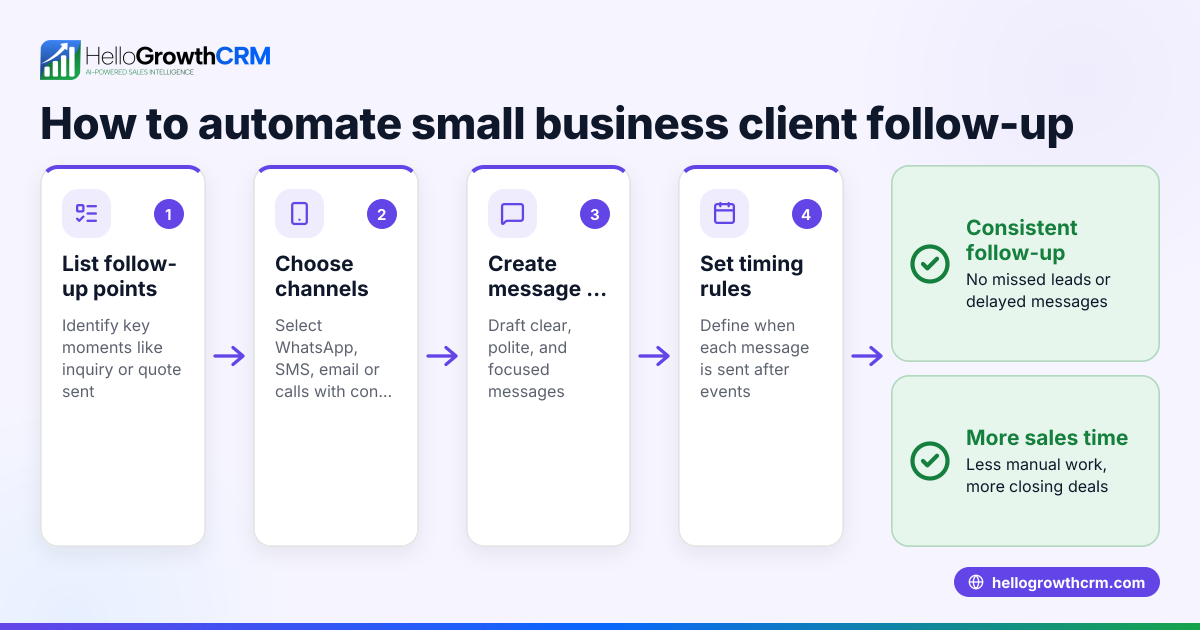
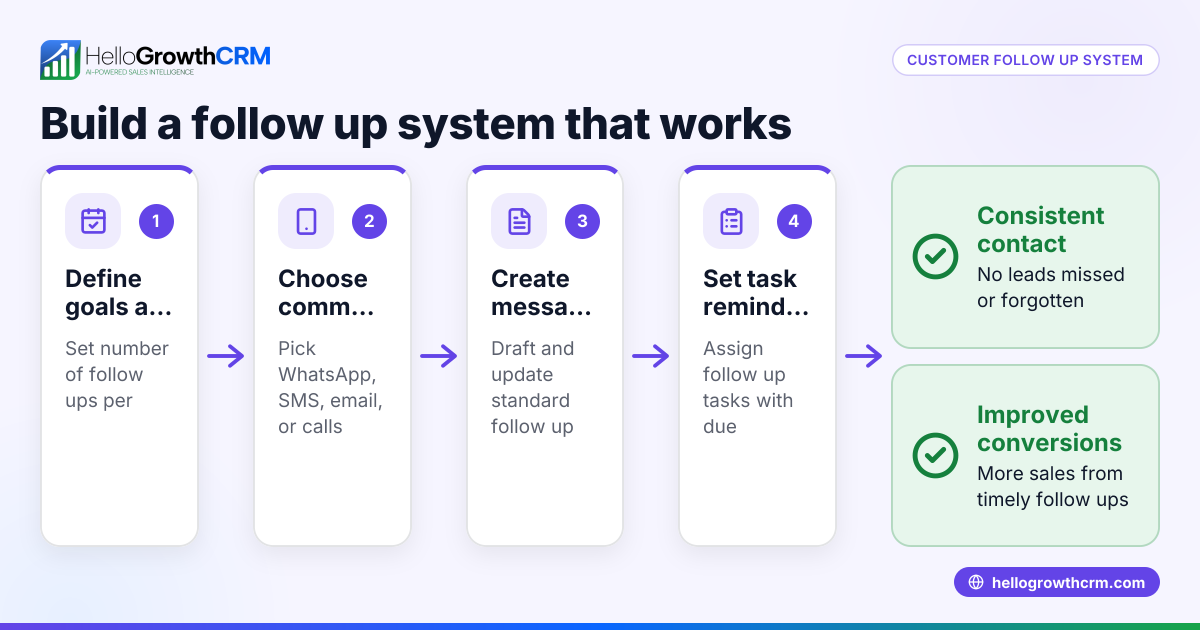
- Identify your follow-up stages and timing: Decide how many follow-ups you want and the interval between them (for example, five messages over two weeks). Check that the timing fits your sales cycle and customer buying behavior.
- Choose your communication channels: Pick channels your customers prefer such as email, SMS, or WhatsApp. Verify you have consent for messaging on these channels to comply with regulations.
- Create your follow-up messages: Write clear, concise messages for each step. Make sure they provide value, remind the prospect of your offer, and encourage a response.
- Set up automation software: Use a CRM or email tool that supports sequences or campaigns. Configure your multi-step workflow to send messages automatically at your chosen intervals.
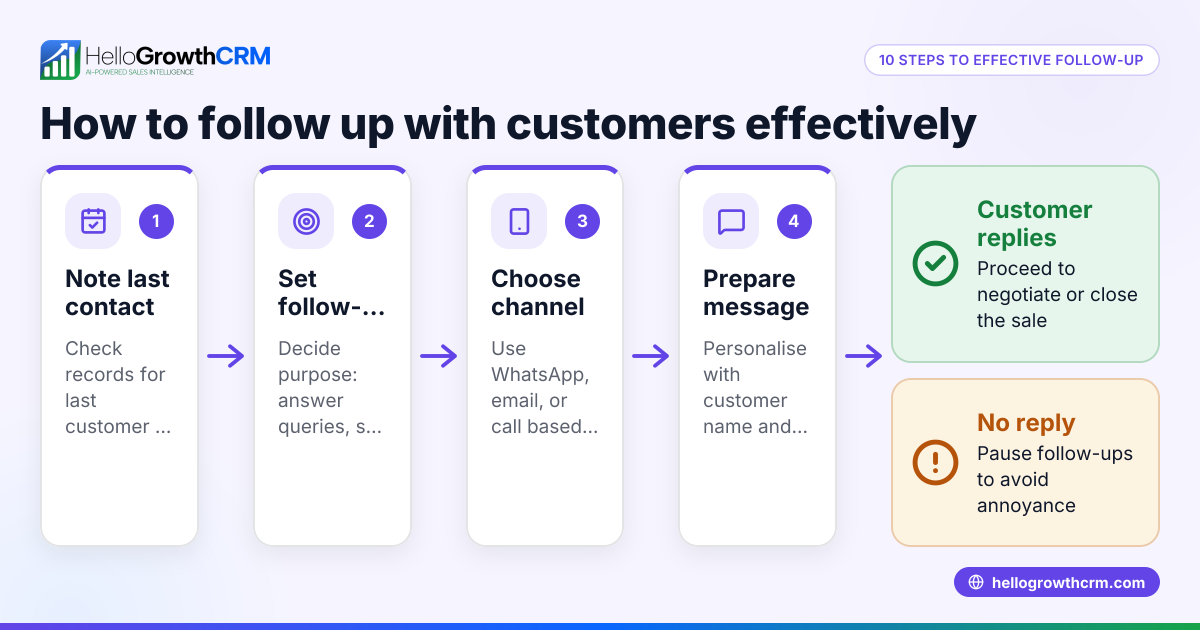
- Set triggers to stop automation: Ensure the system stops sending messages once the prospect replies or converts to avoid annoying them.
- Assign tasks and reminders: Automate task creation for follow-ups that require calls or manual outreach. Check your daily task board to stay on track and never miss a lead.
- Monitor and adjust: Track open, reply, and conversion rates. Adjust message timing, content, and channels based on performance data.
For more on managing follow-ups and tasks efficiently, see sales task boards.
Example (fictional figures)
GreenScape Landscaping in Charlotte, NC, wants to automate follow-up after web inquiries. They set a five-step follow-up over 14 days:
- Day 1: Initial contact email
- Day 4: SMS reminder
- Day 7: WhatsApp message
- Day 10: Follow-up email with offer
- Day 14: Final SMS
They expect to contact 200 leads monthly.
Assumed cost per lead follow-up effort manually: $10
Manual cost monthly = 200 leads × $10 = $2,000
With automation, setup cost is $500 monthly subscription, reducing manual effort by 80%.
Manual effort cost after automation = $2,000 × 20% = $400
Total monthly cost with automation = $500 + $400 = $900
Savings = $2,000 - $900 = $1,100 monthly
This example shows automation reduces time and cost while improving follow-up consistency.
Common mistakes
- Not stopping automation on reply: Leads get annoyed if they receive messages after responding. Prevent by setting triggers to halt sequences immediately.
- Overloading prospects with too many messages: Too frequent follow-ups can feel spammy. Space messages reasonably and provide value.
- Using only one channel: Some customers prefer SMS or WhatsApp over email. Use multi-channel sequences to increase reach. Learn more about email automation and sequences.
- Ignoring task management: Without task boards, reps forget manual follow-ups. Use activities and task boards to track daily calls and tasks.
- Not reviewing message content regularly: Outdated or irrelevant messages reduce engagement. Schedule periodic reviews to keep content fresh.
Doing this in HelloGrowthCRM
HelloGrowthCRM offers Sequences and campaigns that automate a five-step follow-up over two weeks and stop as soon as the prospect replies. Its AI agents (in Beta) draft follow-up messages after calls for reps to review and send, saving time. Activities and task boards turn each follow-up into a task with due dates, so reps see a clear daily call list instead of relying on memory. Learn more about these features at AI CRM, email automation and sequences, and sales task boards.
Frequently asked questions
What is follow up automation? Follow up automation uses software to send scheduled messages to prospects automatically after initial contact. It ensures timely, consistent outreach without manual effort.
How does customer follow-up automation improve sales? It prevents leads from being forgotten, speeds up response times, and maintains engagement across channels, which increases conversion chances.
Can I automate follow-ups across multiple channels? Yes, many tools including HelloGrowthCRM support email, SMS, and WhatsApp sequences to reach customers where they prefer.
How do I know when to stop automated follow-ups? Automation should stop immediately when a prospect replies or converts to avoid annoyance and maintain a good relationship.
What are common pitfalls in follow-up automation? Sending too many messages, ignoring task management, and not updating message content are common mistakes. Using task boards and reviewing content regularly help prevent these.
Key takeaways
- Customer follow up automation sends scheduled messages automatically to keep leads engaged.
- Multi-step sequences over days or weeks improve follow-up consistency and response rates.
- Use triggers to stop automation when prospects reply to avoid spamming.
- Combine multi-channel messaging (email, SMS, WhatsApp) for better reach.
- Task boards help sales reps manage manual follow-ups alongside automation.
- Regularly review and adjust message content and timing based on results.
Start automating your follow-ups today with HelloGrowthCRM. You can Start on the Free Forever plan (200 leads, no credit card) to test these features without risk.
Ready to put this into practice?
Set up your pipeline, WhatsApp follow-ups, and AI lead scoring in minutes — free, no credit card.
Try HelloGrowthCRM freeGet CRM tips in your inbox
Join thousands of sales professionals who get weekly insights on CRM strategy, AI automation, and pipeline optimization.

The HelloGrowthCRM team publishes guides on CRM strategy, AI sales tools, and revenue operations for small business sales teams.