HelloGrowthCRM software
Built for real small-business sales teams
HelloGrowthCRM helps reps qualify faster, follow up on time, and close more deals—with practical automation in one place.
- AI lead scoring and pipeline visibility
- Built-in dialer, WhatsApp, and email automation
- Sales forecasting and RevOps-ready reporting
Customer notes are detailed records about your customers that capture conversations, preferences, needs, and any important follow-up information. Keeping accurate customer notes helps your team stay informed, personalize communication, and avoid losing leads or deals due to forgotten details. This article covers why customer notes matter for small businesses, how to maintain them effectively, a worked example with clear calculations, common pitfalls, and how HelloGrowthCRM can help you manage customer notes after the sale.
Why this comes up / what goes wrong
Small business owners often juggle multiple customer interactions across email, phone, text messages, and meetings. Without a consistent way to record and access customer notes, important details get lost or forgotten. This leads to slow follow-up, repeated questions, or missed opportunities. For example, a sales rep might not remember a customer's budget constraints or preferred communication channel, causing delays or frustration. Customer notes solve this by centralizing all relevant information in one place linked to each customer.
Step-by-step
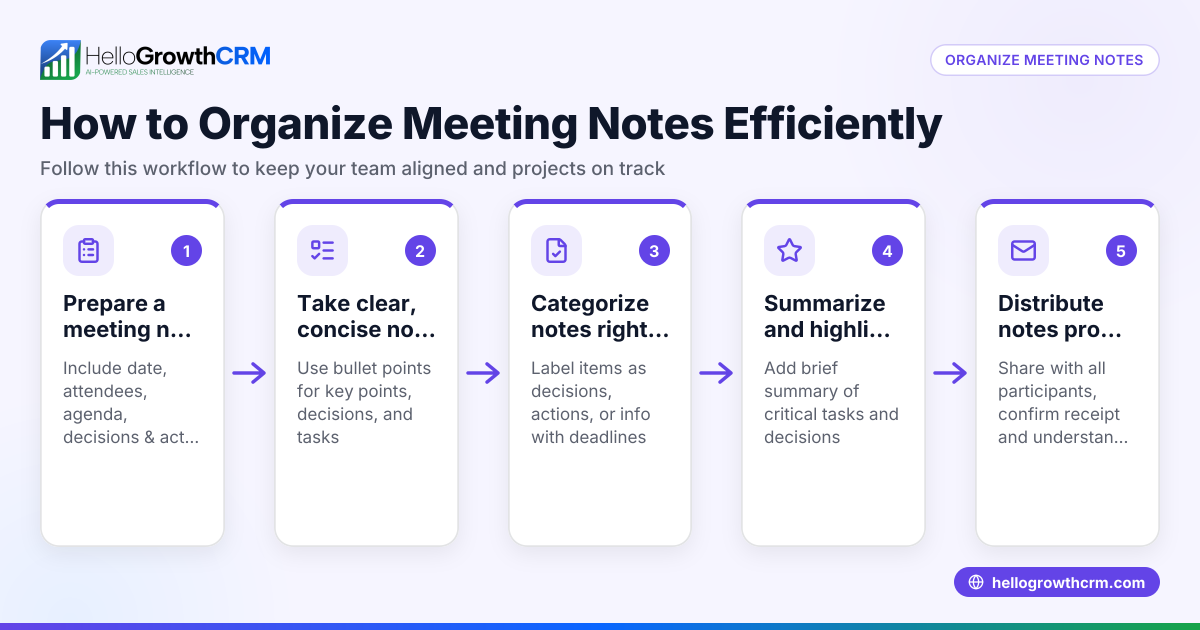
- Create a dedicated space for notes: Use a CRM or organized document system where each customer has their own record.
- Record notes immediately after contact: Write down key points from calls, meetings, or messages while details are fresh.
- Include specific details: Note dates, names, preferences, objections, and next steps clearly.
- Organize notes consistently: Use headings or tags like "Follow-up needed," "Budget info," or "Product interest" to make searching easier.
- Share notes with your team: Ensure everyone who interacts with the customer can access and update notes.
- Review and update regularly: Before any new contact, check existing notes to personalize your approach.
- Link notes to related deals or service requests: Keep customer history connected to sales pipelines and support tickets for full context.
Using these steps helps you maintain clear, actionable customer notes that improve communication and sales efficiency. For more on managing customer interactions, see WhatsApp and SMS CRM.
Example (fictional figures)
Imagine a B2B software reseller in Denver, Colorado, named TechSolutions. On 04/10/2026, the sales rep speaks with a lead named Alex from a mid-sized firm.
- Call date: 04/10/2026
- Customer: Alex, Procurement Manager
- Notes:
- Interested in software licenses for 50 users
- Budget capped at $75,000 for the year
- Prefers communication via WhatsApp
- Follow-up scheduled for 04/17/2026
After the call, the rep logs this in the CRM under Alex's customer record.
On 04/17/2026, the rep reviews the notes before calling back. They tailor the conversation to Alex’s budget and preferred channel, increasing the chance of closing the deal.
The rep then offers a package costing $1,500 per user annually.
Calculation:
$1,500 × 50 users = $75,000
The offer matches Alex’s budget exactly, making it a viable proposal.
This simple note-taking process helps TechSolutions avoid miscommunication and keeps the sales process smooth.
Common mistakes
- Not recording notes immediately: Leads to forgotten details. Prevent by making note-taking a habit right after each interaction.
- Using inconsistent formats: Makes notes hard to search or understand. Prevent by standardizing note templates or tags.
- Keeping notes siloed in personal devices or emails: Limits team access. Prevent by centralizing notes in a shared CRM.
- Failing to update notes after new contacts: Causes outdated information. Prevent by reviewing and revising notes regularly.
- Ignoring customer preferences in notes: Missed personalization opportunities. Prevent by explicitly noting communication preferences.
For guidance on tracking customer engagement, explore customer health score.
Doing this in HelloGrowthCRM
HelloGrowthCRM helps you keep all customer notes and service requests in one place. After the sale, support tickets and service requests stay on the same customer record as the deal, ensuring your team has full context. The branded self-service customer portal allows customers to interact directly, while the knowledge base supports quick answers. Referral program tracking and a reference library further enhance customer management. Learn more about these features at HelloGrowthCRM for the United States.
Frequently asked questions
What should I include in customer notes? Include key conversation points, customer preferences, objections, follow-up dates, and any specific requests. Clear, detailed notes help your team personalize interactions and avoid repeating questions.
How often should I update customer notes? Update notes after every meaningful interaction. Regular updates ensure the information stays current and useful for future contacts.
Can customer notes improve sales follow-up? Yes, having detailed notes allows sales reps to tailor their follow-up communication based on past conversations, increasing the chance of closing deals.
How do I keep customer notes organized? Use consistent formats, tags, or categories within your CRM. This makes searching and filtering notes easier for your whole team.
Are customer notes secure in HelloGrowthCRM? Customer data stays within the customer record, linked to deals and tickets in HelloGrowthCRM. For security, follow best practices like data encryption and access controls.
Key takeaways
- Customer notes capture important details about each customer to improve communication.
- Record notes immediately and organize them consistently for easy access.
- Share notes across your team to avoid lost information and slow follow-up.
- Update notes regularly and link them to deals and service requests.
- Avoid common mistakes like inconsistent formats or siloed information.
- HelloGrowthCRM keeps customer notes and service tickets together for full context after the sale.
Start managing your customer notes effectively today. Start on the Free Forever plan (200 leads, no credit card).
Ready to put this into practice?
Set up your pipeline, WhatsApp follow-ups, and AI lead scoring in minutes — free, no credit card.
Try HelloGrowthCRM freeGet CRM tips in your inbox
Join thousands of sales professionals who get weekly insights on CRM strategy, AI automation, and pipeline optimization.

The HelloGrowthCRM team publishes guides on CRM strategy, AI sales tools, and revenue operations for small business sales teams.