HelloGrowthCRM software
Built for real small-business sales teams
HelloGrowthCRM helps reps qualify faster, follow up on time, and close more deals—with practical automation in one place.
- AI lead scoring and pipeline visibility
- Built-in dialer, WhatsApp, and email automation
- Sales forecasting and RevOps-ready reporting
Customer service stats are measurements that show how effectively your business meets customer needs and resolves their issues. Tracking these stats helps small-business owners reduce lost leads, improve satisfaction, and grow revenue. This article explains why these stats are important, how to gather and analyze them, common pitfalls to avoid, an example with numbers, and how HelloGrowthCRM supports customer service management.
Why this comes up / what goes wrong
Small-business owners often struggle with slow or inconsistent customer service. This leads to lost leads, unhappy customers, and missed sales opportunities. Without clear data on service performance, it’s hard to know where improvements are needed. Many small teams rely on text messages, emails, or spreadsheets, which are inefficient and prone to errors. Understanding customer service stats provides concrete evidence of what’s working and what needs fixing.
Step-by-step
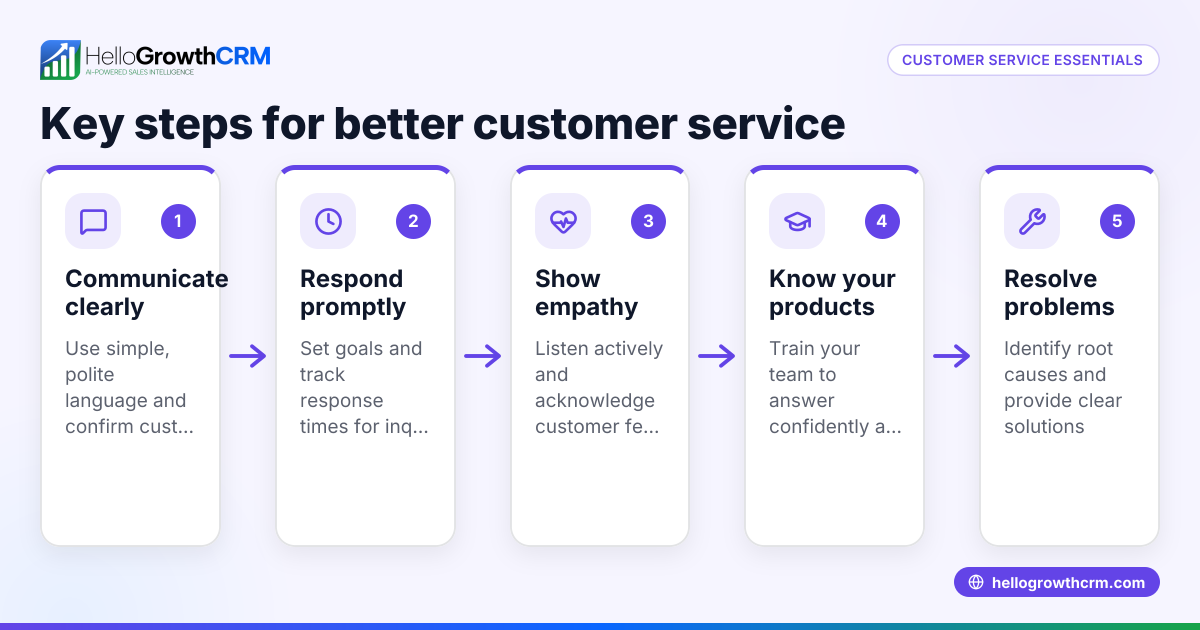
- Identify key customer service metrics to track: Common stats include average response time, ticket resolution time, customer satisfaction score, repeat contact rate, and referral frequency. Check which metrics align best with your business goals.
- Collect data consistently: Use tools or systems to record each customer interaction, support ticket, referral, and feedback. Check that data is complete and updated regularly.
- Analyze the data: Calculate averages and trends for each metric. Check for patterns such as slow response times or frequent repeat contacts.
- Compare against benchmarks or past performance: See if your service is improving or declining. Check industry benchmarks for context where possible.
- Take action based on insights: Prioritize fixing the biggest problems, such as reducing response time or improving knowledge base content.
- Monitor the impact of changes: After implementing improvements, track stats again to confirm progress.
- Use a CRM system to centralize service data: This reduces errors and saves time. Check that your CRM supports tickets, referrals, and knowledge base management.
Example (fictional figures)
Imagine a B2B software reseller in Denver, Colorado, tracking customer service stats for Q1 2026.
- Total support tickets: 1,200
- Average response time: 4 hours
- Average resolution time: 18 hours
- Customer satisfaction score (CSAT): 82%
- Referral requests: 150
Calculations:
Average tickets per day = 1,200 tickets ÷ 90 days = 13.33 tickets/day
If the goal is to reduce response time from 4 hours to 2 hours:
Current response time = 4 hours Target response time = 2 hours Improvement needed = 4 hours - 2 hours = 2 hours faster
If the business increases staff or improves processes to cut response time by 2 hours, they can expect better customer satisfaction and fewer lost leads.
Common mistakes
- Ignoring data collection consistency: Prevent by setting clear protocols and using automated tools.
- Tracking too many metrics at once: Focus on a few key stats relevant to your business goals.
- Not acting on the data: Use insights to make concrete changes.
- Relying on manual tracking with spreadsheets: Switch to a CRM with ticket and referral management to avoid errors.
- Separating customer service data from sales data: Keep service requests linked to customer records for a full view of customer health. See customer health score.
Doing this in HelloGrowthCRM
HelloGrowthCRM offers a branded self-service customer portal, referral program tracking, support tickets, and a knowledge base. After the sale, all service requests stay on the same customer record as the deal, making it easy to track customer history and improve service quality. This integration helps small businesses manage customer service stats more efficiently and act quickly on issues. Learn more about HelloGrowthCRM features for the United States at hellogrowthcrm.com/usa.
Frequently asked questions
What are the most important customer service stats for small businesses? The most important stats usually include average response time, ticket resolution time, customer satisfaction scores, repeat contact rates, and referral frequency. These give a good overview of service speed, quality, and customer loyalty.
How often should I review my customer service stats? Reviewing stats monthly or quarterly is typical. Frequent reviews help catch issues early and monitor the impact of any changes you make.
Can I track customer service stats without special software? Yes, you can use spreadsheets and manual records, but this is time-consuming and error-prone. A CRM like HelloGrowthCRM with ticket and referral tracking simplifies this task and keeps data organized.
How do customer service stats affect sales? Good customer service stats usually mean faster responses and higher satisfaction, leading to more referrals, repeat business, and fewer lost leads. Tracking these stats helps improve sales outcomes.
What is a customer health score and how is it related? A customer health score combines multiple metrics, including service stats, to give an overall picture of customer satisfaction and risk of churn. HelloGrowthCRM offers a customer health score feature to help track this.
How can I use WhatsApp and SMS in customer service? Using WhatsApp and SMS for customer service can speed up responses and improve engagement. HelloGrowthCRM supports WhatsApp and SMS CRM to manage these channels alongside tickets and referrals.
Key takeaways
- Customer service stats measure how well your business supports customers and impact sales.
- Track key metrics like response time, resolution time, satisfaction, and referrals.
- Consistent data collection and analysis are essential to identify service issues.
- Avoid common mistakes like tracking too many metrics or manual record keeping.
- Use HelloGrowthCRM’s customer portal, tickets, referrals, and knowledge base to centralize service data.
- Linking service requests to customer records improves customer health visibility and sales follow-up.
Improving your customer service stats starts with tracking the right data and acting on it. To help you manage leads, referrals, and service requests all in one place, start on the Free Forever plan (200 leads, no credit card).
Ready to put this into practice?
Set up your pipeline, WhatsApp follow-ups, and AI lead scoring in minutes — free, no credit card.
Try HelloGrowthCRM freeGet CRM tips in your inbox
Join thousands of sales professionals who get weekly insights on CRM strategy, AI automation, and pipeline optimization.

The HelloGrowthCRM team publishes guides on CRM strategy, AI sales tools, and revenue operations for small business sales teams.