HelloGrowthCRM software
Built for real small-business sales teams
HelloGrowthCRM helps reps qualify faster, follow up on time, and close more deals—with practical automation in one place.
- AI lead scoring and pipeline visibility
- Built-in dialer, WhatsApp, and email automation
- Sales forecasting and RevOps-ready reporting
Document generation and flow automation mean automatically producing documents such as contracts, quotes, or invoices from templates, and automating routine business tasks like lead follow-up and task assignment. These tools reduce manual errors, save time, and help keep sales and customer management consistent and fast.
Why this comes up / what goes wrong
Small-business owners often rely on manual methods like emails, spreadsheets, or text messages to manage leads and sales tasks. This slows down response times and causes missed opportunities. For example, a sales rep might forget to send a contract or delay follow-up messages, losing potential revenue and frustrating customers. Without automation, processes are inconsistent and staff spend time on repetitive tasks instead of selling. Document generation and flow automation solve these problems by ensuring documents are created and tasks triggered automatically whenever a defined event occurs.
Step-by-step
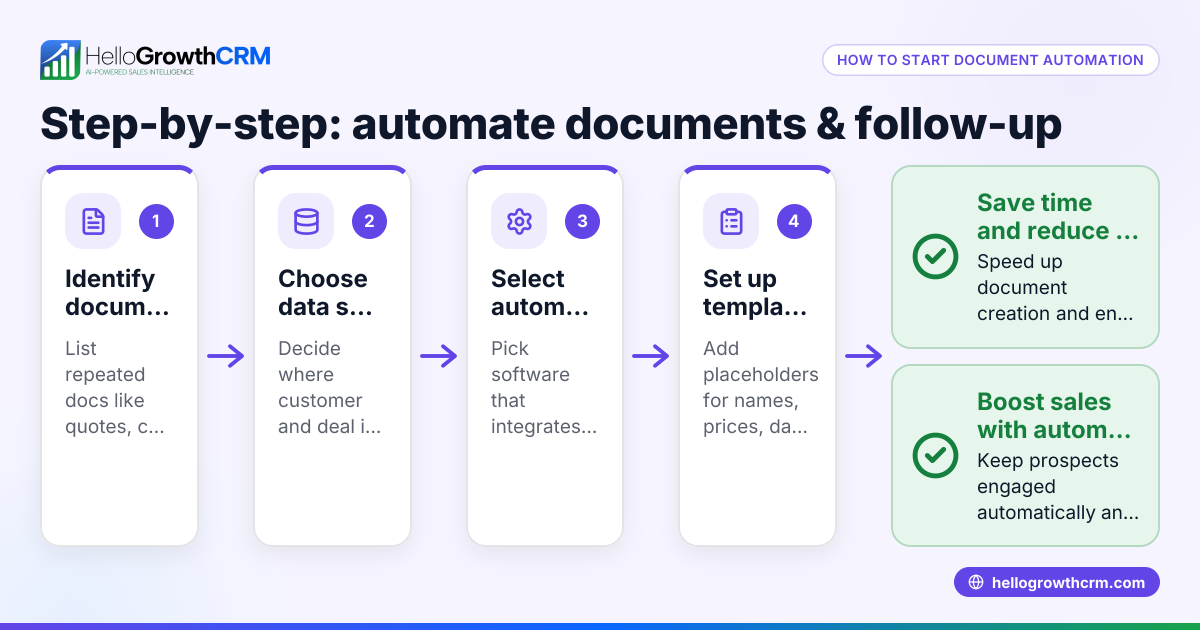
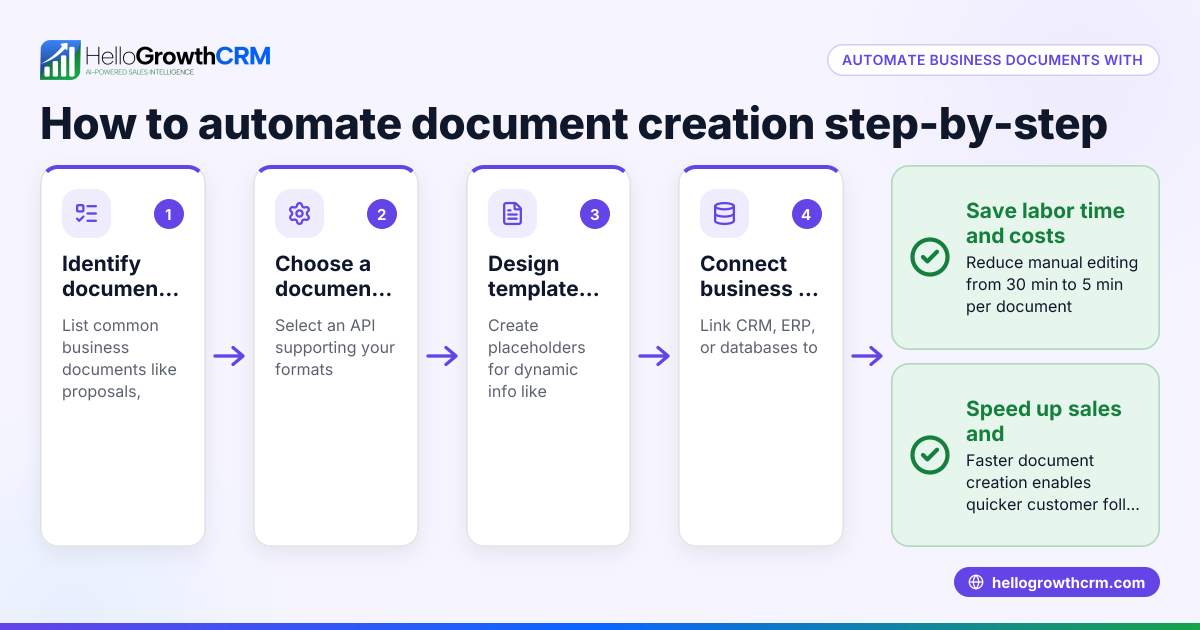
- Identify documents to automate: List the documents your business frequently uses, such as proposals, contracts, invoices, or quotes. Confirm they have standard formats and data fields that can be filled automatically.
- Choose automation triggers: Decide what events start the automation. Examples include capturing a new lead from a web form, completing a sales call, or reaching a sales stage.
- Create document templates: Build templates with placeholders for dynamic data like customer names, dates, or prices. Make sure these templates are accurate and comply with legal requirements.
- Map out the workflow steps: Define the sequence of actions after the trigger, such as generating the document, assigning follow-up tasks, sending notifications, or triggering email or WhatsApp messages.
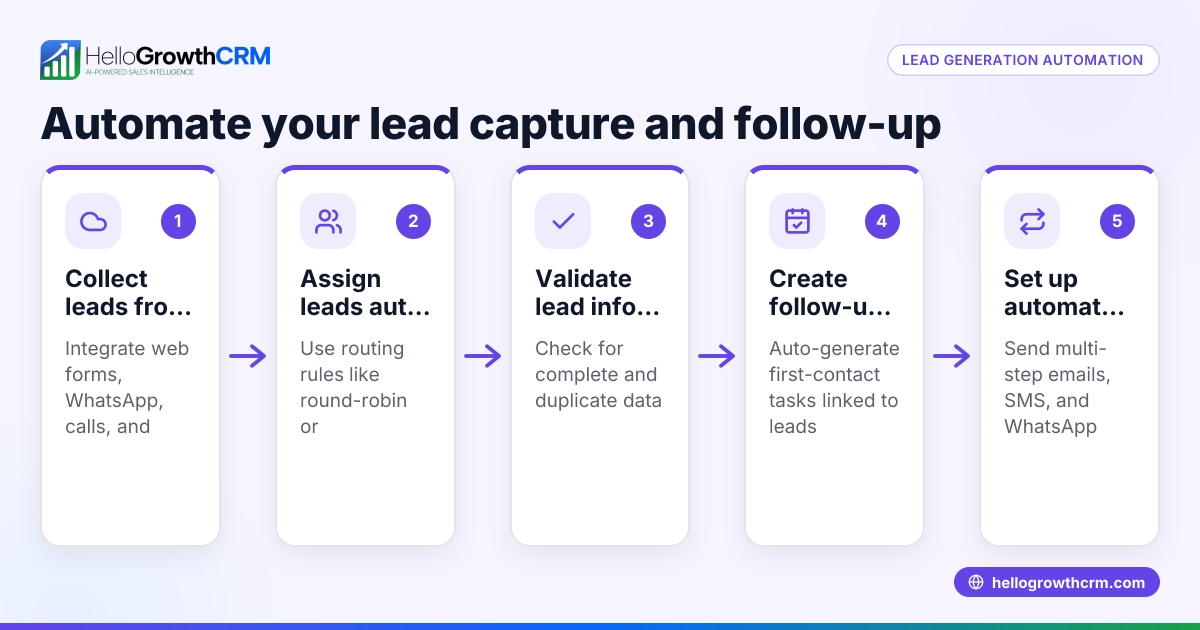
- Set lead routing and validation rules: Assign tasks based on territory, lead source, or round-robin distribution. Use validation rules to ensure data entered is correct, preventing errors in documents.
- Test the workflow: Run the automation with sample data to verify documents generate correctly, tasks are assigned, and messages send as expected.
- Monitor and refine: Track how the automation performs, then adjust templates, triggers, or steps to improve efficiency or adapt to changes.
Explore how AI CRM can help build workflows and lead routing, and how WhatsApp and SMS CRM supports automated messaging.
Example (fictional figures)
A two-location dental practice in Columbus, Ohio, wants to automate appointment confirmations and follow-up care instructions.
- They create a document template for appointment reminders with placeholders for patient name, appointment date, and dentist name.
- Trigger: When a new appointment is booked in their CRM on 06/15/2026.
- Workflow steps:
- Generate the reminder document.
- Assign a task to the receptionist to review.
- Send an automated WhatsApp message with the confirmation.
Financial impact example:
- Average appointment fee: $150
- They book 200 appointments monthly.
- Automating reminders reduces no-shows by 10%.
Calculations:
200 appointments × $150 = $30,000 potential revenue $30,000 × 10% no-show reduction = $3,000 additional revenue
Total additional revenue = $3,000
This automation saves staff time and increases revenue by reducing missed appointments.
Common mistakes
- Overcomplicating workflows: Complex workflows with many steps can cause errors. Keep workflows simple and clear to ensure reliability.
- Ignoring data validation: Without validation, incorrect data can generate wrong documents. Use field-level validation rules to maintain accuracy.
- Skipping thorough testing: Not testing workflows before launch leads to failures. Always test with sample data to confirm correct operation.
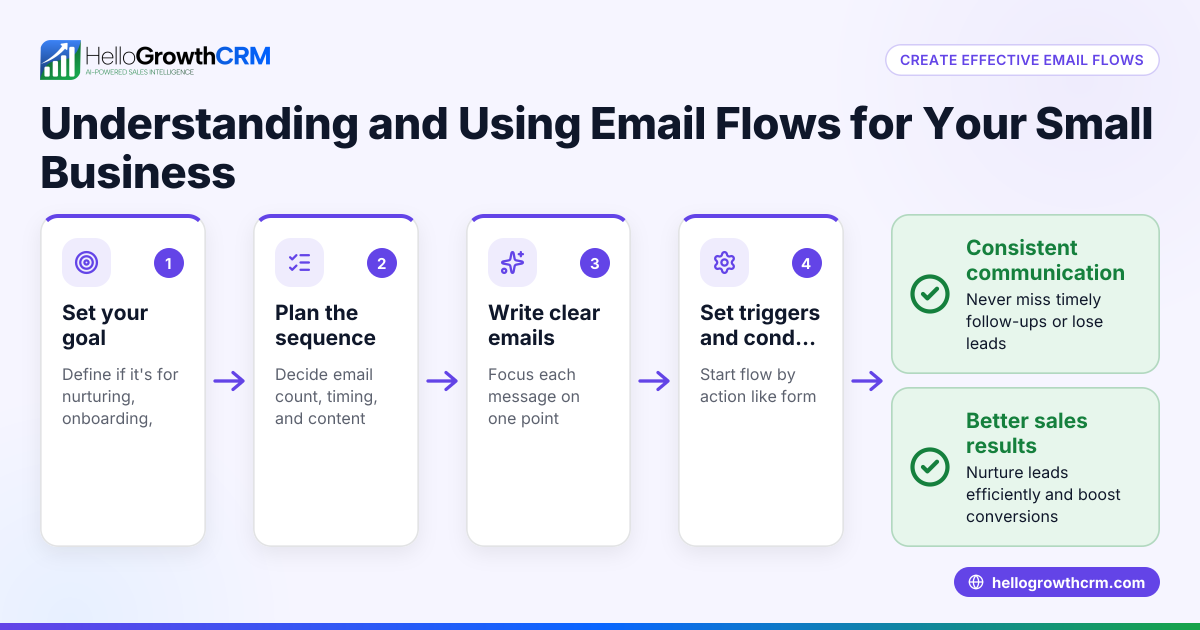
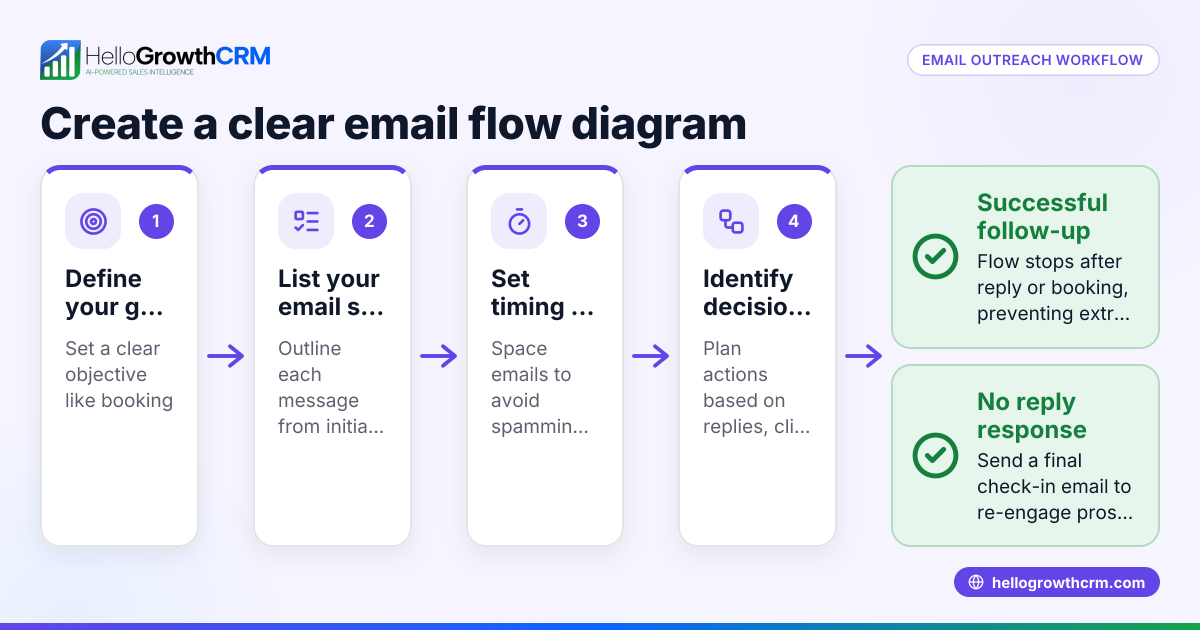
- Not stopping sequences on replies: Automated follow-ups should stop when a prospect responds to avoid spamming. Choose tools that automatically pause sequences on reply.
- Neglecting staff training: Without training, users may not trust or use automation properly. Educate your team on how workflows operate.
For more guidance, see HelloGrowthCRM for the United States.
Doing this in HelloGrowthCRM
HelloGrowthCRM offers workflows, lead routing, and validation rules that automate task creation and lead assignment. For example, a new web-form inquiry is assigned round-robin and a first-call task is created automatically. Its sequences and campaigns feature runs multi-step follow-ups over weeks and stops automatically when a prospect replies. Additionally, AI agents (currently in Beta) draft follow-up messages after calls so reps only review and send, reducing manual effort. Learn more about these features at AI CRM.
Frequently asked questions
What is document generation automation? Document generation automation creates business documents automatically from templates using data stored in your CRM or other systems. This reduces manual work, speeds up document delivery, and minimizes errors.
How does flow automation improve sales processes? Flow automation streamlines repetitive tasks such as lead assignment, follow-up emails, and task creation. This ensures timely action on leads, consistent customer communication, and frees up sales reps to focus on closing deals.
Can automation handle multiple communication channels? Yes. Platforms like HelloGrowthCRM support sequences across email, WhatsApp, and SMS. Automated messages continue until the prospect responds, improving outreach effectiveness.
Is setting up document generation and flow automation difficult? Setup involves defining triggers, creating templates, and mapping workflow steps. Many CRM tools provide user-friendly interfaces and templates to simplify this process.
How do I know if my automation is working well? Monitor metrics like response times, conversion rates, and error rates. Use this data to refine workflows and improve results.
Key takeaways
- Document generation and flow automation reduce manual tasks and speed up sales and customer processes.
- Start by identifying key documents and triggers, then build simple, testable workflows.
- Use validation rules and stop sequences automatically when prospects reply to avoid errors.
- Regularly monitor and adjust workflows to keep automation effective and aligned with business needs.
- HelloGrowthCRM supports these needs with workflows, sequences, and AI agents for small and mid-sized US businesses.
Get started with automation and improve your sales efficiency today. Start on the Free Forever plan (200 leads, no credit card).
Ready to put this into practice?
Set up your pipeline, WhatsApp follow-ups, and AI lead scoring in minutes — free, no credit card.
Try HelloGrowthCRM freeGet CRM tips in your inbox
Join thousands of sales professionals who get weekly insights on CRM strategy, AI automation, and pipeline optimization.

The HelloGrowthCRM team publishes guides on CRM strategy, AI sales tools, and revenue operations for small business sales teams.