HelloGrowthCRM software
Built for real small-business sales teams
HelloGrowthCRM helps reps qualify faster, follow up on time, and close more deals—with practical automation in one place.
- AI lead scoring and pipeline visibility
- Built-in dialer, WhatsApp, and email automation
- Sales forecasting and RevOps-ready reporting
A document automation solution is software that creates, manages, and sends business documents automatically, reducing manual work and errors. It streamlines document creation by using templates and data inputs to generate contracts, invoices, proposals, or emails quickly. This article explains why small businesses need document automation, how to set it up step-by-step, common mistakes to avoid, and how HelloGrowthCRM can support your sales and follow-up workflows.
Why this comes up / what goes wrong
Small-business owners often face delays and mistakes in preparing sales documents like quotes, contracts, or follow-up emails. They might rely on manual copying, pasting, or editing in Word, Excel, or email drafts. This wastes time, causes inconsistencies, and risks losing leads because responses are slow or inaccurate. For example, a plumbing company might spend hours customizing each estimate or contract manually, delaying customer approval and cash flow. A document automation solution addresses these pain points by speeding up document generation and ensuring accuracy.
Step-by-step
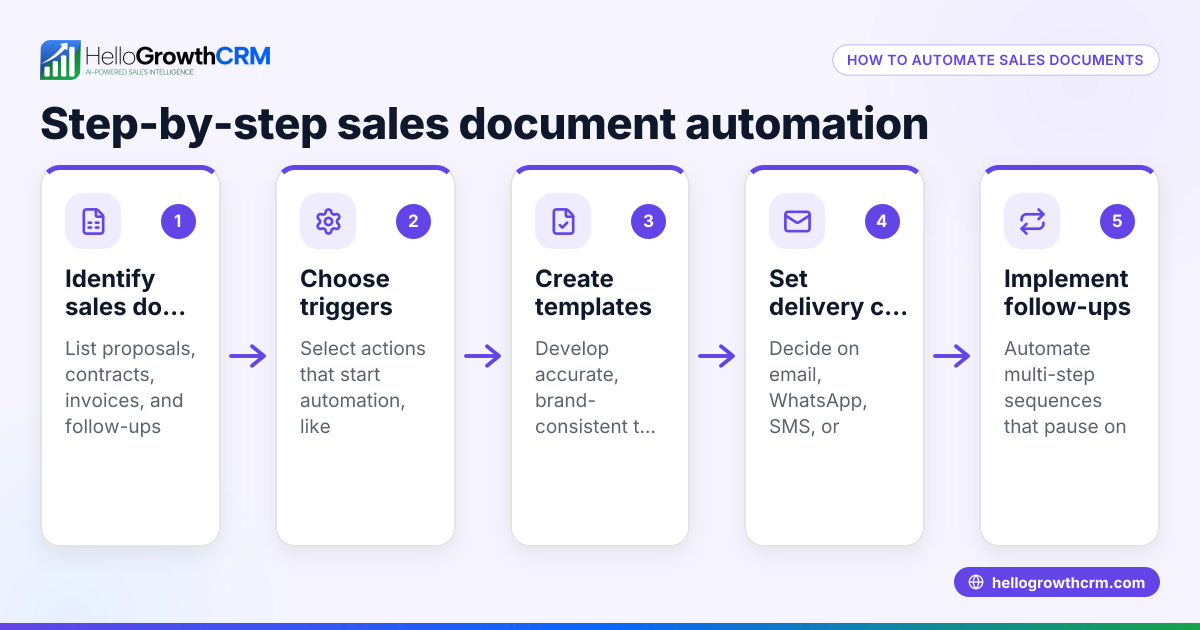
- Identify your document types and templates: List the documents you create repeatedly, such as quotes, contracts, proposals, or follow-up emails. Gather existing templates or create standardized versions.
- Choose data sources for automation: Determine where your customer and deal information lives (spreadsheets, CRM, web forms). This data will populate your templates automatically.
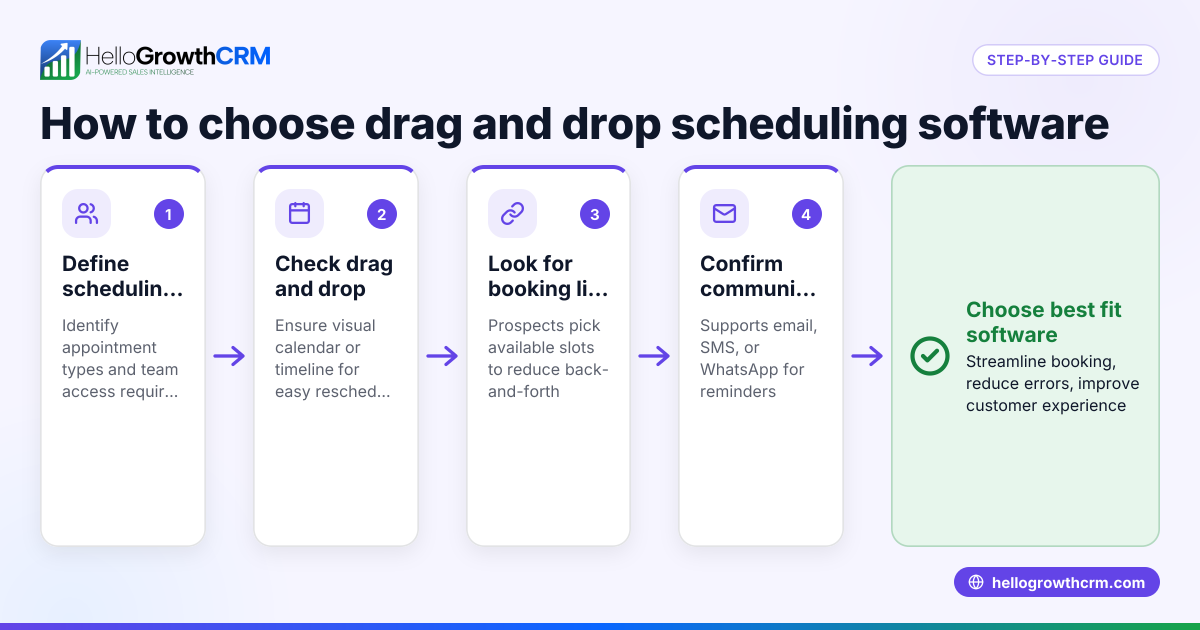
- Select a document automation tool: Pick software that integrates with your data sources and supports your templates. Check for features like multi-channel messaging and workflow automation.
- Set up templates with dynamic fields: Configure your templates to include placeholders for customer names, prices, dates, and other variables that the system will fill in.
- Create automation workflows: Define triggers for when documents should be generated and sent (e.g., after a lead is captured or a deal stage changes). Include follow-up sequences to keep prospects engaged.
- Test the automation: Run sample documents through the system to verify accuracy and formatting. Adjust templates and workflows as needed.
- Train your team: Ensure sales reps and support staff understand how to use the automated system and review generated documents.
- Monitor and optimize: Track how automation impacts response times, errors, and deal closures. Refine templates and workflows based on feedback.
Example (fictional figures)
A plumbing company in Austin, Texas, wants to automate its quote and follow-up process. They usually send manual quotes and follow up by email, which takes 2 hours per lead.
- They receive 50 leads per month.
- Average revenue per closed lead is $1,200.
- Current conversion rate is 20%.
By automating:
- Quote generation time reduces to 10 minutes.
- Follow-up sequences run automatically over two weeks.
Calculations:
Time saved per lead: 2 hours - 10 minutes = 1 hour 50 minutes = 1.83 hours
Total monthly time saved: 50 leads × 1.83 hours = 91.5 hours
If an employee costs $25/hour: 91.5 hours × $25 = $2,287.50 saved monthly
Assuming automation improves conversion rate by 5% (to 25%): Additional closed leads: 50 leads × 5% = 2.5 leads
Additional revenue: 2.5 leads × $1,200 = $3,000
Total monthly benefit: $2,287.50 + $3,000 = $5,287.50
This example shows how automating document creation and follow-up can save time and increase revenue.
Common mistakes
- Using inconsistent templates: Prevent this by standardizing and locking templates so everyone uses the same version.
- Not integrating data sources: Avoid manual data entry errors by connecting your CRM or spreadsheets directly to the automation tool.
- Overcomplicating workflows: Keep automation steps simple and clear to avoid confusion and errors.
- Ignoring team training: Ensure all users know how to use the system and review generated documents before sending.
- Neglecting follow-up automation: Use sequences and campaigns to automate timely follow-ups and improve response rates. Learn more about Sequences and campaigns.
- Failing to monitor results: Regularly check automation performance and adjust templates or workflows to improve outcomes.
Doing this in HelloGrowthCRM
HelloGrowthCRM offers tools that help automate your sales communication and document follow-up:
- Sequences and campaigns: Set up a five-step follow-up over two weeks that runs automatically and stops the moment the prospect replies.
- AI agents: After a call, an AI agent drafts the follow-up message for the sales rep to review and send, saving time.
- Workflows, lead routing and validation rules: Automatically assign new inquiries round-robin and create first-call tasks to ensure no lead is missed.
These features support your document automation by managing outreach and follow-up efficiently. Learn more about HelloGrowthCRM for the United States and its WhatsApp and SMS CRM capabilities.
Frequently asked questions
What is the main benefit of a document automation solution for small businesses? It saves time by automating repetitive document creation and reduces errors, helping small businesses respond faster and close deals more efficiently.
Can document automation integrate with my existing CRM or spreadsheets? Yes, most document automation solutions connect with popular CRMs and data sources to automatically populate templates, reducing manual data entry.
How does follow-up automation improve sales? Automated follow-up sequences ensure timely, consistent communication with prospects, increasing engagement and the chance of closing deals.
Is training required to use document automation software? Yes, training helps your team understand how to use templates, workflows, and review generated documents to maintain quality.
Can AI help with document automation? AI agents can draft follow-up messages and update records automatically, reducing the workload on sales reps and speeding up communication.
Key takeaways
- Document automation solutions create and send business documents automatically, saving time and reducing errors.
- Identify your key document types and data sources before choosing a tool.
- Set up templates with dynamic fields and automate workflows for document generation and follow-up.
- Avoid common mistakes like inconsistent templates, poor integration, and lack of training.
- HelloGrowthCRM supports automation with sequences, AI agents, and workflows to streamline sales communication.
Start automating your documents and sales follow-up today. Start on the Free Forever plan (200 leads, no credit card) with HelloGrowthCRM to see how automation can help your small business.
Ready to put this into practice?
Set up your pipeline, WhatsApp follow-ups, and AI lead scoring in minutes — free, no credit card.
Try HelloGrowthCRM freeGet CRM tips in your inbox
Join thousands of sales professionals who get weekly insights on CRM strategy, AI automation, and pipeline optimization.

The HelloGrowthCRM team publishes guides on CRM strategy, AI sales tools, and revenue operations for small business sales teams.