HelloGrowthCRM software
Built for real small-business sales teams
HelloGrowthCRM helps reps qualify faster, follow up on time, and close more deals—with practical automation in one place.
- AI lead scoring and pipeline visibility
- Built-in dialer, WhatsApp, and email automation
- Sales forecasting and RevOps-ready reporting
An email chatbot is a tool that automatically responds to emails from leads or customers. It uses programmed responses or AI to handle common questions, schedule follow-ups, or provide information instantly. This reduces the delay in replies that can cost sales opportunities and improves customer experience.
Why this comes up / what goes wrong
Small businesses often struggle with managing incoming emails efficiently. When sales or support teams rely on manual email replies, delays happen. Leads may lose interest or find competitors faster. Also, without a shared system, team members may duplicate work or miss important responses. Business owners search for "email chatbot" to find a way to automate email replies, keep prospects engaged, and reduce the burden of repetitive email tasks.
Step-by-step
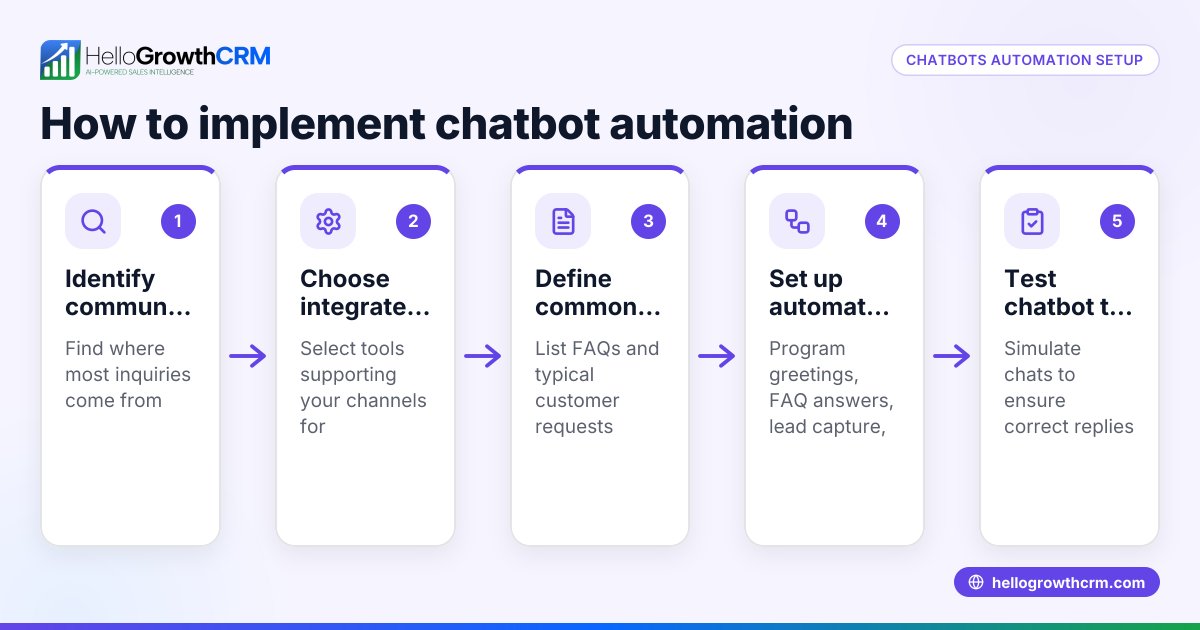
- Identify common email queries: List the frequent questions or requests your business receives by email. Check for patterns like pricing inquiries, appointment requests, or product details.
- Choose an email chatbot tool or platform: Select software that integrates with your current email or CRM system. Ensure it supports automated replies and can handle multi-step follow-ups.
- Create response templates: Write clear, concise email replies for each common query. Include calls to action, such as scheduling a call or visiting your website.
- Set up automation rules or sequences: Configure the chatbot to send replies based on keywords or triggers. For example, if an email mentions "pricing," the chatbot sends the pricing template.
- Test the chatbot responses: Send test emails to verify the chatbot replies correctly and timely. Check that the automation stops when a prospect replies back.
- Monitor and adjust: Review chatbot performance regularly. Update templates and rules based on new questions or feedback.
Example (fictional figures)
A residential real-estate team in Phoenix, Arizona, receives about 100 inquiry emails weekly. They want to automate replies to save time and improve lead follow-up.
- They identify common queries: "property availability," "pricing," and "schedule a showing."
- They create three email templates:
- Availability: "Thank you for your interest. Here are the current available properties..."
- Pricing: "Our pricing starts at $300,000 for the listed homes..."
- Schedule showing: "Please select a convenient date for a showing using this link..."
- They set up an email chatbot to send the correct template based on keywords.
- Testing shows the chatbot replies within 5 minutes of receiving emails.
- The team estimates saving 10 hours weekly previously spent on manual replies.
Calculations:
- Manual reply time: 10 hours/week
- Average hourly wage: $25/hour
- Weekly savings: 10 hours × $25 = $250
- Annual savings: $250 × 52 weeks = $13,000
This automation helps the team respond faster and frees time for closing deals.
Common mistakes
- Not defining clear triggers: Avoid vague rules that send wrong replies. Prevent by testing keyword triggers carefully.
- Over-automation without human backup: Some emails need personal attention. Prevent by setting alerts for complex queries.
- Ignoring follow-up sequences: A single reply may not be enough. Prevent by using multi-step sequences to nurture leads (email automation and sequences).
- Not sharing email replies with the team: Leads may get duplicated or lost. Prevent by using a shared inbox so all replies are visible (HelloGrowthCRM for the United States).
- Failing to update templates: Outdated information frustrates prospects. Prevent by scheduling regular template reviews.
Doing this in HelloGrowthCRM
HelloGrowthCRM offers a shared inbox called HelloMail where your team can manage inbound emails together, ensuring replies to quotations or inquiries are visible to everyone on the deal. It also supports sequences and campaigns, enabling you to set up a five-step email follow-up over two weeks that runs automatically and stops as soon as the prospect replies. This helps small businesses automate email outreach efficiently without losing the personal touch. Learn more about these features in email automation and sequences.
Frequently asked questions
What is the difference between an email chatbot and a regular autoresponder? An email chatbot uses AI or rules to send tailored replies based on email content, while a regular autoresponder sends the same generic message to all incoming emails. Chatbots provide more relevant and engaging responses.
Can an email chatbot handle complex customer questions? Most email chatbots handle common, simple queries well but may struggle with complex or unique questions. It's important to have a process for handing off such emails to a human team member.
How does an email chatbot improve sales follow-up? By sending immediate, relevant replies and running multi-step follow-ups, an email chatbot keeps leads engaged and reduces the chance they forget or move to competitors. Automated sequences help nurture leads over time.
Is setting up an email chatbot expensive or technical? Many modern tools are designed for small businesses and require minimal technical skills. Costs vary by provider, but some offer free tiers or trials to start.
Can I integrate an email chatbot with other communication channels? Yes, platforms like HelloGrowthCRM support sequences across email, WhatsApp, and SMS, allowing multi-channel outreach from one system (WhatsApp and SMS CRM).
Key takeaways
- An email chatbot automates replies to incoming emails, speeding up response times.
- Identify common queries and create clear response templates.
- Use automation rules and multi-step sequences to nurture leads effectively.
- Avoid over-automation and keep human oversight for complex emails.
- Shared inboxes help teams collaborate and prevent lost replies.
- HelloGrowthCRM offers tools like HelloMail and sequences to manage email chatbots easily.
Start automating your email follow-up today with HelloGrowthCRM. Start on the Free Forever plan (200 leads, no credit card).
Ready to put this into practice?
Set up your pipeline, WhatsApp follow-ups, and AI lead scoring in minutes — free, no credit card.
Try HelloGrowthCRM freeGet CRM tips in your inbox
Join thousands of sales professionals who get weekly insights on CRM strategy, AI automation, and pipeline optimization.

The HelloGrowthCRM team publishes guides on CRM strategy, AI sales tools, and revenue operations for small business sales teams.