HelloGrowthCRM software
Built for real small-business sales teams
HelloGrowthCRM helps reps qualify faster, follow up on time, and close more deals—with practical automation in one place.
- AI lead scoring and pipeline visibility
- Built-in dialer, WhatsApp, and email automation
- Sales forecasting and RevOps-ready reporting
Email trend refers to the changes and patterns in how your business emails perform over time. This includes metrics like open rates, reply rates, click-through rates, and conversions. For small businesses, understanding email trends helps identify whether your email marketing and sales follow-ups are effective or need adjustment.
Why this comes up / what goes wrong
Many small business owners rely on email to connect with leads and customers but often do not track how well their emails perform over time. Without tracking, it’s difficult to know if your messages are opened, read, or replied to. This causes missed sales opportunities and slower follow-up. Email responses may be scattered across personal inboxes or spreadsheets, leading to lost leads or duplicated efforts. Without recognizing email trends, you may continue with ineffective messaging or timing.
Step-by-step
- Collect your email performance data: Use your email client or marketing tool to gather data on open rates, reply rates, and click-through rates. Check these metrics weekly or monthly.
- Identify trends and patterns: Look for increases or decreases in your metrics over time. For example, note if open rates drop after changing subject lines or if reply rates improve after a new call to action.
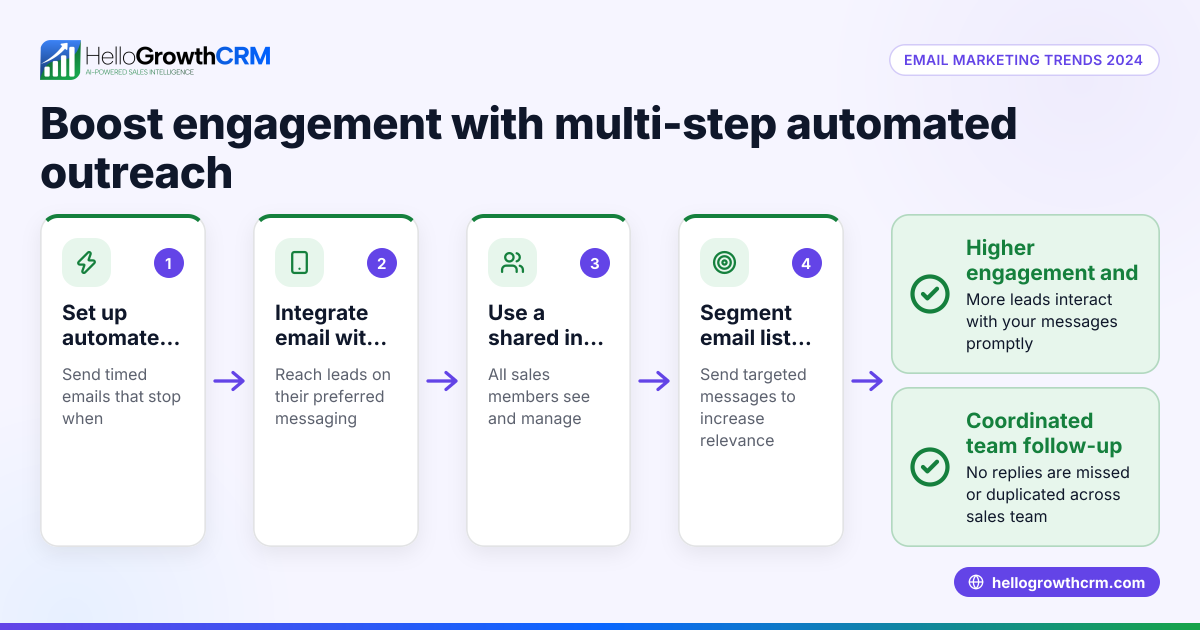
- Segment your email list: Divide your contacts by customer type, lead source, or behavior to see if trends differ among groups.
- Test changes systematically: Experiment with different subject lines, email content, sending times, and calls to action. Track which variations improve engagement.
- Set realistic goals: Use your trend data to set targets for open rates, replies, and conversions.
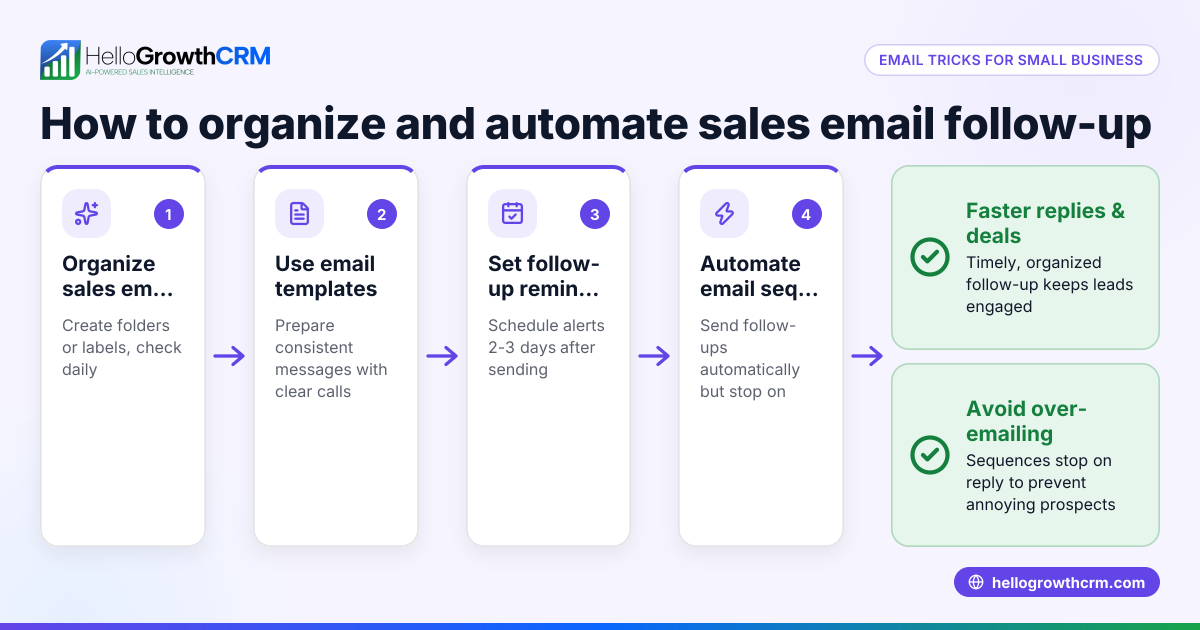
- Automate follow-ups: Use sequences and campaigns that send timed follow-ups and automatically stop when a prospect replies. This ensures consistent engagement without manual effort. Learn more about email automation and sequences.
- Use a shared inbox for team visibility: Manage inbound email from leads and customers in a shared inbox so replies to quotation emails or inquiries are visible to the whole team, avoiding lost or duplicated follow-ups.
Example (fictional figures)
A two-location dental practice in Columbus, Ohio, tracked their email trend over three months for appointment reminders and new patient inquiries.
- Month 1 open rate: 40%
- Month 2 open rate: 30%
- Month 3 open rate (after testing new subject line): 45%
- Month 1 reply rate: 15%
- Month 2 reply rate: 10%
- Month 3 reply rate (after new subject line): 18%
Calculations:
Open rate increase from Month 2 to Month 3: 30% + (30% × 50%) = 45%
Reply rate increase from Month 2 to Month 3: 10% + (10% × 80%) = 18%
The practice then set up an automated five-step follow-up sequence over two weeks that stopped immediately when patients replied. This improved booking rates without adding staff time.
Common mistakes
- Not tracking email metrics regularly: Prevent this by scheduling weekly or monthly reviews of your email data.
- Ignoring segmentation: Prevent by dividing your list into meaningful groups to tailor messages effectively.
- Sending the same follow-up regardless of replies: Prevent by using automated sequences that stop when a reply is received, such as with HelloGrowthCRM sequences.
- Using multiple email inboxes causing lost replies: Prevent by using a shared inbox so your whole team sees all replies to quotation emails, avoiding missed leads.
- Not testing subject lines or email content: Prevent by running A/B tests on your campaigns to find what works best.
- Relying on spreadsheets or manual notes for email tracking: Prevent by using CRM tools designed for email management and automation.
Doing this in HelloGrowthCRM
HelloGrowthCRM offers a HelloMail shared inbox where your team can manage inbound email from leads and customers without switching apps. Replies to quotation emails are visible to the whole team on the deal, preventing lost or duplicated follow-ups. You can also set up sequences and campaigns that automate a five-step follow-up over two weeks and stop immediately when a prospect replies. This helps ensure consistent outreach without manual effort.
Frequently asked questions
What does email trend mean for my small business? Email trend shows how your email engagement metrics change over time, helping you understand what works and what needs improvement in your communication.
How often should I check my email trend? Review your email data weekly or monthly to catch trends early and adjust your strategy accordingly.
Can I automate email follow-ups based on trends? Yes, tools like HelloGrowthCRM allow you to automate sequences that send follow-ups and stop when a reply is received, improving efficiency.
Why is a shared inbox important for email trends? A shared inbox ensures your entire team sees replies to quotation emails or inquiries, preventing lost leads or duplicated efforts.
How can I improve low email open rates? Try testing different subject lines, sending times, and personalizing your emails to increase interest and engagement.
Is segmenting my email list necessary? Yes, segmenting helps you tailor messages to specific groups, which typically improves open and reply rates.
Key takeaways
- Email trend tracks changes in email engagement metrics over time.
- Regularly review your email data to identify which messages work best.
- Segment your email list and test different approaches to improve results.
- Automate follow-ups with sequences that stop when a prospect replies.
- Use a shared inbox to keep your team aligned on email replies.
- HelloGrowthCRM supports these steps with email automation and shared inbox features.
Start improving your email trend today by managing your leads and email follow-ups with HelloGrowthCRM. Start on the Free Forever plan (200 leads, no credit card).
Ready to put this into practice?
Set up your pipeline, WhatsApp follow-ups, and AI lead scoring in minutes — free, no credit card.
Try HelloGrowthCRM freeGet CRM tips in your inbox
Join thousands of sales professionals who get weekly insights on CRM strategy, AI automation, and pipeline optimization.

The HelloGrowthCRM team publishes guides on CRM strategy, AI sales tools, and revenue operations for small business sales teams.