HelloGrowthCRM software
Built for real small-business sales teams
HelloGrowthCRM helps reps qualify faster, follow up on time, and close more deals—with practical automation in one place.
- AI lead scoring and pipeline visibility
- Built-in dialer, WhatsApp, and email automation
- Sales forecasting and RevOps-ready reporting
Event follow-up automation means setting up a system that automatically sends reminders, messages, and tasks to your sales team and customers after an event inquiry or meeting. This keeps potential clients engaged without relying on memory or manual effort, which is crucial for event businesses that handle many leads from multiple channels.
Why this comes up / what goes wrong
Event business owners and accountants in India often struggle with timely follow-up because they manage leads from calls, WhatsApp, and web forms manually. For example, an event planner in Jaipur might get 50 inquiries after a wedding expo but lose many because follow-up calls or messages are delayed or forgotten. The sales team may work across WhatsApp chats and Excel sheets, causing missed deadlines and untracked conversations. Without automation, the owner or accountant spends hours coordinating who called whom and when, leading to lost revenue and poor customer experience.
Step-by-step
- Collect and centralise leads: Gather all event inquiries from sources like IndiaMART, JustDial, and your website into one place. Check that every lead has contact details and event requirements.
- Set up follow-up tasks: For each new lead, create a follow-up task with a due date (e.g., call within 24 hours). Ensure the task reminds the sales rep daily until completed.
- Use sequences for outreach: Design a multi-step follow-up sequence that sends automated WhatsApp or SMS messages over two weeks. Check that the sequence stops automatically when the lead responds.
- Assign tasks and monitor progress: Use task boards to view daily calls and follow-ups. Confirm every lead has an assigned owner and that tasks are not overdue.
- Leverage AI to draft messages: After a call, use AI agents to draft the next follow-up message. Review and send quickly to maintain momentum.
- Review and adjust: Regularly check follow-up completion rates and lead responses. Adjust timing or message content based on what works best.
- Keep records updated: Log all interactions and notes in one CRM record to avoid losing context.
Example (fictional figures)
An event planner in Jaipur receives 30 leads after a festival on 01/03/2024. They charge ₹1,50,000 on average per event.
- Lead follow-up task created for each lead to call within 24 hours.
- Automated WhatsApp sequence set to send 5 messages over 14 days.
- 20 leads respond and convert, 10 do not.
Revenue from converted leads = 20 × ₹1,50,000 = ₹30,00,000
Without automation, assume 30% of leads are lost due to slow follow-up:
Lost leads = 30 × 30% = 9 leads
Lost revenue = 9 × ₹1,50,000 = ₹13,50,000
By automating follow-up, the planner recovers ₹13,50,000 in potential revenue.
Common mistakes
- Ignoring task deadlines: Leads slip through if follow-up tasks lack due dates. Prevent by setting and monitoring task deadlines.
- Using multiple unlinked tools: Managing WhatsApp chats, Excel sheets, and calls separately causes lost info. Use a single CRM to centralise data.
- Sending generic follow-ups: One-size-fits-all messages reduce engagement. Personalise sequences based on lead type or event interest.
- Not stopping sequences on reply: Continuing automated messages after a lead responds annoys prospects. Ensure automation stops immediately on reply.
- Overloading reps with tasks: Too many follow-ups without priority causes burnout. Use AI lead scoring (if available) to prioritise.
- Failing to log interactions: Without logging calls and messages, teams lose context. Use CRM activities to keep full history.
Doing this in HelloGrowthCRM
HelloGrowthCRM supports event follow-up automation with these features:
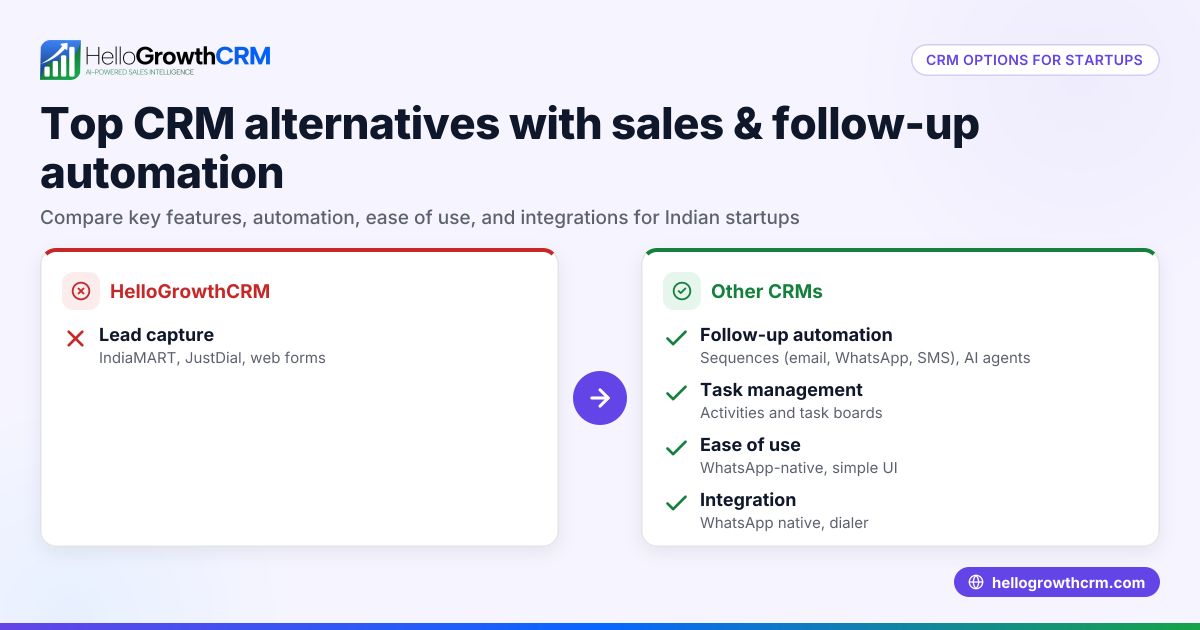
- Activities and task boards: Each follow-up becomes a task with a due date; the day's calls show as a list, so reps don’t rely on memory. This keeps follow-ups organised and visible. Learn more.
- Sequences and campaigns: Automate a five-step follow-up over two weeks via WhatsApp, SMS, or email. The sequence stops automatically when the prospect replies, avoiding over-contact. More on sequences.
- AI agents: After a call, an AI agent drafts the follow-up message for the rep to review and send, saving time and improving consistency. This feature is in beta on Growth plans. Details here.
Frequently asked questions
What is the best way to automate follow-up for event leads? Automating follow-up involves creating tasks with due dates, using multi-step message sequences, and employing AI to draft messages. Centralising leads in a CRM helps track all interactions and ensures timely outreach.
How can I personalise automated follow-ups for different event types? Segment your leads by event type (weddings, corporate, birthdays) and create separate message sequences tailored to each segment. This increases relevance and response rates.
Will automation reduce the personal touch in event sales? Automation handles routine reminders and initial outreach, freeing your team to focus on personalised calls and meetings. AI drafting helps maintain a human tone while saving time.
Can I stop follow-up sequences if a lead responds early? Yes, good automation tools stop sequences immediately once a lead replies, preventing unnecessary messages and improving customer experience.
How do I keep track of all follow-ups and calls? Using task boards and activity logs in a CRM centralises all follow-ups and call records, making it easy to monitor progress and handoffs.
Is WhatsApp the right channel for event follow-up automation? WhatsApp is widely used in India and effective for quick, informal communication. Combining it with SMS and email sequences covers multiple contact preferences.
Key takeaways
- Automate event follow-up to reduce lost leads and improve response times.
- Use task boards to assign and track follow-up calls with due dates.
- Deploy multi-step message sequences that stop automatically on lead reply.
- Leverage AI agents to draft follow-up messages after calls.
- Centralise lead data and interactions in one CRM for clarity.
- Personalise sequences by event type for better engagement.
Automating event follow-up can transform how your business engages leads and closes sales. To try these features yourself, start on the Free Forever plan (200 leads, no credit card).
Ready to put this into practice?
Set up your pipeline, WhatsApp follow-ups, and AI lead scoring in minutes — free, no credit card.
Try HelloGrowthCRM freeGet CRM tips in your inbox
Join thousands of sales professionals who get weekly insights on CRM strategy, AI automation, and pipeline optimization.

The HelloGrowthCRM team publishes guides on CRM strategy, AI sales tools, and revenue operations for small business sales teams.