HelloGrowthCRM software
Built for real small-business sales teams
HelloGrowthCRM helps reps qualify faster, follow up on time, and close more deals—with practical automation in one place.
- AI lead scoring and pipeline visibility
- Built-in dialer, WhatsApp, and email automation
- Sales forecasting and RevOps-ready reporting
An events and ticketing CRM is software designed to manage event registrations, ticket sales, and customer interactions in one place. It helps small and mid-sized businesses organise leads, automate follow-ups, and track sales pipelines. This article covers why Australian businesses look for such CRMs, step-by-step selection advice, common mistakes to avoid, a practical example, and how HelloGrowthCRM supports event sales.
Why this comes up / what goes wrong
Small and mid-sized businesses in Australia that run events—whether conferences, workshops, or entertainment—often struggle to keep track of ticket sales and customer communications. Many rely on spreadsheets, email chains, or text messages, which can lead to lost leads, slow follow-up, and missed revenue. Without a dedicated CRM for events and ticketing, teams waste time manually updating records and risk poor customer experience. Business owners search for a CRM that combines ticketing management with sales and marketing workflows, ideally integrated with channels like WhatsApp and SMS where customers already engage.
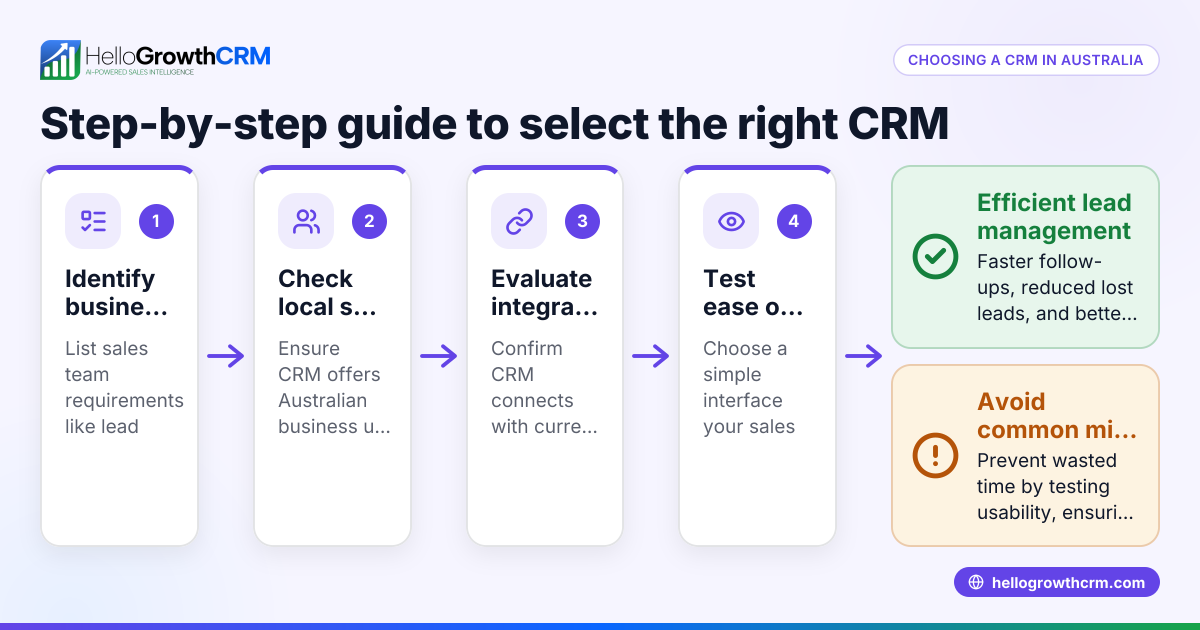
Step-by-step
- Identify your event needs: Determine if you need to handle ticket sales, registrations, customer messaging, or all of these. Check if the CRM supports multiple ticket types, pricing tiers, and promo codes.
- Check communication channels: Ensure the CRM supports your preferred customer contact methods, such as WhatsApp, SMS, or email. This helps automate follow-ups and boosts engagement.
- Evaluate task and activity management: Look for features that let your team track calls, meetings, and follow-ups as tasks with due dates. Task boards help teams stay organised and avoid missed opportunities.
- Look for automation and sequences: Automated message sequences over days or weeks can nurture leads without manual effort. Confirm the CRM stops outreach automatically once a customer replies.
- Assess integration options: Your CRM should capture leads from web forms or ticketing platforms to centralise data.
- Test usability: The CRM must be easy for your sales and events teams to use daily, reducing reliance on spreadsheets and manual tracking.
- Consider reporting and forecasting: Choose a CRM that helps forecast ticket sales and reports on campaign effectiveness.
- Review pricing and plans: Match the CRM’s features to your budget and growth plans. Some offer free tiers with limited leads and tasks.
For more on communication channels and task management, see WhatsApp and SMS CRM and built-in CRM dialer.
Example (fictional figures)
A Melbourne-based event organiser plans a two-day conference on 15-16/11/2024. They expect 500 attendees with tickets at A$300 each.
- Expected ticket revenue = 500 attendees × A$300 = A$150,000
- Marketing budget = A$15,000
- They want to automate follow-ups over 14 days post-registration with 5 messages.
Using a CRM with sequences:
- Each message is scheduled automatically, stopping if the attendee replies.
- Task boards assign follow-up calls to the sales team, ensuring no lead is missed.
This setup reduces manual tracking and improves conversion rates by timely communication.
Common mistakes
- Choosing a CRM without event-specific features: Prevent by listing must-have ticketing functions before evaluating.
- Ignoring communication preferences: Avoid by checking if the CRM supports WhatsApp and SMS, popular channels in Australia.
- Relying on spreadsheets for follow-ups: Stop this by using CRMs with task boards to organise calls and messages. See activities and task boards.
- Not automating sequences: Prevent slow, inconsistent follow-up by using multi-step outreach workflows. Learn about sequences and campaigns.
- Underestimating user adoption: Choose a CRM that your team finds easy to use daily to avoid falling back on manual methods.
- Skipping integration checks: Ensure the CRM captures leads automatically from your event website or ticketing platform.
Doing this in HelloGrowthCRM
HelloGrowthCRM supports event and ticketing sales teams with WhatsApp and SMS messaging where conversations with leads are logged on their records, making follow-ups seamless. Every follow-up becomes a task with a due date on the task board, so the team’s daily calls and messages are organised and tracked without relying on memory. Automated sequences run multi-step follow-ups over two weeks and stop immediately when a prospect replies, ensuring timely communication without manual effort. Learn more about WhatsApp and SMS CRM and activities and task boards.
Frequently asked questions
What features should an events and ticketing CRM have? Look for ticket management, multiple communication channels like WhatsApp and SMS, task and activity tracking for follow-ups, automation sequences, and reporting tools. Integration with your website or ticketing platform is also important.
Can I use WhatsApp to follow up with event attendees? Yes. CRMs like HelloGrowthCRM log WhatsApp conversations on lead records and let you send follow-ups as WhatsApp messages, which improves engagement since many Australians prefer this channel. See WhatsApp and SMS CRM.
How does automation help with ticket sales? Automation sequences can send timed messages to nurture leads and remind attendees about ticket deadlines or event updates. This keeps your sales pipeline active without manual effort.
Is it difficult to switch from spreadsheets to a CRM? It can be, but choosing a CRM with intuitive task boards and easy message logging reduces the learning curve. Teams get reminders and daily call lists, avoiding memory overload.
Do event CRMs include sales forecasting? Some do. Sales forecasting helps estimate ticket revenue and plan marketing spend. Check if the CRM provides pipeline views and reporting.
Can I try HelloGrowthCRM for free? Yes, HelloGrowthCRM offers a Free Forever plan with 200 leads and 500 tasks to get started without a credit card. Visit /free-crm to start.
Key takeaways
- Events and ticketing CRMs centralise ticket sales and customer communication.
- Essential features include WhatsApp/SMS support, task boards, and automated sequences.
- Avoid common mistakes like ignoring communication channels or relying on spreadsheets.
- HelloGrowthCRM supports event sales teams with WhatsApp-native messaging, task boards, and automated follow-ups.
- Testing ease of use and integration options is critical before choosing.
Start organising your event leads and ticket sales more efficiently today. You can start on the Free Forever plan (200 leads, no credit card) and see how HelloGrowthCRM fits your event business needs.
Ready to put this into practice?
Set up your pipeline, WhatsApp follow-ups, and AI lead scoring in minutes — free, no credit card.
Try HelloGrowthCRM freeGet CRM tips in your inbox
Join thousands of sales professionals who get weekly insights on CRM strategy, AI automation, and pipeline optimization.

The HelloGrowthCRM team publishes guides on CRM strategy, AI sales tools, and revenue operations for small business sales teams.