HelloGrowthCRM software
Built for real small-business sales teams
HelloGrowthCRM helps reps qualify faster, follow up on time, and close more deals—with practical automation in one place.
- AI lead scoring and pipeline visibility
- Built-in dialer, WhatsApp, and email automation
- Sales forecasting and RevOps-ready reporting
A failed payment email template is essential for small businesses to quickly address payment issues with customers. When a payment fails, the email should clearly explain the problem, offer instructions to resolve it, and maintain a professional tone to preserve the customer relationship. This article explains why payments fail, gives you step-by-step instructions on what to do, provides a realistic example, lists common mistakes and how to avoid them, and shows how HelloGrowthCRM can assist with managing failed payment communications.
Why this comes up / what goes wrong
Small-business owners often encounter failed payments due to various reasons such as expired credit cards, insufficient funds, incorrect payment details, or technical glitches. These failures can disrupt cash flow and delay service delivery. The customer might not realize their payment didn’t go through, so a clear, timely email is necessary to inform them and prompt corrective action. Handling this well avoids confusion, maintains trust, and speeds up payment recovery.
Step-by-step
- Identify the payment failure reason: Check your payment processor or bank notification to find out why the payment was declined (e.g., insufficient funds, expired card, or network error).
- Prepare a polite email template: Use clear, non-accusatory language stating the payment failed and suggest next steps like updating payment info or retrying payment.
- Include key details: Mention the invoice number, amount due, due date, and how the customer can update their payment method.
- Set a clear call to action: Ask the customer to respond or update payment within a specific timeframe to avoid service interruption.
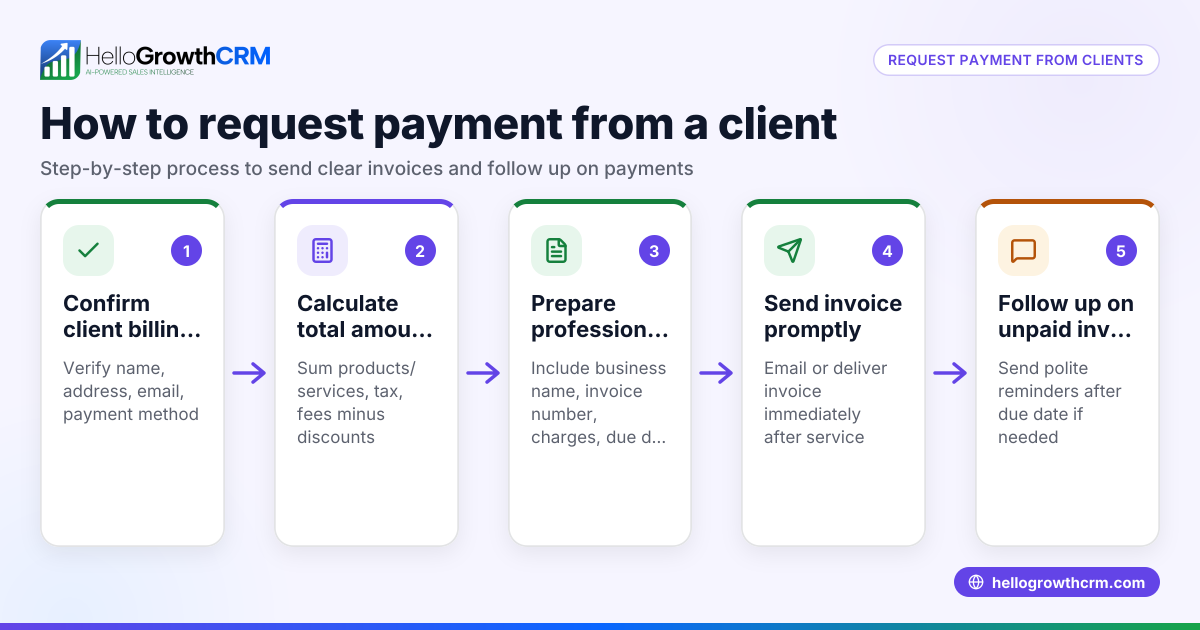
- Send the email promptly: The sooner the customer knows, the faster they can fix the issue.
- Track responses and follow up: Monitor replies or payment updates and send reminders if needed.
- Use templates and automation: Save time by using email templates or sequences to handle failed payments consistently. See more about email automation and sequences.
- Document all communications: Keep all email replies and payment updates visible to your sales or support team to coordinate follow-ups.
Example (fictional figures)
A B2B software reseller in Denver, Colorado, sends this failed payment email on 06/15/2026:
Subject: Payment failed for Invoice #12345 – Action needed
Dear Jane,
We noticed that your payment of $1,200 for Invoice #12345, due on 06/10/2026, was unsuccessful. This may be due to an expired card or insufficient funds.
Please update your payment information or retry the payment by 06/22/2026 to avoid any disruption in your software license.
If you need assistance, reply to this email or call us at (555) 123-4567.
Thank you, Acme Software Sales Team
Calculations for the invoice amount:
Service subscription fee = $1,000 Additional support package = $200 Total amount due = $1,000 + $200 = $1,200
This email clearly states the issue, the amount, deadline, and how to resolve it.
Common mistakes
- Using vague language: Avoid unclear phrases like "Your payment was not successful." Instead, specify the invoice and amount to prevent confusion.
- Prevention: Include exact invoice numbers and amounts.
- Delaying the email: Waiting too long to notify customers can delay payment recovery.
- Prevention: Send the email immediately after detecting failure.
- Being accusatory or harsh: This can harm customer relationships.
- Prevention: Use polite, helpful language.
- Not providing clear next steps: Customers may not know how to fix the issue.
- Prevention: Include instructions for updating payment info or retrying.
- Ignoring follow-ups: Not tracking responses can leave issues unresolved.
- Prevention: Use tools to manage replies and schedule reminders; see sales templates for follow-up cadence.
- Not centralizing communication: Scattered emails reduce team visibility.
- Prevention: Use shared inbox tools to keep the team informed.
Doing this in HelloGrowthCRM
HelloGrowthCRM helps you manage failed payment communication efficiently. Its HelloMail shared inbox lets your whole sales or support team see replies to quotation or payment emails on the same deal screen. You can send quotes, proposals, invoices, and track payment status all in one place, making follow-up tasks clear and organized. Plus, you can download free sales tools and templates, including follow-up cadences and pipeline templates, without needing an account. Learn more about these features at HelloGrowthCRM for the United States.
Frequently asked questions
What should I include in a failed payment email? Include the invoice number, amount due, reason for failure if known, a polite explanation, clear instructions to update payment details, and a deadline to act.
How soon should I send a failed payment email? Send it as soon as you receive the payment failure notification to give the customer enough time to fix the issue without service interruption.
Can I automate failed payment emails? Yes, using email automation tools, you can set up sequences that automatically send failed payment reminders and follow-ups. HelloGrowthCRM supports email automation and sequences to help with this.
How do I handle customers who ignore failed payment emails? Send polite reminders and consider calling them if possible. Track all communication centrally to avoid missed follow-ups.
Is it better to call or email about failed payments? Email is less intrusive and provides a written record, but a call can be effective if emails go unanswered. Combining both methods works best.
Key takeaways
- Use clear, polite language specifying invoice details and payment amount.
- Send failed payment emails promptly after failure detection.
- Provide easy instructions and a clear deadline for payment resolution.
- Track all replies and payment status centrally to coordinate follow-ups.
- Avoid vague or accusatory language to maintain good customer relations.
- Use templates and automation to save time and ensure consistency.
Start managing your failed payment communications more effectively with HelloGrowthCRM. Start on the Free Forever plan (200 leads, no credit card) today and access free sales templates and tools to streamline your follow-ups.
Ready to put this into practice?
Set up your pipeline, WhatsApp follow-ups, and AI lead scoring in minutes — free, no credit card.
Try HelloGrowthCRM freeGet CRM tips in your inbox
Join thousands of sales professionals who get weekly insights on CRM strategy, AI automation, and pipeline optimization.

The HelloGrowthCRM team publishes guides on CRM strategy, AI sales tools, and revenue operations for small business sales teams.