HelloGrowthCRM software
Built for real small-business sales teams
HelloGrowthCRM helps reps qualify faster, follow up on time, and close more deals—with practical automation in one place.
- AI lead scoring and pipeline visibility
- Built-in dialer, WhatsApp, and email automation
- Sales forecasting and RevOps-ready reporting
A free lawn care invoice template is a ready-made document you can use to bill your clients for lawn care services without creating one from scratch. This article provides a simple step-by-step guide on how to fill out and customize this template, an example with realistic figures, common mistakes to avoid, and how to manage your sales pipeline using free tools.
Why this comes up / what goes wrong
Small lawn care businesses often need to send invoices to customers for services like mowing, trimming, fertilizing, or seasonal cleanups. Creating invoices manually or with generic templates can lead to errors such as missing client details, unclear service descriptions, or incorrect totals. These mistakes slow down payment and cause confusion. Many business owners search for a free lawn care invoice template that is easy to use, professional, and specific to their industry, so they can bill quickly and get paid on time.
Step-by-step
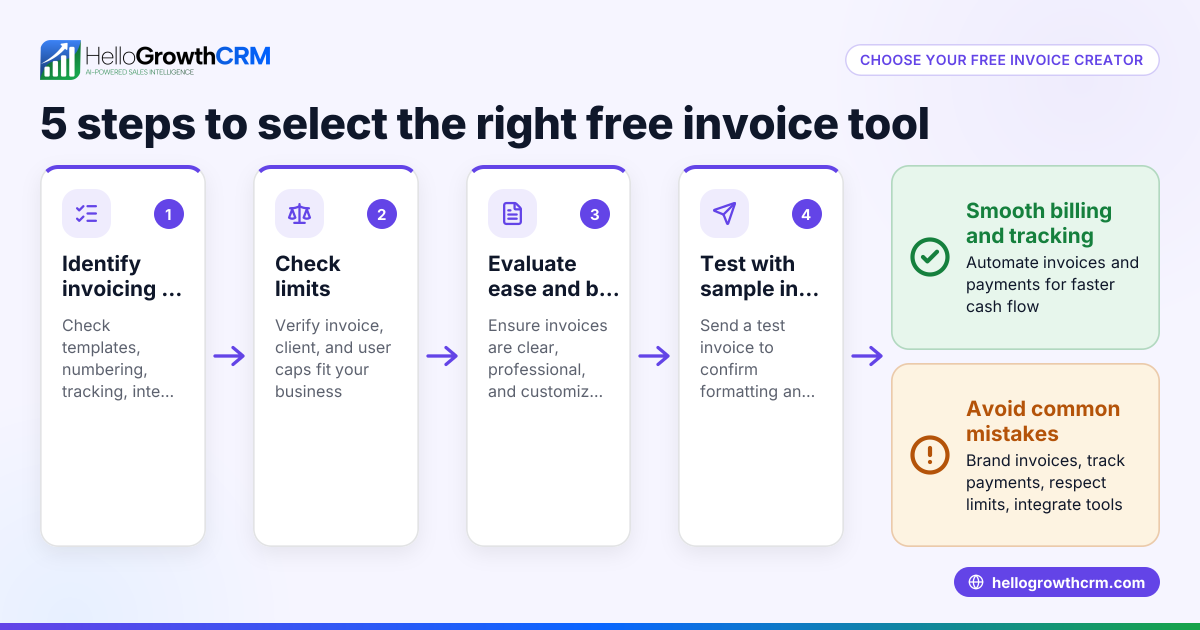
- Download a free lawn care invoice template: Choose a template that includes fields for your business name, client information, service description, dates, rates, and totals. You can find free sales templates including invoices at sales templates.
- Fill in your business details: Include your lawn care company’s name, address, phone number, and email. Double-check for accuracy.
- Add client information: Enter the customer’s name, address, and contact details exactly as provided.
- Describe the services provided: List each lawn care service separately (e.g., lawn mowing, edging, weed control), with the date each service was performed.
- Specify quantities and rates: For example, number of hours worked or acres serviced, and the price per unit or hour.
- Calculate totals: Multiply quantities by rates for each service, then add all service totals to get the subtotal.
- Include applicable taxes: If your business charges sales tax, calculate and add it clearly.
- Add payment terms: Specify due date, accepted payment methods, and any late fees.
- Review and save: Check all data for accuracy and save the invoice as a PDF to send to your client.
- Send and track: Email or print and mail the invoice. Keep a record of sent invoices and follow up on overdue payments.
Example (fictional figures)
LawnPro Services, Austin, TX, invoices client Green Homes for lawn mowing and fertilizing on 04/15/2026.
- Lawn mowing: 3 hours at $40/hour
- Fertilizing: 1 acre at $60/acre
- Sales tax: assumed 8.25%
Calculations:
$40 × 3 = $120 (Lawn mowing total)
$60 × 1 = $60 (Fertilizing total)
$120 + $60 = $180 (Subtotal)
$180 × 8.25% = $14.85 (Sales tax)
$180 + $14.85 = $194.85 (Total amount due)
Invoice due date: 05/15/2026
Common mistakes
- Missing client details: Prevent by double-checking client name and address before sending.
- Vague service descriptions: Always specify what services were done and when to avoid disputes.
- Incorrect calculations: Use a calculator or spreadsheet to verify totals before sending.
- Forgetting taxes: Know if you must charge sales tax and include it clearly.
- No payment terms: Specify due date and payment methods to reduce late payments.
- Not tracking invoices: Keep a log of sent invoices and follow up promptly on unpaid ones. Use free sales tools to organize this.
Doing this in HelloGrowthCRM
HelloGrowthCRM offers free sales tools, templates, and calculators you can use without an account, including pipeline and follow-up cadence templates to manage your sales process efficiently. While invoice generation and payment tracking are available in paid plans, you can start organizing your leads and sales pipeline for free with the Free Forever plan, which supports up to two users and 200 leads. For more details, visit free sales tools and calculators and consider starting with the free CRM for small business.
Frequently asked questions
Can I customize a free lawn care invoice template? Yes, most free templates are editable in Word, Excel, or Google Docs, allowing you to add your logo, change colors, and tailor service descriptions.
Do I need to include sales tax on my lawn care invoices? This depends on your state’s tax laws. Check local regulations to see if lawn care services are taxable. If so, clearly state the tax rate and amount on the invoice.
What payment terms should I use? Common terms are Net 15 or Net 30, meaning payment is due 15 or 30 days after the invoice date. Include accepted payment methods like check, credit card, or online payment.
How can I track unpaid invoices? Keep a spreadsheet or use free sales templates to log invoice dates, amounts, and payment status. Set reminders to follow up on overdue payments.
Where can I find free invoice templates for lawn care? You can download free templates from various websites, or use the sales templates and free sales tools and calculators available through HelloGrowthCRM.
Key takeaways
- Use a free lawn care invoice template to bill clients quickly and professionally.
- Include all business and client details, clear service descriptions, and accurate calculations.
- Add sales tax and payment terms if applicable.
- Avoid common mistakes like missing information or vague descriptions.
- Track invoices and follow up on unpaid bills to maintain cash flow.
- Utilize free sales tools and templates to organize your sales pipeline and invoicing process.
Start managing your lawn care sales and invoicing more efficiently with HelloGrowthCRM’s free tools. Start on the Free Forever plan (200 leads, no credit card).
Ready to put this into practice?
Set up your pipeline, WhatsApp follow-ups, and AI lead scoring in minutes — free, no credit card.
Try HelloGrowthCRM freeGet CRM tips in your inbox
Join thousands of sales professionals who get weekly insights on CRM strategy, AI automation, and pipeline optimization.

The HelloGrowthCRM team publishes guides on CRM strategy, AI sales tools, and revenue operations for small business sales teams.