HelloGrowthCRM software
Built for real small-business sales teams
HelloGrowthCRM helps reps qualify faster, follow up on time, and close more deals—with practical automation in one place.
- AI lead scoring and pipeline visibility
- Built-in dialer, WhatsApp, and email automation
- Sales forecasting and RevOps-ready reporting
Helpdesk as a service is a cloud-based solution that provides businesses with customer support tools and management without requiring them to build or maintain their own helpdesk software. This article explains why small businesses consider this service, how to evaluate and implement it, common mistakes to avoid, and answers frequent questions about helpdesk customer service.
Why this comes up / what goes wrong
Small and mid-sized business owners often struggle to manage customer inquiries efficiently as their businesses grow. They may start with informal methods like emails, phone calls, or messaging apps, but these quickly become overwhelming and disorganized. Without a dedicated system, leads and customer issues can get lost, follow-ups delayed, and customer satisfaction drops. Building an in-house helpdesk system can be costly and time-consuming, requiring technical resources many small businesses lack. Helpdesk as a service offers a ready-made, scalable alternative that can improve response times and customer experience without the upfront investment.
Step-by-step
- Identify your customer support needs. Determine the volume of inquiries, channels used (email, phone, chat), and types of issues your customers report. Check if you need multi-channel support including WhatsApp or SMS.
- Research helpdesk as a service providers. Look for cloud-based platforms that match your volume and channels. Check for features like ticket management, automation, and reporting.
- Evaluate integration capabilities. Ensure the service can integrate with your existing tools such as email, CRM systems, or messaging apps. Integration helps keep customer data unified and accessible.
- Test ease of use. Choose a platform that your team can adopt quickly without extensive training. A simple interface encourages consistent use.
- Assess pricing and scalability. Confirm the costs fit your budget and that the service can grow with your business.
- Set up workflows and automation. Configure ticket routing, automated responses, and reminders to speed up customer issue resolution.
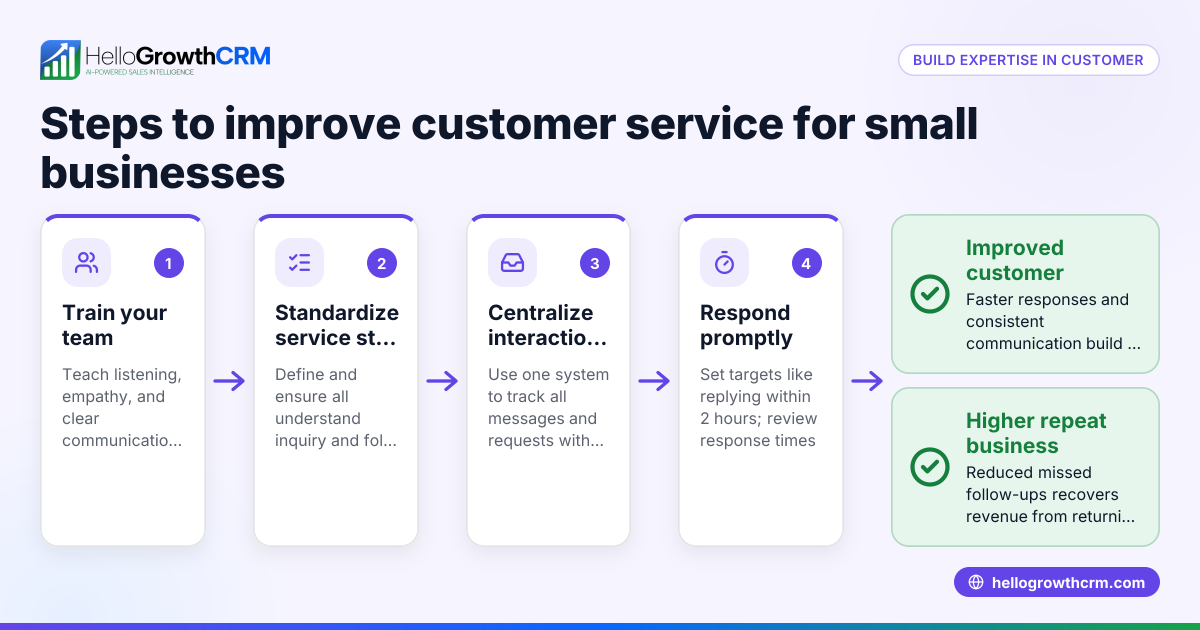
- Train your team. Provide training on using the helpdesk platform effectively and maintaining customer communication standards.
- Monitor performance. Use built-in reporting to track response times, resolution rates, and customer satisfaction. Adjust processes based on these insights.
- Review and optimize regularly. Periodically reassess your helpdesk setup to ensure it meets evolving business needs and customer expectations.
Example (fictional figures)
GreenLeaf Landscaping, a landscaping contractor in Charlotte, North Carolina, decided to adopt helpdesk as a service on 04/15/2026 to handle customer inquiries more efficiently.
- Monthly customer inquiries before helpdesk: 1,200
- Average time spent managing inquiries manually: 80 hours/month at $25/hour
- Monthly cost of manual management: 80 × $25 = $2,000
They chose a helpdesk as a service plan costing $300/month, which automated ticket routing and integrated with their WhatsApp and email.
- Monthly cost of helpdesk service: $300
- Estimated time saved: 60 hours/month
- Value of time saved: 60 × $25 = $1,500
Net monthly cost savings:
$2,000 (manual cost) - $300 (service cost) = $1,700
By switching, GreenLeaf Landscaping saved $1,700 monthly while improving customer response times and tracking.
Common mistakes
- Choosing a platform without multi-channel support. Prevent by confirming the helpdesk supports all your customer communication channels, including WhatsApp and SMS, to avoid missed messages.
- Ignoring integration needs. Prevent by verifying the service integrates with your CRM or lead management tools to maintain a unified customer view, similar to how a customer health score helps track customer status.
- Underestimating training time. Prevent by scheduling sufficient training sessions so your team uses the helpdesk consistently and effectively.
- Not setting up automation. Prevent by configuring workflows and automated responses to speed up issue resolution and reduce manual work.
- Failing to monitor performance. Prevent by regularly reviewing helpdesk reports to identify bottlenecks and opportunities for improvement.
- Overlooking scalability. Prevent by choosing a service that can grow with your business to avoid switching platforms later.
Frequently asked questions
What is helpdesk as a service exactly? Helpdesk as a service is a cloud-based customer support platform that businesses subscribe to instead of building their own system. It helps manage customer inquiries, track issues, and automate responses across channels like email, phone, WhatsApp, and SMS.
How does helpdesk as a service improve customer service? It organizes all customer communications in one place, speeds up response times with automation, and provides reporting to monitor support quality. This leads to faster resolutions and higher customer satisfaction.
Can helpdesk as a service integrate with my existing CRM? Most providers offer integrations with popular CRM systems, allowing you to track leads and customer interactions seamlessly. This integration supports better sales and support alignment, similar to features found in WhatsApp and SMS CRM.
Is helpdesk as a service suitable for small businesses? Yes, it is designed to be scalable and affordable for small and mid-sized businesses. It eliminates the need for costly IT infrastructure and provides professional support tools right away.
How do I choose the right helpdesk as a service provider? Consider your communication channels, volume of inquiries, ease of use, integration options, pricing, and scalability. Testing trial versions can help you find the best fit.
Key takeaways
- Helpdesk as a service offers cloud-based customer support tools without the need for in-house software.
- It helps small businesses manage customer inquiries efficiently across multiple channels.
- Evaluate providers based on features, integrations, ease of use, and scalability.
- Avoid common mistakes by ensuring multi-channel support, integration, training, and performance monitoring.
- Regular review and optimization keep your helpdesk effective as your business grows.
Start improving your customer support today by exploring helpdesk as a service options. Start on the Free Forever plan (200 leads, no credit card) to test CRM tools that can help organize your sales and customer interactions.
Ready to put this into practice?
Set up your pipeline, WhatsApp follow-ups, and AI lead scoring in minutes — free, no credit card.
Try HelloGrowthCRM freeGet CRM tips in your inbox
Join thousands of sales professionals who get weekly insights on CRM strategy, AI automation, and pipeline optimization.

The HelloGrowthCRM team publishes guides on CRM strategy, AI sales tools, and revenue operations for small business sales teams.