HelloGrowthCRM software
Built for real small-business sales teams
HelloGrowthCRM helps reps qualify faster, follow up on time, and close more deals—with practical automation in one place.
- AI lead scoring and pipeline visibility
- Built-in dialer, WhatsApp, and email automation
- Sales forecasting and RevOps-ready reporting
Migrating from a home-grown CRM is a critical step for growing Indian small and mid-sized businesses that want better sales follow-up and automation. Many start with spreadsheets or simple custom tools but face challenges like slow lead response, lost data, and manual errors. A planned migration ensures your sales team can continue working without interruption and that no leads fall through the cracks.
Why this comes up / what goes wrong
Small business owners or sales leaders often build home-grown CRMs using Excel, Google Sheets, or basic databases to manage leads and customer contacts. This works initially but soon causes problems:
- Manual data entry errors increase as leads grow.
- No automation for follow-ups means slow responses and lost sales.
- Lack of integration with communication channels like WhatsApp or SMS.
- Difficulty tracking sales pipelines and forecasting.
- Collaboration issues as teams grow beyond one or two people.
These pain points prompt the search for a dedicated CRM migration that preserves existing data and improves sales efficiency.
Step-by-step
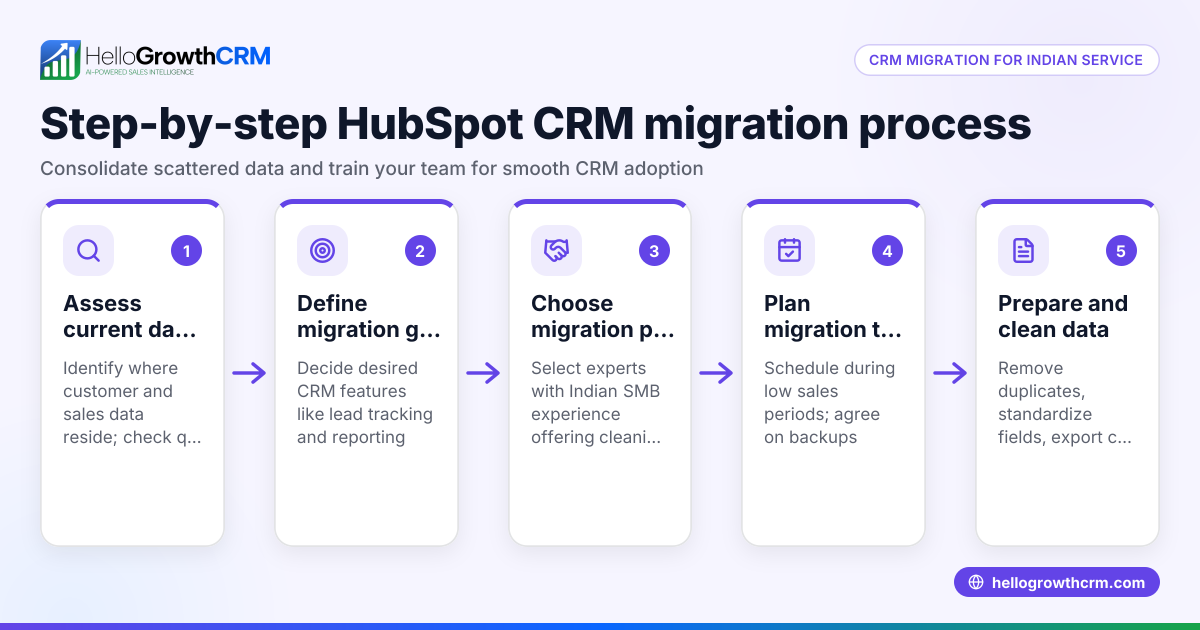
- Evaluate your current home-grown CRM data
- Export all leads, contacts, notes, and sales history.
- Check data quality: remove duplicates, fix errors, and standardise formats.
- Choose your new CRM platform
- List must-have features like WhatsApp integration, automated follow-ups, and pipeline management.
- Consider scalability and ease of use for your sales team.
- For Indian SMBs, look for CRM options tailored to local workflows.
- Map your data fields
- Match your current data columns (e.g., lead name, phone, status) to the new CRM fields.
- Identify missing fields or new fields needed in the new system.
- Plan your migration timeline
- Schedule the data import during low sales activity periods.
- Inform your sales team about the migration plan and training.
- Import data into the new CRM
- Use CSV or Excel import tools provided by the CRM.
- Validate data after import to ensure accuracy.
- Set up communication channels and automation
- Configure WhatsApp and SMS messaging workflows for follow-ups.
- Enable AI agents if available to draft follow-up messages.
- Train your team
- Conduct sessions on using the new CRM features.
- Emphasise logging conversations and updating lead statuses.
- Run the new CRM alongside the old system briefly
- Cross-check lead data and sales activities.
- Resolve any discrepancies immediately.
- Fully switch to the new CRM
- Stop using the home-grown CRM for sales activities.
- Monitor sales pipeline and follow-ups closely.
- Review and optimise
- Gather user feedback.
- Adjust workflows, automation, and reporting as needed.
Example (fictional figures)
A Delhi-based electronics wholesaler decides to migrate from a spreadsheet CRM on 15/03/2024. They have 1,200 leads and ₹25,00,000 in expected sales pipeline.
- Data cleanup cost: ₹15,000
- CRM subscription first year: ₹60,000
- Training cost: ₹10,000
Total migration cost = ₹15,000 + ₹60,000 + ₹10,000 = ₹85,000
They schedule migration over 3 days from 20/03/2024 to 22/03/2024, with minimal sales disruption.
After migration, automated WhatsApp follow-ups reduce lead response time by 30% (internal estimate). This example shows budgeting and scheduling clearly.
Common mistakes
- Skipping data cleanup
- Leads to duplicate or incorrect records.
- Prevent by thoroughly cleaning data before import.
- Not mapping fields correctly
- Causes lost or misclassified data.
- Prevent by carefully matching old data columns to new CRM fields.
- Ignoring team training
- Results in poor adoption and errors.
- Prevent by scheduling hands-on training sessions.
- Migrating during peak business times
- Causes sales disruption.
- Prevent by choosing low-activity periods.
- Not testing communication workflows
- Leads to missed follow-ups.
- Prevent by testing WhatsApp and SMS sequences before going live. See more about WhatsApp and SMS CRM.
- Abandoning old CRM too soon
- Risks losing access to historical data.
- Prevent by running both systems briefly and reconciling data.
Doing this in HelloGrowthCRM
HelloGrowthCRM supports WhatsApp and SMS messaging workflows where conversations with leads are logged on the lead record, and follow-ups can be sent as messages. Its AI agents (currently in Beta on the Growth plan) draft follow-up messages after calls, so sales reps only need to review and send them. For small teams, HelloGrowthCRM offers a Free Forever plan allowing two users to manage their pipeline at no cost until they require calling or WhatsApp automation. This can help your sales team stay organised and responsive during migration.
Learn more about WhatsApp and SMS CRM and the built-in CRM dialer.
Frequently asked questions
What is a home-grown CRM? A home-grown CRM is a custom-built or internally developed system, often using spreadsheets or simple databases, to manage customer relationships and sales. It usually lacks advanced automation and integration features found in commercial CRMs.
Why should I migrate from a home-grown CRM? Home-grown CRMs can cause slow lead follow-up, data errors, and poor team collaboration. Migrating to a dedicated CRM helps improve sales efficiency, automate messaging on platforms like WhatsApp, and provide better pipeline visibility.
How do I ensure no leads are lost during migration? Careful data cleanup, proper field mapping, running the new CRM alongside the old one temporarily, and thorough testing of imports and communication workflows help prevent lead loss.
Can I try HelloGrowthCRM before committing? Yes, HelloGrowthCRM offers a Free Forever plan for two users with up to 200 leads, allowing you to manage your pipeline without any cost or credit card. This is ideal for small teams starting their CRM journey.
Is WhatsApp integration available in HelloGrowthCRM? Yes, WhatsApp conversations with leads are logged automatically, and follow-ups can be sent as messages, making it easier to engage leads on channels they prefer.
How does AI help in HelloGrowthCRM? AI agents in HelloGrowthCRM draft follow-up messages after calls, reducing manual effort for sales reps. This feature is in Beta on the Growth plan and helps speed up lead engagement.
Key takeaways
- Migrating from a home-grown CRM requires careful data export, cleanup, and mapping.
- Plan your migration timeline to minimise sales disruption and train your team.
- Test communication workflows like WhatsApp and SMS before fully switching.
- Avoid common mistakes like skipping data cleanup or ignoring team training.
- HelloGrowthCRM supports WhatsApp-native messaging, AI drafting agents, and offers a Free Forever plan for small teams.
Start your migration confidently by trying the Free Forever plan with 200 leads and no credit card required at Start on the Free Forever plan (200 leads, no credit card).
Ready to put this into practice?
Set up your pipeline, WhatsApp follow-ups, and AI lead scoring in minutes — free, no credit card.
Try HelloGrowthCRM freeGet CRM tips in your inbox
Join thousands of sales professionals who get weekly insights on CRM strategy, AI automation, and pipeline optimization.

The HelloGrowthCRM team publishes guides on CRM strategy, AI sales tools, and revenue operations for small business sales teams.