HelloGrowthCRM software
Built for real small-business sales teams
HelloGrowthCRM helps reps qualify faster, follow up on time, and close more deals—with practical automation in one place.
- AI lead scoring and pipeline visibility
- Built-in dialer, WhatsApp, and email automation
- Sales forecasting and RevOps-ready reporting
Automating support ticket notifications helps Canadian small businesses respond faster and keep customers updated, reducing lost leads and improving satisfaction. This guide explains why automation is important, outlines how to set it up step-by-step, provides a worked example with Canadian figures, highlights common errors to avoid, and describes relevant HelloGrowthCRM features.
Why this comes up / what goes wrong
Many small businesses in Canada manage support requests manually through email or spreadsheets. This can cause missed tickets or slow replies because notifications are inconsistent or delayed. When team members don’t get timely alerts about new or updated tickets, customers may feel ignored and sales opportunities can be lost. Automating ticket notifications centralizes alerts and ensures your team and customers stay informed promptly.
Step-by-step
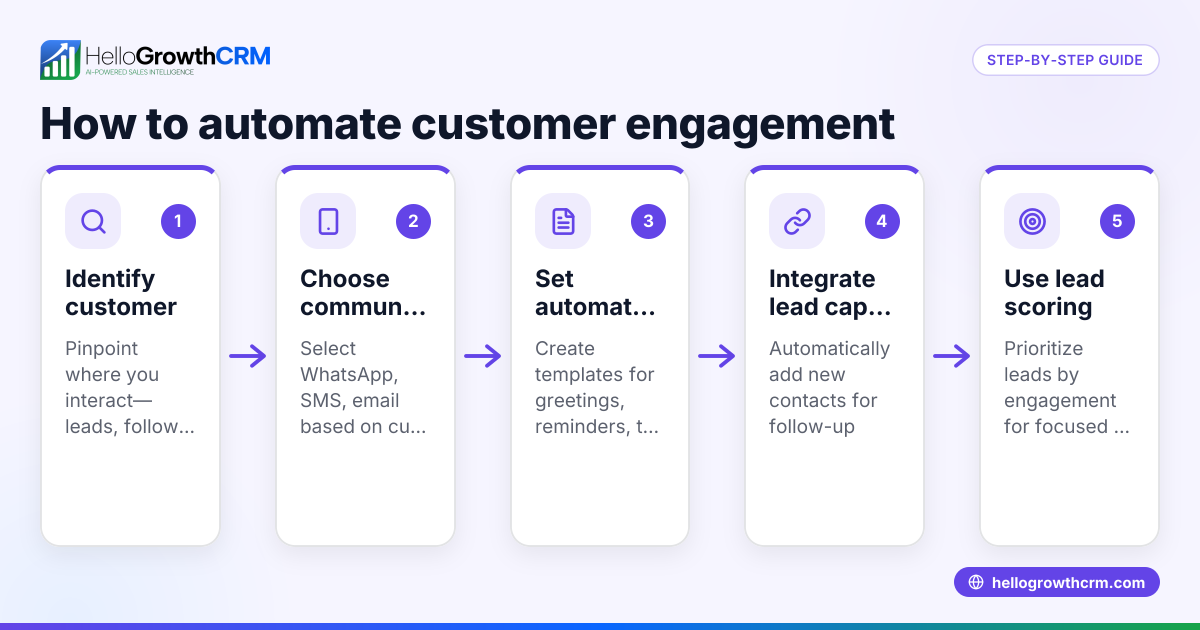
- Choose a ticketing system that supports automated notifications and integrates with your main communication channels such as email, WhatsApp, or SMS.
- Set up support intake channels so tickets are created automatically from web forms, emails, or messaging apps.
- Configure notification triggers:
- When a new ticket is created
- When ticket status changes (for example, open, pending, resolved)
- When a customer adds information or replies
- Assign tickets to team members so notifications go to the responsible person for follow-up.
- Set notification recipients:
- Notify assigned staff
- Notify customers with updates about their tickets
- Customize notification messages to include key ticket details such as ticket ID, issue summary, and next steps.
- Test the notification flow by creating sample tickets and confirming alerts reach the correct recipients promptly.
- Train your team on managing tickets and using the notification features.
- Monitor notification performance and adjust rules based on ticket volume and feedback.
Make sure your system logs notifications and escalates tickets if no action occurs within your set timeframe.
Example (fictional figures)
A home-renovation contractor in Calgary, Alberta, has 12 employees and receives about 50 support tickets per month. They want to automate notifications via WhatsApp and SMS to improve response times.
- Each new ticket triggers a notification to the assigned project manager.
- Customers receive an immediate confirmation message.
Ticket details:
Date: 2024-05-15 Ticket ID: 20240515-001 Issue: Customer requests a change in kitchen design.
Notification messages per ticket:
- Project manager alert: 1 message
- Customer confirmation: 1 message
Total messages per ticket = 1 + 1 = 2
Monthly messages = 50 tickets × 2 messages = 100 messages
This automation saves time by eliminating manual follow-up and keeps customers informed promptly.
Common mistakes
- Not defining all notification triggers: Missing alerts happen when not all relevant events trigger notifications. Prevent this by listing every event needing a notification.
- Sending too many notifications: Too many alerts cause alert fatigue. Prevent this by limiting notifications to relevant team members only.
- Ignoring customer notifications: Customers feel neglected if they don’t get updates. Prevent this by automating status updates to customers.
- Skipping testing before launch: Errors in message delivery occur without testing. Prevent this by thoroughly testing notification flows.
- Using multiple disconnected tools: Leads to lost tickets and scattered information. Prevent this by centralizing support in one system like HelloGrowthCRM.
- Failing to track ticket history: Makes follow-up difficult. Prevent this by keeping tickets and notifications linked to the same customer record.
Doing this in HelloGrowthCRM
HelloGrowthCRM includes a branded self-service customer portal, support tickets, referrals, and a knowledge base. After the sale, service requests stay linked on the same customer record as the deal. This centralizes communication and history in one place. You can automate notifications to your team and customers via WhatsApp and SMS, improving response times. Learn more about HelloGrowthCRM’s customer health score and WhatsApp and SMS CRM features that support timely follow-up. For Canadian businesses, see HelloGrowthCRM for Canada.
Frequently asked questions
Can I automate support ticket notifications without coding? Yes. Many ticketing systems, including HelloGrowthCRM, offer built-in automation with easy setup interfaces that require no coding knowledge.
How do I notify customers about ticket updates? Set your system to send automated messages via email, WhatsApp, or SMS whenever the ticket status changes or a team member adds a note.
What if my team misses a notification? Use escalation rules to resend alerts or notify a manager if a ticket remains unaddressed for a certain time.
Can I customize notification messages? Most platforms let you include ticket ID, issue details, and next steps in notifications to keep messages clear and informative.
How does HelloGrowthCRM keep tickets organized? Service requests stay linked to the same customer record as the deal, giving your team full context and history in one place.
Is it possible to automate notifications via WhatsApp and SMS? Yes, HelloGrowthCRM supports notifications through WhatsApp and SMS, which helps reach customers quickly and personally.
Key takeaways
- Automate notifications for new tickets, status changes, and customer replies.
- Assign tickets to specific team members to target alerts accurately.
- Include customers in notification flows to improve satisfaction.
- Test notification workflows before full deployment to avoid errors.
- Avoid using multiple disconnected tools; centralize support in one system.
- Use HelloGrowthCRM to keep tickets linked to customer records and automate alerts via WhatsApp and SMS.
Start automating your support ticket notifications today to improve response times and customer satisfaction. Start on the Free Forever plan (200 leads, no credit card).
Ready to put this into practice?
Set up your pipeline, WhatsApp follow-ups, and AI lead scoring in minutes — free, no credit card.
Try HelloGrowthCRM freeGet CRM tips in your inbox
Join thousands of sales professionals who get weekly insights on CRM strategy, AI automation, and pipeline optimization.

The HelloGrowthCRM team publishes guides on CRM strategy, AI sales tools, and revenue operations for small business sales teams.