HelloGrowthCRM software
Built for real small-business sales teams
HelloGrowthCRM helps reps qualify faster, follow up on time, and close more deals—with practical automation in one place.
- AI lead scoring and pipeline visibility
- Built-in dialer, WhatsApp, and email automation
- Sales forecasting and RevOps-ready reporting
To build a customer support dashboard in the UAE, you need to define what metrics matter for your business, collect data from all customer support channels, design a clear layout for quick insights, and use tools to visualise and update the dashboard in real time. This article explains why small businesses need dashboards, gives step-by-step instructions, a practical example, common pitfalls, and how HelloGrowthCRM can support your efforts.
Why this comes up / what goes wrong
Many small UAE businesses run customer support using WhatsApp, calls, and spreadsheets. This scattered approach leads to slow follow-up, lost tickets, and poor visibility into customer issues. Without a dashboard, owners and sales leaders cannot quickly see how many tickets are open, how fast they are resolved, or which customers need urgent attention. This results in lost leads, unhappy customers, and missed revenue. A customer support dashboard centralises this information, making it easy to track and improve service levels.
Step-by-step
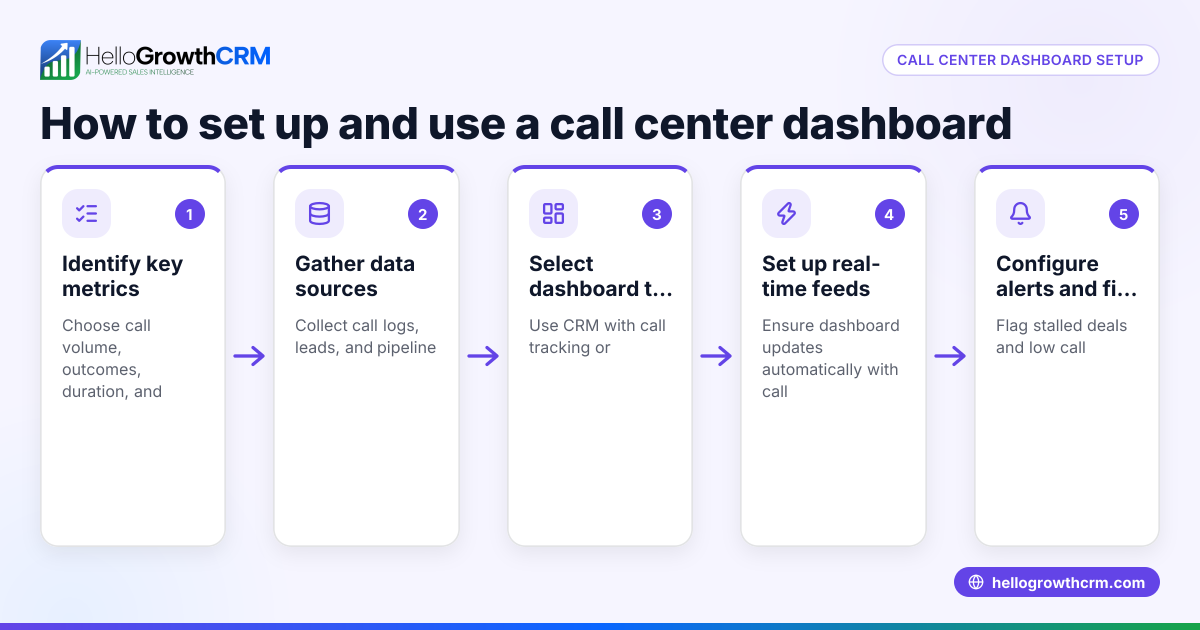
- Identify key support metrics: Decide what to track, such as number of open tickets, average resolution time, customer satisfaction scores, and ticket volume by channel (WhatsApp, calls, email).
- Gather data sources: Collect data from your existing support channels. For WhatsApp and calls, export logs or use CRM integrations. For email, use inbox reports or ticketing system exports.
- Choose a dashboard tool: Use spreadsheet software like Excel, or specialised CRM dashboards that support live updates. Ensure the tool can combine data from multiple sources.
- Design your dashboard layout: Create sections for each key metric. Use charts for trends, tables for ticket details, and colour coding for urgent issues.
- Set refresh frequency: Decide how often to update the dashboard (daily or real-time). Automate data imports where possible to reduce manual work.
- Assign dashboard owners: Designate staff responsible for updating and monitoring the dashboard daily.
- Train your team: Ensure support agents and managers understand the dashboard and use it to prioritise work.
- Review and improve regularly: Weekly, check if the dashboard reflects your support goals and adjust metrics or layout as needed.
- Link with sales and customer data: Connect support tickets to customer records and sales pipelines to get a full view of customer health, which helps spot upsell or retention opportunities. See customer health score for more.
- Use AI insights if available: Some CRMs offer AI to forecast ticket volumes or spot stalled deals. This saves time and improves accuracy.
Example (fictional figures)
A business-setup consultancy in Business Bay, Dubai, wants a monthly customer support dashboard.
- They track open tickets, average resolution time, and ticket volume by channel.
- In March 2024, they had:
- 120 open tickets
- Average resolution time 4 hours
- 70 tickets from WhatsApp, 30 from calls, 20 from email
Calculations:
Average resolution time = Total hours spent resolving tickets ÷ Number of tickets resolved
Assuming they resolved 115 tickets in March with 460 total hours spent:
460 hours ÷ 115 tickets = 4 hours per ticket
Ticket volume % by channel:
WhatsApp: 70 ÷ 120 = 58.3%
Calls: 30 ÷ 120 = 25%
Email: 20 ÷ 120 = 16.7%
They design the dashboard with:
- A pie chart showing ticket volume by channel
- A line chart tracking average resolution time daily
- A table listing open tickets with priority status
This dashboard is updated daily by the support lead and reviewed weekly by management to spot bottlenecks.
Common mistakes
- Tracking too many metrics: Focus on the most impactful metrics to avoid clutter. Prevent by listing your business goals first.
- Manual data entry errors: Automate data collection using CRM integrations to reduce mistakes.
- Ignoring ticket prioritisation: Always highlight urgent tickets to avoid delays.
- Not updating the dashboard regularly: Set a strict schedule and assign responsibility.
- Separating support data from sales data: This prevents understanding customer health. Use combined tools or CRM features like customer health score.
- Not training the team: Ensure everyone uses the dashboard effectively by providing clear instructions.
Doing this in HelloGrowthCRM
HelloGrowthCRM helps UAE businesses build effective customer support dashboards by keeping service requests on the same customer record as the deal using its customer portal, referrals, tickets, and knowledge base. This centralises all support interactions for quick access. Additionally, its pipeline forecast and AI insights show where deals may be stalling without complex spreadsheets, helping owners prioritise follow-up and improve customer satisfaction. Learn more about these features at WhatsApp and SMS CRM and HelloGrowthCRM for the United Arab Emirates.
Frequently asked questions
How do I build a WhatsApp customer support workflow in the UAE? Start by integrating WhatsApp with your CRM to capture messages as tickets. Define response templates and assign tickets to agents. Use automated sequences for common queries and track resolution times. HelloGrowthCRM supports WhatsApp-native workflows to streamline this process.
What metrics should I include in my customer support dashboard? Key metrics are open tickets, average resolution time, ticket volume by channel, customer satisfaction, and ticket backlog. These give a clear view of support performance and customer experience.
How often should I update the customer support dashboard? Update frequency depends on your business size and ticket volume. Daily updates work well for most small to mid-sized UAE businesses to respond quickly to issues.
Can I track customer referrals and support tickets together? Yes, some CRMs like HelloGrowthCRM allow tracking referrals and support tickets on the same customer record, providing a full picture of customer interactions.
How does pipeline forecasting help with customer support? Pipeline forecasting shows which deals are stalling, enabling you to prioritise support for customers who may be at risk, improving retention and upselling opportunities.
Key takeaways
- Define key support metrics before building your dashboard.
- Collect data from all customer support channels for a complete view.
- Automate data updates to reduce errors and save time.
- Link support tickets to customer and sales data for better insights.
- Use AI insights and pipeline forecasting to prioritise support efforts.
- Train your team to use the dashboard effectively.
Start building your customer support dashboard today and improve your UAE business’s customer satisfaction and sales follow-up. To try a CRM that supports integrated customer portals, tickets and AI insights, start on the Free Forever plan (200 leads, no credit card).
Ready to put this into practice?
Set up your pipeline, WhatsApp follow-ups, and AI lead scoring in minutes — free, no credit card.
Try HelloGrowthCRM freeGet CRM tips in your inbox
Join thousands of sales professionals who get weekly insights on CRM strategy, AI automation, and pipeline optimization.

The HelloGrowthCRM team publishes guides on CRM strategy, AI sales tools, and revenue operations for small business sales teams.