HelloGrowthCRM software
Built for real small-business sales teams
HelloGrowthCRM helps reps qualify faster, follow up on time, and close more deals—with practical automation in one place.
- AI lead scoring and pipeline visibility
- Built-in dialer, WhatsApp, and email automation
- Sales forecasting and RevOps-ready reporting
To check a business registration number in India, you must use official government portals that maintain business records. Companies and LLPs are registered with the Ministry of Corporate Affairs (MCA), while GST-registered businesses have a GST Identification Number (GSTIN) verified on the GST portal. Proprietorships or other business forms may require checking with relevant state or local authorities.
The process involves entering the registration number or business name on the correct portal and confirming details such as registration status, date, and business type.
Why this comes up / what goes wrong
Small business owners often need to verify a business registration number to confirm the legitimacy of suppliers, clients, or partners before transactions. They may receive a registration number but are unsure if it is valid or current. Without clear guidance, they can struggle to find the correct website or enter details properly, leading to confusion or risk of dealing with unregistered entities. Incorrect or outdated registration numbers can cause loss of trust, financial risk, or compliance issues.
Step-by-step
- Identify the type of business registration number you want to check:
- Companies and LLPs: Corporate Identification Number (CIN) on the MCA portal.
- GST-registered businesses: GST Identification Number (GSTIN) on the GST portal.
- Proprietorships or others: Check with the relevant state or local authority websites.
- To verify a company CIN:
- Visit the MCA website at https://www.mca.gov.in/
- Under 'MCA Services', select 'View Company or LLP Master Data'.
- Enter the CIN or company name exactly as provided.
- Click 'Search' and review the company details including registration status, date, and type.
- To verify a GSTIN:
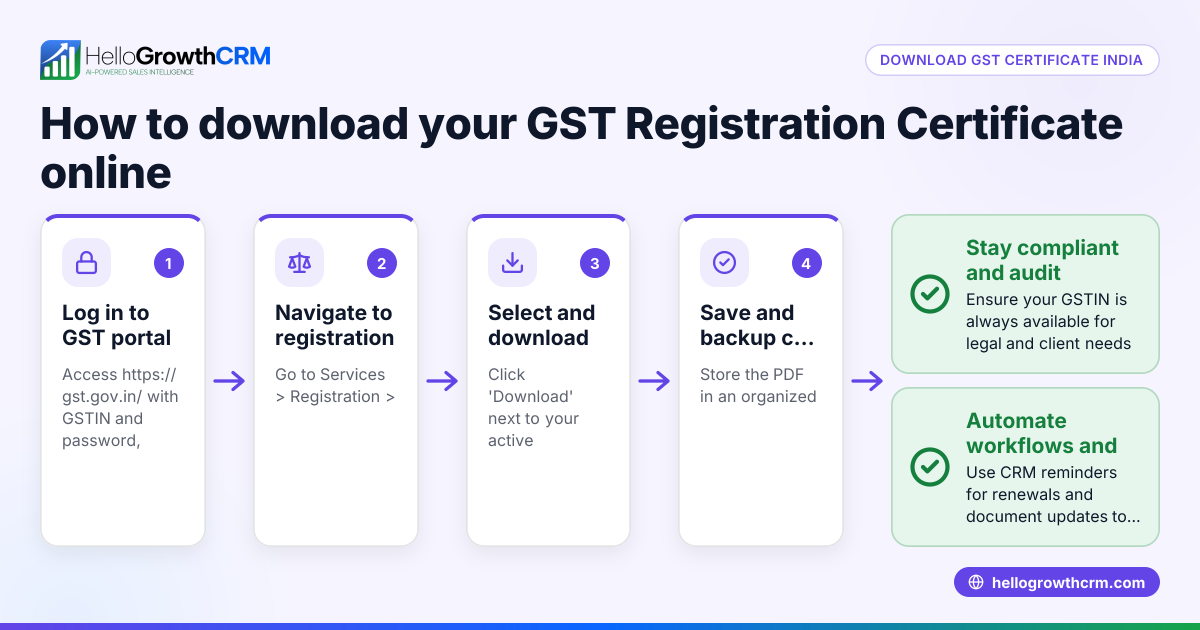
- Go to the GST portal at https://www.gst.gov.in/
- Under 'Services', choose 'User Services' then 'Search Taxpayer'.
- Enter the GSTIN or PAN of the business.
- Submit and check details like legal name, state, and registration date.
- Compare the official details with the information you have to confirm the registration number is valid and current.
- If no results appear or details differ, verify the number with the business or check if the registration is expired or cancelled.
- Keep a record of the verified details for future reference.
Use a reliable browser and secure internet connection throughout. For sales teams working on WhatsApp and spreadsheets, consider a CRM with integrated lead verification to reduce errors, such as HelloGrowthCRM for India.
Example (fictional figures)
Suppose you want to verify a company with CIN: U12345MH2010PTC123456.
Step 1: Open the MCA portal. Step 2: Enter CIN U12345MH2010PTC123456 in 'View Company Master Data' search field. Step 3: The portal returns:
- Company Name: ABC Traders Pvt Ltd
- Registration Date: 15/03/2010
- Status: Active
Step 4: Confirm the registration date is 15/03/2010 and status is active.
Step 5: You note down the verified details.
Step 6: Calculate the number of years since registration to understand business age:
- Current year: 2024
- Registration year: 2010
- Years since registration = 2024 - 2010 = 14 years
Step 7: Suppose ABC Traders reports annual sales of ₹1,20,00,000. To estimate monthly sales:
- Annual sales = ₹1,20,00,000
- Number of months = 12
- Monthly sales = ₹1,20,00,000 ÷ 12 = ₹10,00,000
This confirms ABC Traders Pvt Ltd is a registered company active for 14 years with estimated monthly sales of ₹10,00,000.
Common mistakes
- Using unofficial websites: Always use government portals like MCA or GST to avoid fake, outdated, or incorrect data.
- Entering incorrect registration numbers: Double-check for typos, extra spaces, or missing characters to get accurate results.
- Ignoring the business type: Verify the correct registration number type (CIN for companies, GSTIN for tax registration) before searching.
- Not saving verification records: Keep screenshots, PDFs, or notes of verified details to resolve future disputes or queries.
- Relying solely on WhatsApp or spreadsheets: These methods can cause manual errors; use a CRM such as HelloGrowthCRM for India that supports lead capture and verification.
- Not verifying GSTIN separately: GSTIN is different from CIN; check both if relevant to your business dealings.
Frequently asked questions
How can I find the CIN of a company? You can find a company's CIN on official documents like the certificate of incorporation or by searching the company name on the MCA portal's 'View Company or LLP Master Data' service.
Is the GSTIN the same as the business registration number? No, GSTIN is the Goods and Services Tax Identification Number used for tax purposes, while the business registration number could be a CIN for companies or other registration numbers for different business forms. Identify the correct number type for your purpose.
Can I check a business registration number offline? Verification usually requires online access to government databases. Some local registrars may offer offline verification, but it is slower and less reliable.
What if the registration number is not found? Confirm the number with the business directly. It may be expired, cancelled, or incorrectly provided. Also, ensure you are searching on the correct government portal.
How does using a CRM help in checking business registration numbers? A CRM like HelloGrowthCRM for India helps capture leads from platforms like IndiaMART and JustDial, manage contacts efficiently, and reduce errors from manual entry on WhatsApp or Excel.
Can I verify GSTIN on the GST portal? Yes, the GST portal at https://www.gst.gov.in/ allows you to verify GSTIN by entering the number under 'Search Taxpayer' in 'User Services'. This confirms the GST registration status and details.
Key takeaways
- Use official government websites such as MCA and GST portal to verify business registration numbers.
- Identify the correct registration number type (CIN, GSTIN) before searching.
- Enter registration numbers carefully to avoid errors and confirm details like status and registration date.
- Keep records of verification for future reference.
- Avoid relying solely on WhatsApp or spreadsheets; consider a CRM for better lead management.
- Verify GSTIN separately when relevant.
Start verifying your business contacts today with confidence. To manage your leads and sales efficiently, start on the Free Forever plan (200 leads, no credit card).
This article is general information, not tax or legal advice. Rules change; confirm the current position on gst.gov.in or with your chartered accountant before acting.
Ready to put this into practice?
Set up your pipeline, WhatsApp follow-ups, and AI lead scoring in minutes — free, no credit card.
Try HelloGrowthCRM freeGet CRM tips in your inbox
Join thousands of sales professionals who get weekly insights on CRM strategy, AI automation, and pipeline optimization.

The HelloGrowthCRM team publishes guides on CRM strategy, AI sales tools, and revenue operations for small business sales teams.