HelloGrowthCRM software
Built for real small-business sales teams
HelloGrowthCRM helps reps qualify faster, follow up on time, and close more deals—with practical automation in one place.
- AI lead scoring and pipeline visibility
- Built-in dialer, WhatsApp, and email automation
- Sales forecasting and RevOps-ready reporting
Creating a customer support knowledge base is essential for Indian small businesses to provide quick, consistent answers to customers and reduce repetitive queries. Many businesses run support through WhatsApp or phone calls without documented answers, leading to slow response times and lost leads. This guide helps you build a practical knowledge base step-by-step, ensuring your team and customers can find solutions efficiently.
Why this comes up / what goes wrong
Small business owners in India often face challenges like:
- Customers ask the same questions repeatedly, but answers are scattered.
- Support teams rely on WhatsApp messages or Excel sheets, making it hard to track and update information.
- Slow responses cause leads to drop off and reduce customer satisfaction.
- Without a central knowledge base, training new support agents takes longer.
A well-structured knowledge base solves these by providing a self-service resource for customers and a reference for your team.
Step-by-step
- Collect common questions and issues
- Ask your support team what customers ask most.
- Review past WhatsApp chats, emails, and call logs.
- Check product manuals or FAQs already available.
- Check: Are these questions frequent and relevant?
- Write clear, simple answers
- Use plain language suited to your typical customer.
- Break answers into short steps or bullet points.
- Include images or videos if helpful.
- Check: Can a new customer understand without extra help?
- Organize content into categories
- Group questions by topics like "Ordering", "Payments", "Shipping", "Product Usage".
- Create a table of contents or search feature if possible.
- Check: Is it easy to find answers quickly?
- Choose a platform to host your knowledge base
- Options include your website, Google Docs, or a CRM with a knowledge base feature.
- Ensure it supports updates and access control.
- Check: Is it accessible on mobile and desktop?
- Publish and share with customers and support staff
- Announce the knowledge base on WhatsApp, emails, and your website.
- Train your team to refer customers there first.
- Check: Are customers using it and finding it helpful?
- Regularly update the knowledge base
- Add new questions as they arise.
- Remove outdated information.
- Collect feedback from users.
- Check: Is the content still accurate and relevant?
- Measure effectiveness
- Track how many customers use the knowledge base.
- Monitor if support tickets decrease.
- Use tools or CRM features to get insights.
Example (fictional figures)
An Indian small electronics retailer, TechSmart, launched its knowledge base on 01/05/2024 to reduce support calls.
- They identified 50 common questions from WhatsApp chats.
- Writing answers took 20 hours at ₹300/hour for content creation.
Content creation cost: ₹300 × 20 hours = ₹6,000
- Website hosting for knowledge base costs ₹1,500 per month.
Monthly hosting cost: ₹1,500 × 1 month = ₹1,500
- After launch, support calls reduced by 30%, saving 15 hours monthly of support agent time at ₹250/hour.
Monthly savings: ₹250 × 15 hours = ₹3,750
- Net first-month cost:
₹6,000 + ₹1,500 = ₹7,500
- Net savings from reduced calls:
₹3,750
- Break-even in approximately 2 months if savings continue.
Common mistakes
- Not updating the knowledge base regularly
- Prevent by scheduling monthly reviews to add new FAQs and fix outdated info.
- Using complicated language
- Prevent by testing answers with a few customers or team members for clarity.
- Poor organization making it hard to find answers
- Prevent by categorizing content logically and adding a search feature.
- Ignoring customer feedback
- Prevent by adding a feedback option and acting on suggestions.
- Not training support staff to use the knowledge base
- Prevent by holding training sessions and making it part of daily workflow.
- Relying only on WhatsApp or spreadsheets for support
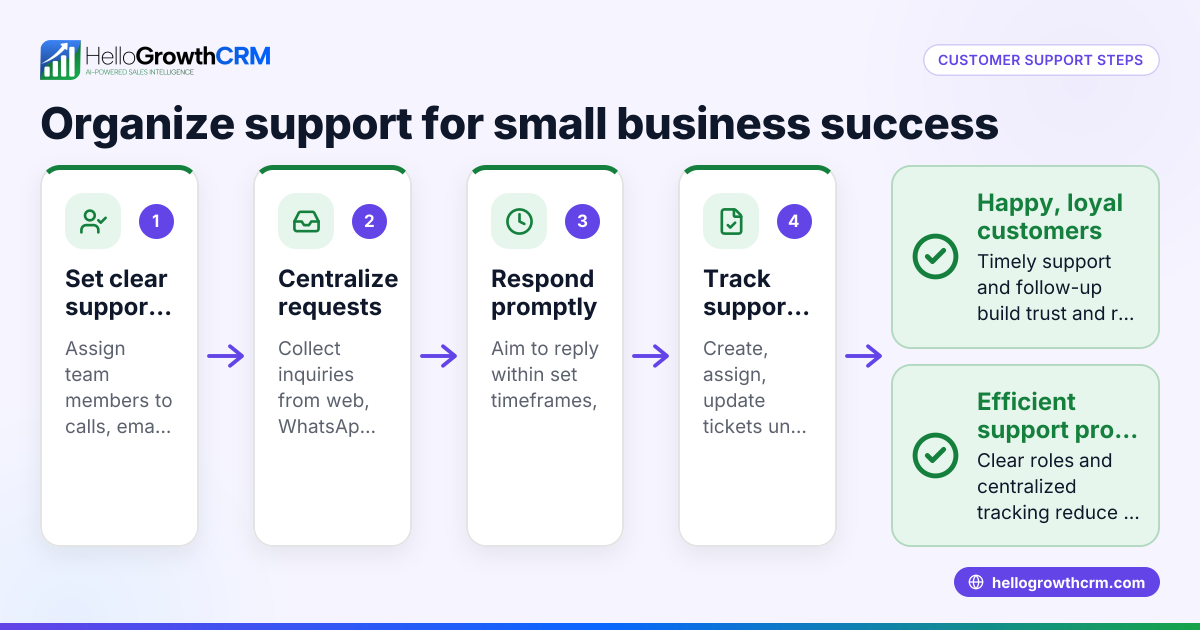
- Prevent by moving to a dedicated platform or CRM that integrates support and knowledge base, like HelloGrowthCRM, which offers a customer portal and WhatsApp and SMS CRM features.
Doing this in HelloGrowthCRM
HelloGrowthCRM offers a branded self-service customer portal with a built-in knowledge base where you can publish FAQs and guides. Support tickets and service requests stay linked to the same customer record as the deal, helping your team track issues efficiently. You can also manage referrals and maintain SLA policies to improve service quality. This integration reduces the need for separate tools and keeps your support organized. Learn more about HelloGrowthCRM for India here.
Frequently asked questions
What is a customer support knowledge base? A knowledge base is a centralized collection of common questions, answers, and guides that customers and support teams use to resolve issues quickly without waiting for direct help.
How often should I update my knowledge base? Update it regularly, ideally monthly or whenever new questions arise. Keeping content current ensures customers find accurate information and reduces repeated support requests.
Can I create a knowledge base without technical skills? Yes. Start with simple tools like Google Docs or website FAQ pages. For more advanced features, CRMs like HelloGrowthCRM provide user-friendly knowledge base modules that require no coding.
How does a knowledge base help reduce support calls? By providing instant answers, customers can solve common problems themselves, leading to fewer calls and messages to your support team.
Is it necessary to train my support team on the knowledge base? Yes. Your team should know how to use and update the knowledge base to ensure consistent and speedy customer support. It also helps them direct customers to the right resources.
How can HelloGrowthCRM improve my customer support? HelloGrowthCRM combines tickets, referrals, and a knowledge base within a branded customer portal. After the sale, service requests stay on the same customer record as the deal, streamlining support and improving customer experience.
Key takeaways
- Collect and organize frequent customer questions into clear categories.
- Use simple, easy-to-understand language with step-by-step answers.
- Choose an accessible platform and keep the knowledge base updated.
- Train your support team to use and promote the knowledge base.
- Avoid relying solely on WhatsApp or spreadsheets for support management.
- HelloGrowthCRM offers integrated tickets and knowledge base features to streamline customer support.
Start building your customer support knowledge base today to improve response times and customer satisfaction. To manage leads and support efficiently, start on the Free Forever plan (200 leads, no credit card).
Ready to put this into practice?
Set up your pipeline, WhatsApp follow-ups, and AI lead scoring in minutes — free, no credit card.
Try HelloGrowthCRM freeGet CRM tips in your inbox
Join thousands of sales professionals who get weekly insights on CRM strategy, AI automation, and pipeline optimization.

The HelloGrowthCRM team publishes guides on CRM strategy, AI sales tools, and revenue operations for small business sales teams.