HelloGrowthCRM software
Built for real small-business sales teams
HelloGrowthCRM helps reps qualify faster, follow up on time, and close more deals—with practical automation in one place.
- AI lead scoring and pipeline visibility
- Built-in dialer, WhatsApp, and email automation
- Sales forecasting and RevOps-ready reporting
To create a follow up calendar in the UK, start by listing all your leads and prospects, then assign specific follow-up dates based on priority and sales cycle stages. Use a clear system to track these dates and set reminders. This article covers why follow-up calendars matter, step-by-step instructions, a worked example, common errors to avoid, and how HelloGrowthCRM can automate the process.
Why this comes up / what goes wrong
Small business owners in the UK often lose leads because they don’t systematically follow up. Leads come in through various channels like email, WhatsApp, or web forms, but without a clear calendar, follow-ups are missed or delayed. Running sales on spreadsheets or WhatsApp chats makes it hard to track when to call or message next. Without a follow-up calendar, sales teams forget or double up on tasks, reducing conversion rates and wasting effort.
Step-by-step
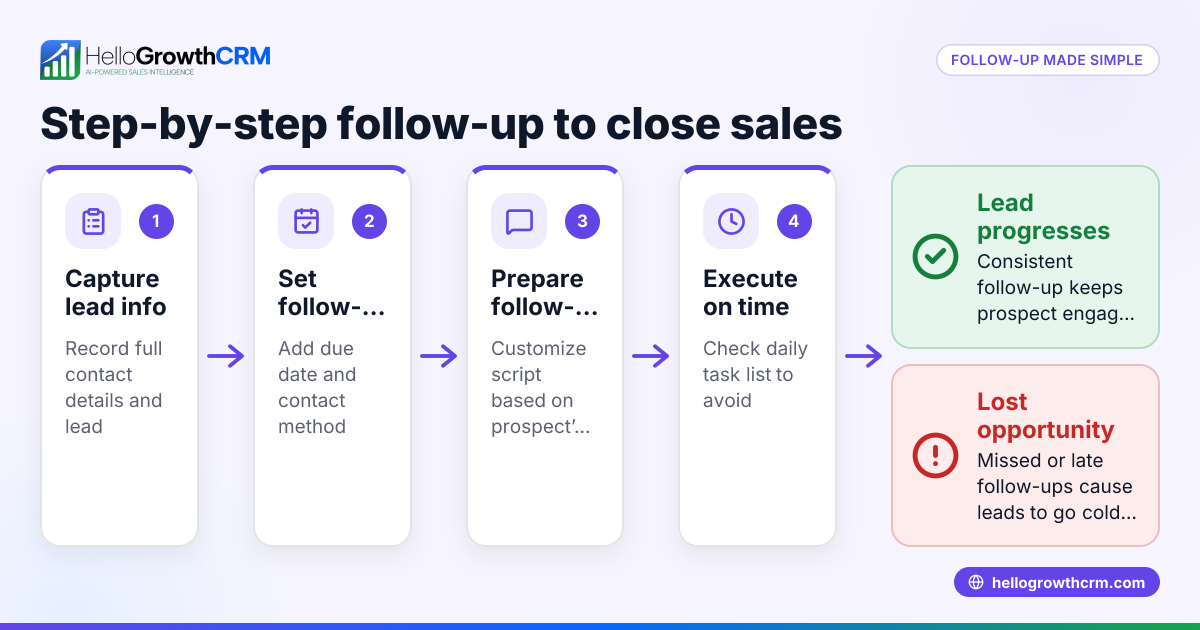
- Gather your leads and contacts: Collect all current leads from your sources (email, WhatsApp, web forms, spreadsheets) into one list.
- Categorise leads by priority: Assign priority levels based on factors like lead source, interest shown, or deal size. High priority gets quicker follow-up.
- Define follow-up intervals: Decide on timing for each follow-up. For example, first follow-up 2 days after initial contact, second after 5 days, third after 10 days.
- Create a calendar or task list: Use a digital calendar, spreadsheet, or a task board to assign follow-up dates for each lead. Include the lead’s name, contact details, and follow-up method.
- Set reminders and notifications: Ensure you have alerts on your phone or computer to remind you when a follow-up is due.
- Record outcomes after each follow-up: Log notes on what happened, next steps, and if the lead replied or needs re-scheduling.
- Review and adjust weekly: Check your follow-up calendar weekly to add new leads, remove closed deals, and reschedule missed follow-ups.
- Use consistent messaging templates: Prepare follow-up message templates to save time and ensure professionalism.
- Track results and refine: Monitor how many leads respond and adjust your follow-up timing or frequency accordingly.
Check out sales task boards for managing follow-ups visually.
Example (fictional figures)
A solar panel installer in Glasgow receives a new lead on 01/06/2024. The lead expresses initial interest but does not reply after the first message.
- Lead received: 01/06/2024
- First follow-up: 03/06/2024 (2 days later)
- Second follow-up: 08/06/2024 (5 days after first follow-up)
- Third follow-up: 18/06/2024 (10 days after second follow-up)
Follow-up calendar entries:
| Date | Task |
|---|---|
| 03/06/2024 | Call lead and send WhatsApp |
| 08/06/2024 | Send reminder email |
| 18/06/2024 | Final follow-up call |
If the installer charges £15,000 per installation and expects a 10% conversion from follow-ups:
Number of leads = 100
Expected conversions = 100 × 10% = 10
Expected revenue = 10 × £15,000 = £150,000
This calendar ensures follow-ups happen on time to maximise conversions.
Common mistakes
- Not scheduling follow-ups immediately: Leads get lost if you delay setting follow-up dates. Prevent this by creating follow-up tasks as soon as a lead arrives.
- Using inconsistent follow-up intervals: Random timing confuses prospects and wastes effort. Stick to a defined schedule.
- Relying on memory or informal notes: This leads to missed or duplicated follow-ups. Use a dedicated calendar or task board.
- Ignoring lead responses: If a lead replies, stop follow-ups to avoid annoyance. Track replies carefully.
- Failing to review and update the calendar: Old or closed leads clutter your schedule. Weekly reviews keep it current.
- Not personalising messages: Generic messages reduce engagement. Tailor follow-ups based on previous interactions.
Learn more about managing tasks with sales task boards and automating messaging with email automation and sequences.
Doing this in HelloGrowthCRM
HelloGrowthCRM helps you create and manage your follow-up calendar efficiently:
- Activities and task boards: Each follow-up becomes a task with a due date; your day’s calls and messages appear as a clear list, not a memory test.
- Sequences and campaigns: Set up a five-step follow-up sequence over two weeks that runs automatically and stops when the prospect replies.
- AI agents: After a call, an AI agent drafts your follow-up message for you to review and send, saving time.
Explore these features to keep your follow-ups on track with less manual work. See more about HelloGrowthCRM for the United Kingdom.
Frequently asked questions
How often should I follow up with a lead? Follow-up frequency depends on your sales cycle and lead priority. A common approach is 2 days after initial contact, then 5 days, then 10 days. Adjust based on lead responsiveness.
What tools can I use to create a follow-up calendar? You can use digital calendars, spreadsheets, or CRM task boards. HelloGrowthCRM offers task boards and automated sequences to simplify this process.
How do I avoid annoying leads with too many follow-ups? Stop follow-ups immediately when a lead responds. Use messaging templates that are polite and value-focused. Limit the total number of follow-ups to around five.
Can I automate follow-ups? Yes, with CRM tools like HelloGrowthCRM, you can automate multi-step follow-ups that send messages over email, SMS, or WhatsApp and pause when the prospect replies.
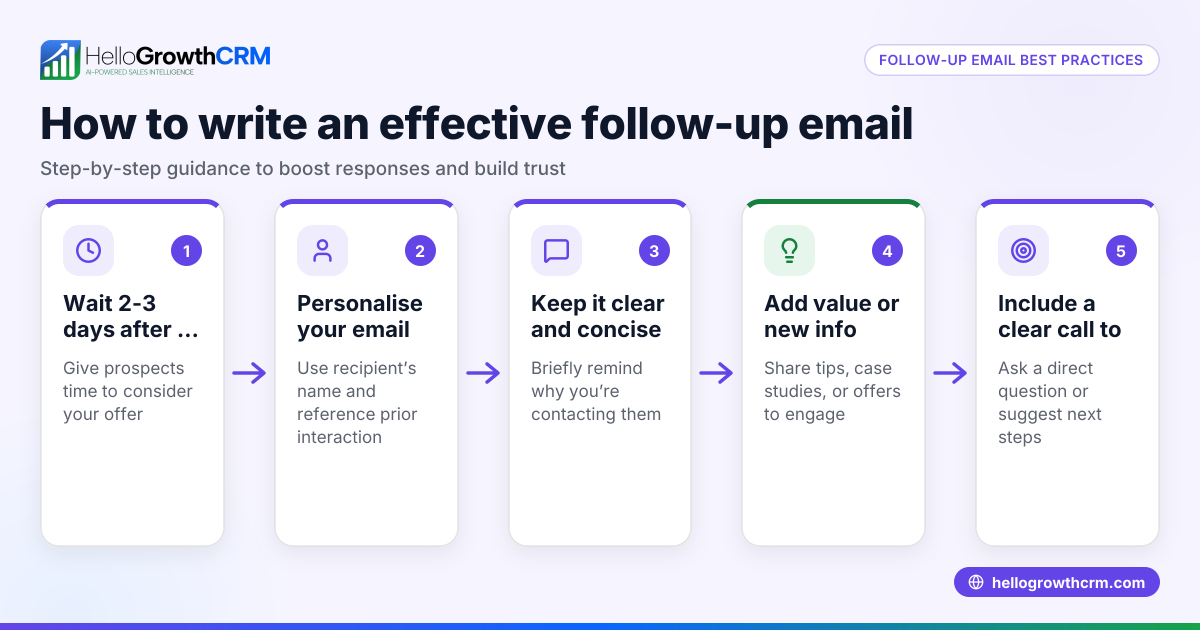
What should I include in a follow-up message? Keep it short, remind the lead of your previous contact, offer help or new information, and include a clear call to action.
Key takeaways
- Collect and prioritise leads before scheduling follow-ups.
- Use consistent intervals and set reminders to avoid missing tasks.
- Record outcomes and adjust your calendar weekly.
- Avoid follow-up overload by stopping when leads reply.
- Use task boards and automation to streamline follow-ups.
- Personalise messages for better engagement.
Creating a follow-up calendar is essential for turning leads into customers. Start organising your follow-ups today and improve your sales success. You can Start on the Free Forever plan (200 leads, no credit card) with HelloGrowthCRM to manage your follow-ups efficiently.
Ready to put this into practice?
Set up your pipeline, WhatsApp follow-ups, and AI lead scoring in minutes — free, no credit card.
Try HelloGrowthCRM freeGet CRM tips in your inbox
Join thousands of sales professionals who get weekly insights on CRM strategy, AI automation, and pipeline optimization.

The HelloGrowthCRM team publishes guides on CRM strategy, AI sales tools, and revenue operations for small business sales teams.