HelloGrowthCRM software
Built for real small-business sales teams
HelloGrowthCRM helps reps qualify faster, follow up on time, and close more deals—with practical automation in one place.
- AI lead scoring and pipeline visibility
- Built-in dialer, WhatsApp, and email automation
- Sales forecasting and RevOps-ready reporting
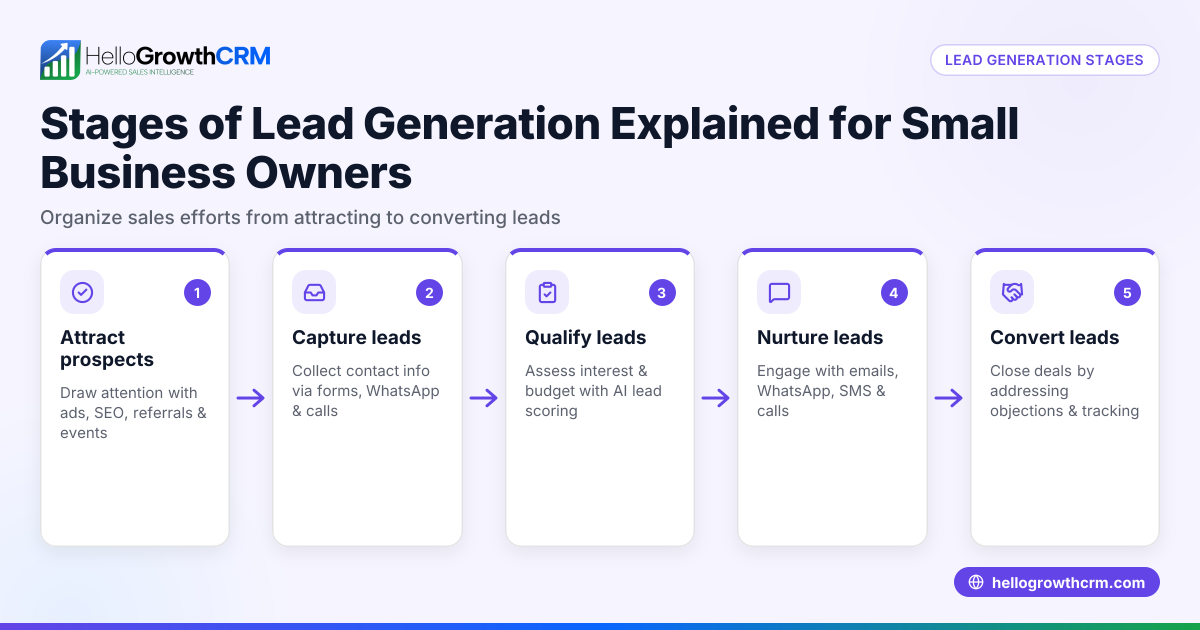
Creating sales stages helps Canadian small and mid-sized businesses organise their sales process, track progress, and avoid losing leads due to slow follow-up or disorganisation. Many businesses start sales informally using texts, emails, or spreadsheets, which leads to missed opportunities and unclear forecasting. Defining sales stages brings structure and visibility.
Why this comes up / what goes wrong
Small-business owners in Canada often handle sales without defined stages, relying on informal communication and manual tracking. This causes problems such as:
- Missed follow-ups because no clear next step is assigned.
- Difficulty knowing the status of leads and deals.
- Inability to forecast revenue accurately.
- Lost sales due to stalled or forgotten deals.
Sales stages solve these by breaking down the sales journey into clear, manageable steps that your team can follow and track.
Step-by-step
- Map your sales process: Write down the typical journey a customer takes from first contact to closing a sale. For example: Lead captured, Contacted, Needs identified, Quote sent, Negotiation, Closed won/lost.
- Define each stage clearly: Specify what qualifies a deal to enter and exit each stage. For example, "Quote sent" means the customer has received a formal offer.
- Limit stages to 5-7: Too many stages create complexity; too few miss important steps. Focus on key milestones.
- Assign follow-up actions and deadlines: For each stage, decide what the salesperson must do and by when to keep the deal moving.
- Set criteria for advancing or dropping deals: Define when a deal moves forward, stalls, or is lost.
- Use a visual pipeline to track stages: This helps the team see deal status and priorities at a glance.
- Review and adjust stages regularly: Sales processes evolve, so update stages based on feedback and results.
Check that each stage:
- Represents a real customer interaction or decision point.
- Is distinct from other stages to avoid confusion.
- Has clear entry and exit criteria.
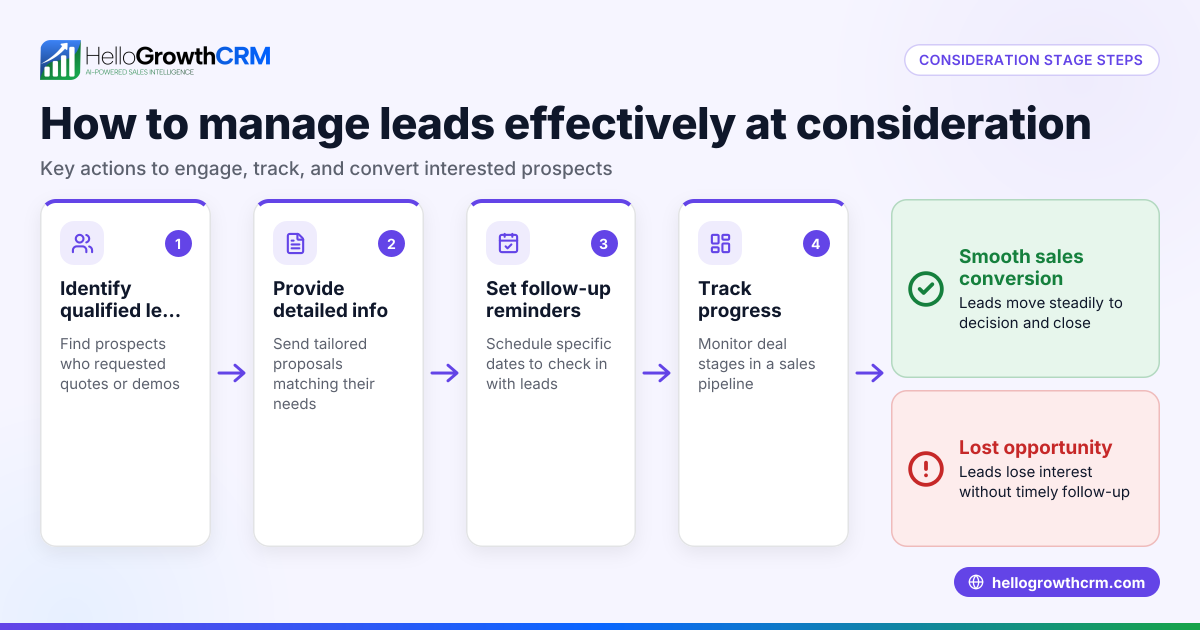
To manage sales stages efficiently, consider a CRM with pipeline features like the Deals (pipeline) feature, which tracks deals through stages and sets follow-up dates to prevent forgotten leads.
Example (fictional figures)
An HVAC company in Surrey, British Columbia, wants to create sales stages for its residential heating installation service. They define these stages:
- Lead captured
- Contacted
- Needs assessment
- Quote sent
- Negotiation
- Closed won
- Closed lost
They have a lead from 2024-05-01 for a C$12,000 heating system.
- On 2024-05-01, the lead is entered at "Lead captured".
- On 2024-05-02, they contact the customer, moving the deal to "Contacted".
- On 2024-05-03, they complete needs assessment, moving to "Needs assessment".
- On 2024-05-04, they send a quote for C$12,000, moving to "Quote sent".
- They set a follow-up date for 2024-05-10 to check in.
- On 2024-05-09, the customer negotiates a discount of 10%:
C$12,000 × 10% = C$1,200 discount
C$12,000 - C$1,200 = C$10,800 final price
- The deal moves to "Negotiation".
- On 2024-05-12, the customer accepts, moving the deal to "Closed won".
Clear stages help the team know what to do next and track progress effectively.
Common mistakes
- Too many stages: Makes tracking complicated. Prevent by focusing on key milestones only.
- Vague stage definitions: Confuses the team. Prevent by writing clear entry and exit criteria.
- No assigned follow-up actions: Leads to stalled deals. Prevent by specifying tasks and deadlines for each stage.
- Ignoring stalled deals: Clutters your pipeline. Prevent by regularly reviewing and removing or re-engaging stalled deals.
- Not using a visual pipeline: Makes deal status unclear. Prevent by using a CRM with pipeline boards like the Deals (pipeline) feature.
Doing this in HelloGrowthCRM
The Deals (pipeline) feature lets you track open opportunities through your sales stages with stage movement, probability, and expected value. Quotations sent appear as deals in the "quote sent" stage with follow-up dates, helping avoid forgotten leads. For founders without a sales manager, Managed RevOps provides weekly support to work your follow-up queue. If your business has field sales reps, the system supports territories, field operations and commissions, letting reps log visits from their phones and managers see daily activity.
Frequently asked questions
What are sales stages? Sales stages are defined steps in your sales process marking progress from initial contact to closing a deal. They organise and track sales activity.
How many sales stages should my business have? Typically 5 to 7 stages cover key milestones without overcomplicating. Too few stages may miss important steps; too many can confuse your team.
Can sales stages change over time? Yes, review your sales stages regularly and adjust them based on what works best for your business and customer behaviour.
How do sales stages improve revenue forecasting? Sales stages allow assigning probabilities to deals at each stage, helping predict likely revenue and identify bottlenecks.
Is there software to help manage sales stages? Yes, CRM tools with pipeline boards, like the Deals (pipeline) feature, track deals by stage, set follow-ups, and keep your sales process organised and visible.
Key takeaways
- Define 5 to 7 clear, sequential sales stages reflecting your customer journey.
- Assign specific criteria and follow-up actions for each stage.
- Use a visual pipeline to track deals and prevent lost leads.
- Regularly review and update sales stages for best results.
- Avoid vague definitions and too many stages.
- Use CRM pipeline features to keep your sales on track.
Start organising your sales process today with HelloGrowthCRM. Start on the Free Forever plan (200 leads, no credit card).
Ready to put this into practice?
Set up your pipeline, WhatsApp follow-ups, and AI lead scoring in minutes — free, no credit card.
Try HelloGrowthCRM freeGet CRM tips in your inbox
Join thousands of sales professionals who get weekly insights on CRM strategy, AI automation, and pipeline optimization.

The HelloGrowthCRM team publishes guides on CRM strategy, AI sales tools, and revenue operations for small business sales teams.