HelloGrowthCRM software
Built for real small-business sales teams
HelloGrowthCRM helps reps qualify faster, follow up on time, and close more deals—with practical automation in one place.
- AI lead scoring and pipeline visibility
- Built-in dialer, WhatsApp, and email automation
- Sales forecasting and RevOps-ready reporting
To divert phone calls means to redirect incoming calls from your primary phone number to another number, such as a mobile, landline, or a colleague’s phone. This helps ensure no calls are missed if you are away from your desk or your main line is busy.
Why this comes up / what goes wrong
Small business owners often need to divert calls when they or their staff are out of the office, working remotely, or managing multiple locations. Without call diversion, important customer calls can be missed, leading to lost sales or poor customer service. Many businesses still rely on manual call handling or text messages, which can cause delays. Diverting calls properly ensures continuous contact and faster response times.
Step-by-step
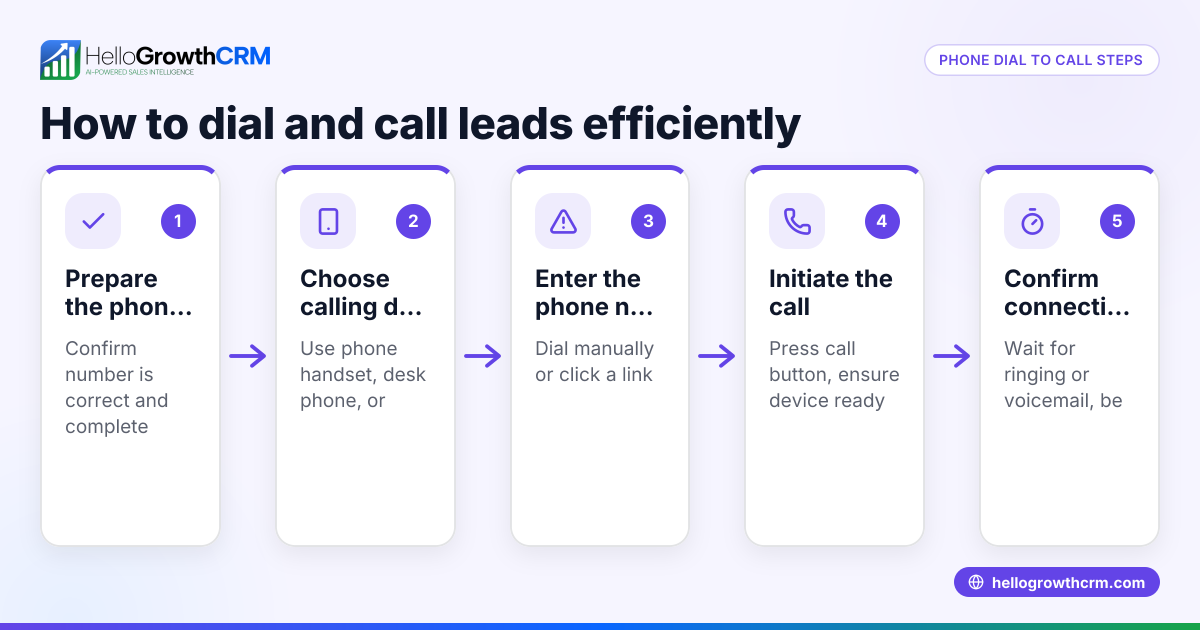
- Check your phone or system type: Identify if you use a mobile phone, a VoIP system, or a traditional landline. Each has different call diversion methods.
- Access call forwarding settings:
- For mobile phones, go to the phone app settings and find “Call Forwarding” or “Call Divert.”
- For landlines, use your telecom provider’s instructions or dial specific codes.
- For VoIP or business phone systems, log in to the admin portal or phone system interface.
- Choose the type of call diversion:
- Always divert: All incoming calls go to the chosen number.
- Divert when busy: Calls divert only if you’re on another call.
- Divert when unanswered: Calls divert after a set number of rings.
- Divert when unreachable: Calls divert if your phone is off or has no signal.
- Enter the target phone number: Input the full number where calls should be forwarded, including area code.
- Activate the diversion: Save or enable the setting. On some phones, you may need to confirm by pressing a call or send button.
- Test the call diversion: From another phone, call your original number to check if it correctly diverts.
- Deactivate when no longer needed: Return to the settings to turn off call forwarding to avoid missing calls on your main line.
- Keep a note of your telecom provider’s diversion codes: For landlines, these codes are often star codes like 21 for always divert and #21# to cancel. Confirm with your provider.
Example (fictional figures)
SolarBright, a solar installer in Brisbane, Queensland, wants to divert calls to the mobile of their sales manager while the office is closed for a public holiday on 26/01/2026.
- Office main line: 07 3000 1234
- Sales manager mobile: 0412 345 678
Steps:
- On the office landline, dial the call divert code for "always divert" (assumed code 21).
- Enter the sales manager’s mobile number: 210412345678#
- Press call/send.
- To test, a staff member calls 07 3000 1234 from another phone.
- The call should ring on 0412 345 678.
- After the holiday, cancel the diversion by dialing #21#.
This ensures all calls during the holiday reach the sales manager directly.
Common mistakes
- Not testing the diversion after setup: Always test to confirm calls are redirected correctly. Prevent by making a test call immediately.
- Forgetting to turn off diversion: This can cause calls to be missed later. Prevent by setting a calendar reminder.
- Entering the wrong target number: Double-check the number format including area code.
- Ignoring diversion type options: Choose the right type (always, busy, unanswered) to suit your needs.
- Not knowing your telecom provider’s specific codes: Some providers use different codes. Check their website or customer support.
- Assuming call diversion works the same on all devices: Mobile phones, landlines, and VoIP systems differ. Follow device-specific instructions.
Frequently asked questions
How do I redirect phone calls on my mobile? Go to your phone’s call settings, find "Call Forwarding," and enter the number to which you want calls forwarded. You can select options like always forward or forward when busy.
Can I divert calls only when I’m busy? Yes, most phone systems and mobiles offer options to divert calls only when you’re on another call, so you don’t miss important calls.
Is call diversion free in Australia? Call diversion charges depend on your telecom provider and plan. Some providers include it free, while others may charge for forwarded calls. Check your plan details.
How do I stop diverting calls? To stop diverting calls, you can return to your call forwarding settings and disable the feature, or dial the cancellation code provided by your telecom provider—check the specific code that applies to you.
Can I divert calls to WhatsApp or SMS? Call diversion works with phone numbers, not apps. However, you can manage customer communication through WhatsApp and SMS CRM tools like WhatsApp and SMS CRM for messaging.
What if I want to manage sales calls better? Using a built-in CRM dialer can help track calls and leads efficiently along with call diversion.
Key takeaways
- Call diversion sends incoming calls to another number to avoid missed calls.
- Choose the right diversion type: always, busy, unanswered, or unreachable.
- Test the diversion setup immediately after activating.
- Remember to cancel diversion when no longer needed to avoid lost calls.
- Use your telecom provider’s specific codes or phone settings for setup.
- Combine call diversion with CRM tools for better sales and customer management.
Start managing your calls better today. Start on the Free Forever plan (200 leads, no credit card) to organise your sales leads and communications efficiently.
Ready to put this into practice?
Set up your pipeline, WhatsApp follow-ups, and AI lead scoring in minutes — free, no credit card.
Try HelloGrowthCRM freeGet CRM tips in your inbox
Join thousands of sales professionals who get weekly insights on CRM strategy, AI automation, and pipeline optimization.

The HelloGrowthCRM team publishes guides on CRM strategy, AI sales tools, and revenue operations for small business sales teams.