HelloGrowthCRM software
Built for real small-business sales teams
HelloGrowthCRM helps reps qualify faster, follow up on time, and close more deals—with practical automation in one place.
- AI lead scoring and pipeline visibility
- Built-in dialer, WhatsApp, and email automation
- Sales forecasting and RevOps-ready reporting
Deduplicating customer leads means identifying repeated entries for the same customer and merging or removing them. This keeps your sales pipeline organised and avoids wasted effort. UAE small businesses often collect leads from WhatsApp, calls, spreadsheets, and web forms, which can easily cause duplicates.
Why this comes up / what goes wrong
Small businesses in the UAE, such as those in Dubai or Sharjah, often receive leads from multiple sources. For example, a business-setup consultancy in Business Bay might get an inquiry via WhatsApp and later the same customer calls or fills a web form. Without a central system, these lead details get recorded separately in notebooks or spreadsheets.
This leads to:
- Confusion about which lead to follow up
- Repeated calls that annoy customers
- Inaccurate sales forecasting and reporting
- Lost opportunities due to slow or duplicated follow-up
Duplicates waste time and reduce sales efficiency, so deduplication is essential.
Step-by-step
- Gather all lead data in one place
- Collect leads from WhatsApp, phone calls, spreadsheets, and web forms.
- Export or copy all leads into one spreadsheet or CRM system.
- Identify key fields to compare
- Use customer name, phone number, email address, and company name.
- Phone numbers are usually the most reliable unique identifier.
- Standardise data for comparison
- Format phone numbers consistently (e.g., +971 50 123 4567).
- Convert emails to lowercase.
- Sort and filter the data
- Sort leads by phone number or email to group potential duplicates.
- Use spreadsheet functions (like conditional formatting or filters) or CRM duplicate detection tools.
- Manually review suspected duplicates
- Check if entries represent the same customer by comparing all details.
- Confirm if spelling variations or formatting differences exist.
- Merge or remove duplicates
- Combine notes, inquiry history, and contact information into one lead record.
- Delete the extra entries to avoid confusion.
- Standardise data entry going forward
- Use a consistent format for phone numbers and emails.
- Train your team to check for existing leads before adding new ones.
- Automate duplicate prevention
- Use CRM features like validation rules or workflows to block duplicate entries.
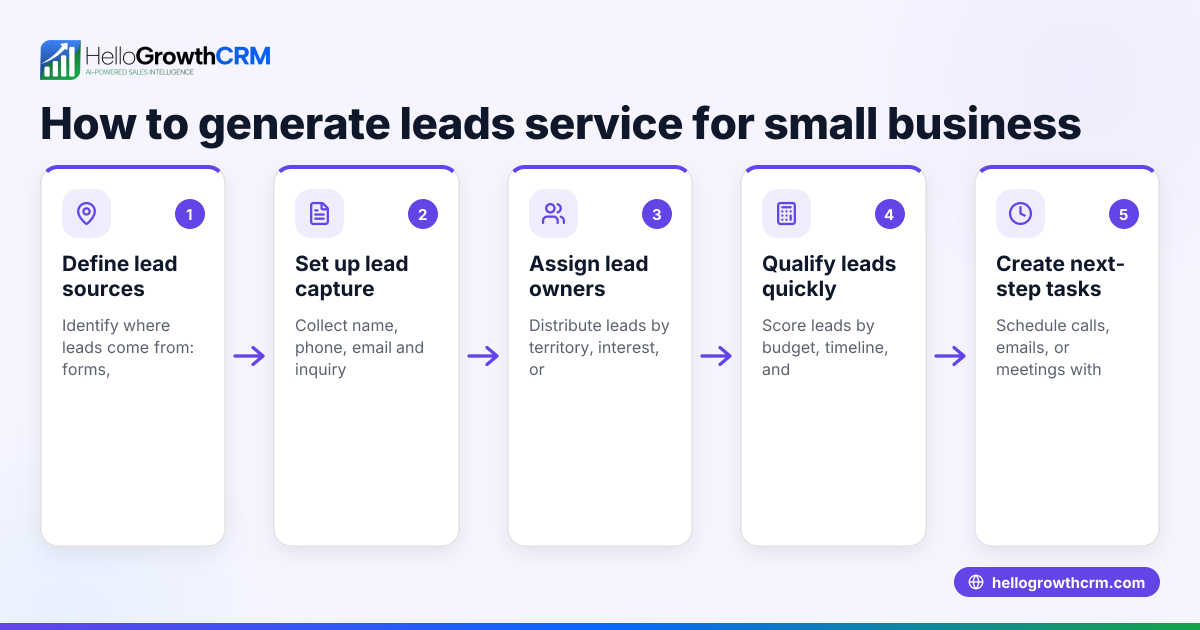
- Assign leads automatically to owners and set next steps to avoid lost follow-up.
Example (fictional figures)
A business-setup consultancy in Business Bay, Dubai, has two lead entries:
| Lead ID | Name | Phone | Inquiry Date | |
|---|---|---|---|---|
| 101 | Ahmed Ali | +971501234567 | ahmed@example.com | 01/05/2024 |
| 102 | Ahmed Alie | 0501234567 | ahmed@example.com | 03/05/2024 |
Step 1: Identify duplicates by phone number.
Normalize phone numbers: +971501234567 = +971 50 123 4567 0501234567 = +971 50 123 4567 (assuming local format)
They match after formatting.
Step 2: Merge entries.
Combine inquiry dates and notes:
- Earliest inquiry date: 01/05/2024
- Latest inquiry date: 03/05/2024
Step 3: Remove duplicate entry (Lead ID 102).
This keeps one clean lead with all information consolidated.
By merging, the business avoids calling the same customer twice and keeps a complete history.
Common mistakes
- Not standardising phone numbers: Leads appear different due to formatting. Prevent by adopting a standard format like +971 50 123 4567.
- Ignoring minor spelling differences: Ahmed Ali vs Ahmed Alie may be the same person. Always manually review suspected duplicates.
- Deleting leads without merging notes: Valuable inquiry history is lost. Always merge notes before deleting duplicates.
- Failing to train the team: Leads keep duplicating if staff do not check existing records. Provide clear guidelines for data entry.
- Relying only on manual processes: Time-consuming and error-prone. Use CRM automation features to reduce mistakes.
Doing this in HelloGrowthCRM
HelloGrowthCRM captures every enquiry from forms, calls, or WhatsApp as a lead with an owner and a next step, avoiding lost or duplicated leads. Its AI lead scoring helps telecallers prioritise leads most likely to convert first. Automated workflows and lead routing assign new enquiries round-robin and create first-call tasks automatically, reducing human error and duplication. Learn more about AI lead scoring and how HelloGrowthCRM supports customer health score to keep your sales pipeline efficient. See how HelloGrowthCRM for the United Arab Emirates fits your business needs.
Frequently asked questions
How often should I deduplicate my leads? Deduplication should be done regularly, such as weekly or monthly, depending on your lead volume. Frequent checks prevent backlogs of duplicates.
Can I automate deduplication completely? Automation helps identify duplicates by matching key fields, but manual review is important to confirm and merge leads accurately.
What fields are best for identifying duplicates? Phone numbers and email addresses are the most reliable. Names vary due to spelling differences, so use them alongside other fields.
Does HelloGrowthCRM prevent duplicates automatically? HelloGrowthCRM assigns leads with owners and next steps, reducing manual errors. Its workflows and validation rules help prevent duplicates by automating lead assignment and task creation.
What if two leads have the same phone number but different emails? Treat them as potential duplicates and verify manually. Customers sometimes use multiple emails but one phone number.
Key takeaways
- Gather all leads in one place to identify duplicates effectively.
- Use phone numbers and emails as primary keys for matching leads.
- Standardise data entry formats to reduce false duplicates.
- Merge notes and history before deleting duplicate leads.
- Train your team and use CRM automation to prevent duplicates.
- HelloGrowthCRM offers AI lead scoring and automated workflows to manage leads efficiently.
Deduplicating leads keeps your sales process organised and improves conversion rates. Start managing your leads better today with HelloGrowthCRM. Start on the Free Forever plan (200 leads, no credit card).
Ready to put this into practice?
Set up your pipeline, WhatsApp follow-ups, and AI lead scoring in minutes — free, no credit card.
Try HelloGrowthCRM freeGet CRM tips in your inbox
Join thousands of sales professionals who get weekly insights on CRM strategy, AI automation, and pipeline optimization.

The HelloGrowthCRM team publishes guides on CRM strategy, AI sales tools, and revenue operations for small business sales teams.