HelloGrowthCRM software
Built for real small-business sales teams
HelloGrowthCRM helps reps qualify faster, follow up on time, and close more deals—with practical automation in one place.
- AI lead scoring and pipeline visibility
- Built-in dialer, WhatsApp, and email automation
- Sales forecasting and RevOps-ready reporting
To find contact information for someone, begin by collecting all known details such as full name, company name, job title, and location. Use multiple sources to locate and verify phone numbers, email addresses, or mailing addresses. This article explains why small business owners often need this information, provides a clear step-by-step guide, a worked example with realistic USD figures and explicit calculations, common mistakes to avoid, and how HelloGrowthCRM’s Managed RevOps service can help.
Why this comes up / what goes wrong
Small business owners frequently need to contact potential clients, suppliers, or partners but may only have partial or outdated contact details. For example, they might have just a name or an old email address. Searching without a structured approach wastes time and risks contacting the wrong person or losing the lead entirely. This problem is common when sales processes rely on text messages, email, and spreadsheets without a centralized CRM. Without quick access to accurate contact info, slow follow-up leads to missed opportunities.
Step-by-step
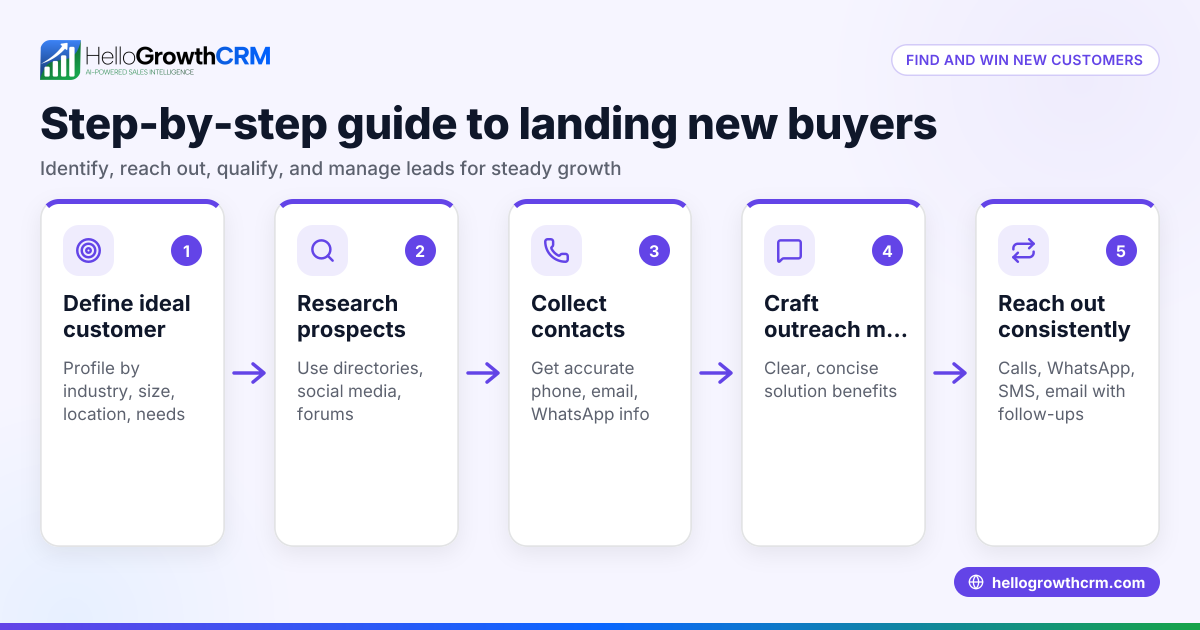
- Gather Known Details: Write down the full name, company name, job title, and location of the person you want to contact. Check any existing emails, phone numbers, or social media profiles you already have.
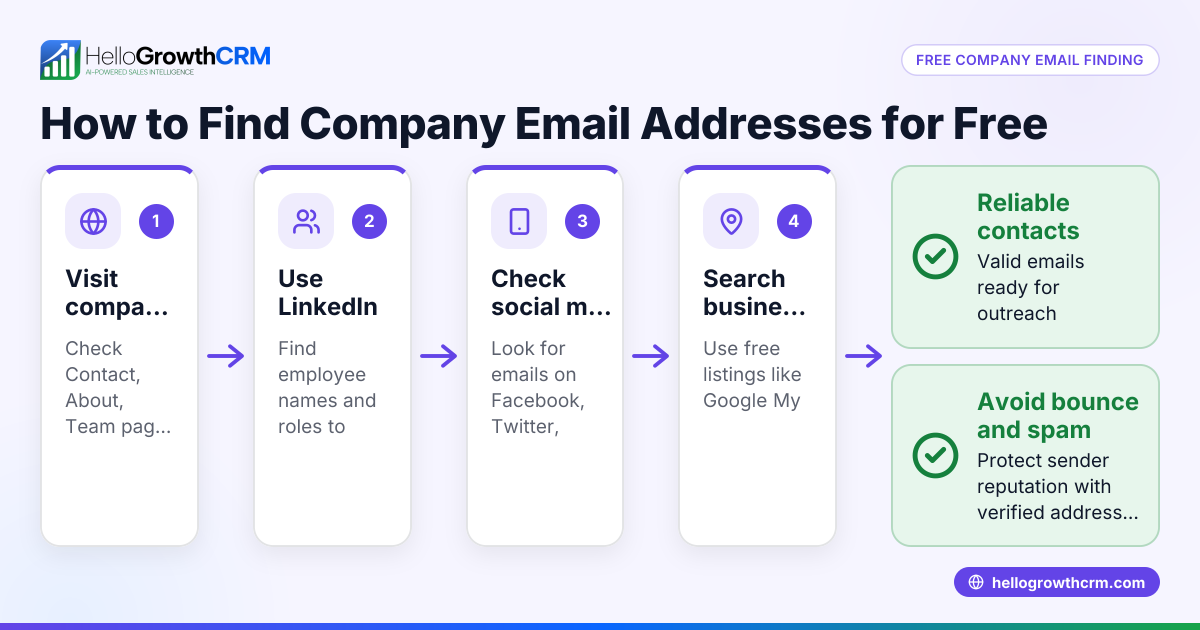
- Check Company Website: Visit the official website of the company. Look for a "Contact Us" page, team directory, or staff bios. Sometimes direct emails or phone numbers are listed.
- Use Online Directories: Search directories like LinkedIn, Whitepages, or industry-specific listings. Enter the person’s name and location. Confirm the company or job title matches.
- Search Social Media: Look on LinkedIn, Facebook, Twitter, or Instagram. Professionals may list contact info or provide a way to message them.
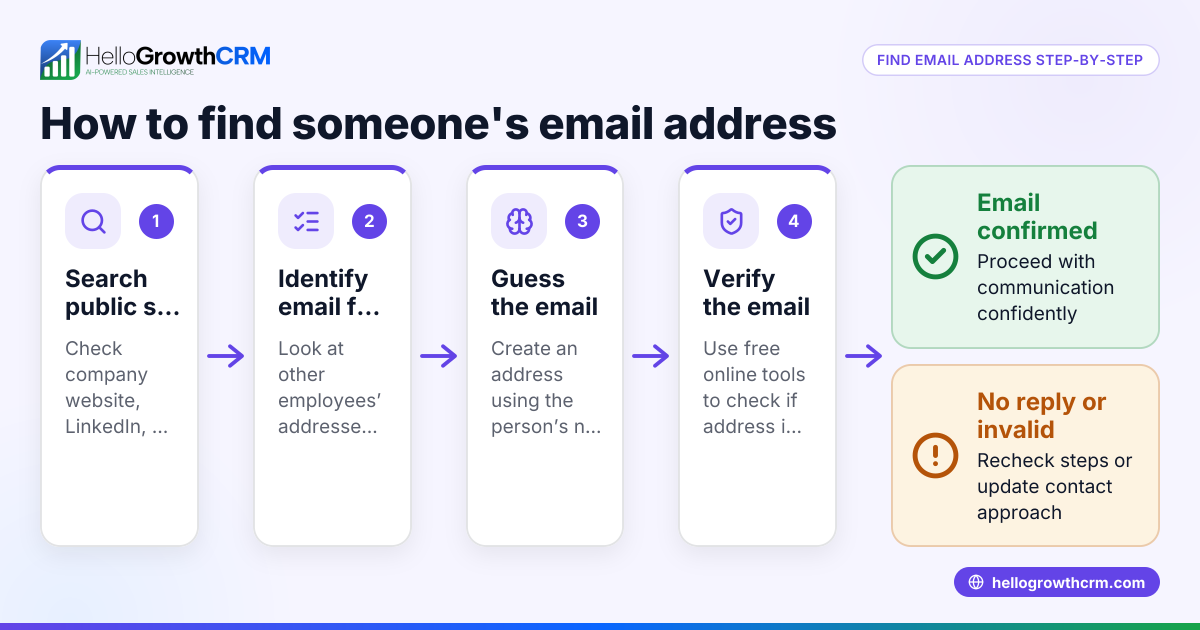
- Try Email Guessing: If you know the company’s email format (e.g., first.last@company.com), try to guess the email. Verify patterns by checking multiple contacts.
- Use Google Search: Combine the person’s name with keywords like phone, email, or address. Include the company name for more precise results.
- Check Public Records and Local Listings: Some professions have contact info in public records, business licenses, or local chamber of commerce directories.
- Verify Before Contacting: Cross-check multiple sources to avoid outdated or incorrect info. Confirm the number or email is current before reaching out.
Example (fictional figures)
A two-location dental practice in Columbus, Ohio, wants to contact John Smith, a supplier at "Smith Dental Supplies".
- Known details: John Smith, Smith Dental Supplies, Columbus, Ohio.
- Visit smithdentalsupplies.com, find a "Team" page listing John Smith with email john.smith@smithdentalsupplies.com.
- Search LinkedIn for John Smith in Columbus, confirming he works at Smith Dental Supplies.
- Google "John Smith Smith Dental Supplies phone" returns a phone number: (614) 555-1234.
- Verify phone number on Whitepages matches the business address.
John Smith’s contact info found:
- Email: john.smith@smithdentalsupplies.com
- Phone: (614) 555-1234
The dental practice plans to place an order worth $12,500 and needs to confirm shipping costs of $1,250.
Calculate total cost: $12,500 + $1,250 = $13,750
This allows the dental practice to call or email John directly and budget accurately.
Common mistakes
- Relying on a single source: Always verify contact info from at least two places to avoid errors.
- Ignoring company websites: Many businesses list direct contacts; skipping this wastes time.
- Using outdated spreadsheets: Manual lists often have old numbers or emails.
- Not checking email formats: Guessing wrong email addresses leads to bounced messages.
- Skipping social media: Many professionals use LinkedIn or Twitter for business contact.
- Failing to confirm location: Multiple people can have the same name; always check city and company.
Avoid these by following the step-by-step method and cross-checking all details.
Doing this in HelloGrowthCRM
HelloGrowthCRM offers Managed RevOps, a service where a revenue specialist works your follow-up queue weekly. This ensures leads with partial or missing contact info get researched and updated quickly. A founder without a sales manager can keep all contacts current and never lose a lead due to slow follow-up. Learn more about Managed RevOps at HelloGrowthCRM for the United States.
HelloGrowthCRM also provides a WhatsApp and SMS CRM WhatsApp and SMS CRM and a built-in CRM dialer built-in CRM dialer to streamline communications once contact info is found.
Frequently asked questions
Can I find anyone’s phone number online? Not always. Publicly available contact info depends on privacy settings and industry. Use multiple sources and respect privacy laws when searching.
Is it legal to use email guessing tools? Email guessing tools help find likely addresses based on company patterns. Use them carefully and avoid spamming. Always comply with anti-spam laws.
What if I only have a name and no company? This makes searching harder. Try social media platforms and public records. Adding location details improves results.
How can a CRM help with contact info? A CRM like HelloGrowthCRM centralizes contact data and tracks updates. Managed RevOps support ensures leads are regularly verified and followed up.
Why is verifying contact info important? Incorrect info wastes time and harms your business reputation. Verifying avoids contacting wrong people or sending emails that bounce.
Key takeaways
- Start with all known details: full name, company, location.
- Use company websites, online directories, and social media to find contacts.
- Verify contact info from multiple sources before reaching out.
- Avoid relying on outdated spreadsheets or single sources.
- Use HelloGrowthCRM’s Managed RevOps to keep contacts updated and follow-up timely.
- Cross-check email formats and phone numbers carefully.
Finding contact information requires a clear method and verification. For small businesses, using a CRM with Managed RevOps support can save time and prevent lost leads.
Start on the Free Forever plan (200 leads, no credit card) at Start on the Free Forever plan (200 leads, no credit card) to organize and manage your contacts easily.
Ready to put this into practice?
Set up your pipeline, WhatsApp follow-ups, and AI lead scoring in minutes — free, no credit card.
Try HelloGrowthCRM freeGet CRM tips in your inbox
Join thousands of sales professionals who get weekly insights on CRM strategy, AI automation, and pipeline optimization.

The HelloGrowthCRM team publishes guides on CRM strategy, AI sales tools, and revenue operations for small business sales teams.