HelloGrowthCRM software
Built for real small-business sales teams
HelloGrowthCRM helps reps qualify faster, follow up on time, and close more deals—with practical automation in one place.
- AI lead scoring and pipeline visibility
- Built-in dialer, WhatsApp, and email automation
- Sales forecasting and RevOps-ready reporting
To fix bounced emails, start by determining the type of bounce you are dealing with: hard bounce (permanent failure) or soft bounce (temporary failure). Next, verify email addresses for typos or invalid domains and correct or remove them as needed. Check your domain’s SPF, DKIM, and DMARC records to ensure your emails are authenticated properly. Review your email server settings and sending limits to avoid triggering bounces. Finally, clean your mailing list regularly by removing invalid or unresponsive addresses to maintain good deliverability.
Why this comes up / what goes wrong
Small business owners often encounter bounced emails when sending newsletters, promotions, or sales outreach campaigns. Common causes include incorrect email addresses entered by leads or customers, full inboxes on the recipient’s side, spam filters blocking your messages, or missing or misconfigured domain authentication records like SPF, DKIM, and DMARC. If these issues are not addressed, your email bounce rate rises, damaging your sender reputation and making it harder for emails to reach prospects. Slow or inconsistent follow-up attempts can worsen this problem.
Step-by-step
- Identify the bounce type: Check your email bounce notification message to see if it is a hard bounce (permanent failure, like a non-existent address) or a soft bounce (temporary failure, such as a full inbox).
- Verify email addresses: Look for typos, extra spaces, or invalid domains in your mailing list. Correct any obvious errors or remove invalid addresses.
- Check domain authentication records:
- Confirm your SPF record includes the IP addresses of your sending servers.
- Ensure DKIM signing is set up correctly to verify message integrity.
- Implement or review your DMARC policy to protect your domain and improve deliverability.
- Review email server settings: Verify your SMTP server is configured properly, is not blacklisted, and that your sending IPs have good reputations.
- Monitor sending limits: Many email servers limit the number of emails sent per hour or day. Stay within these limits to prevent bounces caused by throttling.
- Clean your mailing list regularly: Remove email addresses that repeatedly bounce or do not engage with your emails.
- Test sending: Send test emails to accounts on different providers (Gmail, Yahoo, Outlook) to check deliverability and spam filtering.
- Use email automation and sequences to manage follow-ups efficiently and reduce manual errors. Learn more about email automation and sequences.
Example (fictional figures)
A two-location dental practice in Columbus, Ohio, sends monthly appointment reminders and promotions to 5,000 patients. On 05/01/2026, they notice 300 bounced emails after a mailing.
They analyze the bounce data:
- Total emails sent: 5,000
- Bounced emails: 300
- Hard bounces: 200
- Soft bounces: 100
They take these steps:
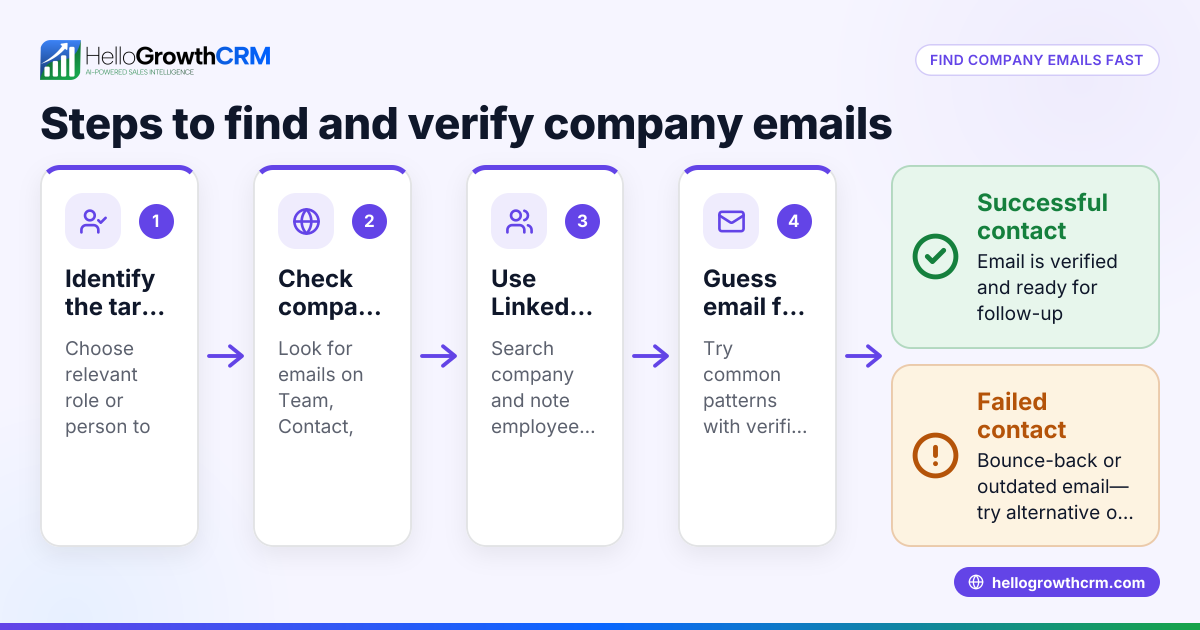
- Verify email addresses and remove 180 invalid emails caused by typos or closed accounts.
- Check SPF record and find it missing the new mail server IP address.
- Update SPF record to include the new mail server IP.
- Confirm DKIM is active and DMARC is set to "none" for monitoring purposes.
- Adjust sending limits to 1,000 emails per hour to avoid throttling by the email provider.
Calculations:
Valid email addresses after cleaning:
5,000 - 180 = 4,820
Time to send all emails at 1,000 per hour:
4,820 ÷ 1,000 = 4.82 hours, rounded up to 5 hours
After implementing these fixes and cleaning the list, the practice sees a 90% reduction in bounce rates the following month.
Common mistakes
- Ignoring bounce notifications: Regularly review bounce reports to catch problems early and take corrective action.
- Not verifying email lists: Always clean and verify addresses before sending campaigns to reduce bounces.
- Missing domain authentication: Set up SPF, DKIM, and DMARC records correctly to improve email deliverability and protect your domain.
- Exceeding sending limits: Know and respect your email provider’s sending limits to avoid throttling and bounces.
- Not testing emails: Send test emails to various providers to identify potential filtering or deliverability issues early.
- Manual follow-up errors: Use tools like WhatsApp and SMS CRM to automate and track communications, reducing errors and missed follow-ups.
Frequently asked questions
Why do emails bounce back? Emails bounce due to invalid addresses, full inboxes, spam filters, or technical server issues. Identifying the bounce type helps determine whether to retry sending or remove the address from your list.
How can I reduce email bounce rates? Verify email addresses before sending, set up domain authentication with SPF, DKIM, and DMARC, respect sending limits, and clean your mailing list regularly to minimize bounces.
What is the difference between a hard bounce and a soft bounce? A hard bounce is a permanent failure, such as when an email address does not exist. A soft bounce is temporary, caused by issues like a full mailbox or server downtime.
How often should I clean my email list? Clean your email list before every major campaign and at least quarterly to remove invalid or unresponsive contacts.
Can automation help with managing bounced emails? Yes, using email automation and sequences can streamline follow-ups, reduce manual errors, and improve overall engagement.
Key takeaways
- Identify whether bounces are hard or soft to apply the correct fix.
- Verify and clean email addresses before sending campaigns.
- Implement SPF, DKIM, and DMARC records to authenticate your domain.
- Monitor and respect your email server’s sending limits.
- Automate follow-ups with email and messaging tools to reduce errors.
Start fixing your bounced emails today and improve your outreach. Start on the Free Forever plan (200 leads, no credit card) to manage your contacts and communications efficiently.
Ready to put this into practice?
Set up your pipeline, WhatsApp follow-ups, and AI lead scoring in minutes — free, no credit card.
Try HelloGrowthCRM freeGet CRM tips in your inbox
Join thousands of sales professionals who get weekly insights on CRM strategy, AI automation, and pipeline optimization.

The HelloGrowthCRM team publishes guides on CRM strategy, AI sales tools, and revenue operations for small business sales teams.