HelloGrowthCRM software
Built for real small-business sales teams
HelloGrowthCRM helps reps qualify faster, follow up on time, and close more deals—with practical automation in one place.
- AI lead scoring and pipeline visibility
- Built-in dialer, WhatsApp, and email automation
- Sales forecasting and RevOps-ready reporting
A problem management database helps you log, track, and resolve issues that disrupt your business processes. When it malfunctions or is poorly managed, you risk losing control over problems, causing delays and customer dissatisfaction. This article explains why these issues happen, how to fix them step-by-step, common mistakes to avoid, and how HelloGrowthCRM can help keep your leads organized and prevent lost information.
Why this comes up / what goes wrong
Small-business owners often rely on a problem management database to track customer issues, product defects, or operational glitches. Problems arise when the database:
- Is not updated regularly, leading to outdated or missing information.
- Lacks clear ownership or next steps for each problem, causing delays.
- Is too complex or poorly integrated with other tools like email or messaging.
- Has data scattered across spreadsheets, notes, or messages, making it hard to track progress.
- Is not accessible to all team members who need to update or check it.
For example, a local service business might miss following up on a customer complaint because the problem was recorded only in a shared spreadsheet without assigned responsibility. Or a restaurant chain might have communication gaps because their problem database is not linked to their messaging apps.
Step-by-step
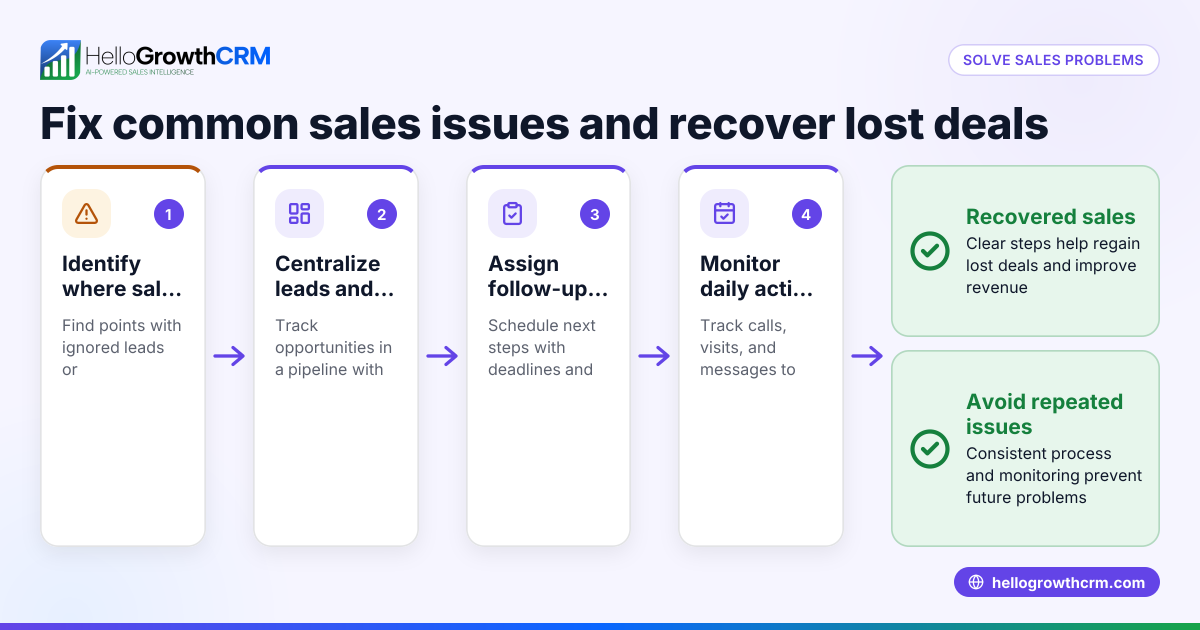
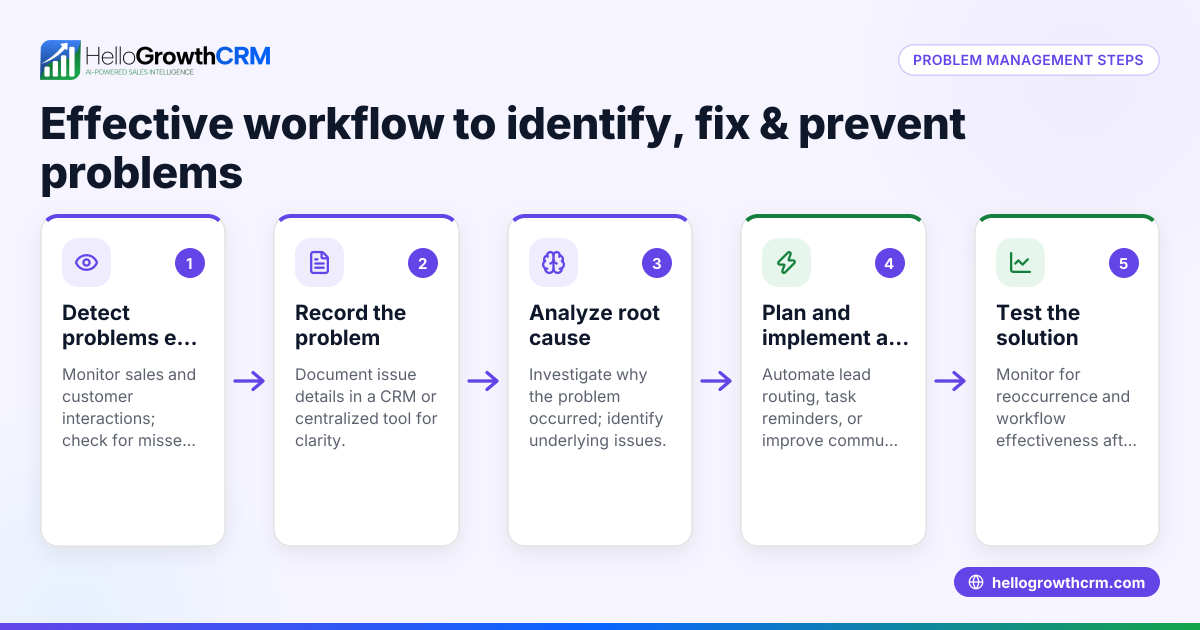
- Check database accessibility: Ensure all team members can access and update the database without technical issues. Test login and permissions.
- Verify problem entries: Review recent problem records for completeness and accuracy. Check that each entry has all necessary details.
- Assign ownership: Make sure each problem has a designated owner responsible for resolution. Confirm owners understand their roles.
- Set clear next steps: Define actionable tasks and deadlines for every problem. Use reminders or task boards to track progress.
- Integrate communication channels: Link email, WhatsApp, or SMS to your database to capture all problem-related messages automatically. This reduces lost information and speeds up response.
- Train your team: Provide clear instructions on how to log, update, and resolve problems. Use simple guides and hold training sessions.
- Review and update regularly: Schedule weekly or biweekly checks to ensure problems are progressing toward resolution and update statuses accordingly.
- Simplify the system: Remove unnecessary complexity or duplicate tools. Use a single source of truth for problem tracking.
For more on integrating communication channels, see WhatsApp and SMS CRM.
Example (fictional figures)
A two-location dental practice in Columbus, Ohio, uses a problem management database to track equipment issues. On 06/01/2026, they logged a broken X-ray machine.
- Cost to repair: $3,200
- Expected downtime: 5 days
- Daily revenue per location: $4,000
Steps:
- Assign technician: John Doe
- Schedule repair: 06/02/2026
- Notify patients of delay
Calculations for lost revenue due to downtime:
Daily revenue = $4,000
Downtime = 5 days
Lost revenue = $4,000 × 5 = $20,000
Repair cost + lost revenue = $3,200 + $20,000 = $23,200 total impact
This example shows why timely updates and ownership are critical to minimize losses and keep your business running smoothly.
Common mistakes
- Not assigning clear ownership: Leads to confusion and delays. Prevent by always designating an owner when a problem is logged and confirming their responsibility.
- Ignoring updates: Problems appear resolved but aren’t. Prevent by scheduling regular status reviews and requiring updates.
- Using multiple disconnected tools: Causes lost information and confusion. Prevent by integrating communication channels like WhatsApp and email into your database for centralized tracking.
- Failing to train staff: Results in inconsistent data entry and missed updates. Prevent by providing clear training and documentation.
- Overcomplicating the system: Makes it hard to use and discourages updates. Prevent by keeping the database simple and user-friendly.
- Not reviewing problem progress regularly: Problems can stall unnoticed. Prevent by setting review meetings or automated reminders.
Learn how to keep leads organized and avoid scattered data with HelloGrowthCRM for the United States.
Doing this in HelloGrowthCRM
HelloGrowthCRM captures every inquiry from a form, call, or WhatsApp as a lead with an owner and a next step. This keeps your incoming problems organized and prevents them from getting lost in notebooks or spreadsheets. Using HelloGrowthCRM ensures your team knows who is responsible for each issue and what to do next, improving follow-up and resolution speed.
Frequently asked questions
What is a problem management database? It’s a system to record, track, and resolve problems affecting your business operations. It helps ensure issues are addressed systematically and nothing is overlooked.
How do I assign ownership in a problem management database? Assign ownership by designating one person responsible for each problem. This person tracks progress, coordinates fixes, and ensures resolution.
Can I integrate communication tools with my problem management database? Yes, integrating email, WhatsApp, and SMS helps capture all problem-related communication in one place. HelloGrowthCRM offers these integrations to keep your data centralized.
How often should I update the problem management database? Regular updates are essential. Weekly or biweekly reviews keep problems on track and avoid delays.
What common mistakes should I avoid? Avoid unclear ownership, ignoring updates, using disconnected tools, poor training, overcomplicating your system, and failing to review progress regularly.
For more on communication integration, check built-in CRM dialer.
Key takeaways
- Ensure every problem has a clear owner and next step.
- Keep your database updated regularly to track progress.
- Integrate communication channels to capture all problem-related messages.
- Train your team on consistent use of the database.
- Use simple, accessible tools to avoid confusion and lost data.
- Review problem progress regularly to prevent delays.
Start organizing your leads and problems effectively. Start on the Free Forever plan (200 leads, no credit card).
Ready to put this into practice?
Set up your pipeline, WhatsApp follow-ups, and AI lead scoring in minutes — free, no credit card.
Try HelloGrowthCRM freeGet CRM tips in your inbox
Join thousands of sales professionals who get weekly insights on CRM strategy, AI automation, and pipeline optimization.

The HelloGrowthCRM team publishes guides on CRM strategy, AI sales tools, and revenue operations for small business sales teams.